1
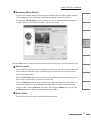
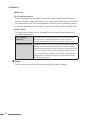
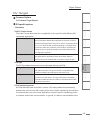
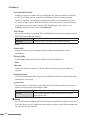
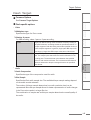
ProCoder 3 1 Maximizing ProCoder performance While adding more RAM, upgrading to faster CPUs and adding additional CPUs are usually the best ways to increase ProCoder’s performance, there are a few optimizations that you can do to increase ProCoder’s speed without hardware upgrades. Close other tasks Close any other applications that are running. Any background applications will take CPU cycles from ProCoder and slow conversion. Optimize drive speed Defragmenting the source and target hard drive can significantly increase read and write speeds. Putting sources and targets on separate physical disks or writing to a fast network drive will also improve ProCoder’s performance to a certain degree. Disable automatic scanning applications Anti-virus software and recycle bin “protection” software can significantly increase disk and CPU loads. Consider temporarily disabling these types of software while ProCoder is running. Use separate source and target drives Minimize the number of sources read from the same drive and minimize the number of targets written to the same drive. This will reduce the amount of seeking the drive needs to do, reducing the amount of delay introduced by disk access. Disable preview Disabling the preview can result in faster conversions. While this is usually a very small speed increase, it can be a measurable amount, especially in longer jobs. 108