1
WELCOME
Page 1
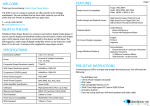
3.IN THE BOX
Thank you for purchasing the VideoClip HD.
The VC-HD is one of a range of products we offer specific to the heritage
marketplace. We are confident that we have other products you will find useful and
look forward to dealing with you again soon.
Power Supply
HDMI Cable
T: +44 (0) 1639 767007
W: www.blackboxav.co.uk
1.WHAT IS THE VC-HD?
Remote Control
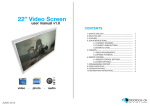
VideoClip HD is a compact, stand-alone, high definition digital media player. It can be
used to display and distribute videos, images and audio over a screen/monitor that is
connected to the device via HDMI input. The VC-HD supports a wide range of digital
media files which can be stored on a SD card or USB stick. A remote is also supplied for
easy player control and access to settings.
VideoClip HD Player
SD Card Slot Cover
2.SUPPORTED MEDIA FORMATS
Video codecs supported
MPEG1/2/4, H.264, AVC, VC1, WMV,
RM/RMVB, DivX3/4/5/6, Xvid3/4/5/6
Video formats supported
RM/RMVB, AVI, TS, M2TS, MTS, MKV, MOV,
FLV, DVD-ISO, BD-ISO, VOB, MPG, DAT,
ASF, TP, TRP, WMV, IFO, SWF, 3GP, EVO,
DIVX, MP4, OGM
Audio codecs supported
HE, LPCM, AC3, DTS, DTS-HD MA(DTS
output can be down-mixed), Dolby Digital AC3 5.1
stereo
Audio formats supported
MP3, WMA, WAV, OGG, FLAC, AAC, LC-AAC,
APE(Under 128KHz)
Image formats supported
JPEG, BMP, GIF, PNG, TIFF
6 x Terminal Block
Button Adapter
4.SETUP INSTRUCTIONS
Connecting your VC-HD is simple and straight forward. You will need the
following:
1) The VideoClip HD Player
2) 12V DC Power Adapter
3) HDMI Cable
4) HDMI Compatible Monitor or TV (not included)
5) SDHC Card or USB Stick (not included)
3
6) Terminal block button connection (included if specified at order)
7) Buttons (not included / not required for looping playback)