1
Chapter 1: Getting Started
1.1- EZ-GL Overview
EZ-GL posts payroll transactions from Sage Abra Payroll directly into your accounting system's
general ledger. EZ-GL creates a report and output file in any account format which includes,
ACCPAC, MAS 90, Solomon, SBT, PeopleSoft, TURNS and more. In addition, you can design
an output file for any other accounting system according to your specifications.
Key Features:
•
Allocates split-month payrolls automatically or accrues future payroll and creates
necessary reversing entry according to your accounting procedures
•
Posts accrued benefit liabilities from Sage Abra to the GL
•
Automatically archive and purge GL data Auto restore process
•
Unique edit feature allows for easy modification of inaccurate GL entries
•
Posts selected GL accounts as consolidated or detailed transactions
•
Creates a check output file
•
Payroll transactions are posted automatically in the correct format for your
accounting system
•
Produces comprehensive reports that show you all your general ledger postings and
corrections
•
Eliminates the need for time-consuming double data entry
•
Integrates completely with Sage Abra Payroll
1.2- Using this Guide
This user guide gives you a detailed description of how to install and use EZ-GL in the
following chapters:
Chapter 1: ‘Getting Started’- gives a brief description of the product
Chapter 2: ‘Installation and Access’- describes how to install EZ-GL
Chapter 3: ‘Product Registration’- describes how to register EZ-GL with Employee
Based Systems
Chapter 4: ‘Security Setup’- describes how to configure the security for users to access EZGL
Chapter 5: ‘EZ-GL Setup’- describes how to setup EZ-GL
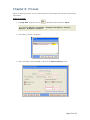
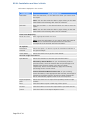
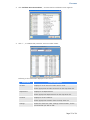
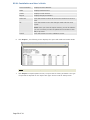
Chapter 6: ‘Process’ – describes how to process the information and to view report
FAQ’s: contains a list of Frequently Asked Questions and Answers
Glossary: contains a list of terms and their definitions
Page 5 of 34