1
JGraph User Manual
1.5 Getting Started
1.5.1 THE JGRAPH WEB SITE
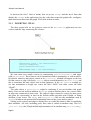
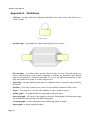
To start with navigate to the JGraph web site. The most useful areas to you when starting
JGraph are listed below. Use the navigation bar on the left hand side to locate the
appropriate section:
• Documentation - All freely available documents relating to JGraph. If you are reading
this as part of the JGraph user manual, this is the most up-to-date documentation at
the time of writing. Additional examples to JGraph are available at a small cost that
demonstrate specific features within JGraph.
• Forum - Here you can ask the JGraph community your questions. A timely and
correct answer cannot be guaranteed, however the JGraph developers tend to keep a
close eye on questions posted. Try to break your problem down into single smaller
questions. If you post asking to have someone write your project for you, you are
unlikely to receive a reply. If you require commercial-level support please contact
[email protected]. Before posting to the forum please search the documentation,
the FAQs and search the forum using the search facility provided. The JGraph team
have spent a great deal of effort putting those resources in place, please try to save
them having to point you at them because you have not searched yourself.
• FAQ– The FAQ contains a number of the question received most often in a summary
format.
• Tracker - The tracker contains current bugs within JGraph. If you think you have a
bug, check it has not already been reported and also check in the forum if you are
unsure if it is a real bug. If you are sure, please do report the bug.
1.5.2 DOWNLOADING JGRAPH
On the downloads page on JGraph web site you will find the latest free packages
available. Older versions of JGraph are available from the archive site.
1.5.3 INSTALLING JGRAPH
Having downloaded the three JGraph packages select a folder that will be the root
development folder somewhere on your hard disk. JGraph is delivered in a self-extracting
.jar file. Double-clicking the file in Windows will usually start the installation process. To
start the installation from the command line type:
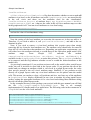
>java -jar jgraph-5_12_3_0-src.jar
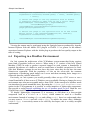
replacing the .jar filename as appropriate. A dialog will first appear asking you to agree to
the license under which you will use JGraph, you are advised to read the license. Next, the
installation process will prompted you to select the directory to install JGraph into.
Page 15