1
ANTEVS User Manual – Page 11
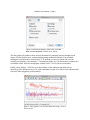
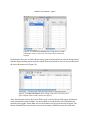
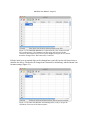
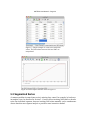
Figure 12. The Data Edit Window in Connected mode, after connection with
the recording device. The Connect icon (blue plug and socket) indicates
connection, the Record icon (red circle) has changed from gray to red, and the
status has changed from Disconnected to Connected.
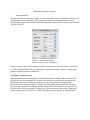
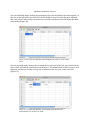
Edit the initial year as required (this can be changed later), and click on the red Record icon to
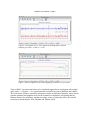
initialize the device. The mode will change from Connected to Initializing, and the Record icon
becomes orange (Figure 13).
Figure 13. The Data Edit Window in Initializing mode, ready to accept the
coordinate of the start of the data sequence.