1
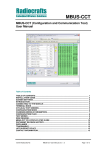
Radiocrafts Embedded Wireless Solutions SIG-CCT Installation Guide SIG-CCT (Configuration and Communication Tool) is a part of Radiocrafts RCTools-SIG PC suite tailored for use with Radiocrafts SIG RF Modules. For full installation procedure please read the RCTools Installation Guide available at www.radiocrafts.com. The SIG-CCT requires access to the modules UART via an available COM-port. Typically UART-access is obtained via an UART-to-RS232 or UART-to-USB converter. The Demo Boards (DB) from Radiocrafts contains an on-board level shifter for direct plug-in to a PC and further access to the related COM-port. Screen Settings It is recommended to run the application with screen size at least 1024x768 and font resolution 96dpi. Introduction The SIG-CCT helps you to work with the Radiocrafts SIG module series. The program enables you to easily configure the module, and can additionally work as a terminal window where data can be sent or received to / from any serial port. Figure 1. Main window Connect the DB, or your own hardware with the Radiocrafts module, to the COM-port. Start the program and the programs main window should look similar to what is shown in Figure 1. 2015 Radiocrafts AS SIG-CCT User Manual (rev. 1.00) Page 3 of 11