1
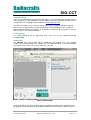
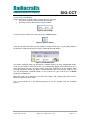
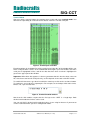
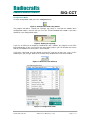
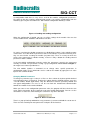
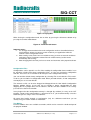
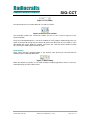
Radiocrafts Embedded Wireless Solutions SIG-CCT Terminal Mode After pressing the connect button, the program opens a port and enters terminal mode. You now have the possibility to send and receive data to / from the selected serial port. Figure 5. Terminal part of window Everything written in the bottom line of the terminal part (right side) of the window will be sent to the serial port when <enter> or the arrow-button to the right is pressed. All data sent to the serial port is highlighted in blue, and all the data that have been received is highlighted in green in the upper part of the window. Important: When blue data appears, it doesn’t guarantee that this data has been sent over RF, it has been sent into the serial port only, as this depends on the state of the RF module. To send ASCII characters, type them in and hit the enter key or click on the send once button. To send bytes, you need to use apostrophes. For example, to send 5 bytes with values: 0x33, 0x25, 6, 78, 7 you need to write: Figure 6. Terminal line with numbers Note that the SIG modules require that the first byte to the UART is a length byte. Both decimal and hexadecimal values can be used. You can mix ASCII, decimal and hexadecimal values in one sting for instance if you want to send a Z command when you are in configuration mode: 2015 Radiocrafts AS SIG-CCT User Manual (rev. 1.00) Page 5 of 11