Download E-SRF: Electronic Service Request Forms - e

Transcript
64
CHAPTER 4. DEFINITION
4.9
System Configuration Considerations.
It describes in detail the components of the IT solution that will be implemented to support these processes.
4.9.1
Authenticating users.
User enters username and password to log in when they are in the web application. This is the default authentication method.
4.9.2
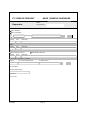
Filling the form.
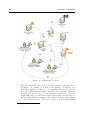
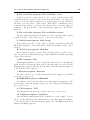
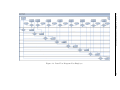
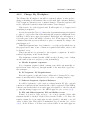
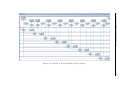
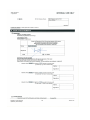
Daikin employee starts Adobe Workspace, by clicking on a link on the intranet. Workspace is a web-based application (Flex9 ), so no installation is
needed. Only the free Adobe Flash plug-in must be installed on her machine.
This is already available on all company PC’s. Workspace shows overview of
available request types.
Employee selects one request type. Note: customization of Workspace required, just colours, logo and fonts, functionality stays the same. Workspace
sends the list of chosen request types to the LiveCycle server. The server renders a form with fragments corresponding to this list, and applies some reader
extensions. Reader extensions allow the form to be saved locally and to add
comments to the form. The server then sends the form back to Workspace.
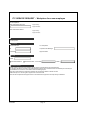
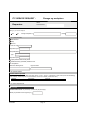
Employee sees the form in Workspace. She selects the managers that
must approve the request; she fills in the form, and clicks on the ’complete’
button in Workspace to submit the request to the server. Alternatively, she
clicks on ’save as draft’ to complete the form later on.
4.9.3
Select Department Manager Approver.
As this approver will be mandatory, users will select them from a list in the
form which will be maintained in Active Directory.
4.9.4
Select N-Drive Approver.
Just in case the employee requires this feature (see section 4.6.3), users will
select them from a list in the form which will be maintained in Oracle database. This list should be maintained time to time to make the right changes.
9
see appendix A