1
User Manual AdjumedAnalyze
LOGIN
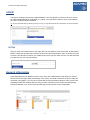
The login is analogous to that of the AdjumedCollect. The only difference is that you have to choose
the option [AdjumedAnalyze (evaluation)] (1). Again, your login data consists of your e-mail address,
your clinic number and your password.
Tip: Choose [AdjumedAnalyze (evaluation)] before you enter your login data because the entered data is not saved separately.
M-TAN
After you have successfully filled in your login data, you are asked to enter the M-TAN. M-TAN means
Mobile Transaction Number and is used for a secure two-way authentication (as it is common for bank
accounts). We will send a code to your mobile phone which you then have to enter. This way we make
sure that it is only you using the system.
General Information
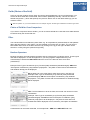
AdjumedAnalyze has two different sections. First, there is the data selection and filtering on the left.
Second and on the right, there is the display of the values. If no field is selected, as this is usually the
case after you logged in, you can see a cockpit with the most important indicators. Here you have the
possibility to filter and compare data any way you wish. Filtersets can be created and saved easily
with [save filterset]. If you click on [remove filter set] you will get back to the cockpit again.
3