1
User Manual
/ Introduction
3. Keyboard
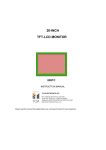
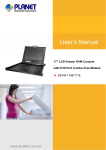
Integrating a Keyboard, Touchpad, 17’’ LCD panel and a KVM switch in
a 1U housing, the industrial solution provides high efficiency in server
management. For further convenience and flexibility, the LCD KVM also
support an external set of keyboard, monitor, and mouse console that allows
user to access the computers locally from the rack or remotely by IP KVM or
Cat5 KVM Extender.
/ Feature
(1) Integrating a Keyboard, Touchpad, 17’’ LCD panel and a KVM switch
in a 1U housing
(2) Built in internal power supply
(3) Front LED shows LCD panel ON or OFF.
(4) Micro switch can automatically shut-off LCD panel in the closed
position.
(5) External console port for connecting second set of keyboard, mouse,
and monitor. 2. Video
(1) Synaptic touchpad
(2).Supports “graphics tablet mode’’
(3) Interface: PS/2
1. Drawer
(1) Resolution: XSGA
(2) Number of Pixels:1280 x 1024
(3) Active Area(mm2):337.9(h) x 270.3(v)
(4) Number of colors:16.2 million
(5) Contrast Ratio: 450:1
(6) Brightness(cd/m2):300
(7) Viewing Angle (U/R/U/D):75/75/65/60
(8) Interface: LVDS
(9) Lamp Quantity:4
(10) Lamp life time:50000 hours
(1) Industrial membrane keyboard
(2) Multiple language
(3) Lifecycle: 8kk cycles
(4) Passed splash and spill test
(5) Interface: PS/2
4. Touchpad
5. KVM Switch
(1) Use two KVM consoles to control multiple PCs, both consoles will
watch the same PC channel
(2) Automatic KVM signal simulation for every port, able to boot-up PC
simultaneously
(3) Support plug & play, software free
(4) Support DDC2B, correct Monitor type detection for each port at any
time
(5) Compatible with MS-DOS, Windows, Linux, Unix, FreeBSD
(6) Maximum VGA resolution up to 2048x1536
(7) Front panel push button, hot-key and full-function OSD menu for PC
selection
(8) Cascading function to expand the connected PCs
(9) Individual push button for each channel
(10) Keyboard/Video Monitor/Mouse signal RESET function
(11) Automatic KVM type detection for optimum setup
(12) Auto Scan function
(13) Use integrated HD15 3-in-1 KVM cable to connect PC, easy to
connect and save space
(14) Extra KVM console to connect second set of keyboard, mouse, and
monitor