1
Chapter 3: Subsystem Connection
NOTE:
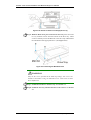
The FC-AL loop speed can be adjusted by the following items:
1. DIP switch on the subsystem
2. Hyper terminal
3. HBA card on the host computer
Be sure to adjust all three items mentioned above for the FC-AL loop to run
in a new speed.
WARNING!
When the DIP switch 5 is manually switched to upper position for FC-AL
loop running at 1G speed, firmware that is running in the subsystem must
also be adjusted accordingly. You may access the firmware by the LCD in
front of the subsystem, RS-232 hyper terminal screen, telnet and
RAIDwatch management program. Without changing the Fibre loop speed
options in firmware may eventually slow down the running speed and cause
system error.
3.4 Host Connection Sample Topologies
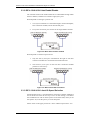
3.4.1 Simple, Direct Connection to a Host Computer
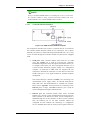
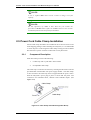
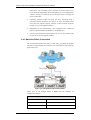
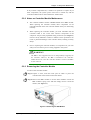
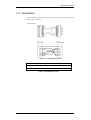
The A24F-G2224 is directly connected to a host computer equipped with a
dual-channel HBA.
Figure 3-4: Direct Dual Hosts Connection
Host Connection Sample Topologies
3-7