1
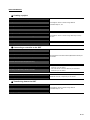
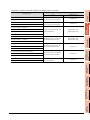
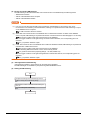
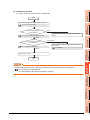
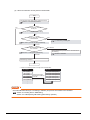
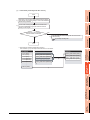
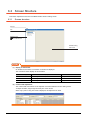
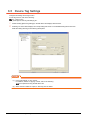
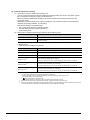
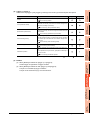
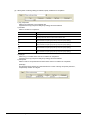
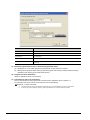
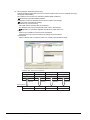
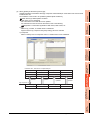
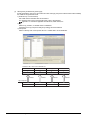
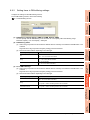
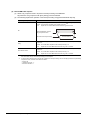
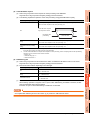
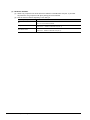
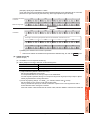
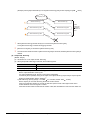
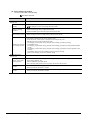
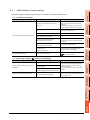
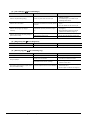
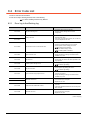
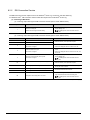
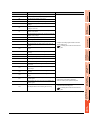
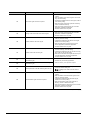
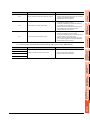
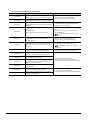
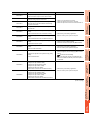
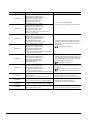
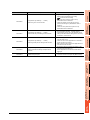
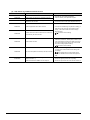
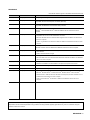
8.1.2 1 When using DB Connection Service Setting Tool Symptom Checked item Corrective action Has DB Connection Service Setting Tool been already started? • Terminate the already started DB Connection Service Setting Tool. • Only one DB Connection Service Setting Tool can be activated. Unable to reflect the setting. Was a user ID having the administrator authority used for the login? • Log in again with a user ID having the administrator authority. Unable to save the setting. Is there no permitted IP address? • Uncheck the [limit IP addresses which permit to connect] checkbox, or add an IP address for which connection is permitted. Is the file set in [Output destination] read-only? • Correct the file specification. Is the access to the folder containing the file set in [Output destination] authorized? • Check the right of access to the folder. Is the drive space of the server computer full? • Check the free space on the drive. Is the file set in [Output destination] read-only? • Correct the file specification. Is the access to the folder containing the file set in [Output destination] authorized? • Check the right of access to the folder. Is the drive space of the server computer full? • Check the free space on the drive. SETTINGS AND PROCEDURES BEFORE USE OF THE MES INTERFACE FUNCTION 4 5 MES INTERFACE FUNCTION Windows. 6 MES INTERFACE FUNCTION SETTING [SQL failure log output error] is recorded in [Event Viewer] of [Administrative Tools] in 7 DB CONNECTION SERVICE AND SETTING TOOL Viewer] of [Administrative Tools] in Windows. 3 8 TROUBLE SHOOTING [Access log output error] is recorded in [Event 2 SPECIFICATIONS Unable to start DB Connection Service Setting Tool. SYSTEM CONFIGURATION 7. DB CONNECTION SERVICE AND SETTING TOOL OVERVIEW This section explains troubleshooting information on the setting of DB Connection Service Setting Tool. 8.1 Error Handling and Recovery Method 8-5