1
Chapter 8: Schedule Manager
About the Schedule Manager
ABOUT THE SCHEDULE MANAGER
. . . . . . . . . . . . . . . . . . . . . . . . . . . . . . . . . . . . . . . . . . . . . . . . . . . . . .
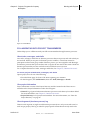
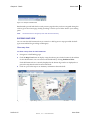
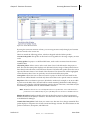
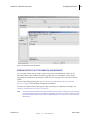
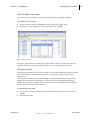
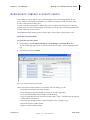
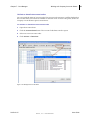
The Schedule Manager helps you manage project or shell and program schedules. You can create a Project/Shell Schedule Sheet that is customized to the projectʹs or shell’s needs. Once these sheets are created, you can then use them to create project/shell activities and tasks, assign resources to tasks, create relationships between activities, track schedule progress and variables, and calculate the schedule’s critical path.
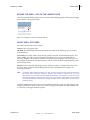
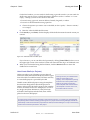
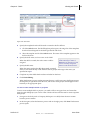
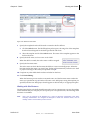
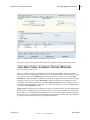
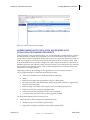
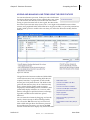
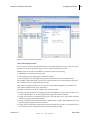
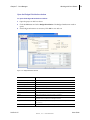
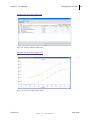
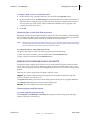
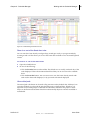
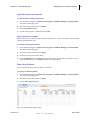
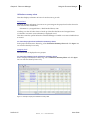
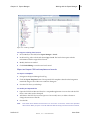
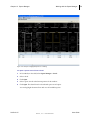
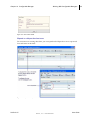
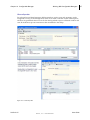
In Unifier, you can also import project schedule records from Primavera Project Planner® or Microsoft® Project. These external project schedules can provide additional detail or supporting schedule information; for example, resource information, or subcontractor or vendor schedules. Imported schedules are editable within Unifier, and the data can be used in reports. The Schedule Manager presents schedule activities as interactive Gantt charts, where you can:
• Zoom in to see tasks at the day, week, or month level
• Move activities and add dependency relationships, and automatically update the dates on the schedule
• Create critical path calculations that will flag activities that, if delayed, can cause the schedule to go beyond the planned project end date
Using Unifier’s snapshot feature, you can take a “picture” of the schedule sheet at any point in time. Using the Schedule Manager’s baseline function, you can measure progress and determine payments against original estimates; and with the tracking Gantt feature, you can compare schedule dates, such as baseline estimates against the actual schedule. If you copy activities from one schedule to another, Unifier will immediately notify you if the change will create a schedule conflict so that you can make corrections as you work. Each change in the Schedule Manager creates a record in Unifier, which is useful for auditing purposes. An audit report of these records shows detailed information on dates, events, actions, and old values versus new values, along with the user or proxy user who performed the action.
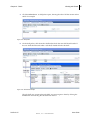
Each project/shell can have multiple schedule sheets, and one master schedule sheet. This master sheet drives project start and end dates, tracks the project’s progress, and serves as the interface between the Schedule Manager and other Unifier modules. In particular, the master schedule updates resource assignment information in the Resource Manager, which affects timesheets and resource utilization figures; and it integrates cost items on the schedule with the Cost Manager. Unifier users can refresh resource rates on the schedule sheet and post the new rates to the Cost Manager, update the cost sheet with assignment costs, and refresh costs on the sheet to recalculate labor costs and post them to the cost sheet.
Features include the following:
• Fully configurable activity attributes form
• Activities and Gantt chart on the same schedule sheet
• Interactive Gantt chart with ability to drag activity end dates and link activities
• Tracking Gantt chart
• Filters for activities
• Baselines for schedule sheets and activity sheets
• Activity update
• Ability to create one or multiple interactive schedule sheets for the same project or shell
• Integration of Schedule Manager with the Resource Manager, enabling resource loading of schedule activities
Unifier 9.2.2
User Guide
Skire, Inc. Confidential
374