1
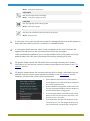
Menu: File/New
Open
Opens an existing project.
Menu: File/Open
Save
Saves the project in the specified file.
Menu: File/Save
Save as
Saves the project in another file.
Menu: File/Save as
Project information
Sets the project’s information.
Menu: File/Project information
Project notes
Allows entering notes in the project.
Menu: File/Project notes
Report of all cross-sections for the worst load combination
Creates a report of all cross-sections for the worst load combination of each one of
them.
Menu: File/Report of all cross-sections for the worst load combination
Drawing of all cross-sections
Creates drawings of all cross-sections.
Menu: File/Drawing of all cross-sections
Concrete
Sets the concrete required in the project.
Menu: Materials/Concrete
Reinforcement
Sets the reinforcing steels required in the project.
Menu: Materials/Reinforcement
Code
Selects the code used in the project.
Menu: Settings/Code
Options
Sets the options for reports.
Menu: Settings/Reports/Options
20