1
Chapter 2
Edit tool OP20
2-1 Basic summary of OP20
OP20 is the edit tool for OP series operate panels. It is run under Windows98/NT. This edit tool is easy to learn,
convenient to use, and any language can be input and display.
2-1-1 The installation and un-installation of this edit tool
OP20 is green edit tool which needn’t to be installed. Copy the software folder offered by the supplier to your
disk, then execute OP20.EXE will be OK. When you need to uninstall, just delete this software folder. This edit
toll can work smoothly under Windows98/NT.
2-1-1-22 About the project and screen
To a product, all the screens the user compiled are saved in one project. The base factors of a project are screens.
Via designing each screen, realize some certain function, realize the jump among different screens freely. All the
screens together is the application project made by the designer.
2-1-1-33 The screen
screen’’s content
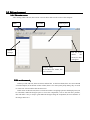
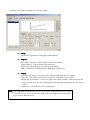
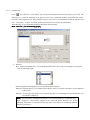
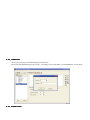
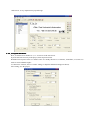
After click OP20.EXE, the user can new create or open the screen. Each screen can place text、indicate lamp、
switch、data display set window、jump key、bar graph、fold-line graph、bit graph、dynamic text etc. Screen jump
are freely between two screens. The operator can realize data monitor, parameter setting, switch control, alarm list
monitor etc.
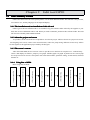
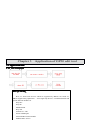
2-12-1-44 Using flow of OP20
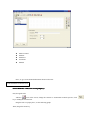
Basic using flow of OP20:
Run the panel
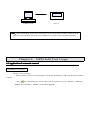
Download the screen
Save the project
Edit the screen
Choose PLC type
Choose panel type
Create or open a project
Open the edit tool