1
Chapter 6: Security Mechanisms
If an email is considered to be probably Spam because the calculated sum is above the Spam
threshold but it is below the Drop threshold, then the Subject field of the email is changed and
pre-fixed with a message and the email is forwarded on to the intended recipient. The tag
message text is specified by the administrator but can be left blank (although that is not
recommended).
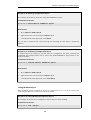
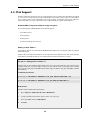
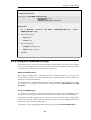
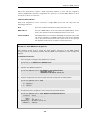
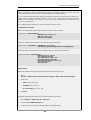
An example of tagging might be if the original Subject field is:
Buy this stock today!
And if the tag text is defined to be "*** SPAM ***", then the modified email's Subject field will
become:
*** SPAM *** Buy this stock today!
And this is what the email's recipient will see in the summary of their inbox contents. The
individual user could then decide to set up their own filters in the local client to deal with such
tagged emails, possibly sending it to a separate folder.
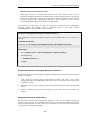
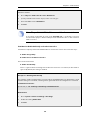
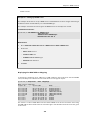
Adding X-Spam Information
If an email is determined to be Spam and a forwarding address is configured for dropped emails,
then the administrator has the option to Add TXT Records to the email. A TXT Record is the
information sent back from the DNSBL server when the server thinks the sender is a source of
Spam. This information can be inserted into the header of the email using the X-Spam tagging
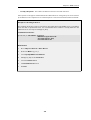
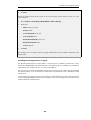
convention before it is sent on. The X-Spam fields added are:
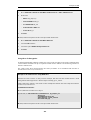
•
X-Spam-Flag - This value will always be Yes.
•
X-Spam-Checker-Version - The NetDefendOS version that tagged the email.
•
X-Spam-Status - This will always be DNSBL.
•
X-Spam-Report - A list of DNSBL servers that flagged the email as Spam.
•
X-Spam-TXT-Records - A list of TXT records sent by the DNSBL servers that identified the
email as Spam.
•
X-Spam_Sender-IP - IP address used by the email sender.
These fields can be referred to in filtering rules set up by the administrator in mail server
software.
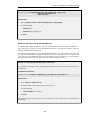
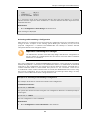
Allowing for Failed DNSBL Servers
If a query to a DNSBL server times out then NetDefendOS will consider that the query has failed
and the weight given to that server will be automatically subtracted from both the Spam and
Drop thresholds for the scoring calculation done for that email.
If enough DNSBL servers do not respond then this subtraction could mean that the threshold
values become negative. Since the scoring calculation will always produce a value of zero or
greater (servers cannot have negative weights) then all email will be allowed through if both the
Spam and Drop thresholds become negative.
A log message is generated whenever a configured DNSBL server does not respond within the
required time. This is done only once at the beginning of a consecutive sequence of response
failures from a single server to avoid unnecessarily repeating the message.
342