1
Chapter 6: Security Mechanisms
Protocol Specific behavior
Since anti-virus scanning is implemented through an Application Level Gateway (ALG), specific
protocol specific features are implemented in NetDefendOS. With FTP, for example, scanning is
aware of the dual control and data transfer channels that are opened and can send a request via
the control connection to stop a download if a virus in the download is detected.
Relationship with IDP
A question that is often posed is the "ordering" of Anti-virus scanning in relation to IDP scanning.
In fact, the concept of ordering is not relevant since the two scanning processes can occur
simultaneously and operate at different protocol levels.
If IDP is enabled, it scans all packets designated by a defined IDP rule and does not take notice of
higher level protocols, such as HTTP, that generate the packet streams. However, Anti-virus is
aware of the higher level protocol and only looks at the data involved in file transfers. Anti-virus
scanning is a function that therefore logically belongs in an ALG, whereas IDP does not belong
there.
The Signature Database
NetDefendOS anti-virus scanning is implemented using the SafeStream™ II virus signature
database. The SafeStream II database is created and maintained by Kaspersky, a company which
is a world leader in the field of virus detection. The database provides protection against virtually
all known virus threats including trojans, worms, backdoor exploits and others. The database is
also thoroughly tested to provide near zero false positives.
Database Updates
The SafeStream database is updated on a daily basis with new virus signatures. Older signatures
are seldom retired but instead are replaced with more generic signatures covering several
viruses. The local NetDefendOS copy of the SafeStream database should therefore be updated
regularly and this updating service is enabled as part of a D-Link subscription.
Subscribing to the D-Link Anti-Virus Service
The D-Link anti-virus feature is purchased as an additional component to the base D-Link license
and is bought in the form of a renewable subscription. This includes regular updates of the
Kaspersky SafeStream database during the subscription period with the signatures of the latest
virus threats.
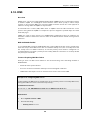
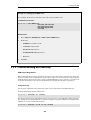
6.4.3. Activating Anti-Virus Scanning
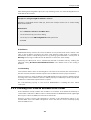
Anti-virus scanning is activated in one of two ways:
•
Activating Using IP Rules
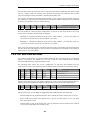
IP rules are one of the means by which the anti-virus feature is deployed, the deployment. IP
rules specify that the ALG and its associated anti-virus scanning can apply to traffic going in a
given direction and between specific source and destination IP addresses and/or networks.
Scheduling can also be applied to virus scanning so that it takes place only at specific times.
When used with IP rules, an ALG must then be associated with an appropriate service object
for the protocol to be scanned. The service object is then associated with a rule in the IP rule
400