1
Chapter 10: Traffic Management
specified in the pipe's configuration is exceeded. Lower priority packets will be buffered and sent
when higher priority traffic uses less than the maximum specified for the pipe. The buffering
process is sometimes referred to as "throttling back" since it reduces the flow rate.
The Need for Guarantees
A problem can occur however if prioritized traffic is a continuous stream such as real-time audio,
resulting in continuous use of all available bandwidth and resulting in unacceptably long
queuing times for other services such as surfing, DNS or FTP. A means is required to ensure that
lower priority traffic gets some portion of bandwidth and this is done with Bandwidth
Guarantees.
Using Precedences as Guarantees
Specifying a limit for a precedence also guarantees that there is a minimum amount of
bandwidth available for that precedence. Traffic flowing through a pipe will get the guarantee
specified for the precedence it has, at the expense of traffic with lower precedences.
To change the prioritized SSH and Telnet traffic from the previous example to a 96 Kbps
guarantee, the precedence 2 limit for the std-in pipe is set to be 96 Kbps.
This does not mean that inbound SSH and Telnet traffic is limited to 96 Kbps. Limits in
precedences above the best effort precedence will only limit how much of the traffic gets to pass
in that specific precedence.
If more than 96 Kbps of precedence 2 traffic arrives, any excess traffic will be moved down to the
best effort precedence. All traffic at the best effort precedence is then forwarded on a first-come,
first-forwarded basis.
Note: A limit on the lowest precedence has no meaning
Setting a maximum limit for the lowest (best effort) precedence or any lower
precedences has no meaning and will be ignored by NetDefendOS.
Differentiated Guarantees
A problem arises if the aim is to give a specific 32 Kbps guarantee to Telnet traffic, and a specific
64 Kbps guarantee to SSH traffic. A 32 Kbps limit could be set for precedence 2, a 64 Kbps limit
set for precedence 4 and then pass the different types of traffic through each precedence.
However, there are two obvious problems with this approach:
•
Which traffic is more important? This question does not pose much of a problem here, but it
becomes more pronounced as the traffic shaping scenario becomes more complex.
•
The number of precedences is limited. This may not be sufficient in all cases, even without
the "which traffic is more important?" problem.
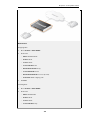
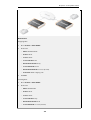
The solution is to create two new pipes: one for telnet traffic, and one for SSH traffic, much like
the "surf" pipe that was created earlier.
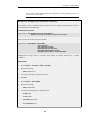
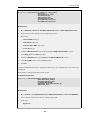
First, remove the 96 Kbps limit from the std-in pipe, then create two new pipes: ssh-in and
telnet-in. Set the default precedence for both pipes to 2, and the precedence 2 limits to 32 and
64 Kbps, respectively.
Then, split the previously defined rule covering ports 22 through 23 into two rules, covering 22
596