1
Digital MP4 Player User Manual
Key functions
1.
2.
3.
4.
5.
6.
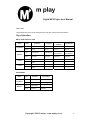
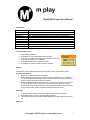
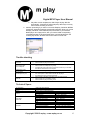
Power: Power on/off
MENU (Mode): press to enter main menu or submenu
PLAY : Switch on/off, play, pause, stop
NEXT : Short press next, longer press quick forward
BACK : Short press Back, longer press quick backward
VOL : Volume adjust short press enter volume adjust interface
Battery
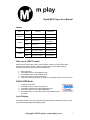
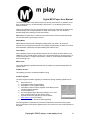
The player is in 9-level battery monitoring system.
Indicates that battery is full and the power in battery will become less when using.
Indicates low battery power and the player should be charged.
In order to make the lifetime of the battery longer, please use up the battery when use the
player for the first two times and then recharge completely (8-10hours); later on normal
charging time is 2-3hours.
Play music
1. Connect the earphones and Press the Power button to power on
2. Long press MENU button to enter main menu, choose MUSIC mode and press
MENU button to enter music playing interface.
3. Press Play button to play music.
Browsing
Browsing music files or menus
Press >> to browse Next and << to browse previous
Hold buttons down for fast forward or fast rewind when playing music
Entering Different Modes
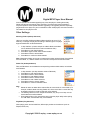
You may enter different modes from the main menu: (Long press M Button)
Music mode, Record mode, Voice mode, FM mode, System Settings, Picture view, USB
Mode when connecting to PC, E-book,
Tip: After pressing Mode button to select options, you may press Play button to exit from
menu directly. The operation on Play button for direct exit is valid to all menus.
Volume Control
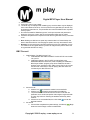
1. Press “VOL” and then “<<” or “>>” to decrease or to increase volume.
2. Hold volume button in to activate the REC functions.
Copyright 2006 © m play – www.mplay.co.za
3