1
Chapter 3:Software Installation
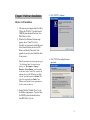
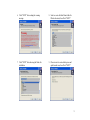
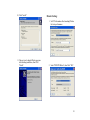
4. Click "NEXT" to continue.
DScaler 4.1.X Installation
1. After turn on your computer, place the Utility
CD into the CD-ROM. If you don't have the
CDROM, please download the driver from
PMS Video’
s web site.
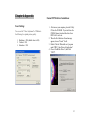
2. When the New Hardware Found message
appears, choose "Cancel" for all. (i.e.
Normally, we do not need to install the device
driver because DScaler can drive the PDI
Deluxe card directly. Please refer to the
appendix in case you want to install the driver
for any reason.)
Note: To permanently stop the pop-up message of
“New Hardware Found”each time boot-up,
please go to “My Computer > Property >
Hardware > Device Manager”and you should
see the device with a ? mark. This is possibly the
unknown devices of the PDI Deluxe card. Right
click the ? mark device and select Disable. Then
right click it again and select Enable. Then
Windows won't find the 2 devices again and ask
for driver when next boot up.
5. Click "YES" after reading the license
agreement.
3. Double Click the "Dscaler417p.exe" to run
the DScaler setup program. If you don't have
the CDROM, please download the driver
from PMS Video’
s web site.
8