1
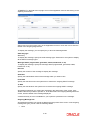
Fund Id
Select the fund to which the template is being mapped from the option list provided.
ISIN Code
The ISIN Code of the fund that you choose will be updated in this field.
You could, alternatively, select the ISIN Code of the fund and the Fund Id will be updated.
Template Id
Select the template that you desire to map to the fund-investment account combination to.
Note
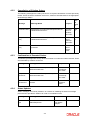
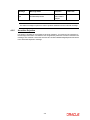
When you choose the Template Id, the following sections are displayed in the screen:
–
Template Details Section
–
Component Details Section
–
Restricted Reference Type Section
These have been explained in detail in the section ‘Setting Up a General Ledger Template’ in
this chapter. Please refer to the same for more information.
Template Description
The description of the template is displayed when you select the Template Id.
Account Type
Select the investment account type for which the template is being mapped.
GL Currency
Select the GL Currency from the option list provided.
Note
–
As mentioned above, the field GL Reference Number allows you the flexibility of
creating several GL templates with a common Fund Id, Template Id, Component
and Account Type. You can distinguish between them by entering a unique GL
Reference Number for each.
–
You can maintain a GL Setup for more than one account type. This is done by
choosing the option ‘All Account Types’ against the field Account Type.
For example, if you want to define a GL setup for a fund FUND1 for two account types CPFOA
and Cash Direct, you can choose the option ‘All Account Types’ instead defining two different
GL templates for each of the account types.
You can maintain a GL Setup for more than one currency. This is done by choosing the option
‘All Currency’ against the field GL Currency. This allows you to maintain one GL for
transactions carried out by the customer in different currencies. There will be a currency wise
posting in the GL.
5.9.6
Extraction and Generation of Event based Accounting Entries
A batch process extracts the relevant accounting entries according to the GL setup for the
fund, and generates the accounting entries that would be passed, automatically at EOD.
5-37