1
3.2
Editing principals
3.2.1 Adding principals
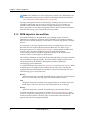
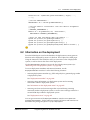
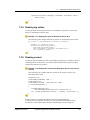
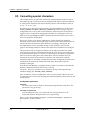
Principals are added by means of the PrincipalFactory. The factory is only used
for creating principal objects. To persistently add the new users, groups, or roles to
the WCM system, the add method of the AdminHandler interface must be called
afterwards.
Use the getPrincipalFactory method of the AdminHandler interface to get an
instance of PrincipalFactory.
When a principal is added by means of one of the methods createUser,
createRole, or createGroup, various parameters with the properties of the new
principal are supplied.
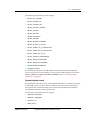
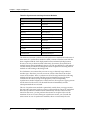
Users, groups, and roles have a number of common properties that can be set when
they are added:
•
a name (cn)
•
an LDAP position (ldapPosition) – only if an LDAP directory service is used
for storing the user data. If an RDBMS or Livelink ECM - Enterprise Server is used,
null must be supplied.
•
an e-mail address (email)
Additionally, the following properties have to be set for users:
•
the user ID for logging in to the WCM system (userID)
•
the password for login (vipUserpassword)
•
a flag indicating whether the password must be changed when the user logs in to
the WCM system for the first time (initPassword)
•
the user's preferred language (language)
Note: The permission to access the WCM system (vipAccess) is implicitly
granted when the principal is added.
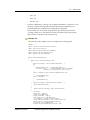
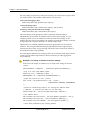
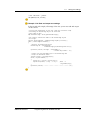
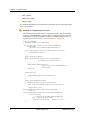
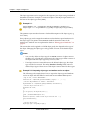
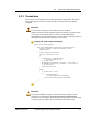
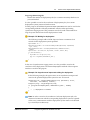
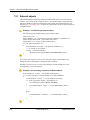
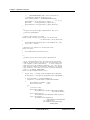
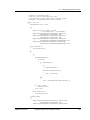
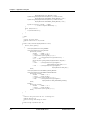
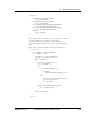
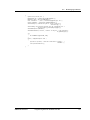
Example 3-1: Adding a user to LDAP
The following example adds a user to an LDAP user administration:
// login with appropriate administration rights
ContextId cid = VipRuntime.getContextHandler().login(...);
// define the LDAP position of the new user
String ldapRootPos = "ou=admin, o=test, c=de";
// define the name (cn) and ID of the new user
String userCN = "Joshua Stein";
String userId = "jstein";
//define passwort, e-mail address, and language of the new user
String passwd = "4711";
WM090700-PJA-EN-1
Programming Guide for the WCM Java API
33