1
Chapter 8 Application examples
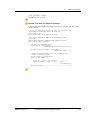
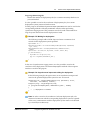
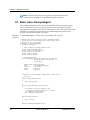
String newDescription = correctString(description);
if( !description.equals(newDescription) )
{
od.setDescription(newDescription);
bChange = true;
}
}
if ( bChange )
{
oh.change(ctxId, od, messageM);
}
}
}
catch (VipApiException vae)
{
System.err.println("KeywordAnalyzerAgent: performVipEvent()
" + event );
vae.printStackTrace();
}
}
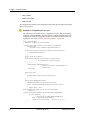
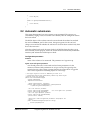
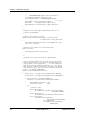
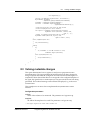
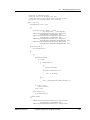
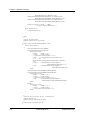
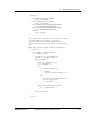
The correctString method modifies the supplied strings by filtering and
converting German umlauts and other special characters.
public String correctString(String str)
{
StringBuffer output = new StringBuffer();
for( int i = 0; i < str.length(); i++ )
{
switch(str.charAt(i))
{
case ';':
output.append(',');
break;
case 'ä':
output.append("ae");
break;
case 'Ä':
output.append("Ae");
break;
case 'ö':
output.append("oe");
break;
......
default:
output.append(str.charAt(i));
}
}
return output.toString();
}
8.6 Multi-language websites
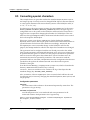
This example describes an agent for multi-language websites. In multi-language
websites, objects are maintained in different languages. As soon as an object to be
146
Livelink WCM Server
WM090700-PJA-EN-1