1
IP2Archive - User Manual - MAD Config Version 1.2
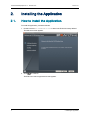
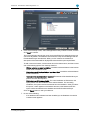
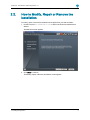
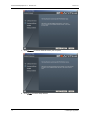
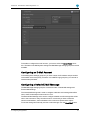
The Custom Setup screen shows a tree view of the IP2Archive applications that you
can install and deinstall. By default, the database client software, Deep Archive
Manager and the EVS Software Player are selected. When you click a feature or
subfeature, a description of the feature will be displayed and also the disk space
requirements.
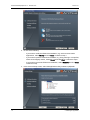
To add or remove a feature, click the arrow next to the feature name, and then choose
one of the following options from the drop-down list:
◦
Will be installed on local hard drive: Installs the selected feature in the location
shown under Installation Folder.
◦
Entire feature will be installed on local hard disk: Installs the selected feature
and all subfeatures.
◦
Feature will be installed when required:The feature will be installed when you
perform an action that requires it.
◦
Entire feature will be unavailable: For a new installation of IP2Archive, this
option passes over the installation of the selected feature. For an existing
installation, this option removes the feature from the installation. After you select
this option, a red X appears on the feature tree next to the feature name.This
option cannot be selected for the database and the EVS Software Player.
Click the Reset button to undo your selection. Click Next to continue.
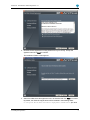
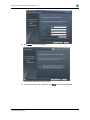
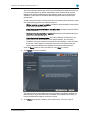
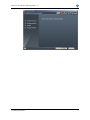
5. Click Install to start the installation.
Any features that you have added in the Custom Setup screen will be installed. Any
features that you have removed will be uninstalled. The installed features that you
haven't modified will be skipped. Continue to step 8.
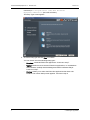
6. Click Repair to repair the installation of EVS IP2Archive. Continue to step 8.
2. Installing the Application
11