1
9.3 Dial-up Settings
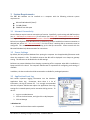
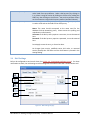
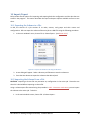
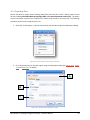
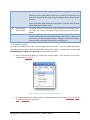
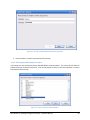
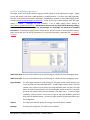
BiG can be configured to use Windows Dial-Up Networking to connect to the internet during
sync/export with SMT Analyics. BiG must first be commissioned to an SMT Analytics project (see 11.1 COMMISSIONING BIG TO AN SMT ANALYTICS PROJECT) before these settings are available. This requires
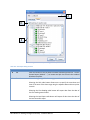
that the dial-up connections are properly configured in Windows prior to configuration in BiG.
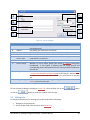
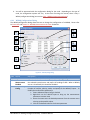
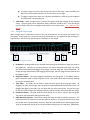
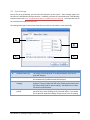
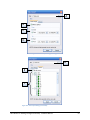
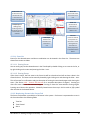
A
B
D
C
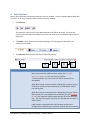
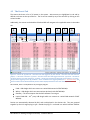
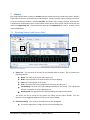
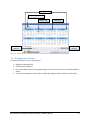
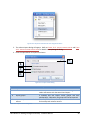
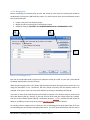
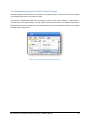
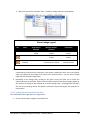
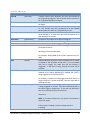
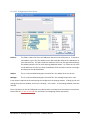
Figure 9-4 - Dial-up settings tab page
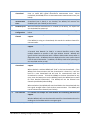
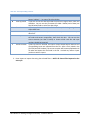
Label
A
B
Setting
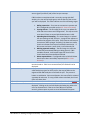
Use dial-up
required
Description
when This enables/disables using dial-up for sync with Analytics and other
on-line tasks including e-mails, pager notifications, and checking for
updates. If enabled, BiG will check for connectivity to SMT before an
on-line task. If a connection cannot be made, it will attempt each dialup entry entered in BiG in the order specified (top-to-bottom) until a
connection is made. If a dial-up connection cannot be made, then the
on-line task will fail.
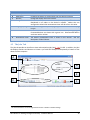
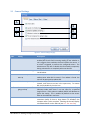
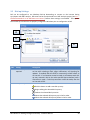
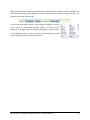
Dial-up entry toolbar
This toolbar can be used to:
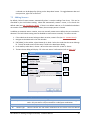
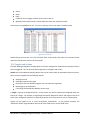
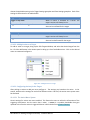
Click this button to add a new dial-up entry
Begins editing the selected dial-up entry
Deletes the selected dial-up entries
Moves the selected dial-up entry up in the list order
Moves the selected dial-up entry down in the list order
RS-1095 Rev 2: Building Intelligence Gateway - Software Manual
44