1
EDINGCNC
0
1
2
3
=
=
=
=
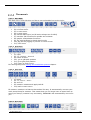
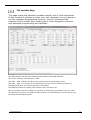
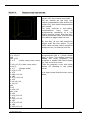
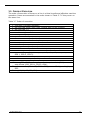
Manual
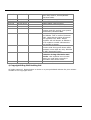
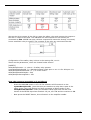
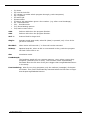
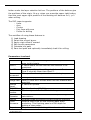
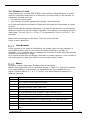
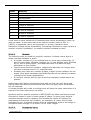
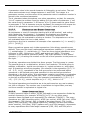
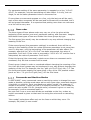
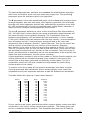
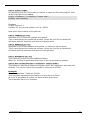
nothing.
warning.
smooth stop (with ramp down).
quick stop (immediately, no ramp down, this may give position loss.
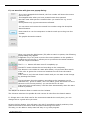
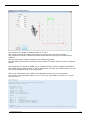
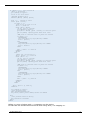
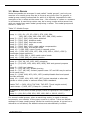
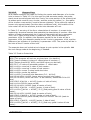
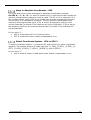
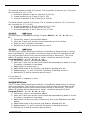
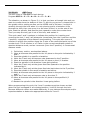
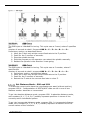
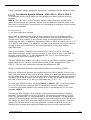
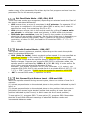
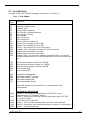
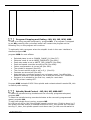
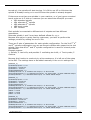
This is how it looks in the cnc.ini for 1 rule,
there are max 8 rules for the RLY8 card.
[GPIO_RULES]
;Give warning message when Oil pressure 1 or 2 is low
;Input 4 = 0000 1000, input 5 = 0001 0000 together 0001 1000
;So the value for participant bits is 8 + 16 = 24
;When one of the inputs becomes 1, we want a warning message
;So compare bits are also 24
;Action is 1, warning
card_1_rule_1_text = "---Warning Oil is pressure low---"
card_1_rule_1_inputParticipantBits = 24
card_1_rule_1_inputCompareBits = 24
card_1_rule_1_action = 1
;Give smooth stop when Vacuum is to low
;Input 1 = 0000 0001
;So the value for participant bits is 1
;When one of the inputs becomes 1, we want a smooth stop
;So compare bits are 1
;Action is 2, smooth stop
card_1_rule_2_text = "---Warning Vacuum is pressure low---"
card_1_rule_2_inputParticipantBits = 1
card_1_rule_2_inputCompareBits = 1
card_1_rule_2_action = 2
;Give ESTOP when the water pressure is low
;Input 2 = 0000 0010
;So the value for participant bits is 2
;When one of the inputs becomes 1, we want a smooth stop
;So compare bits are 1
;Action is 3, ESTOP
card_1_rule_3_text = "---Water pressure low---"
card_1_rule_3_inputParticipantBits = 2
card_1_rule_3_inputCompareBits = 2
card_1_rule_3_action = 3
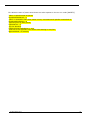
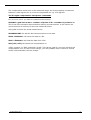
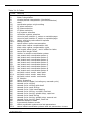
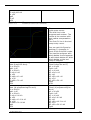
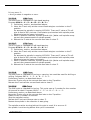
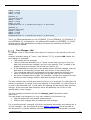
What also can be specified is the name of the IO in or output for the GUI. It is also done
directly in the cnc.ini.
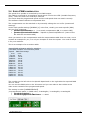
[GPIO_NAMES]
gp_output_101_name = "Oil pump on"
gp_output_102_name = "Water pump on"
gp_output_103_name = "Touch Probe down"
gp_output_104_name = "Touch Probe up"
gp_output_105_name = "Vacuum 1"
gp_output_106_name = "Vacuum 2"
gp_output_107_name = "Vacuum 3"
gp_output_108_name = "Vacuum 4"
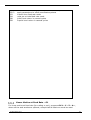
gp_input_101_name = "Vacuum pressure low"
gp_input_102_name = "No water pressure"
gp_input_103_name = ""
gp_input_104_name = "Oil pressure 1 low"
04 December 2015
Release 4.02
193