1
Defining the Import Map
EZ-CARE2
Defining the Import Map
Once you’ve created your input file, you must define your import map. The import map
determines how the information is to be transferred from your input (source) file to the EZCARE2 cabinet. To specify the mapping, create a Saved Import in Office Administration.
You can do this either by creating a New import or by editing (or duplicating) an existing
one, in the Library of Saved Imports.
Creating a New Import Map
To create a new import map
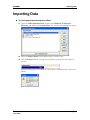
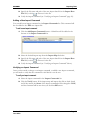
1. Open the Office Administration, double-click Chapter 2 (Cabinets &
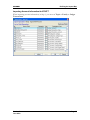
Drawers), and double-click Import Data. The Library of Saved Imports opens:
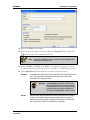
2. Click the New button. The Step 1 screen of the Import Wizard appears:
Version 7
June 2009
Page 7