1
User Manual for Embedded System Environment:
ESE Version 2.0.0
3.2. Design Canvas
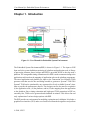
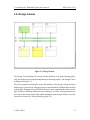
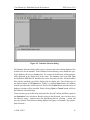
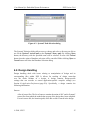
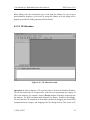
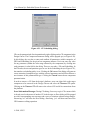
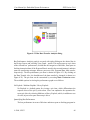
Figure 3-2. Design Canvas.
The Design Canvas displays the content and the attributes of an opened design graphically, and it allows browsing and manipulating of the design objects. The Design Canvas
is displayed in Figure 3-2.
The canvas supports modifying the layout and attributes of the design via drag-and-drop
and through a context menu. Dragging objects from the Database Window adds an object
to the design. Dragging objects within the Design Canvas repositions the object accordingly. Deletion, renaming, adding and removing ports, as well as viewing properties are
accessed via the context menu and available dependent upon the type of object currently
selected (see Section 4.2 Design Handling (page 32)).
© 2008, CECS
13