1
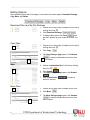
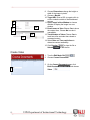
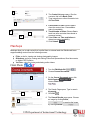
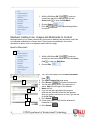
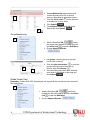
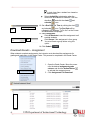
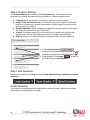
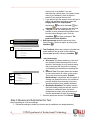
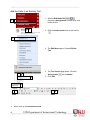
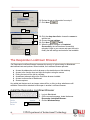
13. Select Date and Time restrictions to
determine content availability.
14. Click Save and Continue.
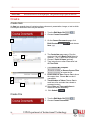
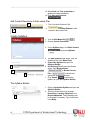
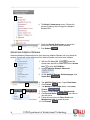
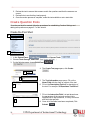
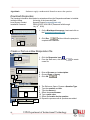
Add Content Resources to the Lesson Plan
1
2
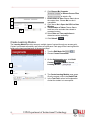
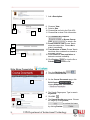
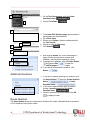
1. The Curriculum Resource Tab
opens.
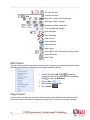
2. Use any of the Content Buttons to add
content to the Lesson Plan.
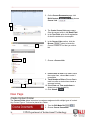
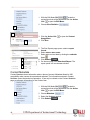
Create Syllabus
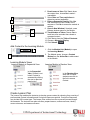
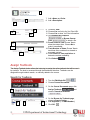
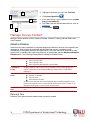
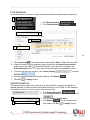
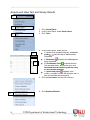
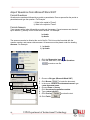
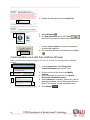
1. Turn the Edit Mode ON.
2. Choose Course Documents.
3. On the Syllabus page, click Build Content
and choose Syllabus.
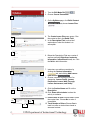
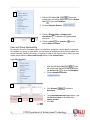
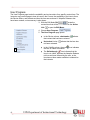
4. The Add Syllabus page opens. Give the
Syllabus a title in the Name Field.
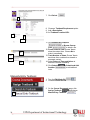
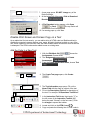
5. Create New Syllabus will open the
Syllabus Builder.
6. Use Existing File will open the Browse
option. Click Browse button
or Browse Course
4
5
6
Files
to locate and
upload the Syllabus document.
7. Click Submit.
to submit the
syllabus or open the Syllabus Builder.
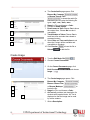
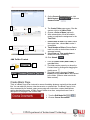
The Syllabus Builder
2
18
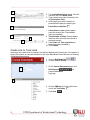
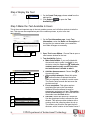
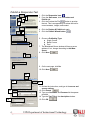
1. Clicking Create New Syllabus will open the
Syllabus Builder.
2. There are three sections to the page:
Description, Learning Objectives, and
Required Materials. These headings can
be changed if necessary. Type instructions
in the Body.
UIW Department of Instructional Technology