1
Contents
Module 6 Tutorials ................................................................................................................. 42
Blackboard Evaluation Tools: ............................................................................................ 42
Create and Download Assignments ................................................................................. 44
Create Assignment................................................................................................................. 44
Download Results – Assignment ......................................................................................... 45
Create, Modify, & Administer Tests or Surveys ......................................................... 46
Types of Test, Survey and Pool Questions........................................................................ 46
Create Tests or Survey in the Content Area ...................................................................... 47
Step 1 Create the Shell ..................................................................................................... 47
Step 2 Creation Settings ................................................................................................... 48
Step 3 Add Questions........................................................................................................ 48
Step 4 Deploy the Test ...................................................................................................... 54
Step 5 Make the Test Available to Users ....................................................................... 54
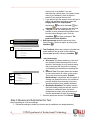
Step 6 Review and Administer the Test ......................................................................... 55
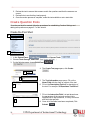
Create Question Pools .......................................................................................................... 56
Create the Pool Shell ......................................................................................................... 56
Import Tests ............................................................................................................................. 57
Test Options ............................................................................................................................. 57
Edit a Test ............................................................................................................................... 58
Edit Point Values for Reused Questions ............................................................................ 58
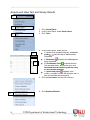
Acquire and View Test and Survey Results ....................................................................... 59
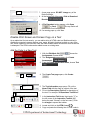
Disable Print Screen and Screen Copy on a Test ............................................................ 60
Respondus Assessment Builder ........................................................................................ 63
Types of Questions ................................................................................................................ 63
Download Respondus ........................................................................................................... 64
Create a Test as a New Respondus File............................................................................ 64
Import Questions from Microsoft Word 2007 ..................................................................... 66
Publish a Respondus Test .................................................................................................... 67
The Respondus LockDown Browser ................................................................................ 68
Install the Respondus LockDown Browser ........................................................................ 68
Create (enable) a test with the LockDown Browser ......................................................... 69
43
UIW Department of Instructional Technology