1
VIII
Operation
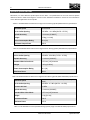
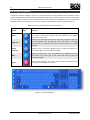
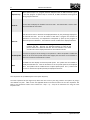
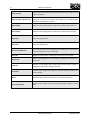
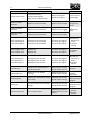
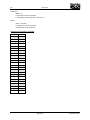
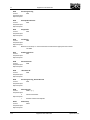
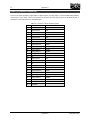
Ff
Qq
f=
q=
Ss s=
Tt t=
Uu u=
Vv v=
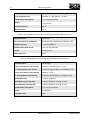
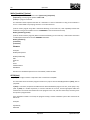
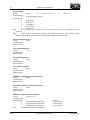
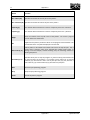
e.g. E0.1 causes the measurement to be shifted by 0.1mm
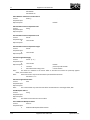
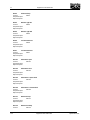
Feedback Percentage
The percentage feedback that is used when updating an offset. Enter a value between 0 and
2 (0% and 200%). Default value – 1.
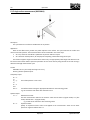
Overtravel distance
The probe overtravel distance for use when the default values are unsuitable. The probe will
then travel beyond the expected position when it searches for a surface. Default value – 2mm in
fine mode and 3mm in regular mode.
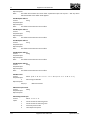
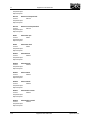
The work offset number that will be set
S1 to S6 (G54 to G59)
S101 to S494 (G54.1 P1 to G54.1 P394)
New work offset = Existing offset value + error
The tool offset number to be updated
Updates the tool radius comp for X and Y measurements and the tool length comp for Z
measurement.
T1 to T36 (Tool 1 to Tool 36)
New tool offset = Existing offset value + error
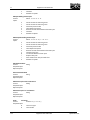
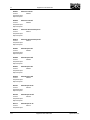
Upper tolerance limit
If this value is exceeded no tool offset or work offset is updated and the cycle stops with an
alarm. Where applicable, this tolerance applies to both the size and position. Default value –
5mm.
e.g. U1 sets the upper tolerance limit to 1mm.
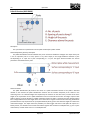
Null band
This is the tolerance zone in which no tool offset adjustment occurs. Default value – 1micron.
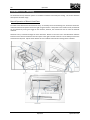
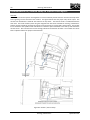
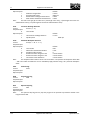
Example: Measuring a single surface in X
T1 M6
Load appropriate measuring probe
G54 X0 Y0
Apply correct work offset and go to start position
G43 H1
Activate tool length offset for particular tool
G1 X-20 Y0
Goto appropriate X,Y location for measurement
G1 Z5
Goto appropriate Z location for measurement
G65 P9811 X-10 Q5 S2 U1 V0.01
Call single surface measurement
continue with program…
The X offset for G55 (S2) will be updated by the error of the surface position.
80
Operation
September 2011