1
Basic Key and Rotary Knob Operations
Basic Key
Key and
and Rotary
RotaryKnob
KnobOperations
Operation
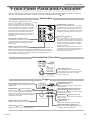
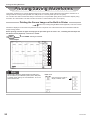
This section describes key and rotary knob operations which are basic operations for setting the DL9500/DL9700.
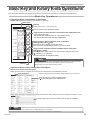
Basic Key Operations
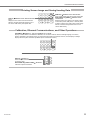
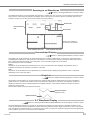
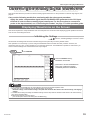
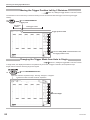
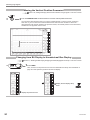
Operations When a Setup Menu Is Displayed
ZOOM 1 Menu (Menu that appears when ZOOM 1 is pressed)
Setup menu
ESC
ESC key
Clears a setup menu or a setup dialog box.
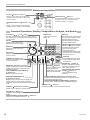
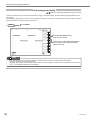
Turn the rotary knob to change the setting.
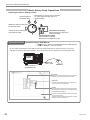
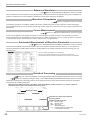
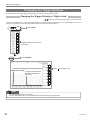
A type of menu in which the item is selected from the displayed choices
(ON or OFF in this case)
The selected item switches each time you press the soft key.
The selected item (ON in this example) is highlighted.
A type of menu in which a selection menu is opened for
selecting items (with a mark)
Press the soft key to display the selection menu.
Press a soft key corresponding to the item you want to select.
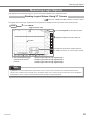
A type of menu in which the item is selected using the rotary knob
(with and marks)
Press a soft key to select a menu you want to control using the rotary knob
( : selected, : not selected).
Turn the rotary knob to change the setting.
Note
Soft keys
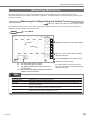
How to display the setup menu marked with purple characters on the front panel
Press the SHIFT key to illuminate the SHIFT key, and then press the key
corresponding to the setup menu marked in purple.
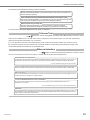
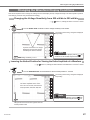
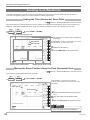
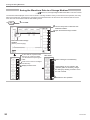
Operations When a Setup Dialog Box Is Displayed
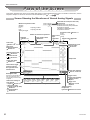
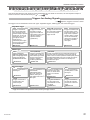
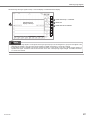
Waveform Parameter Setup Dialog Box
(When the Item soft key is pressed on the setup menu that appears when PARAM is pressed)
Setup dialog box
Use the rotary knob or arrow keys to select the item you want to set.
Press the SET key to select or deselect items.
A mark is displayed for the selected items.
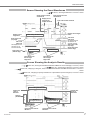
(When these soft keys in the setup menu are pressed while the setup dialog box above is displayed: Area/Calc > Calc)
Press the SET key to open a box used to enter a value or characters.
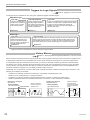
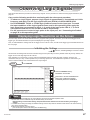
Note
Press the ESC key to clear a setup menu or a setup dialog box from the screen.
IM 701331-02E