1
5.
Dispenser Stock Records Menu
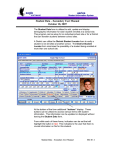
This menu is to save HIV prevention activity related dispenser provisioning records. Click on
‘Dispenser Stock Record’ menu to go to the dispenser records list page. There will not be any
record in the list while page loading. Click on ‘Apply Filter’ button to load the records in the
list. The GV page will look like shown below:
In order to add an outreach activity record, do followings:
(1) Click on ‘Add a Dispenser Stock Record’ link button
(2) You’d see below page:
Page 62 of 91