1
ABEL Design
The Processes Window
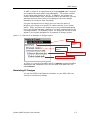
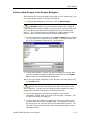
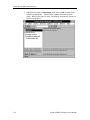
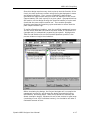
The Processes window (on the right side of the Project Navigator)
shows all the processing tasks that apply to whatever object or file is
highlighted in the Sources window (on the left side). A processing task
includes: netlisting, compiling, logic reduction, logic synthesis, place
and routing, simulation model-building — in other words, any step
along the way from design entry to implemented IC, system, or board.
Design Flows in the Processes Window
One of ABEL’
s most powerful features is that it knows how to process
any kind of design for any kind of architecture because the Project
Navigator is context sensitive (which helps prevent information
overload).
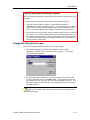
The steps in the Processes window are context sensitive in two ways.
First, the processes change depending on what kind of source file
you’
ve highlighted in the Sources window (source-level flow). Second,
the processing for a given file changes depends on what target device
kit you’
ve chosen (project-level flow).
For instance, a schematic targeted for an XYZ PLD is processed
differently than a schematic targeted for an ABC PLD.
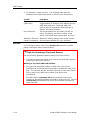
Project-level Design Flow
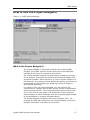
For IC Design projects, click on the device icon ( ) in the Sources
Window. The processes that appear in the Processes Window
represent the Project-level Design Flow.
Source-level Design Flow
Click on any source (such as a schematic or HDL source) in the
Sources Window. The processes that appear in the Processes Window
(if any) represent the Source-level Design Flow.
1-12
Synario ABEL Designer User Manual