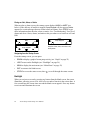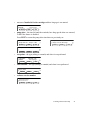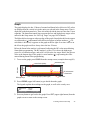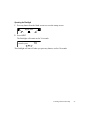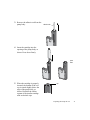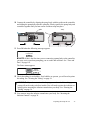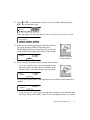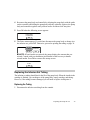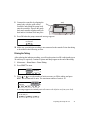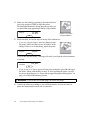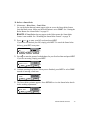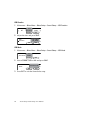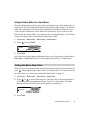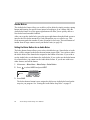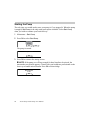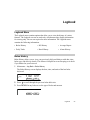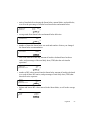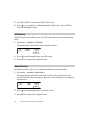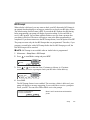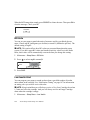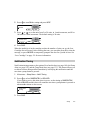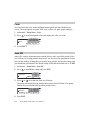
1
Snap Insulin Pump User Manual Copyright © 2014 Asante Solutions, Inc. All rights reserved. No part of this publication may be reproduced, transmitted, transcribed, stored in retrieval systems, or translated into any form, or by any means: electronic, mechanical, magnetic, optical, or otherwise, without the prior written permission of Asante Solutions, Inc, 352 East Java Dr, Sunnyvale, CA 94089, United States of America. Trademarks Glucagon Emergency Kit and Humalog are registered trademarks of Eli Lilly and Company. comfort and conset are trademarks of Unomedical, a ConvaTec Company. Disclaimer Asante Solutions, Inc. reserves the right to change its products and services at any time to incorporate the latest technological developments. This guide is subject to change without notice. Caution Federal (United States) law restricts this device to sale, by or on the order of a physician. Addresses Manufacturer: Asante Solutions, Inc. 352 East Java Dr. Sunnyvale, CA 94089 Telephone: 855-4Asante (855-427-2683) www.snappump.com Authorized Representative: Emergo Europe Molenstraat 15 2513 BH, The Hague The Netherlands Telephone: +31 70 345 8570 0086 LBL-1109 Rev A November 2014 Contents Preface . . . . . . . . . . . . . . . . . . . . . . . . . . . . . . . . . . . . . . . . . . . . . . . . . . . . . . . . . ix Welcome and Congratulations . . . . . . . . . . . . . . . . . . . . . . . . . . . . . . . . . . . . . . . ix How to Use This Manual . . . . . . . . . . . . . . . . . . . . . . . . . . . . . . . . . . . . . . . . . . . . x Conventions . . . . . . . . . . . . . . . . . . . . . . . . . . . . . . . . . . . . . . . . . . . . . . . . . . x Introduction . . . . . . . . . . . . . . . . . . . . . . . . . . . . . . . . . . . . . . . . . . . . . . . . . . . . . . 1 Assistance . . . . . . . . . . . . . . . . . . . . . . . . . . . . . . . . . . . . . . . . . . . . . . . . . . . . . . . 1 Emergency Kit . . . . . . . . . . . . . . . . . . . . . . . . . . . . . . . . . . . . . . . . . . . . . . . . . . . . 1 If You Remove Your Pump . . . . . . . . . . . . . . . . . . . . . . . . . . . . . . . . . . . . . . . . . . 2 Pump Settings . . . . . . . . . . . . . . . . . . . . . . . . . . . . . . . . . . . . . . . . . . . . . . . . . 2 Insulin . . . . . . . . . . . . . . . . . . . . . . . . . . . . . . . . . . . . . . . . . . . . . . . . . . . . . . . 2 User Safety . . . . . . . . . . . . . . . . . . . . . . . . . . . . . . . . . . . . . . . . . . . . . . . . . . . . . . . 2 Indication for Use . . . . . . . . . . . . . . . . . . . . . . . . . . . . . . . . . . . . . . . . . . . . . . 2 Intended Use . . . . . . . . . . . . . . . . . . . . . . . . . . . . . . . . . . . . . . . . . . . . . . . . . . 3 Contraindications . . . . . . . . . . . . . . . . . . . . . . . . . . . . . . . . . . . . . . . . . . . . . . . 3 Limitations of Use . . . . . . . . . . . . . . . . . . . . . . . . . . . . . . . . . . . . . . . . . . . . . . 3 Warnings . . . . . . . . . . . . . . . . . . . . . . . . . . . . . . . . . . . . . . . . . . . . . . . . . . . . . 4 Precautions . . . . . . . . . . . . . . . . . . . . . . . . . . . . . . . . . . . . . . . . . . . . . . . . . . . . 6 Medical Procedures and Radiology (X-rays) . . . . . . . . . . . . . . . . . . . . . . . . . 10 Learning About Your Pump . . . . . . . . . . . . . . . . . . . . . . . . . . . . . . . . . . . . . . . . . 13 The Parts of Your Pump System . . . . . . . . . . . . . . . . . . . . . . . . . . . . . . . . . . . . . 13 Pump Body . . . . . . . . . . . . . . . . . . . . . . . . . . . . . . . . . . . . . . . . . . . . . . . . . . 13 Controller . . . . . . . . . . . . . . . . . . . . . . . . . . . . . . . . . . . . . . . . . . . . . . . . . . . 14 Insulin Cartridge . . . . . . . . . . . . . . . . . . . . . . . . . . . . . . . . . . . . . . . . . . . . . . 14 Infusion Set . . . . . . . . . . . . . . . . . . . . . . . . . . . . . . . . . . . . . . . . . . . . . . . . . . 14 Buttons . . . . . . . . . . . . . . . . . . . . . . . . . . . . . . . . . . . . . . . . . . . . . . . . . . . . . . . . . 15 Pump Screen . . . . . . . . . . . . . . . . . . . . . . . . . . . . . . . . . . . . . . . . . . . . . . . . . . . . 16 Blank Screen . . . . . . . . . . . . . . . . . . . . . . . . . . . . . . . . . . . . . . . . . . . . . . . . . 16 Startup Screen . . . . . . . . . . . . . . . . . . . . . . . . . . . . . . . . . . . . . . . . . . . . . . . . 17 Backlight . . . . . . . . . . . . . . . . . . . . . . . . . . . . . . . . . . . . . . . . . . . . . . . . . . . . 18 i Status Screens . . . . . . . . . . . . . . . . . . . . . . . . . . . . . . . . . . . . . . . . . . . . . . . . . . . 19 Menus . . . . . . . . . . . . . . . . . . . . . . . . . . . . . . . . . . . . . . . . . . . . . . . . . . . . . . . . . . 22 Main Menu . . . . . . . . . . . . . . . . . . . . . . . . . . . . . . . . . . . . . . . . . . . . . . . . . . . 22 Navigating Through Menus . . . . . . . . . . . . . . . . . . . . . . . . . . . . . . . . . . . . . . 24 Graph . . . . . . . . . . . . . . . . . . . . . . . . . . . . . . . . . . . . . . . . . . . . . . . . . . . . . . . . . . 25 Tones . . . . . . . . . . . . . . . . . . . . . . . . . . . . . . . . . . . . . . . . . . . . . . . . . . . . . . . . . . 26 Flashlight . . . . . . . . . . . . . . . . . . . . . . . . . . . . . . . . . . . . . . . . . . . . . . . . . . . . . . . 26 Preparing the Pump for Use . . . . . . . . . . . . . . . . . . . . . . . . . . . . . . . . . . . . . . . . 29 Assembling the Pump System . . . . . . . . . . . . . . . . . . . . . . . . . . . . . . . . . . . . . . . 30 Inserting the Infusion Cannula . . . . . . . . . . . . . . . . . . . . . . . . . . . . . . . . . . . . . . . 34 Priming the Cannula . . . . . . . . . . . . . . . . . . . . . . . . . . . . . . . . . . . . . . . . . . . . . . 34 Changing the Cannula . . . . . . . . . . . . . . . . . . . . . . . . . . . . . . . . . . . . . . . . . . . . . 36 Priming the Tubing . . . . . . . . . . . . . . . . . . . . . . . . . . . . . . . . . . . . . . . . . . . . . . . 36 Disconnecting the Pump Body from the Controller . . . . . . . . . . . . . . . . . . . . . . 38 Replacing the Infusion Set Tubing . . . . . . . . . . . . . . . . . . . . . . . . . . . . . . . . . . . 39 Replacing the Tubing . . . . . . . . . . . . . . . . . . . . . . . . . . . . . . . . . . . . . . . . . . . 39 Priming the Tubing . . . . . . . . . . . . . . . . . . . . . . . . . . . . . . . . . . . . . . . . . . . . 41 Basal Insulin . . . . . . . . . . . . . . . . . . . . . . . . . . . . . . . . . . . . . . . . . . . . . . . . . . . . . 43 Basal Menu . . . . . . . . . . . . . . . . . . . . . . . . . . . . . . . . . . . . . . . . . . . . . . . . . . . . . 43 Basal Insulin . . . . . . . . . . . . . . . . . . . . . . . . . . . . . . . . . . . . . . . . . . . . . . . . . . . . 43 Basal Profiles . . . . . . . . . . . . . . . . . . . . . . . . . . . . . . . . . . . . . . . . . . . . . . . . . . . 43 Start and Stop Times . . . . . . . . . . . . . . . . . . . . . . . . . . . . . . . . . . . . . . . . . . . 44 Programming Your Basal Insulin . . . . . . . . . . . . . . . . . . . . . . . . . . . . . . . . . 44 Selecting a Basal Profile . . . . . . . . . . . . . . . . . . . . . . . . . . . . . . . . . . . . . . . . 46 Editing a Basal Profile . . . . . . . . . . . . . . . . . . . . . . . . . . . . . . . . . . . . . . . . . . 47 Clearing a Basal Profile . . . . . . . . . . . . . . . . . . . . . . . . . . . . . . . . . . . . . . . . . 49 Reviewing Basal Profiles . . . . . . . . . . . . . . . . . . . . . . . . . . . . . . . . . . . . . . . . 50 Setting the Basal Limit . . . . . . . . . . . . . . . . . . . . . . . . . . . . . . . . . . . . . . . . . . . . 51 ii Asante Snap Insulin Pump User Manual Temp Basal Rate . . . . . . . . . . . . . . . . . . . . . . . . . . . . . . . . . . . . . . . . . . . . . . . . . 51 Setting a Temp Basal Rate . . . . . . . . . . . . . . . . . . . . . . . . . . . . . . . . . . . . . . . 52 Verifying Temp Basal Delivery . . . . . . . . . . . . . . . . . . . . . . . . . . . . . . . . . . . 53 Canceling a Temp Basal Rate . . . . . . . . . . . . . . . . . . . . . . . . . . . . . . . . . . . . 54 Using a Shortcut Button to Deliver a Temp Basal . . . . . . . . . . . . . . . . . . . . . 54 Bolus Basics . . . . . . . . . . . . . . . . . . . . . . . . . . . . . . . . . . . . . . . . . . . . . . . . . . . . . 57 Now Bolus . . . . . . . . . . . . . . . . . . . . . . . . . . . . . . . . . . . . . . . . . . . . . . . . . . . . . . 57 Setting a Now Bolus . . . . . . . . . . . . . . . . . . . . . . . . . . . . . . . . . . . . . . . . . . . 57 Stopping a Now Bolus . . . . . . . . . . . . . . . . . . . . . . . . . . . . . . . . . . . . . . . . . . 58 Setting a Bolus Limit . . . . . . . . . . . . . . . . . . . . . . . . . . . . . . . . . . . . . . . . . . . . . . 59 Advanced Bolus Features . . . . . . . . . . . . . . . . . . . . . . . . . . . . . . . . . . . . . . . . . . 61 Bolus Menu . . . . . . . . . . . . . . . . . . . . . . . . . . . . . . . . . . . . . . . . . . . . . . . . . . . . . 61 Timed Bolus and Combo Bolus . . . . . . . . . . . . . . . . . . . . . . . . . . . . . . . . . . . . . . 62 Timed Bolus . . . . . . . . . . . . . . . . . . . . . . . . . . . . . . . . . . . . . . . . . . . . . . . . . . 63 Combo Bolus . . . . . . . . . . . . . . . . . . . . . . . . . . . . . . . . . . . . . . . . . . . . . . . . . 63 Enabling the Bolus Features (Combo, Timed) . . . . . . . . . . . . . . . . . . . . . . . 63 Setting a Timed Bolus . . . . . . . . . . . . . . . . . . . . . . . . . . . . . . . . . . . . . . . . . . 64 Setting a Combo Bolus . . . . . . . . . . . . . . . . . . . . . . . . . . . . . . . . . . . . . . . . . 65 Stopping a Timed or Combo Bolus . . . . . . . . . . . . . . . . . . . . . . . . . . . . . . . . 66 Setting a Now Bolus During a Timed or Combo Bolus . . . . . . . . . . . . . . . . 67 Smart Bolus . . . . . . . . . . . . . . . . . . . . . . . . . . . . . . . . . . . . . . . . . . . . . . . . . . . . . 68 Information the Smart Bolus Feature Uses . . . . . . . . . . . . . . . . . . . . . . . . . . 68 Understanding Insulin on Board . . . . . . . . . . . . . . . . . . . . . . . . . . . . . . . . . . 70 How the Smart Bolus Feature Calculates a Bolus . . . . . . . . . . . . . . . . . . . . . 72 Smart Bolus Examples . . . . . . . . . . . . . . . . . . . . . . . . . . . . . . . . . . . . . . . . . . 73 Setting up the Smart Bolus Feature for the First Time . . . . . . . . . . . . . . . . . 76 Disabling the Smart Bolus Feature . . . . . . . . . . . . . . . . . . . . . . . . . . . . . . . . 78 Delivering a Smart Bolus . . . . . . . . . . . . . . . . . . . . . . . . . . . . . . . . . . . . . . . . 78 Editing the Smart Bolus Settings . . . . . . . . . . . . . . . . . . . . . . . . . . . . . . . . . 82 Setting the Bolus Button for a Smart Bolus . . . . . . . . . . . . . . . . . . . . . . . . . . 85 Setting the Bolus Step Value . . . . . . . . . . . . . . . . . . . . . . . . . . . . . . . . . . . . . . . . 85 Audio Bolus . . . . . . . . . . . . . . . . . . . . . . . . . . . . . . . . . . . . . . . . . . . . . . . . . . . . . 86 Setting the Bolus Button for an Audio Bolus . . . . . . . . . . . . . . . . . . . . . . . . 86 iii Setting the Audio Bolus Step Value . . . . . . . . . . . . . . . . . . . . . . . . . . . . . . . 87 Delivering an Audio Bolus . . . . . . . . . . . . . . . . . . . . . . . . . . . . . . . . . . . . . . 87 Bolus Reminder . . . . . . . . . . . . . . . . . . . . . . . . . . . . . . . . . . . . . . . . . . . . . . . . . . 90 Enabling the Bolus Reminder Feature . . . . . . . . . . . . . . . . . . . . . . . . . . . . . . 90 Setting a Bolus Reminder . . . . . . . . . . . . . . . . . . . . . . . . . . . . . . . . . . . . . . . 90 Canceling a Bolus Reminder . . . . . . . . . . . . . . . . . . . . . . . . . . . . . . . . . . . . . 91 Stopping and Starting Your Pump . . . . . . . . . . . . . . . . . . . . . . . . . . . . . . . . . . . 93 Stopping the Pump . . . . . . . . . . . . . . . . . . . . . . . . . . . . . . . . . . . . . . . . . . . . . . . . 93 Starting the Pump . . . . . . . . . . . . . . . . . . . . . . . . . . . . . . . . . . . . . . . . . . . . . . . . . 94 Logbook . . . . . . . . . . . . . . . . . . . . . . . . . . . . . . . . . . . . . . . . . . . . . . . . . . . . . . . . 95 Logbook Menu . . . . . . . . . . . . . . . . . . . . . . . . . . . . . . . . . . . . . . . . . . . . . . . . . . . 95 Bolus History . . . . . . . . . . . . . . . . . . . . . . . . . . . . . . . . . . . . . . . . . . . . . . . . . . . . 95 Daily Totals . . . . . . . . . . . . . . . . . . . . . . . . . . . . . . . . . . . . . . . . . . . . . . . . . . . . . 96 BG History . . . . . . . . . . . . . . . . . . . . . . . . . . . . . . . . . . . . . . . . . . . . . . . . . . . . . . 98 Basal History . . . . . . . . . . . . . . . . . . . . . . . . . . . . . . . . . . . . . . . . . . . . . . . . . . . . 98 Average Report . . . . . . . . . . . . . . . . . . . . . . . . . . . . . . . . . . . . . . . . . . . . . . . . . . 99 Alarm History . . . . . . . . . . . . . . . . . . . . . . . . . . . . . . . . . . . . . . . . . . . . . . . . . . 101 Setup . . . . . . . . . . . . . . . . . . . . . . . . . . . . . . . . . . . . . . . . . . . . . . . . . . . . . . . . . . 103 Setup Menu . . . . . . . . . . . . . . . . . . . . . . . . . . . . . . . . . . . . . . . . . . . . . . . . . . . . 103 Time and Date . . . . . . . . . . . . . . . . . . . . . . . . . . . . . . . . . . . . . . . . . . . . . . . . . . 103 BG Prompt . . . . . . . . . . . . . . . . . . . . . . . . . . . . . . . . . . . . . . . . . . . . . . . . . . . . . 105 BG Units . . . . . . . . . . . . . . . . . . . . . . . . . . . . . . . . . . . . . . . . . . . . . . . . . . . . . . 106 Low Insulin Alert . . . . . . . . . . . . . . . . . . . . . . . . . . . . . . . . . . . . . . . . . . . . . . . . 106 Notification Timing . . . . . . . . . . . . . . . . . . . . . . . . . . . . . . . . . . . . . . . . . . . . . . 107 Color . . . . . . . . . . . . . . . . . . . . . . . . . . . . . . . . . . . . . . . . . . . . . . . . . . . . . . . . . 108 Auto Off . . . . . . . . . . . . . . . . . . . . . . . . . . . . . . . . . . . . . . . . . . . . . . . . . . . . . . . 108 Beep Volume . . . . . . . . . . . . . . . . . . . . . . . . . . . . . . . . . . . . . . . . . . . . . . . . . . . 109 BG Log Target . . . . . . . . . . . . . . . . . . . . . . . . . . . . . . . . . . . . . . . . . . . . . . . . . . 109 Hourly Delivery Limit . . . . . . . . . . . . . . . . . . . . . . . . . . . . . . . . . . . . . . . . . . . . 110 iv Asante Snap Insulin Pump User Manual Button Guard . . . . . . . . . . . . . . . . . . . . . . . . . . . . . . . . . . . . . . . . . . . . . . . . . . . 111 Intro Screen . . . . . . . . . . . . . . . . . . . . . . . . . . . . . . . . . . . . . . . . . . . . . . . . . . . . 112 Flashlight . . . . . . . . . . . . . . . . . . . . . . . . . . . . . . . . . . . . . . . . . . . . . . . . . . . . . . 112 Screen Timeout . . . . . . . . . . . . . . . . . . . . . . . . . . . . . . . . . . . . . . . . . . . . . . . . . 113 Pump Alert . . . . . . . . . . . . . . . . . . . . . . . . . . . . . . . . . . . . . . . . . . . . . . . . . . . . . 114 Resetting the Pump Alert Timer . . . . . . . . . . . . . . . . . . . . . . . . . . . . . . . . . 115 Troubleshooting . . . . . . . . . . . . . . . . . . . . . . . . . . . . . . . . . . . . . . . . . . . . . . . . . 117 General Troubleshooting . . . . . . . . . . . . . . . . . . . . . . . . . . . . . . . . . . . . . . . . . . 117 The screen appears distorted . . . . . . . . . . . . . . . . . . . . . . . . . . . . . . . . . . . . 117 The screen is blank . . . . . . . . . . . . . . . . . . . . . . . . . . . . . . . . . . . . . . . . . . . 117 I dropped my pump . . . . . . . . . . . . . . . . . . . . . . . . . . . . . . . . . . . . . . . . . . . 118 I submerged my pump in water . . . . . . . . . . . . . . . . . . . . . . . . . . . . . . . . . . 118 Drops did not appear during the tubing prime . . . . . . . . . . . . . . . . . . . . . . . 119 How do I restore my settings from a used pump body? . . . . . . . . . . . . . . . 120 How do I extend the battery life? . . . . . . . . . . . . . . . . . . . . . . . . . . . . . . . . . 120 Alarms . . . . . . . . . . . . . . . . . . . . . . . . . . . . . . . . . . . . . . . . . . . . . . . . . . . . . . . . 121 What To Do When You Get an Alarm . . . . . . . . . . . . . . . . . . . . . . . . . . . . 121 Auto Off . . . . . . . . . . . . . . . . . . . . . . . . . . . . . . . . . . . . . . . . . . . . . . . . . . . 122 Blocked Set . . . . . . . . . . . . . . . . . . . . . . . . . . . . . . . . . . . . . . . . . . . . . . . . . 123 Check Tubing Connector . . . . . . . . . . . . . . . . . . . . . . . . . . . . . . . . . . . . . . 124 Delivery Limit Reached . . . . . . . . . . . . . . . . . . . . . . . . . . . . . . . . . . . . . . . 124 Detach and Reconnect Pump Body . . . . . . . . . . . . . . . . . . . . . . . . . . . . . . 125 Disconnect Infusion Set from Your Body, Pump Damaged: Dropped . . . . 125 Empty Cartridge . . . . . . . . . . . . . . . . . . . . . . . . . . . . . . . . . . . . . . . . . . . . . 125 Off – No Power . . . . . . . . . . . . . . . . . . . . . . . . . . . . . . . . . . . . . . . . . . . . . . 126 Pump Body Disconnected . . . . . . . . . . . . . . . . . . . . . . . . . . . . . . . . . . . . . . 126 Pump Body Not Accepted . . . . . . . . . . . . . . . . . . . . . . . . . . . . . . . . . . . . . 126 Pump Damaged: Wet . . . . . . . . . . . . . . . . . . . . . . . . . . . . . . . . . . . . . . . . . 127 Pump Error, Detach and Reconnect/Replace Pump Body . . . . . . . . . . . . . . 127 Set Time & Date . . . . . . . . . . . . . . . . . . . . . . . . . . . . . . . . . . . . . . . . . . . . . 127 System Error . . . . . . . . . . . . . . . . . . . . . . . . . . . . . . . . . . . . . . . . . . . . . . . . 128 Setting Mismatch . . . . . . . . . . . . . . . . . . . . . . . . . . . . . . . . . . . . . . . . . . . . 128 Version Mismatch . . . . . . . . . . . . . . . . . . . . . . . . . . . . . . . . . . . . . . . . . . . . 128 v Alerts . . . . . . . . . . . . . . . . . . . . . . . . . . . . . . . . . . . . . . . . . . . . . . . . . . . . . . . . . 129 What To Do When You Get an Alert . . . . . . . . . . . . . . . . . . . . . . . . . . . . . 129 Bolus Reminder . . . . . . . . . . . . . . . . . . . . . . . . . . . . . . . . . . . . . . . . . . . . . . 130 Bolus Stopped . . . . . . . . . . . . . . . . . . . . . . . . . . . . . . . . . . . . . . . . . . . . . . . 130 Key Alert . . . . . . . . . . . . . . . . . . . . . . . . . . . . . . . . . . . . . . . . . . . . . . . . . . . 130 Low Cartridge . . . . . . . . . . . . . . . . . . . . . . . . . . . . . . . . . . . . . . . . . . . . . . . 131 Pump Alert . . . . . . . . . . . . . . . . . . . . . . . . . . . . . . . . . . . . . . . . . . . . . . . . . . 132 Reminder Check BG . . . . . . . . . . . . . . . . . . . . . . . . . . . . . . . . . . . . . . . . . . 132 Replace Pump Body, Dead Battery . . . . . . . . . . . . . . . . . . . . . . . . . . . . . . 132 Temp Basal . . . . . . . . . . . . . . . . . . . . . . . . . . . . . . . . . . . . . . . . . . . . . . . . . 133 Very Low Cartridge . . . . . . . . . . . . . . . . . . . . . . . . . . . . . . . . . . . . . . . . . . . 133 Very Low Power . . . . . . . . . . . . . . . . . . . . . . . . . . . . . . . . . . . . . . . . . . . . . 133 Notices . . . . . . . . . . . . . . . . . . . . . . . . . . . . . . . . . . . . . . . . . . . . . . . . . . . . . . . . 134 Active Bolus . . . . . . . . . . . . . . . . . . . . . . . . . . . . . . . . . . . . . . . . . . . . . . . . 134 Calculation is Above the Bolus Limit . . . . . . . . . . . . . . . . . . . . . . . . . . . . . 134 Carb Ratio Outside Normal Clinical Range . . . . . . . . . . . . . . . . . . . . . . . . 134 Cartridge Started X Days Ago . . . . . . . . . . . . . . . . . . . . . . . . . . . . . . . . . . 135 Delivery Canceled . . . . . . . . . . . . . . . . . . . . . . . . . . . . . . . . . . . . . . . . . . . . 135 Delivery Complete . . . . . . . . . . . . . . . . . . . . . . . . . . . . . . . . . . . . . . . . . . . . 135 Do Not Bolus. Check BG Soon! . . . . . . . . . . . . . . . . . . . . . . . . . . . . . . . . . 135 Insulin On Board Reset. Avoid Bolus Stacking . . . . . . . . . . . . . . . . . . . . . 136 Insulin Sensitivity Outside Normal Clinical Range . . . . . . . . . . . . . . . . . . . 136 Missed Basal Insulin . . . . . . . . . . . . . . . . . . . . . . . . . . . . . . . . . . . . . . . . . . 136 Missed Bolus Insulin . . . . . . . . . . . . . . . . . . . . . . . . . . . . . . . . . . . . . . . . . . 137 New Time is Prior to Last Known Time. Continue? . . . . . . . . . . . . . . . . . . 137 Pump Body Connected . . . . . . . . . . . . . . . . . . . . . . . . . . . . . . . . . . . . . . . . 137 Pump Stopped . . . . . . . . . . . . . . . . . . . . . . . . . . . . . . . . . . . . . . . . . . . . . . . 137 Target BG Outside Normal Clinical Range . . . . . . . . . . . . . . . . . . . . . . . . 138 Warning! Treat Low BG by Consuming Carbohydrates . . . . . . . . . . . . . . 138 Pump Maintenance . . . . . . . . . . . . . . . . . . . . . . . . . . . . . . . . . . . . . . . . . . . . . . 139 Cleaning . . . . . . . . . . . . . . . . . . . . . . . . . . . . . . . . . . . . . . . . . . . . . . . . . . . . . . 139 Storage and Battery Preservation . . . . . . . . . . . . . . . . . . . . . . . . . . . . . . . . . . . . 140 vi Asante Snap Insulin Pump User Manual Glossary . . . . . . . . . . . . . . . . . . . . . . . . . . . . . . . . . . . . . . . . . . . . . . . . . . . . . . . 141 Specifications . . . . . . . . . . . . . . . . . . . . . . . . . . . . . . . . . . . . . . . . . . . . . . . . . . . 147 Technical Specifications . . . . . . . . . . . . . . . . . . . . . . . . . . . . . . . . . . . . . . . . . . 147 Disposables . . . . . . . . . . . . . . . . . . . . . . . . . . . . . . . . . . . . . . . . . . . . . . . . . . . . 152 Default Settings . . . . . . . . . . . . . . . . . . . . . . . . . . . . . . . . . . . . . . . . . . . . . . . . . 154 Logbook Details . . . . . . . . . . . . . . . . . . . . . . . . . . . . . . . . . . . . . . . . . . . . . . . . . 157 Guidance and Manufacturer’s Declaration . . . . . . . . . . . . . . . . . . . . . . . . . . . . 160 Symbols . . . . . . . . . . . . . . . . . . . . . . . . . . . . . . . . . . . . . . . . . . . . . . . . . . . . . . . 164 Warranty . . . . . . . . . . . . . . . . . . . . . . . . . . . . . . . . . . . . . . . . . . . . . . . . . . . . . . 165 Personal Information . . . . . . . . . . . . . . . . . . . . . . . . . . . . . . . . . . . . . . . . . . . . . 167 Your Personal Settings . . . . . . . . . . . . . . . . . . . . . . . . . . . . . . . . . . . . . . . . . . . . 167 Menu Map . . . . . . . . . . . . . . . . . . . . . . . . . . . . . . . . . . . . . . . . . . . . . . . . . . . . . . 173 Index . . . . . . . . . . . . . . . . . . . . . . . . . . . . . . . . . . . . . . . . . . . . . . . . . . . . . . . . . . 175 vii viii Asante Snap Insulin Pump User Manual Preface Welcome and Congratulations Thank you for choosing the Asante Snap Insulin Pump System. Your choice of pump therapy means that you are committed to maximizing your glycemic control. The Snap System has been specially designed to help you manage your diabetes using advanced technology and sophisticated safety systems. Your pump is used for insulin therapy to help maintain your blood glucose (BG) targets as recommended by your healthcare professional. It is important to remember that successful pump therapy is a partnership of advanced technology and responsible self-care. Even if you are an experienced pump user, it is important that you read and thoroughly understand this user manual and receive appropriate training from a qualified healthcare professional before attempting to use the Snap System. WARNING: Do not use the Snap System before you receive training from a qualified healthcare professional and you thoroughly understand the user manual. Be sure to follow all warnings and precautions. ix How to Use This Manual This user manual contains information about how to use, program, and maintain your Snap System. It is important to read all instructions carefully. Even if you are an experienced pump user, keep your user manual handy for reference. You can download a PDF of the latest version of the manual from www.snappump.com. Use the table of contents and index to locate information. See the troubleshooting section on page 117 for general troubleshooting, as well as information on alerts, alarms, and other messages. A glossary on page 141 defines terms used in this manual. Conventions x Term Meaning Pump buttons Five function buttons are located around the screen. The function of these buttons changes depending on the screen that is displayed. These buttons allow you to make selections. They can move you through menus or screens ( and ), or increase or decrease a value when programming ( and + ). For more information on pump buttons, see “Buttons” on page 15. Italics Italics are used for emphasis. MENU A special font is used for pump buttons and text that appears on the pump screen. > The arrow indicates a path of menu choices. For example “Main menu > Bolus Menu > Bolus Setup” means to access the main menu, select Bolus Menu, then select Bolus Setup. For a detailed example, see “Navigating Through Menus” on page 24. NOTE Points out additional information that may be helpful. ▲ CAUTION Alerts you to situations that could result in damage to the pump system, failure in a procedure, or possible inaccurate programming or insulin delivery. Asante Snap Insulin Pump User Manual Term WARNING BG Meaning Alerts you to situations that could result in death or serious injury. Blood glucose is abbreviated throughout this user manual as BG. The screen displays shown in the manual are examples only and should not be considered suggestions for individual programming. If you have any questions about what you see on the pump screen, contact the Asante Help Line at 855-4Asante (855-427-2683). xi This page intentionally left blank. xii Asante Snap Insulin Pump User Manual Introduction Your Snap System is designed to help you gain more control of your diabetes, whether you are beginning pump therapy for the first time or upgrading from a previous model. This chapter contains important information that you should read before you get started with your pump. Assistance If there is anything you don’t understand in this user manual, or if you have a question or need assistance with your pump, Asante provides 24-hour assistance. In the United States, call 855-4Asante (855-427-2683). Emergency Kit Keep an emergency kit with you at all times to make sure that you always have necessary supplies. Inform a family member, co-worker, and/or friend where this emergency kit is kept. See “User Safety” on page 2 for more information on pump safety. Your emergency kit should include the following items: • fast-acting glucose tablets • blood glucose monitoring supplies • ketone monitoring supplies • spare pump body, infusion set, and insulin cartridge • dressing and adhesive • Glucagon Emergency Kit® • insulin syringe or insulin pen and fast-acting insulin (follow insulin labeling and instructions from your healthcare professional) • copies of all your prescriptions Introduction 1 ▲ CAUTION: If you use a syringe to give yourself insulin, the Smart bolus feature will not be able to calculate the correct amount of insulin on board (or active insulin) in your system. Normally, you should wait up to 8 hours after an injection before relying on the Smart bolus feature to calculate your insulin on board. The actual length of time you need to wait depends on your insulin on board duration setting in the Smart bolus feature. See “Understanding Insulin on Board” on page 70 for more information. If You Remove Your Pump Pump Settings There may be times when you need or want to remove your pump for an extended period (greater than 12 hours). To disconnect the pump for an extended time, set the basal rates to 0 units/hour for the entire 24-hour period or select a basal profile that has not yet been programmed. Also, set the Auto Off feature to Off. See “Auto Off” on page 108 for information. Insulin Your body still needs insulin while your pump is stopped or removed. It is important that you consult with your healthcare professional to determine an alternate method of receiving your insulin. If you stop or remove your pump, you will have to use another method to take insulin. User Safety Indication for Use The Asante Snap Pump System provides continuous subcutaneous delivery of fastacting U-100 insulin at programmable basal and bolus rates for the management of diabetes mellitus in patients requiring insulin. 2 Asante Snap Insulin Pump User Manual Intended Use The Snap Insulin Pump System is intended for use by adult patients for the control of insulin-requiring diabetes. The Snap System is designed only for Continuous Subcutaneous Insulin Infusion (CSII). It is not intended for use with any other delivery substance. The Snap System should be used by only one person, prescribed by his/her physician. The Snap System should be used by those who have sufficient vision and hearing to operate the pump and recognize the alarms and alerts. The Snap System should be used by those willing to perform a minimum of four (4) blood glucose tests per day or as recommended by their healthcare professional. The Snap System should be used with Humalog® prefilled U-100 glass cartridges. Contraindications The Snap System should not be used for the infusion of blood or blood products. The Snap System should not be used by those who do not have sufficient vision and hearing to operate the pump and recognize the alarms and alerts. The Snap System is not indicated for anyone unable or unwilling to: • Perform a minimum of four (4) blood glucose tests per day or as recommended by your healthcare professional • Demonstrate adequate carbohydrate counting skills • Maintain good diabetes self-care skills • Keep in contact with your healthcare professional regularly Limitations of Use Do not use any other drugs/medications in this pump. Use only new, full, non-expired, Humalog® prefilled U-100, glass cartridges that have been prescribed by your physician. Be sure to use the insulin in accordance with the insulin manufacturer’s instructions. Using any insulin other than fast-acting U-100 can result in serious injury or death. Introduction 3 There are several infusion sets that are compatible with your Snap System. For more information, see “Infusion Sets” on page 153. Warnings • Clinicians: Consider the accuracy variability specifications when prescribing the use of the Snap System to determine if it is clinically appropriate for your patient. • Your pump body and insulin cartridge may need to be replaced if dropped. If you receive the alarm Disconnect Infusion Set From Your Body Now and Pump Damaged: Dropped (each message displayed on a separate screen), immediately disconnect the infusion set tubing from the cannula. Dispose of the pump body and cartridge. Do not reconnect this pump body to your infusion cannula. Then, replace the pump body and cartridge following the steps to prepare a new pump body for use starting on page 30. • Do not submerge your pump. If your pump gets wet, you may have to replace the pump body and insulin cartridge. Follow the instructions on page 118 of the Troubleshooting section. • Ensure that you have access to a replacement infusion set, insulin cartridge, and pump body. Several alarms cannot be resolved without replacing one or more of these items. • Because the Snap System is designed to reliably deliver only Humalog® fastacting insulin, you will not have long-acting insulin in your body. To avoid the risk of Diabetic Ketoacidosis (DKA) or very high BG, you must be prepared to give yourself an injection of insulin if delivery from the pump is interrupted for any reason. • Asante infusion sets are specifically designed for use with the Snap pump. Do not attempt to modify your infusion set. • Do not use your pump below 1,000 feet below sea level or above 13,000 feet of elevation. • Do not attempt to connect to the pump before you have been trained on its use or unless your pump trainer or healthcare professional is present. • Incorrect use of your pump, failure to follow the instructions in this user manual, or improper/inadequate self-care techniques can lead to death or serious injury. If 4 Asante Snap Insulin Pump User Manual you do not understand something or have questions, ask your healthcare professional or call the Asante Help Line at 855-4Asante (855-427-2683). • Never prime the tubing or tighten the tubing connector while the infusion set tubing is connected to your body. Doing so can result in unintended delivery of insulin, which can result in serious injury or death. • Your pump can withstand common electromagnetic interference, including airport security systems. • Never use expired insulin, infusion sets, or pump bodies. • Check package integrity before using. Do not use any product with damaged or improperly sealed packaging. • Interfering Equipment – Your pump has been designed to operate in the presence of common sources of electrostatic and electromagnetic interference, including airport and store security systems. However, like all portable electronic devices, the pump should not be exposed to very strong electromagnetic fields, such as in MRI’s, RF welders, or magnets used to lift automobiles. If you plan to undergo an MRI, remove your pump beforehand and keep it outside the room during the procedure. • Amusement Parks – Very powerful electromagnets are sometimes used on “freefall” amusement park rides. Remove your insulin pump and do not take it on these free-fall types of rides. • High gravity forces can be experienced when riding on some roller-coasters. Disconnect the infusion set tubing from the cannula while on roller-coasters or other high-gravity-effect activities/rides. • Air Travel – When traveling by airplane, disconnect the infusion set from your body during takeoff and landing. As with any insulin pump, during takeoff the pressure change in the cabin will cause any air bubbles in the cartridge and infusion set to expand. If you fail to disconnect, the expanding bubbles will push insulin into your body and lead to potential overdelivery. By disconnecting the infusion set before takeoff and keeping it disconnected until after the plane reaches cruising altitude, you can avoid any inadvertent delivery caused by the change in air pressure. During landing, air bubbles will contract back to their original size as air pressure returns to normal. By disconnecting the infusion set and priming until Introduction 5 drops appear, you can account for the bubble shrinkage and avoid potential missed insulin delivery. • Before reattaching the infusion set to your body, perform a tubing prime of at least 2 units and observe drops exiting the infusion set. The change in altitude may increase the likelihood of bubble formation. Therefore, it is important to check for bubbles frequently during and after air travel. Be sure to check your BG frequently during air travel, particularly after takeoff and landing. Aircraft without Cabin Pressurization – If you are planning to fly in aircraft without cabin pressurization or in aircraft used for aerobatics or combat simulation (pressurized or not), disconnect the infusion set tubing from the cannula. ▲ Precautions • Although the pump has multiple safety alarms, it cannot notify you if the infusion set is leaking or the insulin has lost its potency. Be sure to test your BG levels at least four times per day. • Avoid an infusion cannula location that will be irritated by clothing and accessories, or by rigorous stretching and exercise. • Avoid extreme temperatures. Avoid exposing your pump to temperatures above 104°F (40°C) or below 40°F (5°C). • Insulin solutions freeze near 32°F (0°C) and degrade at high temperatures. If you are outside in cold weather, wear your pump close to your body and cover it with warm clothing. If you are in a warm environment, do your best to keep your pump and insulin cool. Allow insulin to reach room temperature before using. • Do not steam, sterilize, or autoclave your pump. • The pump body and controller are sealed devices that should be opened only by the manufacturer. If the seals are broken by anyone other than an authorized Asante factory technician, the warranty is voided and damage may occur. If the back label is removed or damaged, the warranty is voided. Do not use the pump if this occurs. • Placing the Snap System relative to the infusion site: the pump system should be positioned vertically within 12 inches (30 cm) of the infusion site to ensure accurate insulin delivery. Failure to position the pump system within 12 inches vertically from the infusion site could result in inaccurate insulin delivery. 6 Asante Snap Insulin Pump User Manual • The pump body and infusion set are for single use only. Reuse may lead to inaccurate medication delivery. • Occasionally check the infusion cannula for proper placement and leaks. Improperly placed infusion cannulas or leaks around the infusion site can result in inadequate insulin delivery. • Occasionally check the infusion set for any damage, leaks, or kinks while using the pump. Damaged, leaking, or kinked tubing may restrict or stop insulin delivery and result in inadequate insulin delivery. • Always dispose of used cartridges, pump bodies, and infusion sets following the regulations in your community. • Occasionally check that your pump settings are correct. • During routine use, check to make sure the pump emits audible tones that are easily detectable. • To verify your pump alarm is functional, disconnect the pump body from the controller—you should receive an alarm. If you do not, contact the Asante Help Line at 855-4Asante (855-427-2683). • The Snap System is designed only for Continuous Subcutaneous Insulin Infusion (CSII). It is not intended for use with any other delivery substance. • This user manual gives instructions on how to program and operate the pump. Asante does not make any recommendations on specific programming related to your diabetes care program. Consult your healthcare professional for instructions specific to your treatment plan. • Consult your healthcare professional before using the pump to determine which programming features are appropriate for you. Some features require a greater knowledge of insulin pumping and advanced self-care skills. Additionally, some advanced programming features require that testing and fine-tuning of basic settings be completed in order to achieve the best possible results. Your healthcare professional will give you specific training on programming and using your pump. • After you’ve programmed your pump with the help of your healthcare professional, write down all your pump settings. Be sure to update your written settings if you make any changes. Introduction 7 • Use of the Smart bolus, Combo bolus, and Timed bolus features require input from your healthcare professional. Do not attempt to use these features until you have specific information for your treatment plan and have had specific training on these programming features. • Only your healthcare team can determine your insulin to carbohydrate ratios, insulin sensitivity, BG target ranges, and insulin on board (or active insulin) duration. • Be sure to follow the instructions provided by your healthcare professional with respect to adjusting the bolus amount before delivery. The Smart bolus calculation does not take into account many factors that could influence your BG levels such as exercise, stress, or illness. • The Smart bolus feature cannot correctly determine the insulin on board in your body after you have taken a manual injection of insulin. The manual injection will not be recorded by the pump system, so your insulin on board amount will be read as too little. • You must generally wait up to 8 hours after an injection before relying on the Smart bolus feature to calculate your insulin on board. The length of time you need to wait depends on your insulin on board setting in the Smart bolus feature. • If you change the date and time setting in your pump as a result of the Set Time & Date alarm, the Smart bolus feature may not be able to calculate the insulin on board (IOB) in your system. If this happens, you will receive the message Insulin On Board Avoid Bolus Stacking when you finish setting the time and date. If you receive this message, you will need to take your recent bolus deliveries into account when programming a bolus. The Smart bolus feature will be able to calculate your IOB once the period of time equal to your IOB duration has passed. • Basal rates that are too high or too low can adversely affect BG levels. Work with your healthcare professional to fine-tune basal rates. • The way your body uses insulin can be affected by many things. Contact your healthcare professional about lifestyle changes such as starting or stopping your exercise program or significant weight loss or gain. Your basal rates may need to be modified. 8 Asante Snap Insulin Pump User Manual • Do not stop using the pump if you are ill. Even when you’re sick, your body still needs insulin. • When you begin using the Audio bolus feature, always look at the screen as you program so that you are completely comfortable with the feature before delivering a bolus via audio prompts only. • Asante recommends that you have a family member or friend who understands diabetes and pump therapy, so in the event of an emergency, they can help you. Be sure they are familiar with any information given to you by your healthcare professional. • The Snap System and accessories include components that could pose a choking hazard to small children. • To ensure proper delivery, do not change your infusion set just before bedtime, or if you will not be able to test your BG 1 to 2 hours after a new set is placed. • Before going to bed always check that your cartridge has enough insulin to last through the night. • Always prime the tubing to remove all air bubbles from the tubing before beginning insulin delivery. Air bubbles can compromise the accuracy of delivery. See “Priming the Tubing” on page 36 for information. • Interference with the pump electronics by cell phones can occur if worn close together. It is recommended that you wear the pump and cell phone at least 6 inches (15 cm) apart. • If you return your controller for service and a replacement controller is sent, do not use the replacement controller until all the settings specific to your treatment plan have been programmed and you have verified that they are correct. See “How Do I Restore my Settings from a Used Pump Body” on page 120 for information on updating your replacement controller with the latest settings. • Do not use household cleaners, chemicals, solvents, bleach, scouring pads, or sharp instruments to clean your pump. Never put your pump in the dishwasher or use very hot water to clean it. • Do not use sharp objects, such as pens, to press the pump buttons. • Never use a hair dryer, microwave oven, or oven to dry your pump. Use a soft cloth. Introduction 9 Medical Procedures and Radiology (X-rays) For all medical procedures, discuss the use of the pump with the physician, surgeon, anesthesiologist, and other appropriate medical personnel. If the pump is to be disconnected for more than a short period of time, discuss the need for alternative insulin administration. If you will be incapacitated for more than a short period of time, the pump should be removed and an alternative means of insulin administration established prior to the procedure. See this table for information on what to do with your pump if you plan to have one of the following procedures. Consult with your physician for specific procedures. Procedure Patient is Pumper Healthcare Professional is Pumper Dental X-rays • No need to disconnect. • Pump should remain covered by lead apron placed on patient by dentist or technician. • No need to disconnect. • Follow normal X-ray practices and proceed to designated safe area when each X-ray is taken. Ultrasound • No need to disconnect. • Transducer should not be pointed directly at pump or site. If site is directly in range of transducer, cannula should be removed. • No need to disconnect. • Transducer should not be pointed directly at pump or site. Mammogram and bone density test • DO NOT expose pump to test. • Disconnect pump prior to test and leave pump in dressing room. • Cannula can remain in place during test. • No need to disconnect. • Follow normal safety practices and proceed to designated safe area while each test is being performed. Body X-rays, Fluoroscopy (chest, neck, abdomen, torso, etc) • DO NOT expose pump to X-ray beam. • Disconnect pump prior to exam and leave in dressing room. • Cannula can remain in place during X-ray. • No need to disconnect. • Follow normal X-ray safety practices and proceed to designated safe area when each X-ray is taken. 10 Asante Snap Insulin Pump User Manual Procedure Patient is Pumper Healthcare Professional is Pumper Therapeutic Radiation / Oncology (cancer treatment radiation) • DO NOT expose pump to radiation treatment. • Disconnect pump prior to radiation treatment and leave in dressing room. • If cannula doesn’t interfere with area being treated, it can remain in place during radiation. • No need to disconnect. • Follow normal radio-protection practices and proceed to designated safe area while patient is undergoing treatment. CT scans and MRIs (Magnetic Resonance Imaging) • DO NOT bring pump into exam room at any time. • Disconnect pump prior to exam and leave in dressing room. • If pump is accidentally allowed in exam room, disconnect pump immediately and contact the Asante Help Line for instructions. • MRI: DO NOT bring pump into same room as MRI machine at any time. • If pump is accidentally allowed in MRI room, disconnect pump immediately and contact the Asante Help Line for instructions. • CT Scan: No need to disconnect. • Follow normal CT scan safety practices and proceed to designated safe area when scans are performed. Electrocautery surgery • Disconnect prior to surgery and leave in dressing room. • If cannula doesn’t interfere with area being treated, it can remain in place during surgery. No need to disconnect. Pacemaker / AICD Disconnect the pump and leave it outside the room during device insertion and reprogramming. The cannula can remain in place. Follow normal safety practices and proceed to the designated safe area while each X-ray is taken and during reprogramming. EKG No need to disconnect the pump. No need to disconnect the pump. Introduction 11 Procedure Patient is Pumper Healthcare Professional is Pumper Cardiac catheterization Disconnect the pump and leave it outside the room during the procedure. Follow normal safety practices and proceed to the designated safe area while each X-ray is taken. Nuclear stress test Disconnect the pump and leave it outside the room during the scan. Follow normal safety practices and proceed to the designated safe area while each scan is taken. Colonoscopy • Disconnect prior to procedure and leave in dressing room. • If cannula doesn’t interfere with area being treated, it can remain in place during procedure. No need to disconnect the pump. Laser surgery The pump and infusion set can be worn; however, some lasers may create interference and may cause the pump to alarm. The pump and infusion set can be worn; however, some lasers can create interference and cause the pump to alarm. General anesthesia Determination based on what medical equipment is being used in the procedure. Determination based on what medical equipment is being used in the procedure. 12 Asante Snap Insulin Pump User Manual Learning About Your Pump The Parts of Your Pump System Your pump system consists of five basic parts—the controller, the pump body, the insulin cartridge, and an infusion set. All parts of the system are disposable except the controller. Read on to learn more about each component. controller pump body flashlight insulin cartridge (in pump body) infusion set Pump Body The pump body is a disposable component used to deliver the insulin from the insulin cartridge, through the infusion set, to your body. You will need to replace the cartridge and pump body when the cartridge is empty or at the end of 7 days, even if there is insulin left in the cartridge. Since the battery is replaced with each new pump body, you will never need to change the battery. latch button Learning About Your Pump insulin cartridge viewing window 13 Controller The controller is the portion of the pump with the screen and buttons. The controller houses the electronics which control your pump. Insulin Cartridge The insulin cartridge contains the insulin. When your cartridge is empty you will replace it along with the pump body. Refer to the insulin manufacturer’s instructions for information on insulin storage, handling, and duration of use. See “Insulin Cartridge” on page 152 for information on the cartridge that works with the Snap System. Infusion Set The infusion set is the tubing and cannula system that delivers the insulin from the cartridge in your pump to your body. One end has a cannula, which you insert under your skin. The other end of the infusion set is called the tubing connector, which attaches to the pump body. See “Infusion Sets” on page 153 for information on the infusion sets that work with the Snap System. For information on your infusion set, read the manufacturer’s instructions. 14 Asante Snap Insulin Pump User Manual tubing connector Buttons Five buttons (one on each side of the screen and three below) are used to navigate through the menus and screens, and program the features. Upper (Left/Right) Buttons The two upper buttons, one on each side of the screen, allow you to move from right to left within a menu. They appear on the screen as arrows ( and ). They also allow you to increase or decrease a value when you are programming settings. In this case, they appear on the screen as + and – symbols ( + and ). The right button can also act as a shortcut to the Smart bolus or Audio bolus feature. The left button can be used as a shortcut to set a temporary basal rate. Lower Buttons The three buttons located below the screen allow you to perform various functions depending on the screen displayed. Press the button directly below the function you wish to perform. When a menu appears on the screen (as shown below), use the center button (SELECT) to select the highlighted menu option appearing directly above the button. left button • moves to left in a menu • decreases a value • temp basal shortcut right button • moves to right in a menu • increases a value • bolus shortcut Bolus Menu Stop Menu SELECT EXIT Press SELECT (center button) to select Bolus Menu. lower buttons functions vary depending on the screen Learning About Your Pump 15 Pump Screen The screen presents information in various ways, such as menus, programming options, alert and alarm messages, and status information. Blank Screen In its resting state, the screen is blank. The blank screen is the starting point for accessing the status screens and the main menu, as well as the graph and flashlight. If you are currently on a screen and you do not press any buttons for several seconds, the blank screen appears to help save battery power. You can adjust the length of time from the last button press until the blank screen appears using the Setup menu. See “Screen Timeout” on page 113. To access the blank screen from anywhere within the menus, continue pressing EXIT until the blank screen appears. From the blank screen you can: • Press any button to take you to the startup screen. If the intro screen is enabled, it will appear first. Press any button to continue past the intro screen or wait 5 seconds for the startup screen to display. For information on enabling the intro screen, see page 112. • • 16 NOTE: If the Audio/Smart bolus shortcut button (upper-right) and/or the temp basal shortcut button (upper-left) are programmed, these buttons will take you to the shortcuts instead of the startup screen. Press the upper-right button to take you to an Audio bolus or Smart bolus. Before using the upper-right button as a bolus shortcut, you need to program it. See “Setting the Bolus Button for a Smart Bolus” on page 85, or “Setting the Bolus Button for an Audio Bolus” on page 86. Press the upper-left button to set a temp basal rate. Before using the upper-left button as a temp basal shortcut, you need to program it. See “Using a Shortcut Button to Deliver a Temp Basal” on page 54. Asante Snap Insulin Pump User Manual Startup Screen The startup screen is the first screen to appear from the blank screen unless you programmed an intro screen. See “Intro Screen” on page 112. If you programmed an intro screen, it will appear for 5 seconds followed by the startup screen. The startup screen displays the current time and date. If the time and date are not correct, you will need to change these before you start using your pump. See “Time and Date” on page 103. NOTE: If the date and time are replaced with any of the following conditions— insulin on board, basal rate of 0, or an alert, alarm, or notice, you can view the date and time by scrolling through the status screens to the time and date screen. 9:44 AM Aug 04, 2014 GRAPH LIGHT MENU STATUS startup screen EXIT When Smart Bolus is Enabled If the Smart bolus feature is set up, the insulin on board (IOB) is displayed in place of the date on the startup screen. 9:44 AM IOB: 2.05 U GRAPH LIGHT MENU STATUS startup screen when Smart bolus is set up EXIT When Basal Rate is Zero If the current basal rate is 0.0, it is displayed in place of the date on the startup screen. This takes precedence over the IOB appearing in place of the date when the Smart bolus is set up. GRAPH 9:44 AM Basal Rate: 0.0 U/H LIGHT MENU STATUS startup screen when basal rate is 0.0 EXIT Learning About Your Pump 17 During an Alert, Alarm, or Notice When an alert or alarm occurs, the startup screen displays ALARM or ALERT (see below). If the delivery of insulin is stopped, Pump Stopped will also appear. Notice appears for certain messages that are neither alerts nor alarms. Press STATUS to get more information about the alert, alarm, or notice. See “Troubleshooting” for a list of alarms and alerts. Alerts, alarms, and notices take precedence over basal rate of 0 and IOB. 3:07 PM Alert GRAPH LIGHT MENU STATUS EXIT Notice Pump Stopped GRAPH LIGHT MENU GRAPH Alarm Pump Stopped LIGHT STATUS EXIT STATUS EXIT examples of alert, alarm, and notice on the startup screen Navigating from the Startup Screen From the startup screen, you can press: • GRAPH to display a graph of recent pump activity (see “Graph” on page 25) • LIGHT to turn on the flashlight (see “Flashlight” on page 26) • MENU to display the main menu (see “Main Menu” on page 22) • EXIT to return to the blank screen • STATUS to access the status screen, then to scroll through the status screens Backlight When you activate a screen by pressing any button from the blank screen, the screen illuminates, allowing you to see it. After a few seconds of inactivity the screen dims. A few seconds later the screen times out and the blank screen appears. Press any button to activate and illuminate the screen. 18 Asante Snap Insulin Pump User Manual Status Screens The status screens show you information about your pump’s current status and settings. To access the status screens, press STATUS (upper-right button) from the startup screen. GRAPH LIGHT 9:44 AM Aug 04, 2014 MENU STATUS Press to select STATUS. EXIT If an alarm and/or alert is active, the first status screen(s) to appear shows you which alarms or alerts are active. Pump Body Disconnected EXIT • Press EXIT from any status screen to return to the startup screen. • Press to scroll ahead through the status screens. Press through the status screens. • Press LOGBOOK from a status screen to access the Logbook. You can also access the Logbook from the main menu. See “Logbook” on page 95 for more information. • Press MENU to access the main menu from the status screens. MENU is not available when an alarm condition is currently active. to move backwards Learning About Your Pump 19 The status screens display the following information from left to right. Press to advance through the screens. • number of units and the time the last bolus was delivered, or status of current Combo or Timed bolus Last Bolus: Now Bolus DETAILS Timed Bolus: Done In: 2.45 U 2:25PM MENU DETAILS EXIT 0.65 U Left 1Hr 50Min MENU EXIT Press DETAILS to get more information. If the bolus was delivered using the Smart bolus feature, the Smart bolus details appear. If the bolus was delivered manually, no carbohydrate, BG, or IOB (insulin on board) are available. Last Bolus: Now Bolus DETAILS CARBS: BG: IOB: 2.45 U 2:25PM MENU 37G 186 mg/dL 2.46U 1.15U –3.59U CALC. 2.45U EXIT EXIT DETAILS If you have a bolus reminder set, the time remaining until it becomes active appears, as well as the time of day it becomes active. Bolus Reminder In: LOGBOOK • MENU LOGBOOK 0 48 U MENU EXIT basal profile and current basal rate (or current temporary basal rate) If the pump is stopped, the length of time and missed insulin appears. Basal: BASAL A Current Rate: LOGBOOK MENU Pumped Stopped: Missed Insulin: LOGBOOK 20 EXIT insulin on board (IOB) appears only if the Smart bolus is set up Insulin On Board: • 0:15 2:20PM MENU 28.30 U/D 1.50 U/H Temp Basal Done In: EXIT LOGBOOK 20 Mins 0:10 U EXIT Asante Snap Insulin Pump User Manual 0.35U/H 54% 0Hr 50Min MENU EXIT • amount of insulin left in the cartridge and how long ago it was started Insulin Level: Started: LOGBOOK • 218.15 U 3.0 Days Ago MENU EXIT pump alert – the time left until the reminder, how long ago the alert was snoozed, or Off if the feature is disabled Press RESET to restart the pump alert time that was previously set. Pump Alert In: 3 Days 6 Hrs RESET MENU EXIT Pump Alert Snoozed 0 Days 0 Hrs 30 Mins Ago RESET MENU EXIT Pump Alert: Off LOGBOOK • EXIT last prime – the type (tubing or cannula) and when it was performed Last Prime: Ended: LOGBOOK • MENU Cannula 0.35U 2.3 Days Ago MENU EXIT time and date – the type (tubing or cannula) and when it was performed 9:44 AM Aug 4, 2014 LOGBOOK • MENU EXIT software version number SW-1009-01 Rev XX-S Device ######### CM112######## LOGBOOK MENU EXIT Learning About Your Pump 21 Menus The pump presents information using a main menu and various submenus. When first learning to use the pump, if you navigate to a place that’s not familiar, or you don’t think you belong, simply press EXIT to get back to the main menu, or continue pressing EXIT to go all the way back to the blank screen. For a graphical overview of the menu structure, see “Menu Map” on page 173. Main Menu The main menu is the top-level menu, which contains options for operating and programming your pump. Within the main menu are submenus, display-only screens, and programming screens. • To access the main menu from the blank screen, press any button to first access the startup screen. Then, press MENU. GRAPH LIGHT 9:44 AM Aug 04, 2014 MENU STATUS EXIT Press to select MENU. The main menu contains a list of options that are displayed from left to right. Three options appear on the screen at a time unless you are at the beginning or end of the list. Press to scroll through the options. 22 Bolus Menu Stop Menu SELECT EXIT Asante Snap Insulin Pump User Manual • The focus for selecting a menu option is on the center segment. This option is highlighted with a black background. To select an option, use or to place the option in the center of the screen, then press the SELECT button below it to select it. If part of the screen appears blank, you are either at the beginning or end of the list. Log Book Bolus Menu Stop Menu SELECT EXIT Setup Menu SELECT indicates beginning of menu indicates end of menu EXIT Main Menu Options • Bolus Menu – Contains the settings related to setting up and delivering a bolus. For information on a Now bolus and other basic features, see “Bolus Basics” on page 57. For information on a Smart bolus and more advanced bolus features, see “Advanced Bolus Features” on page 61. • Stop Menu – Allows you to stop the pump from delivering all insulin—both basal and any active bolus. See “Stopping the Pump” on page 93 for more information. • Basal Menu – Contains all settings related to setting up and delivering your basal insulin. See “Basal Insulin” on page 43 for information on the features in the basal menu. • Prime Menu – Contains the settings for priming the tubing and cannula. See “Priming the Tubing” on page 36 and “Priming the Cannula” on page 34 for more information. • Logbook – Provides access to the log of activities stored in the pump. You can also access the Logbook from the status screens. See “Logbook” on page 95 for more information. • Setup Menu – Allows you to set general pump settings that are not related to basal or bolus insulin programming. See “Setup” on page 103. Learning About Your Pump 23 Navigating Through Menus The following convention is used throughout the manual to guide you to specific screens: Example: 1 1. Main menu > Basal Menu > Edit Profile What it Means: The arrow (>) indicates a path of menu choices. This means to do the following: 1 Access the main menu. Press any button from the blank screen to access the startup screen, then press MENU to get to the main menu. NOTE: If the upper-right and/or upper-left button is programmed for a Smart/ Audio bolus and/or temp basal, respectively, these buttons will take you to the shortcut instead of the startup screen. 2 SELECT EXIT Basal Menu Prime Menu SELECT EXIT Go to the Edit Profile screen. Press to place Edit Profile in the center segment and press SELECT. Select Profile 24 Stop Menu Go to Basal Menu. Press to place Basal Menu in the center segment and press SELECT. Stop Menu 3 Bolus Menu Edit Profile Review Profile SELECT EXIT Asante Snap Insulin Pump User Manual Graph The graph displays the last 12 hours of manual and Smart bolus deliveries. BG values are displayed on the vertical axis in the units you selected in the Setup menu. Time is displayed on the horizontal axis. Three tick marks divide the time axis into four 3-hour segments. The dotted horizontal lines represent the low and high glucose target values entered in the Setup menu. See “BG Log Target” on page 109 for details. The Bolus deliveries appear at the top edge of the graph. Smart bolus deliveries appear as solid markers ( ) and manual bolus deliveries appear as hollow markers ( ). As each bolus is delivered, it appears on the graph at the far right. Over time it moves to the left as the graph scrolls to always show the last 12 hours. Below the Smart bolus marker is a diamond, indicating the BG value entered during Smart bolus programming. The BG marker is yellow if it is above the high target, green if it is within the targets, and red if it is below the low target. Below the glucose value at the bottom edge of the graph is a meal marker ( ), representing the carbs entered during Smart bolus programming. 1 To access the graph, press GRAPH from the startup screen (example shows mg/dL). 500 400 300 200 100 BG target range 2 time – 12 hours ago (left) to present (right) BG value entered in Smart bolus meal marker Press LEGEND (upper-left button) to get details about the graph. The legend explains the markings on the graph, as well as the x and y axes. SMART BOLUS MANUAL BOLUS MEAL X = LAST 12 HRS 3 Smart bolus (solid) EXIT L EG EN D BG values manual bolus (hollow) BG VALUE – HIGH BG – LOW BG Y = BG (mg/dL) Press any button to get back to the graph. Press EXIT (upper-right button) from the graph screen to return to the startup screen. Learning About Your Pump 25 Tones Your pump uses different tones (beeps) to provide feedback on programming steps and button presses. Tones are also used to indicate alerts and alarms. Confirmation tones are used when you change a setting or make a change to insulin delivery. Cancellation tones are used when you cancel or back out of a menu while in the process of programming, or when you wait too long to complete a programming step and the pump screen times out. To adjust the volume of the confirmation, cancellation, and alert tones, see “Beep Volume” on page 109. Alert and alarm tones are used to inform you that your attention is needed. These tones repeat every minute until you silence them. Most alarm tones start at the level set by the beep volume. If you do not respond to an alarm within a few minutes, the volume will increase and the tone becomes a sweeping tone. A few alarms use the highest volume and a sweeping tone from the start. Flashlight The Snap System has a built-in flashlight that you can use whenever you need a small light. The flashlight has a limit of 4 minutes of illumination time per pump body. If you wish to turn off the flashlight, see “Disabling the Flashlight” on page 113. The flashlight will automatically illuminate during a tubing prime to help you see droplets form at the tip of the cannula in low-light conditions. It automatically turns off after the prime is complete. Additionally, the flashlight will flash intermittently when an alarm or alert occurs. The illumination during primes, alarms, and alerts will occur even if you exceed the 4 minutes of user-illumination time or turn off the flashlight. 26 Asante Snap Insulin Pump User Manual Operating the Flashlight 1 Press any button from the blank screen to access the startup screen. GRAPH LIGHT 2 9:44 AM Aug 04, 2014 MENU STATUS EXIT Press LIGHT. The flashlight will remain on for 30 seconds. 14 Flashlight Remaining Time SEC. OFF The flashlight will turn off when you press any button, or after 30 seconds. Learning About Your Pump 27 This page intentionally left blank. 28 Asante Snap Insulin Pump User Manual Preparing the Pump for Use Your controller comes with a transparent plastic film covering the screen and buttons for protection during shipping. Be sure to remove this protective covering before using the controller. When preparing your pump for use, you will need to: 1 Insert a new cartridge into the pump body, attach the infusion set to the pump body, then connect the controller to the pump body. See “Assembling the Pump System” on page 30. 2 Make sure the time and date are set correctly. See “Time and Date” on page 103. 3 If necessary, prime the infusion set tubing with insulin. See“Priming the Tubing” on page 36. 4 Insert the infusion set into your body. See “Inserting the Infusion Cannula” on page 34. 5 Connect the infusion set tubing to the cannula, if it is not already connected. 6 Prime the cannula. See “Priming the Cannula” on page 34. Preparing the Pump for Use 29 Assembling the Pump System Your system is designed so that each time you need to replace the insulin cartridge, you’ll also replace the disposable pump body. The pump will indicate when it is time to change the cartridge with a Low Cartridge alert or Empty Cartridge alarm. However, you will need to change the infusion cannula every 2 to 3 days. See “Changing the Cannula” on page 36. When changing the pump body and/or infusion set, always clean your hands and work in a clean area. WARNING: Always use a new pump body and a new insulin cartridge. A used pump body or cartridge could result in inaccurate insulin delivery. WARNING: Never insert the insulin cartridge into the pump body while the pump system/infusion set is connected to your body. Doing so could result in an accidental infusion of insulin. 1 Gather the following new items together for assembly. • pump body • controller • insulin cartridge (allow it to reach room temperature) • infusion set • alcohol wipes 2 30 Clean the workspace where you will be connecting the infusion set to the cartridge. Wash your hands thoroughly with soap and water. Asante Snap Insulin Pump User Manual 3 4 Remove the adhesive tab from the pump body. adhesive tab Insert the cartridge into the opening of the pump body, as shown. Press down firmly. press down 5 When the cartridge is properly inserted, the bottom of the red cap is seated slightly below the edge of the pump body, as shown. Disinfect the rubber septum of the insulin cartridge with an alcohol wipe. cap Preparing the Pump for Use 31 6 Hold the pump body vertically. Align the tubing connector above the pump body as shown. The line on the tubing connector should be aligned above the tail of the arrow. match line on tubing connector with tail of arrow WARNING: Hold the pump body vertically when connecting the tubing connector. This allows any air bubbles to rise to the top of the cartridge where they can be cleared. The presence of air bubbles may cause you to miss insulin during delivery. 7 Press down on the tubing connector until it stops. press down 8 Gently turn the connector clockwise until the marks are aligned. Do not overtighten. The pointed edge of the connector should align with the pointed edge of the pump body, as shown. 9 You should see drops of insulin appear at the end of the infusion set. If drops do not appear, you will need to prime the tubing after you attach the controller. 32 Asante Snap Insulin Pump User Manual marks and edges align turn clockwise 10 Connect the controller by aligning the pump body with the guide on the controller and sliding the pump body onto the controller. Firmly squeeze the pump body and controller together until you hear and/or feel them snap into place. guide “snap” 11 Press OK when the following message appears. Pump Body Connected OK NOTE: If this is the first time you are connecting a pump body to the controller, you may receive an alarm prompting you to set the date and time. See “Time and Date” on page 103. The Prime menu appears. Prime Tubing Prime Cannula SELECT EXIT 12 Check the tubing for air bubbles. If air bubbles are present, you will need to prime the tubing. See “Priming the Tubing” on page 36. WARNING: If you do not see insulin drops appear at the end of the tubing, your pump will not be ready to deliver insulin. You will need to prime the infusion set tubing before inserting the infusion cannula into your body. See “Priming the Tubing” on page 36. 13 You can now insert the infusion cannula into your body. See “Inserting the Infusion Cannula” on page 34. Preparing the Pump for Use 33 Inserting the Infusion Cannula It is important that you change your infusion cannula every 2 to 3 days. Failure to change your infusion cannula may result in site infections or decreased insulin absorption at the site. Read the instructions that came with your infusion set for information on inserting it. WARNING: While the infusion set is connected to your body, do not unscrew and retighten the tubing connector. Doing so may cause insulin to be accidentally delivered. Do not insert the infusion cannula into your body until after you have: • inserted the insulin cartridge into the pump body • connected the tubing connector end of the infusion set to the pump body • connected the controller to the pump body • primed the infusion set tubing with insulin After your infusion cannula is inserted, continue to “Priming the Cannula” in the following section. Priming the Cannula Each time you insert a cannula and remove the introducer needle, you will need to prime the cannula with insulin. If the infusion set tubing is not connected to the cannula, be sure to connect it before priming the cannula. Refer to the instructions that came with your infusion set for details on connecting the tubing and inserting the cannula. NOTE: Cannula prime amounts depend on the type of infusion set you are using. Refer to your infusion set instructions for the prime amount. 1 34 Main menu > Prime Menu > Prime Cannula Asante Snap Insulin Pump User Manual If you just completed the steps to fill the tubing, the Prime Cannula option is ready to select. Press SELECT. Prime Tubing Prime Cannula SELECT 2 EXIT Press or + to set the number of units necessary to fill the cannula. The maximum number of units is 2.0. Your pump will default to the number of units needed the last time you primed a cannula. Set Prime Amount BACK 0 50 U START + EXIT Use the following prime amounts as a guide when priming the cannula for your infusion set. 3 Infusion set Prime amount conset (6-mm cannula) 0.3 units conset (9-mm cannula) 0.5 units comfort (13-mm cannula) 0.7 units comfort (17-mm cannula) 0.7 units Press START. When the cannula prime is complete, a message appears, prompting you to test your BG soon. Prime Complete 0.50 U Check BG Soon! OK 4 Press OK to go to the blank screen. Check your BG in 1 to 2 hours. Preparing the Pump for Use 35 Changing the Cannula Change the infusion cannula every 2 to 3 days. Read the instructions that came with your infusion set. 1 Disconnect the infusion set tubing from the cannula. 2 Remove the cannula from your body. 3 Insert the new cannula into your body. Refer to the instructions that came with your infusion set. 4 Attach the new cannula to the infusion set tubing. 5 Perform a cannula prime as outlined in “Priming the Cannula” on page 34. Priming the Tubing Your infusion set tubing must be filled with insulin before you attach it to your body. When to Prime the Tubing • if you did not see drops appear at the end of the infusion set when you assembled the tubing connector onto the pump body • to remove air bubbles from the tubing WARNING: Make sure the infusion set tubing is disconnected from your body before you prime the tubing. Priming the Tubing 1 36 When you attach a new pump body to the controller, the Prime menu appears automatically. Press SELECT to start. Prime Tubing Prime Cannula SELECT EXIT Asante Snap Insulin Pump User Manual 2 Press or + to set the number of units necessary to fill the tubing and press NEXT. We recommend 2 units. Set Prime Amount BACK 2 00 NEXT U + EXIT A message appears to remind you to disconnect the infusion set from your body. Disconnect Infusion Set From Body !!! BACK 3 START EXIT Make sure the infusion set tubing is disconnected from your body and press START to begin the prime. The flashlight illuminates during the prime to help you see the insulin drops appearing at the tip of the cannula. Priming... 0.05 U Example - your infusion set may look different. STOP 4 Watch carefully for insulin drops at the tip of the cannula. • If you see a droplet appear, press any button to stop the prime. Make sure there are no air bubbles in the tubing. If there is air in the tubing, repeat the prime. Prime Stopped 1 25 U OK If you do not stop the prime, a message notifies you when the selected amount is reached. Prime Complete 2 00 U OK • If you do not see a droplet appear but the prime completes, press OK and repeat the Prime Tubing with another 2 units. If, after repeating the prime, you still do Preparing the Pump for Use 37 not see drops appear, see “Drops did not appear during the tubing prime” on page 119 of the troubleshooting section. WARNING: If you do not see insulin drops appear, do not use the pump. 5 You can now insert the infusion cannula into your body. Once it is inserted, proceed to “Priming the Cannula” on page 34. Disconnecting the Pump Body from the Controller When you are ready to replace your pump body, you will need to disconnect it from the controller. When the pump body is disconnected from the controller, the only functions available are viewing the status screens, graph, and Logbook, and acknowledging alerts and alarms. 1 Turn the pump over and disconnect the pump body from the controller by pressing the latch button on the pump body and sliding the pump body from the controller. An alarm sounds and the flashlight illuminates. 2 Press SILENCE to silence the alarm. SILENCE 3 Press OK to acknowledge and clear the message. Pump Body Disconnected OK 38 Asante Snap Insulin Pump User Manual 4 Reconnect the pump body and controller by aligning the pump body with the guide on the controller and sliding the pump body onto the controller. Squeeze the pump body and controller together until you hear and/or feel them click into place. 5 Press OK when the following screen appears. Pump Body Connected OK 6 The Prime menu appears. If you did not disconnect the pump body to change it or the infusion set, press EXIT. Otherwise, proceed to priming the tubing on page 36. Prime Tubing Prime Cannula SELECT EXIT NOTE: If basal insulin was missed, the pump displays the amount that was missed. Consult with your healthcare professional on the best way to handle missed insulin. Press OK to return to the startup screen. Missed Basal 0.10U OK Replacing the Infusion Set Tubing The infusion set tubing should last for the life of the pump body. When the insulin in the cartridge is finished, you can dispose of the pump body, empty cartridge, and tubing. However, if the tubing becomes damaged you will need to replace it and prime it. Replacing the Tubing 1 Disconnect the infusion set tubing from the cannula. Preparing the Pump for Use 39 2 Turn the pump over and disconnect the pump body from the controller by pressing the latch on the pump body to release it. Slide the pump body from the controller. 3 An alarm will sound. Silence the alarm and press OK to clear the message. Pump Body Disconnected OK 4 Gently push down and twist the tubing connector counter-clockwise to remove it from the pump body. Discard the used infusion set tubing. 5 Hold the pump body vertically. Align the new tubing connector above the pump body as shown. The line on the tubing connector should be above the tail of the arrow. match line on tubing connector with tail of arrow 6 Press down on the tubing connector. press down 7 40 Gently turn the connector clockwise until the marks are aligned. Do not overtighten. The pointed edge of the connector should align with the pointed edge of the pump body, as shown. Asante Snap Insulin Pump User Manual marks and edges align turn clockwise 8 Connect the controller by aligning the pump body with the guide on the controller and sliding the pump body onto the controller. Squeeze the pump body and controller together until you hear and/or feel them click into place. 9 Press OK when the pump connected message appears. “snap” Pump Body Connected OK 10 Make sure your infusion set tubing is not connected to the cannula. Prime the tubing as described in the following section. Priming the Tubing After replacing the infusion set tubing, you will need to prime it to fill it with insulin (up to 20 units may be required). Continue to prime until drops appear at the end of the tubing. 1 Main menu > Prime Menu > Prime Tubing 2 Press SELECT to start. 3 Prime Tubing Prime Cannula SELECT EXIT Press or + to set the number of units necessary to fill the tubing and press NEXT. We recommend 10 units. The maximum number of units is 10. Set Prime Amount BACK 10 00 U NEXT + EXIT A message appears to remind you to disconnect the infusion set from your body. Disconnect Infusion Set From Body !!! BACK START EXIT Preparing the Pump for Use 41 4 Make sure the infusion set tubing is disconnected from your body and press START to begin the prime. The flashlight illuminates during the prime to help you see the insulin drops appearing at the tip of the cannula. Priming... 0.05 U STOP 5 Example - your infusion set may look different. Watch carefully for insulin drops at the tip of the infusion set. • If you see a droplet appear, press any button to stop the prime. Make sure there are no air bubbles in the tubing. If there is air in the tubing, repeat the prime. Prime Stopped 8 25 U OK If you do not stop the prime, a message will notify you when the selected amount is reached. Prime Complete 10 00 U OK • If you do not see a droplet appear but the prime completes, press OK and repeat the Prime Tubing with another 10 units. If, after repeating the prime, you still do not see drops appear, see “Drops did not appear during the tubing prime” on page 119 of the troubleshooting section. WARNING: If you do not see insulin drops, do not use the pump. 6 42 Connect the infusion set tubing to your infusion cannula. It is not necessary to prime the cannula unless a new one was inserted. Asante Snap Insulin Pump User Manual Basal Insulin Basal Menu The Basal menu contains options that allow you to program and manage your basal insulin settings. The Basal menu contains the following options: • Temp Basal • Review Profile • Select Profile • Clear Profile • Edit Profile • Basal Limit • Temp Button Basal Insulin Once you have followed the steps to prepare your pump for use, you are ready to program your basal insulin. Basal insulin is required to maintain your glucose values when you are not eating. Your healthcare professional will calculate this rate for you. Your pump will deliver basal insulin continuously over 24 hours. Basal Profiles You can set your insulin pump to change rates during the day to match your needs by programming a basal delivery from 0.1 units/hour to 4.0 units/hour. Some people use only one rate throughout the day, while others find they need different rates. Once set, these rates make up your 24-hour basal pattern and are repeated daily. The pump allows you to program up to four basal profiles (A, B, C, and D) each with up to 10 rates. You may wish to use different profiles to meet your changing insulin needs. For example, you may have a profile for weekdays and a different profile for weekends when sleep patterns may be different. Basal Insulin 43 Start and Stop Times Your basal rates are made up of insulin deliveries that have start and stop times. When you set your basal rates in the Basal menu, your pump prompts you to set the start time for each basal rate. The stop time for one basal rate is, by default, the time that the next basal rate starts. In the example below, the stop time for the 1st basal rate is the start time for the 2nd basal rate (8 am). The first start time is already set for you at 12 am. 1st basal rate 12:00 am start 1st 2nd basal rate 8:00 am stop 1st / start 2nd 3rd basal rate 4:00 pm stop 2nd / start 3rd 4th basal rate 7:00 pm stop 3rd / start 4th 12:00 am stop 4th / start 1st Programming Your Basal Insulin You must program your basal settings before you can deliver basal insulin. Set your basal rates with the help of your healthcare professional. Keep a written record of your basal settings in “Your Personal Settings” on page 167. 1 Main menu > Basal Menu > Edit Profile 2 Select the profile you wish to program. For example, you may want to start with BASAL A. Press EDIT. 44 BASAL A * 0.00U BASAL B 0.00U EDIT EXIT Asante Snap Insulin Pump User Manual 3 The first basal rate you enter will begin at 12:00 am (midnight) and end 24 hours later at 12:00 am (midnight). Press EDIT to select midnight. You cannot modify the start time of the first basal rate. Midnight 0.00U/H ADD 4 EDIT Press + to enter the basal rate. 0 25 Set Basal Rate U/H + SAVE BACK 5 EXIT Press SAVE. At this point you have entered one basal rate (units/hour) that will begin at midnight and be delivered for 24 hours. Midnight 0.25U/H ADD EDIT EXIT 6 If you wish to add additional rates, press ADD. 7 Press + to select the start time for the second basal rate and press NEXT. The start time for your second basal rate becomes the new stop time for the first rate. Set Basal Rate Start Time BACK 8 6:30AM + NEXT Press + to select the rate for the second basal rate. 0 65 Set Basal Rate BACK U/H + SAVE Basal Insulin 45 9 Press SAVE. Midnight 0.25U/H 7:30AM 0.75U/H ADD EDIT EXIT You have now set two basal rates for this profile—one rate starts at midnight, the second rate starts at the time you selected in step 7. This second rate will be delivered until the following midnight. You can continue adding up to 10 basal rates for different times of the day for this profile. To change or delete rates for this or any profile, see “Editing a Basal Profile” on page 47. 10 Once the profile is programmed, you must select it if you wish to use it. See “Selecting a Basal Profile” in the following section. Selecting a Basal Profile After programming a basal rate or profile, you must select it to start the delivery of basal insulin. 1 Main menu > Basal Menu > Select Profile The selected profile appears with an asterisk (*). 2 Select the profile and press SELECT. 3 Basal A 30.10U * 45.00U BASAL B SELECT EXIT An asterisk (*) appears in front of the selected profile. Press OK to return to the Basal menu. Basal: BASAL A Current Rate: 30.10 0.65 U/D U/H OK The pump begins delivering the basal insulin defined by the profile. The screen displays the selected profile and the total units of insulin that will be delivered throughout the day. 46 Asante Snap Insulin Pump User Manual If you have multiple profiles programmed and you wish to switch to a new profile, follow the steps above to select the new profile. The profile will begin as soon as you select it. Editing a Basal Profile After you program your basal profile, you may need to go back and adjust either a start time or a rate. You can also insert a new rate within the profile or delete a rate. Modifying an Existing Basal Profile To adjust a start time or a rate within a profile, follow these steps. 1 Main menu > Basal Menu > Edit Profile 2 Select the profile (BASAL A through BASAL D) you wish to edit and press EDIT. 3 BASAL A * 30.10U BASAL B 0.00U EDIT EXIT Select the rate you wish to edit and press EDIT. Midnight 0.25U/H 6:30AM 0.65U/H EDIT EXIT INSERT 4 Depending on the rate you selected, you will be prompted to adjust the start time and the rate. You cannot adjust the start time for the first rate, which starts at midnight. If appropriate, press or + to adjust the start time and press NEXT. Set Basal Rate Start Time BACK 5 6:30AM NEXT If appropriate, press BACK or + to adjust the basal rate and press SAVE. 0 65 Set Basal Rate SAVE + DELETE U/H + DELETE Basal Insulin 47 The new time and rate are displayed. Midnight 0.25U/H 7:30AM 0.75U/H ADD EDIT EXIT 6 Continue editing, if appropriate. After the last start time and basal rate, press SAVE. 7 Press EXIT to see the details for the current basal profile. Basal: BASAL A Current Rate: 30.10 0.65 U/D U/H OK The profile ends at 12 midnight. Therefore, the last start time/rate you programmed before midnight will end at midnight. If, after programming the profile, you wish to insert additional rates or delete a rate, see “Adding and Deleting Basal Rates Within Your Profile” on page 48. 8 Press OK to return to the Basal menu. If you wish to run this profile, you must select it. See “Selecting a Basal Profile” on page 46. Adding and Deleting Basal Rates Within Your Profile Once you have completed your profile, you may wish to add an additional basal rate within the profile or delete one of the rates. To Add a Basal Rate 1 Main menu > Basal Menu > Edit Profile 2 Select the profile (BASAL A through BASAL D) you wish to edit and press EDIT. 3 Select the basal rate that you wish to insert a new basal rate after, by moving it to the center and pressing INSERT (or ADD if you selected the last rate). 4 Select the new time and press NEXT. 5 Select the rate for the new basal rate and press SAVE. 48 Asante Snap Insulin Pump User Manual The new basal rate is inserted after the selected basal rate. 6:30AM 0.65U/H 1:00PM 0.50U/H 9:00PM 0.40U/H INSERT EDIT EXIT Press INSERT to insert a rate between two rates. Press ADD to add a rate to the end of the profile. NOTE: The stop time for the new rate you are inserting will be the start time of the next rate. ADD appears in place of INSERT only when you are at the end of the profile. 6 Press EXIT to see the details for the current basal profile. To Delete a Basal Rate 1 Main menu > Basal Menu > Edit Profile 2 Select the profile (BASAL A through BASAL D) you wish to edit and press EDIT. 3 Select the basal rate you wish to delete. 4 6:30AM 0.65U/H 1:00PM 0.50U/H 9:00PM 0.40U/H INSERT EDIT EXIT Press EDIT, then press DELETE to delete the start time. A message appears, indicating the rate was deleted and displaying the number of rates that remain. NOTE: DELETE appears only for rates that can be deleted. For example, you cannot delete the start time of 12 am. Basal Rate Deleted 3 Rates Remain OK 5 Press OK to return to the profile. 6 Press EXIT to see the details for the current basal profile. Clearing a Basal Profile When you clear a profile, the programmed basal rates and times are cleared. The profile will now appear in the menus with a rate of 0.00 U/H and a daily total of 0.00 U. Basal Insulin 49 1 Main menu > Basal Menu > Clear Profile 2 Select the profile you wish to clear and press CLEAR. Basal A 30.10U Basal B 40.00U Basal C 32.00U CLEAR EXIT The following message appears. The profile that you selected will appear. Do You Wish To Clear Basal B? example YES 3 NO If you select YES, the profile will be cleared. Basal: Basal B 0.00 U/D OK 4 Press OK to return to the Basal menu. Reviewing Basal Profiles You can view the details for each of your basal profiles. 1 Main menu > Basal Menu > Review Profile 2 Select the profile (BASAL A through BASAL D) you wish to review and press REVIEW. 3 Scroll to view each time frame. Midnight 0.25U/H 6:30AM 0.65U/H EXIT A start time and basal rate for each time frame appears. The start time for a rate is the end time of the previous rate. A profile initially starts at 12:00 am and ends 24 hours later at 12:00 am. Although the end of the profile does not appear, the last time frame begins at the last specified time and ends at 12:00 am. 50 Asante Snap Insulin Pump User Manual Setting the Basal Limit The Basal Limit is a safety feature which limits the amount of basal insulin that can be delivered per hour. This limit applies to all basal rates, including a temporary (temp) basal rate. It is important to discuss what your maximum basal rate should be with your healthcare professional. Once your basal profiles have been set, you cannot set a Basal Limit that is less than any of the programmed basal rates. 1 Main menu > Basal Menu > Basal Limit 2 Press or + to set the limit for your maximum basal amount per hour. 2 00 Basal Limit U/H SAVE 3 + EXIT Press SAVE. Temp Basal Rate The temp basal rate feature is useful to manage BG levels during short-term activities or conditions. These conditions could be an illness or unplanned physical activity that is not part of your daily routine. A temporary basal rate allows an immediate short-term change to your basal insulin for a specified period of time (15 minutes to 24 hours). This rate can be up to your maximum basal limit setting. See “Setting the Basal Limit” on page 51. It offers an easy way to immediately meet short-term insulin needs for temporary activities or situations. During a temp basal delivery, all other basal programming is temporarily overridden. After the temp basal delivery is completed, your pump will return to the programmed basal delivery. A temp basal is dependent on your current basal rate. The temp basal is delivered only once for the time period that you specify and does not repeat. If you want another temp basal, you must program another one. Basal Insulin 51 For any temp basal rate that is programmed with a percentage of either less than 50% or greater than 150%, and with a duration of 6 hours or more, you will receive a temp basal alert after 3 hours and every 6 hours thereafter. See “Notification Timing” on page 107 for information on setting when you wish to receive this alert. When you receive the alert, check your BG and make sure that the temp basal you have set is still needed. Setting a Temp Basal Rate Programming a temp basal rate starts at 100% of the current basal rate. The maximum limit is based on the percentage of the largest basal rate in the active profile. 1 Main menu > Basal Menu > Temp Basal The screen displays your current basal rate with a percentage of 100. If the current basal rate is 0 units per hour, a temp basal is not available and Temp Basal Unavailable appears. Set Temp Basal %: Temp Basal Rate: BACK 2 NEXT + EXIT Adjust the value to a new basal rate or a percentage of your current basal and press NEXT. The temp basal rate is adjusted in 0.05-unit steps, so not all percentages are possible. For example, if you want to deliver a temporary basal rate that is 50% less than your current basal rate, decrease the rate until you get a rate as close to 50% as possible. Because the temp basal rate is adjusted in 0.05-unit steps, you may not be able to achieve 50% exactly. Set Temp Basal %: Temp Basal Rate: BACK 52 100% 0.65 U/H NEXT 54% 0.35 U/H + EXIT Asante Snap Insulin Pump User Manual 3 Enter the time period (15 minutes to 24 hours, in 15-minute increments) over which you wish to have the temporary basal rate delivered. 1 00 Temp Basal Duration BACK 4 START + EXIT Press START. The pump begins delivering the new temporary basal rate. The screen displays the percentage of your previous basal rate and the time period over which it will be delivered. 54% 1Hr 00Min Temp Basal Done In: OK 5 Press OK to return to the main menu. NOTE: If your current basal rate changes (based on your profile) during the temp basal delivery period, this basal rate and any subsequent rates will also be delivered at the temp basal percentage. You cannot make changes to your normal basal rate while a temp rate is active. You must either wait until the temp basal is finished or cancel the temp basal in order to reprogram your normal basal rate. To cancel the temp basal rate, see “Canceling a Temp Basal Rate” on page 54. Verifying Temp Basal Delivery Temp basal information is available in the status screens only. 1 Press any button to access the startup screen from the blank screen. 2 Press STATUS to access the status screen, then press until the temp basal screen appears. The screen displays the basal rate and the duration left. 0.35U/H 54% 0Hr 50Min Temp Basal Done In: LOGBOOK MENU EXIT Basal Insulin 53 Canceling a Temp Basal Rate You can cancel the temp basal rate at any time during delivery. Canceling the temp basal immediately stops the temp basal and resumes the regular programmed basal insulin delivery. 1 Main menu > Basal Menu > Cancel Temp If the temp basal shortcut button is enabled, press the upper-left pump button from the blank screen and press SELECT to cancel. The pump cancels the temporary basal rate and resumes delivery of the regular basal rate. 2 Press OK to see the details for the current basal profile. Temp Basal Canceled OK The screen displays the selected basal profile with the total daily insulin delivery and the current basal rate. Basal: BASAL A 13.00U/D Current Rate: 0.65U/H OK 3 Press OK to return to the main menu. Using a Shortcut Button to Deliver a Temp Basal You can set or cancel a temp basal using the upper-left pump button as a shortcut. Before you can use the shortcut button, you must enable it. Enabling the Shortcut Button 1 Main menu > Basal Menu > Temp Button 54 Asante Snap Insulin Pump User Manual 2 Press + to turn ON the shortcut button. Set Temp Basal Button SAVE 3 OFF + EXIT Press SAVE. The temp basal shortcut button is now assigned to deliver or cancel a temp basal. Delivering a Temp Basal Using the Shortcut Button 1 To set a temp basal using the shortcut button, press the upper-left pump button from the blank screen. Set Temp Basal %: Temp Basal Rate: BACK 2 NEXT 100% 0.65 U/H + EXIT Start with step 2 in “Setting a Temp Basal Rate” on page 52 for information on setting a temp basal rate and duration. Basal Insulin 55 This page intentionally left blank. 56 Asante Snap Insulin Pump User Manual Bolus Basics A bolus is a single dose of insulin. A bolus is given when you eat food that contains carbohydrates, or when you have a high BG that you want to correct. This chapter describes how to set a Now bolus. For information on setting other types of boluses, such as a Timed bolus or Combo bolus, as well as setting a bolus reminder and using the Smart bolus and Audio bolus features to deliver a bolus, see “Advanced Bolus Features” on page 61. Now Bolus A Now bolus delivers an immediate bolus of insulin at a rate of 3 units per minute. It can be used to cover the carbohydrates in a meal or snack and/or to correct a high BG. You can deliver a Now bolus at any time except during another Now bolus or when the pump is stopped. During the delivery of a Now bolus, access to programming features, other than stopping the bolus, is limited. Setting a Now Bolus 1 Main menu > Bolus Menu > Now Bolus 2 Press + to increase the units of insulin. Set Now Bolus 0 00 START 3 U + EXIT Press START to start the bolus. To cancel the bolus delivery, press EXIT. NOTE: If you programmed your pump to remind you to check your BG after a bolus delivery, the BG Prompt message appears. Press YES to receive a prompt. Press NO for no prompt. See “BG Prompt” on page 105 for information about this Bolus Basics 57 feature. Prompt To Check BG In X Hours XX Minutes? YES NO The pump displays the bolus units as they are delivered. The screen will briefly go blank every 10 seconds during a bolus delivery. Now Bolus Delivery 0 05 U STOP 4 Press OK when the bolus delivery is finished. NOTE: Insulin on Board appears only if the Smart bolus is enabled. Now Bolus 2.80 U Finished Insulin On Board: 2.80 U OK Stopping a Now Bolus You may stop delivery of a Now bolus while it is being delivered. 1 Press any button during the bolus delivery. Now Bolus Delivery 0 05 U STOP 2 Select YES to stop the bolus. Stop Bolus? YES NO The pump stops delivery of the bolus. The basal insulin continues to be delivered. Bolus Stopped. Basal Running. OK 58 Asante Snap Insulin Pump User Manual 3 Press OK to display the amount of bolus insulin missed. Consult with your healthcare professional on the best way to handle missed insulin. Missed Bolus 0.30U OK Setting a Bolus Limit Bolus Limit is a safety feature that limits the amount of insulin that can be delivered in a single bolus. The default setting is 10.0 units. You can specify the limit from 0.0 to 25.0 units. It is important to discuss this feature with your healthcare professional to determine your maximum bolus amount. NOTE: If the Audio bolus or Smart bolus is used to enter a bolus and the bolus amount exceeds the Bolus Limit, the following message will appear: NOTE: Calculation Is Above The Bolus Limit. If you are delivering an Audio bolus, you will need to reprogram the bolus and not exceed the Bolus Limit. If you are delivering a Smart bolus, you can continue, however, the bolus amount delivered will be up to the Bolus Limit. 1 Main menu > Bolus Menu > Bolus Setup > Bolus Limit 2 Press or + to set the maximum units to the desired value. Bolus Limit 10 00 U SAVE 3 + EXIT Press SAVE. Bolus Basics 59 This page intentionally left blank. 60 Asante Snap Insulin Pump User Manual Advanced Bolus Features Bolus Menu The Bolus menu contains all the options you need for setting up and delivering a bolus. This chapter covers how to set up and deliver a Smart bolus. It also has information on Timed and Combo boluses, as well as how to set a bolus reminder and use an Audio bolus to deliver a Now bolus. For information on a Now bolus, see “Now Bolus” on page 57. • Smart Bolus* • Timed Bolus* • Now Bolus • Bolus Reminder* • Combo Bolus* • Bolus Setup * The Smart, Timed, and Combo bolus, and Bolus Reminder features appear in the Bolus menu only after they have been enabled in the Bolus Setup menu. The Timed or Combo bolus feature will not appear in the menu if a Timed or Combo bolus is currently being delivered. Advanced Bolus Features 61 Timed Bolus and Combo Bolus There are three main bolus types that you can deliver using your pump: • Now – bolus is delivered immediately after programming • Timed – bolus is delivered over a specified time • Combo – bolus is delivered some now and some over a specified time This section describes how to program a Timed bolus and Combo bolus, as well as how to set a Now bolus during a Timed or Combo bolus. For information on manually setting a Now bolus, see “Setting a Now Bolus” on page 57. You can also review your bolus deliveries from the Logbook. See “Bolus History” on page 95. See the following graphics for a visual depiction of the different bolus types: Timed Combo Entire bolus amount delivered immediately Bolus amount delivered evenly over a specified period of time Part of bolus delivered immediately, remainder delivered evenly over a specified period of time Insulin Now Time 62 Asante Snap Insulin Pump User Manual Timed Bolus A Timed bolus delivers a bolus evenly over a period of time (30 minutes to 5 hours). This bolus can be used for delivering insulin if you have delayed food digestion due to gastroparesis or meals that break down slowly. Since insulin delivery extends over a period of time, the insulin is more likely to be available to match your individual needs. Combo Bolus A Combo bolus delivers a combination of an immediate Now bolus followed by a Timed bolus. The Timed portion is delivered evenly over a period of time (30 minutes to 5 hours). A Combo bolus is useful for meals with both rapidly and slowly absorbed carbohydrates. For example, a Combo bolus would be appropriate for fruit with cheese and crackers. The Combo option meets both immediate and extended insulin needs. A Combo bolus is also useful for correcting elevated BG before a meal. Enabling the Bolus Features (Combo, Timed) 1 Main menu > Bolus Menu > Bolus Setup > (Combo Setup, Timed Setup) 2 Press + to turn ON the option. Example below shows Combo bolus. Set Combo Bolus ON SAVE 3 + EXIT Press SAVE. The bolus option that you enabled will now be available from the Bolus menu. If a Timed or Combo bolus is currently programmed, neither the Timed nor Combo Bolus option will be available in the Bolus menu. Advanced Bolus Features 63 Setting a Timed Bolus A Timed bolus delivers the insulin over a specified period of time, which you set. Before setting a Timed bolus, you must enable this feature. See “Enabling the Bolus Features (Combo, Timed)” on page 63. 1 Main menu > Bolus Menu > Timed Bolus NOTE: The Timed bolus feature will not appear in the Bolus menu if a Timed or Combo bolus is currently being delivered. 2 Press + to increase the bolus units to the desired value and press NEXT. Set Timed Bolus BACK 3 1 00 U NEXT Press or + to set the delivery time (30 minutes to 5 hours, in 15-minute increments). This is the period of time over which you want the bolus delivered. 2 00 Set Bolus Duration BACK 4 + EXIT START + EXIT Press START to deliver the bolus. NOTE: If you programmed your pump to remind you to check your BG after a bolus delivery, the BG Prompt message appears. Press YES to receive a prompt. Press NO for no prompt. See “BG Prompt” on page 105 for information about this feature. Prompt To Check BG In X Hours XX Minutes? YES NO The screen displays the total units and time over which the Timed bolus will be delivered. Timed Bolus Started: Done In: 1.00U 2Hr 00Min OK 64 Asante Snap Insulin Pump User Manual Setting a Combo Bolus A Combo bolus delivers part of the insulin immediately and the remainder over a specified period of time, which you set. Before setting a Combo bolus, you must enable this feature. See “Enabling the Bolus Features (Combo, Timed)” on page 63. 1 Main menu > Bolus Menu > Combo Bolus NOTE: The Combo bolus feature will not appear in the Bolus menu if a Timed or Combo bolus is currently being delivered. 2 Press + to increase the total (Now + Timed) bolus units to the desired value and press NEXT. 1 00 Set Combo Bolus BACK 3 U NEXT + EXIT Press or + to adjust the units of insulin you want delivered now versus the amount you want delivered over time and press NEXT. NOTE: If the Timed portion is set to 0% or 100%, the bolus will be delivered using only the selected method (Now or Timed). Additionally, the bolus will appear in the Bolus History as either Now or Timed. Adjust BACK 4 Now: 50% Timed: NEXT + EXIT Press or + to set the delivery time (30 minutes to 5 hours, in 15-minute increments). This is the period of time over which you want the bolus delivered. 2 00 Set Bolus Duration BACK 5 0.50 U 0.50 U START + EXIT Press START to deliver the bolus. NOTE: If you programmed your pump to remind you to check your BG after a bolus delivery, the BG Prompt message appears. Press YES to receive a prompt. Advanced Bolus Features 65 Press NO for no prompt. See “BG Prompt” on page 105 for information about this feature. Prompt To Check BG In X Hours XX Minutes? YES NO The Now bolus portion will be delivered immediately. When the delivery is complete, the insulin on board appears if the Smart bolus feature is enabled. Now Bolus 2.80 U Finished Insulin On Board: 2.80 U OK The Timed bolus begins automatically. The screen displays the total units and time over which the Timed bolus will be delivered. Timed Bolus Started: Done In: 1.00U 2Hr 00Min OK Stopping a Timed or Combo Bolus You can stop a Timed or Combo bolus at any time during delivery. If you have a Combo bolus running, you can stop the delivery of the Now portion while it is being delivered by pressing any button, then selecting Stop Bolus (see page 58 for details). 1 Main menu > Stop Menu > Stop Bolus The pump stops delivery of the bolus. The basal insulin continues to be delivered. Bolus Stopped. Basal Running. OK 2 Press OK. The amount of programmed bolus that was not delivered is displayed. Missed Bolus 0.30U OK 66 Asante Snap Insulin Pump User Manual Setting a Now Bolus During a Timed or Combo Bolus You can set a Now bolus while a Timed or Combo bolus is running. You cannot set a Timed or Combo bolus while another Timed or Combo bolus is running. 1 Main menu > Bolus Menu > Now Bolus If a Timed or Combo bolus is currently running, a message appears. Active Bolus: 0.35U In 1Hr 40Min Press ‘OK’ To Continue OK EXIT 2 Press OK if you wish to continue programming the Now bolus. 3 Press + to increase the units of insulin. Set Now Bolus 0 00 START 4 U + EXIT Press START to deliver the bolus immediately. NOTE: If you programmed your pump to remind you to check your BG after a bolus delivery, the BG Prompt message appears. Press YES to receive a prompt. Press NO for no prompt. See “BG Prompt” on page 105 for information about this feature. Prompt To Check BG In X Hours XX Minutes? YES NO The pump displays the bolus units as they are delivered. To stop the bolus delivery, press STOP, then OK. NOTE: If you stop the Now bolus during delivery, you will also stop the Timed bolus that is running. Now Bolus Delivery 0 05 U STOP 5 Press OK when the bolus delivery is finished. Advanced Bolus Features 67 Smart Bolus The Smart bolus feature calculates an estimated bolus to support your food intake and/ or correct for high BG. If you want your current BG to be factored into your bolus, enter your BG reading. If you are going to eat, enter your food amount in carbs. The Smart bolus feature will calculate a bolus for you. Always follow the instructions provided by your healthcare professional with respect to adjusting the recommended bolus amount before delivery. The Smart bolus calculation does not take into account many factors that could influence your BG levels, such as exercise, stress, or illness. The advanced bolus features require input from your healthcare professional. Do not attempt to use these features until you have specific information for your treatment plan and have had specific training on these programming features. Information the Smart Bolus Feature Uses Before programming the Smart bolus feature, you will need your personal settings from the Smart bolus feature settings. Refer to your personal Smart bolus settings that you established with the help of your healthcare professional found on page 167. Smart Bolus Settings • insulin sensitivity (BG change per unit of insulin) • carb ratios (carb grams per unit of insulin) • target BG range • IOB duration (insulin action time) • IOB mode Once the settings are programmed, you do not have to program them again unless the values change. The first time you set up the Smart bolus, after you program one setting, the pump will automatically prompt you for the next required setting. After you program all your settings, review them to make sure they are correct. 68 Asante Snap Insulin Pump User Manual Insulin Sensitivity Your insulin sensitivity, also known as blood glucose ratio or correction factor, is the amount your BG level is reduced by 1 unit of insulin. This value is used to calculate a suggested insulin dose to correct a high BG. Because this amount may vary throughout the day, your pump lets you set up to three insulin sensitivity values per day. Your healthcare professional may have you program one or two when you first start using the Smart bolus feature. Insulin sensitivity values are normally between 20–100 mg/dL (1.1–5.6 mmol/L). If your value falls outside this range, a message appears indicating that the value is acceptable, but outside the normal clinical range. Carb Ratio Carb (carbohydrate) ratio is the amount of carbs, in grams, that are covered by 1 unit of insulin. Because this ratio may vary throughout the day, your pump allows you to set up to eight carb ratios per day. Your healthcare professional may have you program one or two carb ratios when you first start using the Smart bolus feature. Carb ratio values are normally between 5–50 grams/U. If your ratio value is outside the range, a message appears indicating that the value is acceptable, but outside the normal clinical range. Target BG Range The target BG setting allows you to set your BG target range. Because your targets may vary throughout the day, your pump allows you to set up to three BG target ranges per day. If you want to set a single target value instead of a range, set both the low and high values to the same number. If your current BG is above your target BG range, the Smart bolus will calculate a correction dose. If your current BG is below your BG target range, the Smart bolus will calculate a correction and subtract it from your food bolus. If your BG is below 70 mg/dL (3.9 mmol/L), the Smart bolus will not provide a bolus calculation. The default target BG range setting in your pump is 100–100 mg/dL (5.6–5.6 mmol/L). If you adjust your BG target values outside 90–150 mg/dL (5.0–8.3 mmol/L), the pump displays a message that the values are acceptable, but outside the normal clinical range. Advanced Bolus Features 69 Insulin on Board Duration The IOB duration is the amount of time that the Smart bolus calculator uses to determine how much insulin from prior boluses you have left in your body. The calculator uses this setting and the time that has passed since each bolus to determine how much of the insulin from each bolus has not been used by your body. If you still have unused insulin from a previous bolus, the Smart bolus calculator will subtract that amount from your estimated bolus. See “Understanding Insulin on Board” on page 70 for more information. Your healthcare professional should determine the IOB duration that is best for you. Insulin on Board Mode The IOB mode setting determines how the Smart bolus feature will calculate your estimated bolus amount. Select CORRECTION or ALL. See “How the Smart Bolus Feature Calculates a Bolus” on page 72 for information on how the Smart bolus feature uses this setting to calculate a bolus. NOTE: If you have experience with an insulin pump other than the Snap System, you can use the IOB mode to set your Snap Pump so that it applies IOB to the bolus calculation similar to the way your prior system worked. Your healthcare professional can assist you with this. Understanding Insulin on Board Insulin on board or IOB, also known as active insulin, is the bolus insulin that has already been delivered to your body, but has not yet been used. The Smart bolus feature considers your insulin on board and determines if there is any active insulin still in your body from prior bolus deliveries. This may help prevent hypoglycemia caused by overcorrecting for high BG or failing to account for IOB when your BG is close to normal. The Smart bolus feature automatically tracks IOB for you, based on your IOB duration (or insulin action time), and subtracts the appropriate amount from the bolus estimate when your BG is above target. 70 Asante Snap Insulin Pump User Manual Your pump’s default IOB duration setting is 4 hours. The IOB time settings can be adjusted. ▲ CAUTION: The Smart bolus feature cannot correctly determine the IOB in your body after you have taken a manual injection of insulin. The manual injection will not be recorded by the pump so your IOB amount will be read as too little. After an injection, you need to wait until the insulin from that injection has been consumed by your body before you can rely on the Smart bolus feature to calculate your IOB. ▲ CAUTION: If you change the date and time setting in your pump as a result of the Set Time & Date alarm, the Smart bolus feature may not be able to calculate the insulin on board (IOB) in your system. If this happens, you will receive the following message when you finish setting the time and date. Insulin On Board Reset Avoid Bolus Stacking OK If you receive this message, you will need to take your recent bolus deliveries into account when programming a bolus. The Smart bolus feature will be able to calculate your IOB once the period of time equal to your IOB duration has passed. Advanced Bolus Features 71 How the Smart Bolus Feature Calculates a Bolus The Smart bolus feature uses your estimated carb intake and/or recent BG result along with the Smart bolus settings as follows: Bolus estimate = carb bolus + correction bolus, where: carb bolus = total carbs entered correction bolus = carb ratio BG value entered* – target BG value insulin sensitivity * If the BG value entered is: • within the target BG range, the correction bolus will be 0. • above the target BG range, the upper value of the range is used in the calculation. • below the target BG range, the lower value of the range is used in the calculation. The bolus estimate will be reduced by the resulting correction bolus. • below 70 mg/dL, no bolus estimate will be given. The IOB mode setting determines how the Smart bolus feature will apply the IOB to the bolus estimate. • When the IOB mode is set to CORRECTION: – If the correction bolus is greater than the IOB, the Smart bolus feature subtracts the IOB from the correction bolus. – If the correction bolus is less than the IOB, the correction bolus will be 0. – If the BG value is lower than the target BG range, IOB is not included in the calculation and the bolus estimate will be reduced by the resulting correction bolus. • When the IOB mode is set to ALL: – If a BG value is entered, the Smart bolus feature combines the carb and correction parts of the calculation and then subtracts IOB from the total. – If no BG value is entered, IOB will not be used in the bolus calculation. 72 Asante Snap Insulin Pump User Manual Smart Bolus Examples The following examples are provided to help you understand the Smart bolus calculations. These examples are not intended to provide any therapy recommendations. Settings for all examples: • carb ratio = 20 grams/unit • insulin sensitivity = 30 mg/dL/unit • target BG range = 100 to 140 mg/dL Example 1 IOB Mode IOB (from previous boluses) BG Entered Total Carbs Entered CORRECTION 1.5 units 200 mg/dL 50 grams bolus estimate = carb bolus + correction bolus carb bolus: correction bolus: 50 grams 20 grams/unit = 2.5 units 200 mg/dL – 140 mg/dL 30 mg/dL/unit = 2 units IOB mode is CORRECTION. If the correction bolus is greater than the IOB, the Smart bolus feature subtracts IOB from the correction bolus. Thus, 2 units – 1.5 units = 0.5 units. bolus estimate = 2.5 units + 0.5 units = 3 units Advanced Bolus Features 73 Example 2 IOB Mode IOB (from previous boluses) BG Entered Total Carbs Entered CORRECTION 3.5 units 200 mg/dL 50 grams bolus estimate = carb bolus + correction bolus 50 grams carb bolus: 20 grams/unit correction bolus: = 2.5 units 200 mg/dL – 140 mg/dL = 2 units 30 mg/dL/unit IOB mode is CORRECTION. If the correction bolus is less than the IOB, the correction bolus will be 0. bolus estimate = 2.5 units + 0 units = 2.5 units Example 3 IOB Mode IOB (from previous boluses) BG Entered Total Carbs Entered ALL 1.5 unit 200 mg/dL 50 grams bolus estimate = carb bolus + correction bolus carb bolus: 50 grams 20 grams/unit correction bolus: = 2.5 units 200 mg/dL – 140 mg/dL 30 mg/dL/unit = 2 units IOB mode is ALL. The Smart bolus feature combines the carb and correction parts of the calculation and then subtracts IOB from the total. bolus estimate = 2.5 units + 2 units – 1.5 unit = 3.5 units 74 Asante Snap Insulin Pump User Manual Example 4 IOB Mode IOB (from previous boluses) BG Entered Total Carbs Entered ALL 1.5 units 85 mg/dL 50 grams bolus estimate = carb bolus + correction bolus carb bolus: correction bolus: 50 grams 20 grams/unit = 2.5 units 85 mg/dL – 100 mg/dL 30 mg/dL/unit = –0.5 units IOB mode is ALL. The Smart bolus feature combines the carb and correction parts of the calculation and then subtracts IOB from the total. bolus estimate = 2.5 units – 0.5 units – 1.5 units = 0.5 units Example 5 IOB Mode IOB (from previous boluses) BG Entered Total Carbs Entered ALL 1.5 units 120 mg/dL 50 grams bolus estimate = carb bolus + correction bolus carb bolus: 50 grams 20 grams/unit = 2.5 units correction bolus = 0 units IOB mode is ALL. The Smart bolus feature combines the carb and correction parts of the calculation and then subtracts IOB from the total. NOTE: If the BG value entered is within the target BG range, the correction bolus will be 0. bolus estimate = 2.5 units + 0 units – 1.5 units = 1.0 unit Advanced Bolus Features 75 Setting up the Smart Bolus Feature for the First Time Before you can use the Smart bolus feature, you will need to set it up. The first time you set it up, you will be prompted step-by-step for the appropriate information. Afterwards, if you need to make changes, go to the Smart Setup menu and select the setting you wish to change. You will not be automatically prompted after the initial setup. See “Editing the Smart Bolus Settings” on page 82. Once the information is complete, you need only enter your food items and BG value to program a Smart bolus. You should always review the calculation and make necessary adjustments prior to delivery to be sure the bolus amount agrees with your healthcare professional’s therapy recommendations. NOTE: The first time you set up the Smart bolus you can set one carb ratio, one insulin sensitivity, and one target BG range. If you wish to add additional values (up to eight) for these settings, see the instructions in “Editing the Smart Bolus Settings” on page 82. 1 Main menu > Bolus Menu > Bolus Setup > Smart Setup 2 Press + to turn ON the option and press NEXT. To cancel the Smart bolus setup, press EXIT at any time. ON Set Smart Bolus NEXT BACK 3 BACK 76 EXIT Press or + to set the insulin sensitivity and press NEXT. If the insulin sensitivity you set is outside the normal clinical range, a message appears. Check to make sure your setting is correct. You can leave the setting outside the normal clinical range, or change the setting. 50 Set Insulin Sensitivity 4 + Press NEXT mg/dL/U + EXIT or + to set the carb ratio and press NEXT. Asante Snap Insulin Pump User Manual If the carb ratio you set is outside the normal clinical range, a message appears. Check to make sure your setting is correct. You can leave the setting outside the normal clinical range, or change the setting. 30 0 Set Carb Ratio G/U NEXT BACK 5 Press or + to set the low target BG value and press NEXT. If the low target BG you set is outside the normal clinical range, a message appears. Check to make sure your setting is correct. You can leave the setting outside the normal clinical range, or change the setting. 100 Set Low Target BG NEXT BACK 6 mg/dL + EXIT or + to set the IOB (insulin on board) duration and press NEXT. Press 4 00 IOB Duration NEXT BACK Press + EXIT or + to set the IOB mode time. IOB Mode BACK 9 + EXIT 140 NEXT BACK 8 mg/dL Press or + to set the high target BG value and press NEXT. If the high target BG you set is outside the normal clinical range, a message appears. Check to make sure your setting is correct. You can leave the setting outside the normal clinical range, or change the setting. Set High Target BG 7 + EXIT CORRECTION SAVE + EXIT Press SAVE. Advanced Bolus Features 77 Disabling the Smart Bolus Feature The first time you set up the Smart bolus feature, you will be prompted to turn on the feature. Later, you may decide to turn off the Smart bolus feature. If you turn it off, you will not be able to select Smart Bolus from the Bolus menu to deliver a Smart bolus. 1 Main menu > Bolus Menu > Bolus Setup > Smart Setup > Smart On/Off 2 Press + to turn OFF the option. OFF Set Smart Bolus SAVE 3 + EXIT Press SAVE. Delivering a Smart Bolus Before you can use the Smart bolus feature, you must set it up with your personal settings. See “Setting up the Smart Bolus Feature for the First Time” on page 76. Once the Smart bolus dosage has been calculated, and you have confirmed that it meets your healthcare professional’s therapy guidelines, you can deliver the bolus dose with one of the following bolus delivery options: Now bolus, Combo bolus, Timed bolus. See the appropriate bolus section for more information on delivering a bolus using a particular bolus type. You Will Need to Know at Least One of the Following • Carbs You need to know how many grams of carbohydrates you are going to eat. (You need to know what foods contain carbohydrates and understand carb counting.) The maximum total carbs you can enter is 400 grams per bolus. • BG reading You need a recent BG measurement. The highest BG value you can enter is 500 mg/dL (27.8 mmol/L). 78 Asante Snap Insulin Pump User Manual To Deliver a Smart Bolus 1 Main menu > Bolus Menu > Smart Bolus Or, use the bolus shortcut button (upper right) to access the Smart bolus feature from the blank screen. Make sure the bolus button is set to SMART. See “Setting the Bolus Button for a Smart Bolus” on page 85. NOTE: If Smart Bolus does not appear in the Bolus menu, the Smart bolus feature is not enabled. See “Disabling the Smart Bolus Feature” on page 78. 2 Press or + to enter your BG result and press NEXT. If you have not checked your BG, simply press NEXT. To cancel the Smart bolus delivery, press EXIT at any time. Enter BG BACK 3 mg/dL + NEXT Press + to enter the grams of carbohydrates for your first food item and press NEXT. If you are not eating, simply press NEXT. Enter First Carbs Total: 37 BACK 4 37 NEXT G + EXIT Continue entering food items. When you are finished, press NEXT to select DONE instead of entering a food item. DONE Enter Next Carbs BACK 5 EXIT NEXT + EXIT The Smart bolus estimate appears. Press DETAILS to view the Smart bolus details before making adjustments. 2 80 Calculated Bolus Total BACK START U + DETAILS Advanced Bolus Features 79 The first details screen appears showing the results related to your BG reading (if any). 179 mg/dL 50 mg/dL/U 1.58U CURRENT BG: INSULIN SENS.: BG INSULIN: EXIT Press to view the remaining details. The second screen shows the results related to your carb input (if any). 37G 30.0G/U 1.23U TOTAL CARBS: CARB RATIO: CARB INSULIN: EXIT The last screen provides a summary of how the glucose and food entries combine with insulin on board to determine the bolus estimate. CARB INSULIN: BG INSULIN: IOB: 0.00U TOTAL: 1.23U 1.58U 2.80U EXIT 6 After viewing the details, press EXIT to return to the bolus amount. 7 If you wish to adjust (or change) the bolus amount, press or + . Follow your healthcare professional’s advice when adjusting the bolus amount. It is important to consider conditions other than your current food intake and BG reading. 2 80 Calculated Bolus Total BACK 8 START U + DETAILS If the Combo and Timed bolus features are not enabled, then the only option for delivering the bolus is a Now bolus. Press START to deliver a Now bolus. NOTE: If NEXT appears in place of START, then a Combo and/or Timed bolus is enabled. Proceed to step 10 for information on selecting a Combo or Timed bolus. 80 Asante Snap Insulin Pump User Manual NOTE: If a Timed bolus is already running, you must deliver the new bolus as a Now bolus. 2 80 Calculated Bolus Total BACK START U + DETAILS NOTE: If you programmed your pump to prompt you to check your BG after a bolus delivery, the BG Prompt message appears. Press YES to receive a prompt. Press NO for no prompt. See “BG Prompt” on page 105 for information about this feature. Prompt To Check BG In X Hours XX Minutes? YES 9 where X and YY are the hours and minutes that you set NO Press OK when the Now bolus delivery is finished to return to the blank screen. Now Bolus 2.80 U Finished Insulin On Board: 2.80 U OK 10 If NEXT appears in place of START at the bolus amount screen, then a Combo and/ or Timed bolus is enabled. Press NEXT to select the method for how you wish to deliver the bolus. 2 80 Calculated Bolus Total BACK NEXT U + DETAILS 11 Press or + to select the bolus type—Now, Timed, or Combo. If you wish to set a Now bolus, press START. If you wish to set a Timed bolus, follow the steps starting with step 3 on page 64. If you wish to set a Combo bolus, follow the steps starting with step 3 on page 65. NOTE: If there is an adjustment to correct for high BG, then a Timed bolus will not be available. If you select Combo, your pump will deliver that portion of the bolus as a Now bolus, and you cannot change the Now bolus portion to a value below the correction bolus amount. Advanced Bolus Features 81 Press BACK if you wish to return to the previous screen where you adjust the bolus amount. Bolus Type BACK TIMED NEXT + EXIT Editing the Smart Bolus Settings The first time you set up the Smart bolus feature, it allows you to set one insulin sensitivity, one carb ratio, and one target BG range. Because these values may vary throughout the day, you can go back to the Smart bolus setup and add additional values (up to three insulin sensitivity settings, up to three target BG ranges, and up to eight carb ratios) for different times of the day for these settings. You can also go back at any time to change your target BG, IOB duration, and/or IOB mode. NOTE: The following programming steps are similar to Editing a Basal Profile. See page 47 for details. 1 Main menu > Bolus Menu > Bolus Setup > Smart Setup > Smart On/Off 2 If you already set up the Smart bolus feature, the feature will be on. Ensure it is on and press SAVE. ON Set Smart Bolus SAVE + EXIT Insulin Sensitivity 1 Main menu > Bolus Menu > Bolus Setup > Smart Setup > Insulin Sens. Smart On/Off 82 Insulin Sens. Carb Ratio SELECT EXIT Asante Snap Insulin Pump User Manual 2 Press EDIT to adjust the value or ADD/INSERT to add a new start time and value, then press SAVE. Press EXIT when you’re finished. Set Insulin Sensitivity Midnight 50/U ADD EDIT EXIT BACK 40 mg/dL/U + SAVE Carb Ratio 1 Main menu > Bolus Menu > Bolus Setup > Smart Setup > Carb Ratio Insulin Sens. 2 Carb Ratio Target BG SELECT EXIT Press EDIT to adjust the value or ADD/INSERT to add a new start time and value, then press SAVE. Press EXIT when you’re finished. Set Carb Ratio Midnight 30.0G/U ADD EDIT EXIT BACK 15 0 G/U + SAVE Target BG 1 Main menu > Bolus Menu > Bolus Setup > Smart Setup > Target BG Carb Ratio 2 Target BG IOB Duration SELECT EXIT Press EDIT to adjust the low and/or high target BG value or ADD/INSERT to add a new start time and values, then press SAVE. Press EXIT when you’re finished. Midnight 100-400 ADD EDIT 100 Set Low Target BG BACK EXIT mg/dL NEXT + 140 Set High Target BG BACK mg/dL + SAVE Advanced Bolus Features 83 IOB Duration 1 Main menu > Bolus Menu > Bolus Setup > Smart Setup > IOB Duration Target BG 2 IOB Duration IOB Mode SELECT EXIT Adjust the time and press SAVE. 4 00 IOB Duration SAVE + EXIT IOB Mode 1 Main menu > Bolus Menu > Bolus Setup > Smart Setup > IOB Mode IOB Duration IOB Mode SELECT 2 EXIT Select CORRECTION or ALL and press SAVE. IOB Mode CORRECTION SAVE + EXIT 3 Press EXIT to exit the Smart bolus setup. 84 Asante Snap Insulin Pump User Manual Setting the Bolus Button for a Smart Bolus The bolus button feature allows you to select which bolus type, either Smart bolus or Audio bolus, will be assigned to the bolus shortcut button (upper right). You can have either the Audio bolus or the Smart bolus assigned to the button at one time. If you wish to use the Audio bolus, set the button for Audio bolus. If you wish to use the bolus button for a Smart bolus, you cannot use the Audio bolus feature. If you do not wish to use either feature, set the bolus button feature to OFF. 1 Main menu > Bolus Menu > Bolus Setup > Bolus Button 2 Press + to select SMART. Bolus Button SMART SAVE 3 + EXIT Press SAVE. Now when you press the upper-right pump button, you will go directly to Main menu > Bolus Menu > Smart Bolus, where you can program the delivery of a Smart bolus. Setting the Bolus Step Value The bolus step size determines how much the insulin units will increase each time you press + when programming a Smart, Timed, or Combo bolus. To set the step size for an Audio bolus, see “Setting the Audio Bolus Step Value” on page 87. 1 Main menu > Bolus Menu > Bolus Setup > Bolus Step 2 Press or + to set the bolus step size. The step value is the increment that is used when you are programming a Smart, Timed, or Combo bolus. The bolus amount will increase or decrease by the number you enter here. 0 10 Bolus Step Size U SAVE 3 + EXIT Press SAVE. Advanced Bolus Features 85 Audio Bolus The Audio bolus feature allows you to deliver a Now bolus by simply pressing a pump button and listening for specific tones instead of needing to go to a menu. Once the Audio bolus feature is set, the upper-right button will allow you to quickly deliver a Now bolus based on audio feedback. After you set up the Audio bolus, press the upper-right button from the blank screen to increase the Now bolus amount by a fixed amount that you set, called a step. This fixed amount equals the number of units of insulin for each step. The total amount of insulin from all steps cannot exceed your Bolus Limit (see page 59). Setting the Bolus Button for an Audio Bolus The bolus button feature allows you to select which bolus type, Smart bolus or Audio bolus, will be assigned to the bolus shortcut button (upper right). You can have either the Audio bolus or the Smart bolus assigned to the button at one time. If you wish to use the Audio bolus, set the button for Audio bolus. If you wish to use the bolus button for a Smart bolus, you cannot use the Audio bolus feature. If you do not wish to use either feature, turn off the button. 1 Main menu > Bolus Menu > Bolus Setup > Bolus Button 2 Press + to select AUDIO and press NEXT. Bolus Button AUDIO SAVE 3 86 + EXIT Press SAVE. The bolus shortcut button is now assigned to deliver an Audio bolus based on the step size you program. See “Setting the Audio Bolus Step Value” on page 87. Asante Snap Insulin Pump User Manual Setting the Audio Bolus Step Value The step size setting for the Audio bolus is independent of the step size for the other boluses. 1 Main menu > Bolus Menu > Bolus Setup > Audio Step 2 Press or + to set the Audio bolus step size. The step value is the increment you will use to deliver an Audio bolus. Audio Bolus Step Size U SAVE 3 0 10 + EXIT Press SAVE. A confirmation screen appears displaying the step size. Audio Bolus Step Size Set To: 0.10U/Step OK 4 Press OK. Delivering an Audio Bolus We recommend that the first few times you use the Audio bolus, you look at the screen while programming. The buttons you will use are embossed to help you find them. After you are familiar with the Audio bolus, you can use the audible tones for bolus delivery without having to look at the screen. Before setting an Audio bolus, set the step value. See “Setting the Audio Bolus Step Value” above. Press to begin programming an Audio bolus. NOTE: An Audio bolus works only from the blank screen. Advanced Bolus Features 87 NOTE: You cannot deliver an Audio bolus if a Timed bolus is currently running. Before trying to deliver an Audio bolus, determine the number of steps you will need to deliver the bolus. We recommend using a calculator or paper and pencil to calculate the number of steps. Example: If your step size is 0.10 and you wish to deliver a 1.1-unit bolus, divide 0.10 into 1.1. 1.1 units 0.10 units/step = 11 steps To Deliver an Audio Bolus 1 Press the upper-right pump button from the blank screen. This button press counts towards the bolus total. The pump plays a tone and displays the amount of insulin, based on the step size you set. Set Audio Bolus NEXT 2 0 10 U + EXIT Continue pressing + the number of times needed for your bolus amount. Watch the amount change on the screen with each press of the button. The pump will sound a different tone in a four-tone sequence with each press. Example: You want to deliver 1.1 units. Your step size is set to 0.10 units per step. Each time you press + , the bolus units increase by the step amount. To deliver 1.1 units, you will need to press + a total of eleven (11) times. + (0.10 units per step) x 11 presses = 1.1 units 3 88 When you have pressed the button the required number of times to equal the total bolus you wish to deliver, press NEXT. The pump will sound a confirmation tone, then play back the sequence of tones. You must count the tones and verify that the number of tones played back is the same as the number of steps you programmed. You must listen for all the tones to Asante Snap Insulin Pump User Manual be played back. Pressing any button before the tone playback is complete will cancel the Audio bolus programming. 1 10 Confirm Audio Bolus U EXIT 4 If the number of tones played back matches the number you programmed, press START to deliver the bolus. Pressing any other button will cancel the Audio bolus programming. If you do not hear the number of tones you expect, do not press START. Allow the pump to time out. Then, start the programming again while looking at the screen to ensure the correct units. Deliver Audio Bolus 1 10 U START EXIT The pump delivers the bolus. Now Bolus Delivery 0 05 U STOP 5 Press OK when the bolus delivery is complete. Now Bolus 1.10U Finished OK Advanced Bolus Features 89 Bolus Reminder The Bolus Reminder allows you to set a timer to remind you to deliver a bolus. When the timer goes off, a message will appear. To set a Bolus Reminder, you must first enable the feature, then set the timer. Enabling the Bolus Reminder Feature The Bolus Reminder allows you to set a reminder to administer a bolus. 1 Main menu > Bolus Menu > Bolus Setup > Reminder Setup 2 Press + to turn on the option. Set Bolus Reminder ON SAVE 3 + EXIT Press SAVE. Setting a Bolus Reminder 1 Main menu > Bolus Menu > Bolus Reminder 2 Press + to increase the time from 15 minutes to 8 hours and press OK. 0 15 Set Bolus Reminder OK + EXIT NOTE: The Bolus Reminder message will appear after the length of time you set has elapsed to remind you to administer a bolus. When the message appears, press YES to advance to the Bolus menu, or NO if you do not want a bolus. Bolus Reminder: Do You Wish To Start A Bolus Now? YES 90 NO Asante Snap Insulin Pump User Manual Canceling a Bolus Reminder 1 Main menu > Bolus Menu > Bolus Reminder 2 Press YES to cancel the reminder. The Bolus Reminder Is Active. Cancel Reminder? YES 3 NO Press OK to return to the Bolus menu. Advanced Bolus Features 91 This page intentionally left blank. 92 Asante Snap Insulin Pump User Manual Stopping and Starting Your Pump Stopping the Pump Stopping the pump will stop the delivery of all insulin, both basal and any active boluses. Your pump will not deliver insulin until you start it again. The startup screen will indicate that the pump has stopped. GRAPH LIGHT Notice Pump Stopped MENU STATUS startup screen EXIT The pump will beep every 15 minutes to remind you that it is not delivering insulin. While the pump is stopped you can access the status screens at any time to view how long the pump has been stopped and how much insulin you have missed. You can also find this information in the Logbook under Basal History. Pumped Stopped: Missed Insulin: LOGBOOK 20 Mins 0:10 U EXIT MENU 1 Main menu > Stop Menu 2 Press SELECT to select Stop Pump. If a bolus is programmed, Stop Bolus will also appear in the menu. Selecting Stop Bolus stops the bolus delivery only; the basal delivery will continue. Stop P u mp SELECT EXIT The pump is stopped. Pump Stopped OK 3 Press OK to return to the startup screen. Stopping and Starting Your Pump 93 Starting the Pump The only time you would need to start your pump is if you stopped it. When the pump is stopped, Start Pump is the only main menu option available. Select Start Pump when you wish to continue your basal delivery. 1 Main menu > Start Pump 2 Press OK to select Start Pump. Star t P u mp OK EXIT The pump is started. Pump Started OK 3 Press OK to return to the startup screen. NOTE: If the pump was off long enough for basal insulin to be missed, the amount that was missed appears. Consult with your healthcare professional on the best way to handle missed insulin. Press OK to acknowledge. Missed Basal 0.10U OK 94 Asante Snap Insulin Pump User Manual Logbook Logbook Menu The Logbook menu contains options that allow you to view the history of various features. The Logbook screens are read-only, which means they display information for viewing only. You are not required to enter information. The Logbook menu contains the following information: • Bolus History • BG History • Average Report • Daily Totals • Basal History • Alarm History Bolus History Bolus History allows you to view your previously delivered boluses with date, time, bolus type, and delivery details. This feature is helpful for record keeping or to check if you bolused at your last meal. 1 Main menu > Log Book > Bolus History The Bolus History screen displays the date, time, and units of the last bolus delivered. Bolus Log 1 40 U DETAILS 9:41PM Aug 15 EXIT 2 Press 3 Press DETAILS at any bolus to see the type of bolus and amount. Now to scroll through the previous bolus deliveries. Now: MORE 1.40 U EXIT Logbook 95 4 Press MORE to see the Smart bolus calculation, if applicable: carbs, BG result, insulin on board (IOB). Press EXIT to return to the Details screen. CARBS: BG: IOB: 18G 86 mg/dL 0.36U –0.30U 0.00U CALC. 0.35U Manual Bolus No Carb Or BG Details EXIT 5 EXIT Press EXIT to return to the Bolus History screen and EXIT again to return to the Logbook menu. Daily Totals Daily Totals provides a history of the total amount of insulin that was delivered each day. This screen includes all bolus and basal amounts delivered from 12 am to 12 am, as well as the details from a Smart bolus. NOTE: The insulin used to fill the infusion set tubing and cannula are not included in the Daily Totals. 1 Main menu > Log Book > Daily Totals The Daily Totals screen appears showing the total amount of insulin delivered today. Daily Total 44 50 U DETAILS Aug 15 EXIT 2 Press 3 Press DETAILS to see the details for any given day. The pump displays the units of basal, bolus, and total insulin delivered, as well as the percentage of basal and bolus insulin. to scroll through the previous Daily Totals. BASAL INSULIN: BOLUS INSULIN: TOTAL INSULIN: 44.00U 10.00U 54.00U 81% 19% EXIT 4 96 Press to view the following information for that day. Press EXIT at any time to return to the Daily Totals screen. Asante Snap Insulin Pump User Manual • units of insulin delivered using the Smart bolus, manual bolus, and total bolus, as well as the percentage of insulin from Smart bolus and manual bolus SMART BOLUS: MANUAL BOLUS: TOTAL BOLUS: 00.00U 10.00U 10.00U 0% 100% EXIT • average units from Smart bolus and manual bolus deliveries AVG SMART BOLUS: AVG MANUAL BOLUS: 1.00U 5.00U EXIT • number of times the Smart bolus was used and number of times you changed the Smart bolus recommendation SMART BOLUS USED: TOTAL CHANGED: 2 TIMES 0 TIMES EXIT • total carbs entered for the day, amount of insulin calculated based on those carbs, and percentage of the total daily dose (TDD) that the carb insulin represents TOTAL CARBS: CARB INSULIN: PERCENTAGE OF TDD: 188G 12.5U 28% EXIT • number of BG values entered into the Smart bolus, amount of insulin calculated as a result of those BG entries, and percentage of total daily dose (TDD) that those deliveries represent BG TESTS: BG INSULIN: PERCENTAGE OF TDD: 7 0.00U 0% EXIT • highest and lowest BG values entered in the Smart bolus, as well as the average BG HIGH BG: LOW BG: AVG BG: 245 mg/dL 74 mg/dL 160 mg/dL EXIT Logbook 97 5 Press OK or EXIT to return to the Daily Totals screen. 6 Press or to continue scrolling through the Daily Totals, or press EXIT to return to the Logbook menu. BG History The BG History screen allows you to view BG results that you entered in the Smart bolus. 1 Main menu > Log Book > BG History The pump displays the last BG result with time and date. BG Log 145 mg/dL 1:25PM Aug 15 EXIT 2 Press 3 Press EXIT to return to the Logbook menu. to scroll through the previous BG results. Basal History Basal History allows you to view information related to your basal insulin. 1 Main menu > Log Book > Basal History The pump displays the basal events, such as edits made to the basal rate, the current basal rate selected, temporary basal rates, and if the pump was stopped or disconnected. Temp 2:30 48 % 3:06PM Aug 15 EXIT 2 Press 3 Press EXIT to return to the Logbook menu. 98 to scroll through the previous basal events. Asante Snap Insulin Pump User Manual Average Report Average Report allows you to view pump information averaged over a number of days, which you select. 1 Main menu > Log Book > Average Report 2 Press or + to set the number of days for which you wish to get averages. Set Number Of Days In Average OK 3 10 DAYS + EXIT Press OK to see the averages for the units of basal, bolus, and total insulin per day (U/D) for the last X number of days you selected, as well as the percentage of basal and bolus insulin. AVG BASAL INSULIN: AVG BOLUS INSULIN: AVG TOTAL INSULIN: 42.00U/D 6.00U/D 48.00U/D 88% 12% EXIT 4 Press to view the following information. Press EXIT at any time to return to the Average Report screen. • average units per day of insulin delivered using the Smart bolus, manual bolus, and total bolus, as well as the percentage of insulin from Smart bolus and manual bolus AVG SMART: AVG MANUAL: AVG TOTAL: 16.02U/D 4.16U/D 20.18U/D 78% 22% EXIT • average units from Smart bolus and manual bolus deliveries AVG SMART BOLUS: AVG MANUAL BOLUS: 1.00U 5.00U EXIT Logbook 99 • average number of times the Smart bolus was used and percentage of times you changed the Smart bolus recommendation AVG SMART USED: SMART TOTAL CHANGED: 3.5/D 5% EXIT • average grams of carbs entered per day, average amount of insulin calculated based on those carbs, and average percentage of the total daily dose (TDD) that the carb insulin represents AVG CARBS: AVG CARB INSULIN: AVG PERCENTAGE OF TDD: 128 G/D 8.06U/D 0% EXIT • average BG tests and average BG insulin per day, and average percentage of total daily dose (TDD) that the BG insulin represents AVG BG TESTS: AVG BG INSULIN: AVG PERCENTAGE OF TDD: 6.5/D 0.00U/D 0% EXIT • percentage of BG values above and below the BG Log Targets and the average BG HIGH BG PERCENTAGE: LOW BG PERCENTAGE: AVG BG: 0% 0% 160mg/dL EXIT 5 100 Press EXIT to return to the Average Report screen and EXIT again to return to the Logbook menu. Asante Snap Insulin Pump User Manual Alarm History Alarm History allows you to view the details of recent alarm and alert events by time and date. For more information on alarms and alerts, see page 121 and page 129, respectively. 1 Main menu > Log Book > Alarm History The last alarm/alert event with time and date appears. Reminder Check BG 1:45PM Aug 15 EXIT 2 Press 3 Press EXIT to return to the Logbook menu. to scroll through the alarm/alert events. Logbook 101 This page intentionally left blank. 102 Asante Snap Insulin Pump User Manual Setup Setup Menu The Setup menu contains options that allow you to customize your pump for your individual use. Work with your healthcare professional to determine the settings that are best suited for you. The Setup menu contains the following features: • Time and Date • Color • Button Guard • BG Prompt • Auto Off • Intro Screen • BG Units • Beep Volume • Flashlight • Low Insulin Alert • BG Log Target • Screen Timeout • Notification Timing • Delivery Limit • Pump Alert Time and Date Setting the correct time and date in your pump is necessary for accurate basal insulin delivery and allows you to keep an accurate record of your insulin delivery and other pump functions. You can select a 12-hour or 24-hour clock. WARNING: Always check that the time and date are set correctly. Incorrect programming of the pump’s time and date may cause incorrect insulin delivery. 1 Main menu > Setup Menu > Time Date If this is the first time you are connecting the pump body to the controller, the Set Time & Date alarm will prompt you. Press OK to set the time and date. 2 Press or + to set the time format (12 hour or 24 hour) and press NEXT. Setup 103 NOTE: If this is the first time connecting a pump to the controller, the EXIT button does not appear on these screens. Set Time Format BACK 3 12 HR NEXT EXIT Press or + to set the hours and press NEXT. AM and PM appear only for the 12-hour format. Set Hour BACK 4 + NEXT BACK 43 NEXT BACK EXIT 2014 NEXT + EXIT or + to set the month and press NEXT. Press Set Month BACK 7 + or + to set the year and press NEXT. Press Set Year 6 EXIT or + to set the minutes and press NEXT. Press Set Minute 5 + AUG NEXT + EXIT or + to set the day and press SAVE. Press 8 Set Day BACK SAVE + EXIT The date and time are displayed. Date: Time: Aug 8, 2014 3:43 PM OK 104 Asante Snap Insulin Pump User Manual BG Prompt When a bolus is delivered, you may want to check your BG afterwards. BG Prompt is an optional alert that displays a message to remind you to check your BG after a bolus. The default setting for this feature is OFF. If you turn the BG Prompt alert ON, during bolus programming your pump will display a question asking if you would like to receive a BG prompt. You can then confirm whether or not you want a prompt after your bolus is delivered. The timer will begin as soon as the bolus programming is completed. If you do not want to use the BG Prompt feature, leave the option set to OFF. The pump can store only the last BG Prompt that was programmed. Therefore, if you program a second bolus with a BG Prompt before the first BG Prompt goes off, the first BG Prompt will be canceled. NOTE: BG Prompt is not available after an Audio bolus is programmed. 1 Main menu > Setup Menu > BG Prompt 2 Press + to turn ON the setting and press NEXT. ON Set BG Prompt NEXT 3 EXIT Press or + to set the time from 15 minutes to 6 hours, in 15-minute increments, to receive a prompt to check your BG after a bolus delivery. 0 15 Set BG Prompt Time BACK 4 + SAVE + EXIT Press SAVE. The BG Prompt feature is now enabled. The next time a bolus is delivered, your pump will display a message requesting if you would like to receive a prompt to check your BG. You can select YES or NO to receive the prompt. Prompt To Check BG In X Hours XX Minutes? YES NO Where X and YY are the hours and minutes that you set. Setup 105 When the BG Prompt alert sounds, press SILENCE to silence the tone. Then press OK to clear the message. Check your BG. Reminder Check BG OK BG Units You can set your pump to match the units of measure used by your blood glucose meter. Choose mg/dL (milligrams per deciliter) or mmol/L (millimoles per liter). The default setting is mg/dL. NOTE: This option affects how BG values are presented throughout the pump system. If you have target BG values and insulin sensitivity values set in the Smart bolus, these value will be automatically converted when you change this setting. 1 Main menu > Setup Menu > BG Units 2 Press + to select mg/dL or mmol/L. Set BG Units mg/dL SAVE 3 + EXIT Press SAVE. Low Insulin Alert You can program your pump to sound an alert when a specified number of insulin units remain in the cartridge. See “Notification Timing” on page 107 for information on setting when you wish to receive this alert. NOTE: Keep in mind that you will always receive a Very Low Cartridge alert when 1.5 units are left in the cartridge. And you will always receive an Empty Cartridge alarm when the cartridge is empty. 1 106 Main menu > Setup Menu > Low Insulin Asante Snap Insulin Pump User Manual 2 Press + to turn ON the setting and press NEXT. Set Low Insulin ON NEXT 3 Press or + to set the units from 2 to 20 units, in 1-unit increments, and 20 to 100 units in 5-unit increments. The default setting is 20 units. Set Low Insulin Level BACK 4 + EXIT 20 SAVE U + EXIT Press SAVE. When the insulin level in the cartridge reaches the number of units you set, the Low Cartridge alert will sound. After silencing the tone, you can either press OK to clear the message, or press SNOOZE to temporarily postpone the alert for a period of time. See “Low Cartridge” on page 131 for more information. Notification Timing Notification timing pertains to the optional Low Insulin alert (see page 106), the Pump Alert (see page 114), and the Temp Basal alert (see page 133). This feature allows you to choose between being notified immediately or delaying the notification until the next time a pump button is pressed. 1 Main menu > Setup Menu > Notif. Timing 2 Press + to select IMMEDIATELY or DELAYED. If you wish to receive this alert when it occurs, set the timing to IMMEDIATELY. Select DELAYED and this alert will sound the next time a pump button is pressed or when another alarm or alert occurs. Notification Timing IMMEDIATELY SAVE 3 + EXIT Press SAVE. Setup 107 Color You can choose the color used to highlight menu options and entry fields on the screen. The color options are green, blue, aqua, yellow, red, pink, purple, and gray. 1 Main menu > Setup Menu > Color 2 Press + to scroll through the colors and display the color you want. Set Color GREEN SELECT 3 + EXIT Press SELECT. Auto Off Auto Off is a safety feature that stops insulin delivery after a specified period of time (8 to 24 hours) if no pump buttons are pressed. You may choose to program the feature based on the number of hours that you usually sleep at night. Discuss this setting with your healthcare professional. The default setting is ON, and the default time is 12 HRS. 1 Main menu > Setup Menu > Auto Off 2 Press + to turn ON the setting and press NEXT. ON Set Auto Off Alarm NEXT 3 Press or + to set the time from 8 to 24 hours. The pump will stop delivering insulin and sound an Auto Off alarm if no pump buttons are pressed within the specified period of time. Set Auto Off Time BACK 4 108 + EXIT 12 HRS SAVE + EXIT Press SAVE. Asante Snap Insulin Pump User Manual Beep Volume You can adjust the volume of some of the tones your pump delivers. You cannot disable any of the tones, and you cannot adjust the volume for the alarm tones. 1 Main menu > Setup Menu > Beep Volume 2 Press or + to set the volume—lowest (bottom) to highest (top). The pump will provide feedback on the tones as you move through the settings. Set Beep Volume + SAVE 3 EXIT Press SAVE. BG Log Target The BG Log Target setting allows you to set your BG Log range that is used for Logbook calculations and the graph. If you want to set a single value instead of a range, set both the low and high values to the same number. NOTE: These values are not used by the Smart bolus calculator. The BG targets used by the Smart bolus calculator are set in the Smart Setup menu. 1 Main menu > Setup Menu > BG Log Target 2 Press or + to set the lower value of the BG Log Target range and press NEXT. 100 Set Low BG Log Target BACK 3 Press NEXT + EXIT or + to set the upper value of the BG Log Target range. 150 Set High BG Log Target BACK mg/dL SAVE mg/dL + EXIT Setup 109 4 Press SAVE. A summary screen appears displaying the settings for the low and high BG targets. 150 mg/dL 100 mg/dL High Target BG Low Target BG OK Hourly Delivery Limit Delivery Limit is a safety feature that limits the total amount of basal and bolus insulin you can receive within an hour. When the combined basal and bolus delivery reaches the limit within an hour, you will receive the Delivery Limit Reached alarm. Acknowledge the alarm to resume insulin delivery. Discuss this setting with your healthcare professional. For information on the alarm, see the “Delivery Limit Reached” alarm on page 124. 1 Main menu > Setup Menu > Delivery Limit 2 Press or + to set the hourly delivery limit value. Set Hourly Delivery Limit 20 SAVE 3 110 U/H + EXIT Press SAVE. Asante Snap Insulin Pump User Manual Button Guard The Button Guard feature locks all access to the menus to prevent the accidental pressing of a pump button. To lock the buttons: 1 Main menu > Setup Menu > Button Guard 2 Press + to turn ON the setting. Set Button Guard ON SAVE 3 + EXIT Press SAVE. The next time the blank screen appears for at least 10 seconds, the buttons will lock. If you press any button, Button Guard On appears with an arrow flashing towards the left pump button. Button Guard On Press 2 Seconds to Unlock To unlock the buttons: 1 Press and hold the upper-left pump button for 2 seconds. A prompt appears. Unlock Menu? OK 2 Press OK within 1 second to unlock the buttons. The startup screen (or intro screen) appears. Setup 111 Intro Screen You can select to have a message displayed when you press any key from the blank screen. The message, indicating that this is an insulin pump, will appear for 5 seconds before the startup screen is displayed. The intro screen will not appear when the Button Guard (see page 111) is on. 1 Main menu > Setup Menu > Intro Screen 2 Press + to turn ON the setting. Set Intro Screen ON SAVE 3 + EXIT Press SAVE. Now when you press any button from the blank screen, the intro screen will appear for 5 seconds before the startup screen appears. To go directly to the startup screen, press any button while the intro screen is displayed. Insulin Pump for diabetes Do not remove this pump Call 911 if unconscious or ill Flashlight The Snap System has a built in flashlight that you can use whenever you need a small light. The flashlight has a limit of 4 minutes of illumination time per pump body. Once all 4 minutes are used, the light icon will no longer appear on the startup screen. The flashlight will automatically illuminate during a tubing prime and turn off after the prime is complete. The flashlight will also flash intermittently when an alarm or alert occurs. The illumination during primes, alarms, and alerts will occur even if you exceed the 4 minutes of user-illumination time or disable the flashlight. 112 Asante Snap Insulin Pump User Manual Disabling the Flashlight 1 Main menu > Setup Menu > Flash Light 2 Press + to select ON or OFF. Set Flashlight ON SAVE 3 + EXIT Press SAVE. Operating the Flashlight 1 Press LIGHT from the startup screen. GRAPH LIGHT 9:44 AM Aug 04, 2014 MENU STATUS EXIT The flashlight turns on and will remain on for 30 seconds. The flashlight will turn off when you press any button, or after 30 seconds. 14 Flashlight Remaining Time SEC. OFF Screen Timeout You can select the time from the last button press until the blank screen appears. 1 Main menu > Setup Menu > Screen Timeout 2 Press + to select SLOW or FAST. SLOW allows 30 seconds before the blank screen appears, and FAST allows 10 seconds. If you wish to prolong the life of the pump body battery, set the screen timeout to FAST. Setup 113 The SLOW setting may be useful when you are first learning to use the Snap System. Once you are comfortable with programming, you can use the FAST setting. Set Screen Timeout SLOW SAVE 3 + EXIT Press SAVE. Pump Alert You can set a reminder letting you know how long your pump has been in use. See “Notification Timing” on page 107 for information on setting when you wish to receive this alert. 1 Main menu > Setup Menu > Pump Alert 2 Press + to select ON or OFF and press Next. Set Pump Alert ON NEXT 3 Press or + to set the time from 6 hours to 9 days and 18 hours in 6-hour increments. Set Pump Alert Time BACK 4 114 + EXIT 3 DAYS SAVE 0 HRS + EXIT Press SAVE. When the period of time you set has elapsed, the Pump Alert will sound to remind you how long your pump has been in use. After silencing the alert, you can either press OK to clear the reminder message and restart the timer, or press SNOOZE to temporarily postpone the alert for a period of time. See “Pump Alert” on page 132 for more information. Asante Snap Insulin Pump User Manual Resetting the Pump Alert Timer The pump alert timer will reset when you press OK to acknowledge the alert message. You can also reset the pump alert timer at any time by accessing the pump alert status screen and pressing RESET. Pump Alert In: 3 Days 6 Hrs RESET MENU EXIT Additionally, the alert will automatically reset if you: • attach a new or different pump body • complete a cannula prime • change the Pump Alert setting • respond to a prior pump alert Setup 115 This page intentionally left blank. 116 Asante Snap Insulin Pump User Manual Troubleshooting If you have any problem with your Snap System that you cannot resolve using this manual, or you have questions about what you see on the pump screen, contact the Asante Help Line at 855-4Asante (855-427-2683). General Troubleshooting The screen appears distorted The screen may appear distorted if you are in bright sunlight, wearing polarized eye glasses, or in extreme high or low temperatures. If your screen appears distorted: • Move into the shade. • Make sure the pump is not exposed to heat or cold. • Avoid using glasses with polarized lenses. The screen is blank Extreme levels of electrostatic discharge (ESD), or static electricity, can cause insulin pumps to reset and/or sound an alarm. ESD typically occurs in low humidity. If you experience a blank screen after static shock, wait 10 seconds and press any button. If your pump system restores to the Time & Date screen, reset the date and time (see page 36) and check your settings. If the screen is still blank, disconnect the pump body from the controller, then reattach it. If you continue to get a blank screen, attach a new pump body to the controller, wait 30 seconds, then press any button. Troubleshooting 117 I dropped my pump WARNING: If you receive the alarm Disconnect Infusion Set From Your Body Now and Pump Damaged: Dropped (each message is displayed on a separate screen; see page 125), immediately disconnect the infusion set tubing from the cannula. Dispose of the pump body and cartridge. Do not reconnect this pump body to your infusion cannula. Then, replace the pump body and cartridge following the steps to prepare a new pump body for use starting on page 30. 1 If you did not receive the alarm messages mentioned above, disconnect the infusion set tubing from the cannula. 2 Check the pump body and controller for cracks. 3 Perform a tubing prime as outlined in “Priming the Tubing” on page 36. Verify that insulin drops appear at the end of the infusion set. If drops do not appear, replace the pump, cartridge, and infusion set. Follow the steps to prepare a new pump for use starting on page 30. 4 Check the infusion set, including the tubing, for damage or loose adhesive tape. 5 Reconnect the tubing to the infusion cannula. 6 Check your BG several times over the next 3 hours. I submerged my pump in water Do not submerge your pump in water. Do not allow your pump to get wet during bathing, swimming, or other water activities. Always disconnect your pump before you get in the water and reconnect it when you get out. If you receive a Pump Damaged: Wet alarm, replace the pump body and cartridge. Follow the steps to prepare a new pump for use starting on page 30. 1 If you did not receive the alarm mentioned above, disconnect the infusion set tubing from the cannula. 2 Dry the outside of the pump system. Do not use hot air to dry your pump. This may damage the electronics. 3 Disconnect the pump body from the controller and dry each piece separately. 118 Asante Snap Insulin Pump User Manual 4 Reattach the pump body to the controller. 5 Prime 2 units of insulin through the tubing as outlined in “Priming the Tubing” on page 36. Verify that insulin drops form at the end of the infusion set. If drops do not appear, replace the pump body, cartridge, and infusion set. 6 Reconnect the tubing to the infusion cannula. 7 Check your BG several times over the next 3 hours. Drops did not appear during the tubing prime If you attached a new infusion set to a new pump body and cartridge, the infusion set tubing should automatically fill with insulin during assembly, and drops should appear at the end of the infusion set. If drops did not appear at the end of the infusion set tubing even after you primed the tubing twice, follow these steps. 1 Detach the infusion set tubing from the cannula if it not already disconnected. WARNING: Make sure the infusion set tubing is disconnected from your body before you prime the tubing. 2 Detach the pump body from the controller. 3 Remove the tubing connector from the pump body. 4 Reconnect the tubing connector to the pump body. 5 Reattach the pump body to the controller. 6 Repeat the tubing prime process up to 2 more times. 7 If this does not result in droplets appearing at the end of the infusion set tube, replace the pump body, cartridge, and infusion set. WARNING: If you do not see insulin drops, do not use the pump. Troubleshooting 119 How do I restore my settings from a used pump body? Each pump body contains a Settings Vault that stores the settings while the pump body is attached to the controller. You can restore previous pump settings onto a new or replacement controller by attaching a used pump body to your controller. It is a good idea to save a recently used pump body. ▲ CAUTION: Perform this procedure only when you wish to load your pump settings onto a new or replacement controller. 1 Make sure the pump is not connected to your body. 2 Attach the used pump body (with the settings you wish to restore) to the controller. Be sure to use a pump body that has the correct settings. You will receive the following alarm. Settings Mismatch Use Pump Body Settings? YES 3 NO Press YES to restore the settings from the used pump body to the controller. NOTE: Press NO to use the settings from the controller. The used pump body will be updated to match the settings in the controller. 4 The Pump Connected message appears. Press OK. The controller now contains the settings from the pump body. 5 Verify that the settings are correct. 6 Disconnect the used pump body from the controller and attach a new pump body. You are now ready to continue. See “Preparing the Pump for Use” on page 29. How do I extend the battery life? If the battery is running out of power too soon, follow these tips to help extend the life. • Set the screen timeout to FAST (see page 113 for details). 120 Asante Snap Insulin Pump User Manual • Disable the flashlight or avoid using it. See “Disabling the Flashlight” on page 113 for information on disabling it. • Respond to alarms and alerts as soon as possible. The alarm and alert tones can drain the power significantly. A pump left unattended while alarming will exhaust the battery within a few hours. • After programming, use the EXIT button to reach the blank screen, rather than waiting for the pump to time out. Alarms Your pump continuously performs safety checks to monitor its function. If the pump detects a problem, it will stop delivering insulin and notify you with an alarm. An alarm is indicated by four repeating audible tones that play for 20 seconds, ALARM displayed on the screen, and the flashlight intermittently illuminating. Depending on the type of alarm, the MENU button may not be available on the startup screen. The alarm will repeat every minute until you acknowledge it. If not acknowledged, the alarm tones will get louder and eventually be replaced with a sweeping tone. Some alarms will require the pump body and cartridge to be replaced before they can be resolved. To verify your pump alarm is functional, disconnect your pump body from the controller. You should receive a Pump Body Disconnected alarm. If you do not, contact the Asante Help Line at 855-4Asante (855-427-2683). NOTE: Alarms override alerts. If both an alert and an alarm occur at the same time, the alarm will appear before the alert. Once you acknowledge the alarm, you will be presented with the alert. What To Do When You Get an Alarm 1 Press SILENCE to silence the tone. SILENCE Troubleshooting 121 2 Read the alarm message. When you understand the reason for the alarm, press OK to clear the message. 3 If the alarm condition remains, the startup screen will indicate that an alarm has occurred and whether the pump was stopped. The MENU button may not be available on the startup screen following some alarms. Check the status screen for information about the alarm. See “Status Screens” on page 19. 4 Refer to the following list of alarms for the appropriate action. Also included with the cause and action is the alarm message as it appears in the Alarm History screen in the Logbook. See “Alarm History” on page 101. Auto Off Alarm Message: Auto Off Check BG Soon OK Cause: You have not pressed any buttons for the time period you set for the Auto Off setting in the Setup menu (see page 108). Action: Clear the alarm to restart your pump. Check your BG soon. Alarm History: Auto Off Alarm 122 Asante Snap Insulin Pump User Manual Blocked Set Alarm Message: Blocked Set Troubleshoot Cannula OK Cause: Insulin may not be flowing through the tubing and into your body. Action: 1. Gently massage the infusion site. 2. Reprogram any missed bolus as indicated by the pump system. If the alarm repeats within 30 minutes: 1. Disconnect the infusion tubing from the infusion cannula. 2. Remove the cannula from your body. 3. Insert a new infusion cannula, following the instructions provided with the infusion set. 4. Reconnect your infusion set tubing to the cannula and prime the cannula (see page 34). 5. Check your BG over the next few hours. NOTE: If the alarm repeats within 1 hour of replacing the cannula, replace the pump body, cartridge, and infusion set. NOTE: If these steps do not resolve the alarm, check the sensor on the controller for moisture, dirt, or scratches. See “Cleaning” on page 139 for details. Alarm History: Blocked Set Alarm Troubleshooting 123 Check Tubing Connector Alarm Message: Check Tubing Connector OK Cause: The Snap System has detected that the connection for the infusion set is either missing or out of position. Action: 1. Disconnect the infusion set tubing from the cannula. 2. Disconnect the pump body from the controller. 3. If the tubing connector is present, disconnect it from the pump body and carefully reconnect it as described in “Assembling the Pump System” on page 30. If no tubing connector was installed, connect an infusion set as described in “Assembling the Pump System” on page 30. 4. Reconnect the pump body to the controller. Be sure that the pump body is correctly aligned with the controller. 5. Reconnect the infusion set tubing to the cannula. Alarm History: Connector Error Delivery Limit Reached Alarm Message: Delivery Limit Reached Check BG Soon ! OK Cause: You have programmed more insulin within an hour than the amount set in the Hourly Delivery Limit setting in the Setup menu (see page 110). Action: Check your programming. Monitor your BG and be aware that low BG may occur if excess insulin is programmed. Discuss your pump settings and the Hourly Delivery Limit setting with your healthcare professional. Alarm History: Delivery Limit Alarm 124 Asante Snap Insulin Pump User Manual Detach and Reconnect Pump Body Alarm Message: Detach and Reconnect Pump Body OK Cause: A connection issue was detected between the controller and the pump body, or an error signal was detected during priming. Action: Disconnect the pump body from the controller and reconnect (see page 38). If this does not resolve the issue, replace the pump body and cartridge. Alarm History: Pump Body Connection Alarm Disconnect Infusion Set from Your Body, Pump Damaged: Dropped Alarm Message: Disconnect Infusion Set From Your Body Now NEXT Pump Damaged: Dropped Replace Pump Body BACK Press OK after silencing the alarm to display the second message. NOTE: This alarm immediately produces sweeping tones at maximum volume. OK Cause: The Snap System has detected an impact that may have caused internal damage to the system. The pump body must be replaced. Action: Disconnect the infusion set tubing from the cannula NOW, then replace the pump body and cartridge. Do not reconnect this pump body to your cannula. Check your BG over the next few hours. Alarm History: Damaged Pump: Dropped Empty Cartridge Alarm Message: Empty Cartridge Pump Stopped OK Cause: The insulin cartridge is empty. Action: Replace the pump body and insulin cartridge (see page 30). Alarm History: Cartridge Empty Alarm Troubleshooting 125 Off – No Power Alarm Message: Off – No Power Pump Stopped OK NOTE: This alarm immediately produces sweeping tones at maximum volume. Cause: The battery in your pump body has run out of power. Action: Replace the pump body and insulin cartridge (see page 30). Alarm History: No Power Alarm Pump Body Disconnected Alarm Message: Pump Body Disconnected OK Cause: The pump body was disconnected from the controller and is not delivering insulin. This message will repeat every hour for 24 hours, starting 1 hour after your last button press. Action: Reconnect the pump body to the controller. Alarm History: Pump Body Disconnect Alarm Pump Body Not Accepted Alarm Message: Pump Body Not Accepted Press NEXT after silencing the alarm to display the second message. NEXT Replace Pump Body Or Upgrade Controller BACK OK Cause: A pump body that is not compatible with the controller was connected. Action: Upgrade your controller. Contact customer service. Alarm History: Pump Body Not Accepted 126 Asante Snap Insulin Pump User Manual Pump Damaged: Wet Alarm Message: Pump Damaged: Wet Replace Pump Body OK Cause: The Snap System has detected water within the pump body. Action: Replace the pump body and cartridge. Alarm History: Damaged Pump: Wet Pump Error, Detach and Reconnect/Replace Pump Body Alarm Message: Pump Error Detach & Reconnect Pump Body Press OK after silencing the alarm to display the second message. NEXT If Alarm Repeats Replace Pump Body OK BACK Cause: The system detected a possible error in the drive system. Action: Disconnect the pump body from the controller and reconnect (see page 38). If this does not resolve the issue, replace the pump body and cartridge. Check your BG over the next few hours. Alarm History: Pump Drive Error Set Time & Date Alarm Message: Set Time & Date OK Cause: You will get this alarm when you first start using the system. You may also get the alarm if the system has lost the time and date settings. This can happen after a system error or if the controller has not been used for an extended period. Action: Set the time and date (see page 103). Alarm History: Time & Date Alarm Troubleshooting 127 System Error Alarm Message: Error XX_XXXXXXXXXXXXXXXXXX.yyy Line RESET NOTE: Message text will vary, depending on what caused the error. Cause: The pump encountered an internal error. The processor must be reset. Action: Press RESET to clear the alarm. You will need to reset the date and time (see page 103). If this alarm occurs often, contact customer service. Alarm History: Does not appear in Alarm History Setting Mismatch Alarm Message: Settings Mismatch Use Pump Body Settings? YES NO Cause: The system stores a copy of the settings in the pump body. When a pump body is connected to a controller that has different settings, you will be asked if you wish to use the settings in the pump body. Action: Choose the settings you wish to use (from the pump body or the controller). If you press YES, the settings from the pump body will be used and will replace those stored in the controller. If you press NO, the settings from the controller will be used and will be copied to the pump body. Alarm History: Choose Settings Alarm Version Mismatch Alarm Message: Version Mismatch Replace Pump Body OK Cause: The pump body was previously used with a controller that had a more recent version of software. This pump body is not compatible with the software in this controller. Action: Replace the pump body and insulin cartridge. Alarm History: Version Mismatch Alarm 128 Asante Snap Insulin Pump User Manual Alerts Your pump will notify you of situations that require your attention. Alerts assist you with operating the pump. Some alerts are simple reminders, for example, a reminder to check your BG. Others may indicate a condition that requires an action soon. Alerts have lower priority than alarms. For example, you will get an alert when the insulin level in the cartridge is low, yet there is still plenty of time to change the pump body. When the cartridge is empty, you will get an alarm. An alert is indicated by three audible tones followed by a short pause and the flashlight intermittently illuminating. This tone pattern will play for 20 seconds while ALERT is shown on the screen. The alert will repeat every minute for 5 minutes or until you acknowledge it. After 5 minutes, the alert tone will no longer be active, but the alert details can be viewed by pressing any button. The Very Low Power alert will repeat for up to 30 minutes. What To Do When You Get an Alert 1 Press SILENCE to silence the tone. ALERT SILENCE 2 Read the alert message. When you understand the reason for the alert, press OK to clear the message. 3 After you acknowledge the alert, the startup screen will indicate alert conditions that are persistent. Check the status screen for information about the alert. See “Status Screens” on page 19. 4 Refer to the following list of alerts for the appropriate action, if necessary. Also included with the cause and action is the alert message as it appears in the Alarm History screen in the Logbook. See “Alarm History” on page 101. Troubleshooting 129 Bolus Reminder Alert Message: Bolus Reminder: Do You Wish To Start A Bolus Now? YES NO Cause: This is the Bolus Reminder that you set (see page 90). If you do not set a Bolus Reminder, you will not get this alert. Action: Program a bolus, if you wish. Alarm History: Bolus Reminder Bolus Stopped Alert Message: Bolus Stopped OK Cause: The bolus was stopped because the pump body was disconnected from the controller. Action: Reconnect the pump body to the controller. After acknowledging the Pump Connected and Missed Bolus messages, reprogram the remaining bolus. Alarm History: Bolus Stopped Key Alert Alert Message: Key Alert OK Cause: A button has been pressed for more than 60 seconds. Action: Check the position of your pump to ensure a button is not accidentally being pressed. If you cannot clear the alert, contact customer service. Alarm History: Key Alert 130 Asante Snap Insulin Pump User Manual Low Cartridge Alert Message: Low Cartridge XX.XX Units Left SNOOZE OK Cause: The cartridge has reached the level set for the Low Insulin setting in the Setup menu (see “Low Insulin Alert” on page 106). If you do not turn on the Low Insulin feature, you will not get this alert. The Notification Timing setting determines when you will see this alert. Action: Get ready to replace your pump body and insulin cartridge. Press OK to clear the message. Or, press SNOOZE to temporarily postpone the alert, then select the duration of the snooze (15 min to 6 hr). You can snooze the alert as many times as you want as long as the low cartridge condition exists. Snooze Duration BACK START 6 00 + If you acknowledge or snooze the alert but do not change the pump body, you will get the Very Low Cartridge alert and the Empty Cartridge alarm, as the cartridge is emptied. Alarm History: Low Cartridge X.XX Units Left Troubleshooting 131 Pump Alert Alert Message: Pump Reminder X Days X Hours SNOOZE OK Cause: The duration you set for the Pump Alert setting (see page 114) has elapsed. The Notification Timing setting determines when you will see this alert. Action: Press OK to clear the message. Or, press SNOOZE to temporarily postpone the alert, then select the duration of the snooze (15 min to 6 hr). You can snooze the alert as many times as you want. Snooze Duration BACK Alarm History: START 6 00 + Pump Reminder Alert Reminder Check BG Alert Message: Reminder Check BG OK Cause: This is the BG Prompt reminder that you set (see page 105). If you do not turn on the BG Prompt feature, you will not get this alert. Action: Check your BG soon. Alarm History: Reminder Check BG Replace Pump Body, Dead Battery Alert Message: Replace Pump Body Dead Battery OK Cause: The pump body you connected has no battery power. Action: Replace the pump body and insulin cartridge (see page 30). Alarm History: Dead Pump Body Battery 132 Asante Snap Insulin Pump User Manual Temp Basal Alert Message: Temp Basal: Done In: X.XX U/H XX% XHr XXMin OK Cause: A temp basal rate was set with a duration of 6 hours or more and a percentage of less than 50% or more than 150%. The Notification Timing setting determines when you will see this alert. Action: Check your BG. Assess if the temp basal rate is still needed. Cancel the temp basal if it is not needed (see page 54). Alarm History: Temp Basal Alert Very Low Cartridge Alert Message: Very Low Cartridge X.XX Units Left OK Cause: The cartridge has 1.5 units (or less) of insulin left. Action: Replace the pump body and insulin cartridge (see page 30). Alarm History: Very Low Cartridge X.XX Units Left Very Low Power Alert Message: Very Low Power Replace Pump Body Soon OK Cause: The Snap System battery has very low power remaining. Action: Replace the pump body and insulin cartridge (see page 30). Alarm History: Very Low Power Rep Pump Body Troubleshooting 133 Notices Following is a list of messages that may appear on the controller screen. These messages do not appear in the Alarm History screen in the Logbook. Active Bolus Message: Active Bolus: X.XX U XX Min. Press ‘OK’ To Continue Cause: A Timed or Combo bolus is currently running and you tried to deliver a Now bolus. Action: Press OK to acknowledge. Notes: None Calculation is Above the Bolus Limit Message: NOTE: Calculation Is Above The Bolus Limit Cause: The Smart bolus has calculated a bolus that exceeds the Bolus Limit, or the Audio bolus programming exceeded the Bolus Limit. Action: Select OK to deliver the Smart bolus, as defined by the Bolus Limit. If programming an Audio bolus, the bolus is canceled without delivery. Program the Audio bolus again and do not exceed the Bolus Limit. Notes: None Carb Ratio Outside Normal Clinical Range Message: Carb Ratio Outside Normal Clinical Range. Continue? Cause: The carb ratio you entered in the Smart bolus is acceptable but outside the normal clinical range. Action: Select YES to continue with the carb ratio value. Or, select NO to change the value. Notes: None 134 Asante Snap Insulin Pump User Manual Cartridge Started X Days Ago Message: Cartridge started X days ago, may be expired. Cause: A pump body older than 7 days was connected to the controller. Action: Press OK to acknowledge. Disconnect the pump body from the controller and reconnect a new pump body. Notes: None Delivery Canceled Message: Delivery Canceled Cause: A system reset alarm occurred during a bolus or temp basal delivery. Action: Reprogram the bolus or temp basal. Notes: None Delivery Complete Message: <Delivery Type> XX.XXU Finished Insulin On Board: XX.XXU Cause: A bolus or temp basal delivery is complete. Action: None Notes: Delivery type is Now, Combo, or Timed bolus, or temp basal. IOB appears only for a bolus delivery and only when the Smart bolus is enabled. Do Not Bolus. Check BG Soon! Message: Do Not Bolus. Check BG Soon! Cause: The Smart bolus had determined that you do not need a bolus. Action: Given the Smart bolus settings and your BG and carb intake, you do not need to bolus at this time. Check your BG. Notes: None Troubleshooting 135 Insulin On Board Reset. Avoid Bolus Stacking Message: Insulin On Board Reset. Avoid Bolus Stacking Cause: The date and/or time setting was changed as a result of the Set Time & Date alarm. The Smart bolus feature may not be able to accurately calculate your IOB for the period of time set for your IOB duration (see “Insulin on Board Duration” on page 70). Action: Consider your recent bolus deliveries when programming a bolus during your IOB duration. Notes: The Smart bolus feature will be able accurately calculate a bolus once the IOB duration period passes. Insulin Sensitivity Outside Normal Clinical Range Message: Insulin Sens. Outside Normal Clinical Range. Continue? Cause: The insulin sensitivity you entered in the Smart bolus is acceptable but outside the normal clinical range. Action: Select YES to continue with the insulin sensitivity value. Or, select NO to change the value. Notes: None Missed Basal Insulin Message: Missed Basal XX.XXU (if downtime is less than 12 hours) Missed Basal X.X Days (if downtime is more than 12 hours) Cause: Basal insulin was missed because the pump was stopped. Action: Follow your healthcare professional’s advice for missed dose recovery. Notes: Delivery is available when the pump is restarted/reconnected and the notice is cleared. 136 Asante Snap Insulin Pump User Manual Missed Bolus Insulin Message: Missed Bolus XX.XXU (if downtime is less than 12 hours) Missed Bolus X.X Days (if downtime is more than 12 hours) Cause: Bolus insulin was missed because the pump was stopped or a bolus was stopped. Action: Follow your healthcare professional’s advice for missed dose recovery. Notes: Delivery is available when the pump is restarted/reconnected and the notice is cleared. New Time is Prior to Last Known Time. Continue? Message: New Time Is Prior To Last Known Time. Continue? Cause: The date and/or time setting was changed as a result of the Set Time & Date alarm. The time and/or date is prior to the last known time in the pump system. Action: Verify that the date and time you entered are correct. To change the date and time, select NO. Notes: None Pump Body Connected Message: Pump Body Connected Cause: The pump body was connected to the controller. Action: None Notes: None Pump Stopped Message: Pump Stopped Cause: The pump was stopped. Action: Restart the pump. Notes: Repeats every 15 minutes. Troubleshooting 137 Target BG Outside Normal Clinical Range Message: Target BG Outside Normal Clinical Range. Continue? Cause: The target BG you entered in the Smart bolus is acceptable but outside the normal clinical range. Action: Select YES to continue with the target BG value. Or, select NO to change the value. Notes: None Warning! Treat Low BG by Consuming Carbohydrates Message: Warning! Treat Low BG By Consuming Carbohydrates Cause: You entered a BG below 70 mg/dL while programming a Smart bolus. Action: Your BG is low. Take action to increase your BG (for example, eat carbs), and monitor your BG closely. Notes: None 138 Asante Snap Insulin Pump User Manual Pump Maintenance Cleaning ▲ CAUTION: Never use sharp objects, organic solvents, such as nail polish remover, lighter fluid, or paint thinner to clean your pump. Do not use lubricants with your pump. Do not steam or attempt to sterilize your pump. Do not submerge it in water or other liquids. 1 Wipe down the outside of the pump body and controller with a damp cloth moistened with water and a mild detergent. If necessary, disconnect the pump body from the controller and wipe each unit. 2 Follow with a cloth moistened with clean water. 3 Dry with a clean cloth. 4 Ensure that the sensor on the controller is clean and free of moisture and scratches. Clean sensor area on controller. 5 If you need to disinfect your pump, use a 70% alcohol wipe or isopropyl alcohol. Pump Maintenance 139 Storage and Battery Preservation If you wish to remove and store your pump system, make sure you have a written record of your pump settings and have kept your most recent pump body. 1 Set the active basal profile to a rate of 0.00 units/hour for the entire 24-hour period. You can also select a basal profile that has not yet been defined. 2 Set the Auto Off feature to OFF. See “Auto Off” on page 108 for information. 3 Set the Pump Alert to OFF. See “Pump Alert” on page 114 for information. 4 Leave a pump body with an infusion set attached to the controller. When you remove your pump from storage, replace the pump body, cartridge, and infusion set before resuming therapy. 140 Asante Snap Insulin Pump User Manual Glossary A active insulin Bolus insulin that has been delivered to your body, but has not yet been used by your body to lower your BG. Also referred to as insulin on board (IOB). alarm An audible indicator that notifies you that the pump needs immediate attention. In the event of an alarm, your pump will stop delivering insulin. alert An audible indicator that reminds you of helpful information or notifies you of a situation that requires your attention. Audio bolus A bolus you can set by pressing the upper-right button and listening for a particular audible tone, which indicates the bolus amount. With each press you will increase the bolus amount by the specified step size. B backlight Lighting that appears in the background of the controller screen when the screen is activated. If no button is pressed, the backlight turns off automatically. basal insulin A continuous infusion of insulin to keep the BG stable between meals and during the night. Your pump is programmed to deliver insulin continuously throughout the day to meet the body’s nonfood related insulin needs. BG Blood glucose. Glossary 141 BG log target Your BG target range that you set with the help of you healthcare professional. This target range is used for Logbook calculations. BG units Blood glucose unit of measure (mg/dL or mmol/L). bolus A dose of insulin given to cover an expected rise in BG (such as for a meal) or to lower a high BG. button guard A pump setting which allows you to “lock” the pump buttons so a button cannot be accidentally pressed. C cannula A small tube that is inserted into the body. carb ratio Carbohydrate ratio. The amount of carbohydrates covered by 1 unit of insulin. This value is used by the Smart bolus to calculate a correction to your food bolus when counting carbohydrates in grams. carb units The food entry when using the Smart bolus. Entered as (carbohydrate) grams. Combo bolus A bolus that is a combination of a Now bolus, followed by a Timed bolus. Part of the bolus is delivered immediately and part is delivered over a specified period of time. controller The part of the pump system with the screen and buttons. It contains the electronics, which control the pump. D daily totals 142 A daily history of the total amount of insulin (basal and bolus) that was delivered for the past 30 days. Asante Snap Insulin Pump User Manual F food bolus A dose of insulin given to cover the expected rise in BG that occurs after eating. G gastroparesis A condition of the digestive system that slows down the emptying of food from the stomach. I insulin sensitivity The amount that 1 unit of insulin will decrease your BG. IOB Insulin on board, also known as active insulin, is the bolus insulin that has already been delivered to your body, but has not yet been used. IOB duration The length of time that insulin takes to finish working from the time it was delivered. N Now bolus An immediate delivery of a specified amount of insulin. P prime The process of filling the tubing and/or the cannula after you connect a new infusion set to the pump body. Glossary 143 profile One or more basal rates, each with a start and stop time, which define your insulin needs for a 24-hour period. Each profile can have up to 10 basal rates. pump body A disposable part of the pump system that holds the insulin cartridge and delivers insulin, through the infusion set, to your body. pump system All components (controller, pump body, insulin cartridge, and infusion set) working as one system. S Smart bolus A pump feature that calculates a recommended bolus amount based on food and/or your BG value, as well as personal information that you enter into the pump. status screen Displays the current pump information, including the date and time, details of the last bolus delivered, insulin on board, the current basal profile and basal rate, the amount of insulin left in the cartridge, and details of the last prime. step A value you set to be used when setting a bolus. Each time you press + , the bolus amount increases the value of a single step. Press + the appropriate number of times to achieve the desired bolus value. T target BG 144 The BG values provided by your healthcare professional, which you use for your Smart bolus. Asante Snap Insulin Pump User Manual Temp basal rate A temporary change to your basal insulin with a specified amount and duration. The Temp basal rate feature is useful for managing BG levels during unusual short-term activities or conditions, such as an illness or physical activity that is not part of your daily routine. Timed bolus A bolus that is delivered evenly over a specified period of time. TDD Total Daily Dose. The total amount of insulin (basal and bolus) delivered over a 24-hour period. tubing connector The end of the infusion set that connects to the pump body. Glossary 145 This page intentionally left blank. 146 Asante Snap Insulin Pump User Manual Specifications Technical Specifications NOTE: When applicable, testing used 110-cm comfort™ infusion set and temperature of 23°C ±1°C. Basal Programming Number of basal profiles: up to four Number of basal rates per profile: up to 10 Maximum basal rate: 4 units/hr Basal limit: 0.10 to 4.0 units/hr (default = 2 units/hr) Basal rate range: 0, 0.1 to Basal Limit Temp basal range: 0% (0.00 units/hr) to 500% (or the basal limit, whichever is lower) of current basal rate set as a percentage in 0.05-unit/hr steps Temp basal duration: 15 min to 24 hr, in 15-min increments Basal delivery: delivered in 0.05-unit pulses Bolus Programming Range: 0.10 to 25 units Bolus limit: 0 to 25 units in 1-unit increments (default = 10 units) Combo/Timed bolus duration: 30 min to 5 hr in 15-min increments Bolus reminder: 15 to 480 min in 15-min increments Bolus programming step: 0.05, 0.10, 0.25, 0.50, 1.00, 2.00, 5.00 units Specifications 147 Pump Body Internal battery type: single 1.5-V AAA alkaline (continuous operation, internallypowered device, no user-serviceable battery) Battery life (typical use): up to 7 days or 300 units of deliver, whichever comes first. Follow the insulin manufacturer’s instructions on proper use. Shelf life: at least 6 months Service life: at least 10 days Storage and Operating Conditions 40°F to 104°F (5°C to 40°C) – Outside these temperatures, the flow accuracy and time to occlusion could be compromised. 20% to 90% relative humidity, non-condensing 69.64 kPa to 105 kPa Transportation Conditions (shipping) –4°F to 122°F (–20°C to 50°C) 10% to 90% relative humidity, non-condensing 69.64 kPa to 105 kPa Delivery Rates Bolus: 3 units/min (maximum) Basal: variable, up to 4 units/hr (maximum) Controller Shelf life: at least 12 months Service life: at least 4 years 148 Asante Snap Insulin Pump User Manual Accessory (case and clip) Service life: at least 12 months Delivery Accuracy (tested per IEC 60601-2-24) Basal Accuracy* 1.0 units/hr (typical or intermediate rate): 0.3 units/hr (low rate): ±5% (95% confidence, p>0.975) ±10% (95% confidence, p>0.975) Basal accuracy testing was performed at operating environmental conditions, which included variations in temperature, pressure (altitude), humidity, and vibration as follows: • temperature: 40°F to 104°F (5°C to 40°C) • altitude: –1,000 to 13,000 ft • relative humidity: 20 to 90% non-condensing • vibration: per the following table: IEC60601-2-24, section 21.1 Sweep rate of 1 octave/minute Frequency Range (Hz) Displacement or Acceleration (peak value) Number of Sweep Cycles in Each Direction (axis) 3 to 8 7.5 mm 4 8 to 300 2g 4 * Accuracy rate may be lower at basal rates less than 0.30 units/hr. Bolus Accuracy 25 units (maximum): 0.1 units (minimum): ±3% ±27%, 95% confidence, p>0.975 Specifications 149 1.0 U/Hr Startup Curve 20 18 16 Flow (ul/h) 14 12 10 8 6 4 2 0 0 500 1000 1500 2000 2500 Elapsed time (min) Figure 1. Start-up graph 1.0 U/Hr Trumpet Curve 15.00% 10.00% % Error flow 5.00% 0.00% -5.00% -10.00% -15.00% 0 60 120 180 240 300 360 420 480 540 600 660 720 780 840 900 Time (min) Figure 2. Trumpet curve 150 Asante Snap Insulin Pump User Manual Blocked Tubing (Occlusion) Detection Best Case Typical Case Worst Case Delivery Time to alarm Missed units Time to alarm Missed units Time to alarm Missed units Bolus <29 sec 1.45 44 sec 2.2 <1.1 min 3.5 Basal 0.1 U/hr 11 hr 1.1 22.5 hr 2.25 40 hr 4 Basal 1.0 U/hr 54 min 0.9 81 min 1.35 111 min 1.85 Basal 4.0 U/hr <16 min 1.05 21 min 1.4 30 min 2 Occlusion Maximum occlusion pressure: 13.6 psi Bolus volume after occlusion release: 3.85 units maximum Maximum Volume Infused Under Single Fault Condition Mechanical error: 1.0 unit Electronic and/or software error (such as a short to the motor circuit): 0.05 units Cartridge Capacity 3.0 mL or 300 units Protection from Equipment Error More than 8 million redundant safety cross-checks per day for both hardware and software functionality. Specifications 151 Disposables The Snap System uses disposable pump bodies, insulin cartridges, and infusion sets for insulin delivery. WARNING: The Snap System is designed to operate with the recommended insulin cartridge and Asante infusion sets. Use only the recommended disposable parts designed for the system. We cannot guarantee proper operation if the Snap System is used with other third-party infusion sets that are not compatible with the Snap System. Asante cannot be responsible for any injury or malfunctioning of the pump that may occur in association with such use. Pump Body Each pump body has an internal battery that powers the Snap System. Replace the pump body and cartridge when the cartridge is empty or after 7 days, even if there is insulin left in the cartridge. For information on insulin storage, handling, and duration of use, read the manufacturer’s instructions that came with your insulin. Insulin Cartridge The following insulin cartridge is compatible with your Snap System. • Lilly prefilled Humalog cartridge – Humalog® Insulin Lispro Injection, USP (rDNA origin) 100 units per mL (U-100), 3 mL The insulin cartridge is provided in sterile packaging. For information on insulin storage, handling, duration of use, and expiration date, read the manufacturer’s instructions that came with your insulin. 152 Asante Snap Insulin Pump User Manual Infusion Sets Infusion sets compatible with your Snap Pump are manufactured for Asante by Unomedical Infusion Devices – A ConvaTec company. Compatible infusion sets feature the appropriate tubing connector to attach to the Snap System. The infusion sets compatible with your pump are: • comfort™ • Model Number Cannula Length Tubing Length 4147 17 mm 43 in (110 cm) 4143 13 mm 43 in (110 cm) 4127 17 mm 24 in (61 cm) 4123 13 mm 24 in (61 cm) Model Number Cannula Length Tubing Length 4249 9 mm 43 in (110 cm) 4246 6 mm 43 in (110 cm) 4229 9 mm 24 in (61 cm) 4226 6 mm 24 in (61 cm) conset™ The infusion set is provided in sterile packaging. For information on connecting the infusion set, as well as appropriate storage and handling requirements, and expiration date, refer to the manufacturer’s instructions that came with your infusion set. Your healthcare professional can assist you with choosing an infusion set that fits your needs. Specifications 153 Default Settings The Snap System maintains the following information in non-volatile memory, ensuring that the most recent data is stored. Menu Factory Default Range Low Insulin (alert) 20 units Off, On 2–20 units in 1-unit increments, 20–100 units in 5-unit increments Auto-Off On, 12 hr Off, On 8–24 hr in 1-hr increments BG Log Target: High (used in logbook) 150 mg/dL (8.3 mmol/L) 70–250 mg/dL (3.9–13.9 mmol/L) Resolution shall be to the nearest 1 mg/dL or to the nearest 0.1 mmol/L. BG Log Target: Low (used in logbook) 100 mg/dL (5.6 mmol/L) 70–250 mg/dL (3.9–13.9 mmol/L) Resolution shall be to the nearest 1 mg/dL or to the nearest 0.1 mmol/L. BG Prompt Off Off, On 15 min to 6 hr in 15-min increments Flashlight On On, Off Button Guard Off On, Off Delivery Limit 20 units/hr 1–100 units in 1-unit increments Notification Timing (used with Low Cartridge, Temp Basal, and Pump Reminder alerts) Immediate Immediate, Delayed Color Green Green, Blue, Aqua, Yellow, Red, Pink, Purple, and Gray Pump Alert Off Off, On 6 hr to 9 days, 18 hr Time Format 12 hr 12 hr, 24 hr Beep Volume Level 4 1–5 NOTE: Alarm volume is not adjustable. 154 Asante Snap Insulin Pump User Manual Menu Factory Default Range Smart Bolus Off On, Off Combo Bolus Off On, Off Timed Bolus Off On, Off Bolus Button Function Off If Smart Bolus is enabled, the options are: • Off, Audio bolus, Smart bolus If Smart Bolus is disabled, the options are: • Off, Audio bolus Bolus Limit 10.0 units 0–25.0 units in 1-unit increments Basal Limit 2 units/hr 0.1–4 units/hr in 0.05-unit increments Maximum basal rate cannot be set lower than highest programmed basal rate for all profiles. BG Units mg/dL mg/dL, mmol/L (1 mmol/L = 18.01 mg/dL) Intro Screen Off On, Off Bolus Reminder Off Off, On 15 min to 8 hr in 15-min increments Bolus Step 0.05 units/step 0.05, 0.1, 0.25, 0.5, 1.0, 2.0, 5.0 units/step Audio Bolus Step 0.10 units/step 0.1, 0.25, 0.5, 1.0, 2.0, 5.0 units/step 4 Basal Profiles 0.00 units/hr, starting at midnight with a total daily delivery of 0.00 units/day. Names: BASAL A, BASAL B, BASAL C, BASAL D. Up to 10 rates per basal profile with 15-min resolution on programming rate start and stop times Programming range shall be 0 or 0.1 units/hr to the maximum basal rate setting. Temp Button Off On, Off Active Profile BASAL A (first profile) Any of the four profiles Specifications 155 Menu Factory Default Range Insulin Sensitivity 50 mg/dL/unit (2.8 mmol/L/unit) Shall be set in units of measure based on the BG unit setting. 10–125 mg/dL/unit (or appropriate range when converted to mmol/L) Resolution shall be to the nearest 1 mg/dL or to the nearest 0.1 mmol/L. Insulin Sensitivity can be set as a single value or as a profile with up to 3 values per day. Carb Ratio 30 grams/unit 3–10 grams/unit in 0.1-gram/unit increments 10–80 grams/unit in 1.0 gram/unit increments Insulin-to-carb ratio can be set as a single value or as a profile with up to 8 values per day. Target BG (Smart bolus calculator) 100 mg/dL (5.6 mmol/L) [for both upper and lower value] Target BG shall be set in units of measure based on the BG unit setting (ie, either mg/dL or mmol/L) 70–250 mg/dL (or appropriate range when converted to mmol/L) Resolution shall be to the nearest 1 mg/dL or to the nearest 0.1 mmol/L. Target BG can be set as a single pair of values (high and low value) or as a profile of high and low values with up to 3 paired values per day. In no case shall the lower value in each pair be higher than the upper value. IOB Duration 4 hr 2–8 hr in 15-min increments IOB Mode Correction Correction, All (correction and r) 156 Asante Snap Insulin Pump User Manual Logbook Details The Snap System stores approximately 90 days worth of data for a typical use pattern. This data can be transferred to an external program or viewed directly in the logbook section of the Snap System. The following information is stored in non-volatile memory. Logbook Item Description Bolus History Listing of prior boluses, in order of delivery: • time and date of the start of bolus • total amount delivered Daily Totals Totals are derived from the Bolus History and Basal History logbook entries: • date • total of daily dose (midnight to midnight or current day available dosage) • indication if the delivered amount was different from the suggested amount Selected record from Bolus History Details of bolus delivery including: • amount • type • time/date of completion Smart bolus details (if used) including: • carb total • BG • IOB • resulting components of the bolus based on these elements • indication if the delivered amount was different from the suggested amount Specifications 157 Logbook Item Description Selected record from Daily Totals • • • • • • • • • • • • • • • • • BG History BG values entered into Smart bolus process (user entered BG values shall be retained even if bolus is not given) Basal History Listing of basal events (starting with today and working backward, each element identified by time and date of occurrence and the total insulin amount): • profile selection • editing a profile • temporary basal rate use 158 % basal % bolus % Smart bolus and units % manual bolus and units average Smart bolus size (units) average manual bolus size (units) # of times Smart bolus used # of times user adjusted the Smart bolus recommendation total carbs for the day resulting carb insulin % carb insulin to total daily dose total correction insulin % of correction to total daily dose # of BG tests on that day average BG result high BG value low BG value Asante Snap Insulin Pump User Manual Logbook Item Description Average Report • • • • • • • • • • • • • • • • • • Alarm/Alert History Listing of alarms and/or alerts: • date and time • alarm/alert average daily total % basal % bolus Smart bolus and units % manual bolus and units average Smart bolus size (units) average manual bolus size (units) average # of times Smart bolus was used % of times user adjusted the Smart bolus recommendation average carbs per day average resulting carb insulin % carb insulin to total daily dose average correction insulin per day % of correction to total daily dose average # of BG tests per day average BG result % of readings above high BG target value % of readings below low BG target value Specifications 159 Guidance and Manufacturer’s Declaration Guidance and Manufacturer’s Declaration – Electromagnetic Emissions The Asante Snap Insulin Pump System is intended for use in the electromagnetic environment specified below. The customer or user of the Snap Pump System should make sure that it is used in such an environment. Emissions test Compliance Electromagnetic environment – guidance RF emissions CISPR 11 Group 1 The Snap Pump System uses RF energy only for system internal functions. Therefore, its RF emissions are very low and are not likely to cause any interference in nearby electronic equipment. RF emissions CISPR 11 Class B The Snap Pump System is suitable for use in all establishments including domestic and those directly connected to the public low-voltage power supply network that supplies buildings used for domestic purposes. Harmonic emissions IEC 61000-3-2 Not applicable (battery powered) Voltage fluctuations/flicker emissions IEC 61000-3-3 Not applicable (battery powered) 160 Asante Snap Insulin Pump User Manual Guidance and manufacturer’s Declaration – Electromagnetic Immunity The Asante Snap Insulin Pump System is intended for use in the electromagnetic environment specified below. The customer or user of the Snap Pump System should make sure that it is used in such an environment. Immunity Test IEC 60601 Test Level Compliance Level Electromagnetic Environment Guidance Electrostatic discharge (ESD) IEC 61000-4-2 ±6 kV contact ±8 kV air ±15 kV contact ±30 kV air The Snap Pump System should not be affected by electrostatic discharge that might occur under normal conditions of use. Electrical fast transient/burst IEC 61000-4-4 ±2 kV for power supply lines Not applicable (battery powered) Not applicable Surge IEC 61000-4-5 ±1 kV line(s) to line(s) ±2 kV line(s) to earth Not applicable (battery powered) Not applicable Voltage Dips, short interruptions, and voltage variations on power supply input lines IEC 61000-1-11 <5% UT (>95% dip in UT) for 0.5 cycle Not applicable (battery powered) Not applicable 40% UT (60% dip in UT) for 5 cycles Not applicable (battery powered) Not applicable 70% UT (30% dip in UT) for 25 cycles Not applicable (battery powered) Not applicable <5% UT (>95% dip in UT) for 5 s Not applicable (battery powered) Not applicable 3 A/m 400 A/m IEC 60601-2-24 Power frequency magnetic fields should be at levels characteristic of a typical location in a typical commercial or hospital environment. Power frequency (50/60 Hz) magnetic field IEC 61000-4-8 NOTE: UT is the a.c. mains voltage prior to application of the test level. Specifications 161 Guidance and Manufacturer’s Declaration – Electromagnetic Immunity The Asante Snap Insulin Pump System is intended for use in the electromagnetic environment specified below. The customer or user of the Snap Pump System should make sure that it is used in such an environment. Immunity Test IEC 60601 Test Level Compliance Level Electromagnetic Environment – Guidance Portable and mobile RF communications equipment should be used no closer to any part of the Snap Pump System, including cables, than the recommended separation distance calculated from the equation applicable to the frequency of the transmitter. Recommended separation distance Conducted RF IEC 61000-4-6 3 Vrms 150 kHz to 80 MHz Not Applicable Not Applicable Radiated RF IEC 61000-4-3 3 V/m 80 MHz to 2.5 GHz 10 V/m IEC 60601-2-24 d = 0.35 √P 80 MHz to 800 MHz d = 0.70 √P 800 MHz to 2.5 GHz Where P is the maximum output power rating of the transmitter in watts (W) according to the transmitter manufacturer, and d is the recommended separation distance in meters (m). Field strengths from fixed RF transmitters, as determined by an electromagnetic site surveya, should be less than the compliance level in each frequency range.b Interference may occur in the vicinity of equipment marked with the following symbol: NOTE 1: At 80 MHz and 800 MHz, the higher range applies. NOTE 2: These guidelines may not apply in all situations. Electromagnetic propagation is affected by absorption and reflection from structures, objects, and people. a Field strengths from fixed transmitters, such as base stations for radio (cellular/cordless) telephones and land mobile radios, amateur ratio, AM and FM radio broadcast, and TV broadcast cannot be predicted theoretically with accuracy. To assess the electromagnetic environment due to fixed RF transmitters, an electromagnetic site survey should be considered. If the measured field strength in the location in which the Snap insulin pump is used exceeds the applicable RF compliance level above, the Snap insulin pump should be observed to verify normal operation. If abnormal performance is observed, additional measures may be necessary, such as re-orienting or relocating the Asante Snap Pump System. b Over the frequency range 150 kHz to 80 MHz, field strengths should be less than [V ] V/m. 1 162 Asante Snap Insulin Pump User Manual Recommended Separation Distances Between Portable and Mobile RF Communications Equipment and the Asante Snap Insulin Pump System The Asante Snap Insulin Pump System is intended for use in the electromagnetic environment in which radiated RF disturbances are controlled. The customer or user of the Snap Insulin Pump System can help prevent electromagnetic interference by maintaining a minimum distance between portable and mobile RF communications equipment (transmitters) and the Snap pump as recommended below, according to the maximum output power of the communications equipment. Rated maximum power of transmitter (W) 0.01 0.1 1 10 100 Separation Distance According to Frequency of Transmitter (m) 80 MHz to 800 MHz d = 0.35 √P 800 MHz to 2.5 GHz d = 0.70 √P 0.035 0.11 0.35 1.1 3.5 0.07 0.22 0.7 2.2 7 For transmitters rated at a maximum output power not listed above, the recommended separation distance d in meters (m) can be estimated using the equation applicable to the frequency of the transmitter, where P is the maximum output power rating of the transmitter in watts (W) according to the transmitter manufacturer. NOTE 1: At 80 MHz and 800 MHz, the separation distance for the higher frequency range applies. NOTE 2: These guidelines may not apply in all situations. Electromagnetic propagation is affected by absorption and reflection from structures, objects, and people. Specifications 163 Symbols Symbol Meaning Caution: See accompanying documents Refer to instructions for use Do not reuse Sterilized using ethylene oxide Date of manufacture (year/month) Manufactured by Batch code Use by (year/month) Catalog number Serial number Storage temperature range Type CF equipment (protection from electrical shock) 164 Asante Snap Insulin Pump User Manual Symbol IPX5 Meaning Conforms to IEC60601-1 sub-clause 44.6 and IEC60529 standards Recycle European Conformity Authorized representative in the European community Federal law (USA) restricts this device to sale by or on the order of a physician Electronic device; dispose of properly Warranty Your Snap controller has a 4-year warranty from the date of original purchase or the end of your insurance coverage period, whichever comes first. Snap insulin pump accessories are warranted against defect in materials up to the expiration date on each accessory. Specifications 165 This page intentionally left blank. 166 Asante Snap Insulin Pump User Manual Personal Information Your Personal Settings You may need the following information from your healthcare professional before going to your pump start appointment. If you are unsure, contact your healthcare professional or pump trainer for instructions. Controller Serial Number Enter your controller serial number: ____________________________ SN CM102600028 CM102 2 6000 02 controller serial number BG Units This option affects how BG values are used and presented throughout the pump system. See “BG Units” on page 106 or more information on this setting. ❑ mg/dL ❑ mmol/L Basal Rate Basal insulin is required to maintain your target BG values when you are not eating. Your pump can be programmed for up to four basal profiles (A, B, C, and D) to accommodate your varying insulin needs on different days of the week (for example, weekday or weekend day). Each profile can have up to 10 basal rates. When you first start your pump therapy, your healthcare professional may have you program only one or two basal rates. Get your basal rate settings from you healthcare professional. For more information on programming basal profiles, see “Basal Profiles” on page 43. Personal Information 167 Date: _______________ Snap Settings Profile A Basal Rate Number Start Time 1 midnight Profile B Basal Rate (units/hour) Basal Rate Number Start Time 1 midnight 2 2 3 3 4 4 5 5 6 6 7 7 8 8 9 9 10 10 Profile C Basal Rate Number Start Time 1 midnight 168 Basal Rate (units/hour) Profile D Basal Rate (units/hour) Basal Rate Number Start Time 1 midnight 2 2 3 3 4 4 5 5 6 6 7 7 8 8 9 9 10 10 Asante Snap Insulin Pump User Manual Basal Rate (units/hour) Smart Bolus Settings Insulin Sensitivity (BG units/U) Insulin sensitivity is the amount your BG level is reduced by 1 unit of insulin. Start Time 1 2 3 Insulin Sensitivity (mg/dL/U or mmol/L/U) midnight Carb Ratio (G/U) Carb ratios are used to calculate your meal boluses. This ratio is the number of carb grams covered by 1 unit of insulin. Start Time 1 2 3 4 5 6 7 8 Carb Ratio (grams/U) midnight Target BG (mg/dL or mmol/L) Your normal blood glucose levels. Start Time 1 2 3 Low High midnight Insulin on Board (IOB) Duration The amount of time that bolus insulin lasts in your body. IOB duration: __________ hours, __________ minutes Insulin on Board (IOB) Mode Determines how the Smart bolus calculator estimates the bolus amount. IOB mode: __________ Correction __________ All Personal Information 169 Date: _______________ Duplicate Copy Profile A Basal Rate Number Start Time 1 midnight Profile B Basal Rate (units/hour) Basal Rate Number Start Time 1 midnight 2 2 3 3 4 4 5 5 6 6 7 7 8 8 9 9 10 10 Profile C Basal Rate Number Start Time 1 midnight 170 Basal Rate (units/hour) Profile D Basal Rate (units/hour) Basal Rate Number Start Time 1 midnight 2 2 3 3 4 4 5 5 6 6 7 7 8 8 9 9 10 10 Asante Snap Insulin Pump User Manual Basal Rate (units/hour) Insulin Sensitivity (BG units/U) Insulin sensitivity is the amount your BG level is reduced by 1 unit of insulin. Start Time 1 2 3 Insulin Sensitivity (mg/dL/U or mmol/L/U) midnight Carb Ratio (G/U) Carb ratios are used to calculate your meal boluses. This ratio is the number of carb grams covered by 1 unit of insulin. Start Time 1 2 3 4 5 6 7 8 Carb Ratio (grams/U) midnight Target BG (mg/dL or mmol/L) Your normal blood glucose levels. Start Time 1 2 3 Low High midnight Insulin on Board (IOB) Duration The amount of time that bolus insulin lasts in your body. IOB duration: __________ hours, __________ minutes Insulin on Board (IOB) Mode Determines how the Smart bolus calculator estimates the bolus amount. IOB mode: __________ Correction __________ All Personal Information 171 This page intentionally left blank. 172 Asante Snap Insulin Pump User Manual Menu Map The menu map on the following page allows you to see the menu structure at a glance. From the Blank Screen • Press the upper-right button to program an Audio bolus or a Smart bolus, depending on how this bolus shortcut button is set. • Press any button to take you to the intro screen, if it is enabled. If the intro screen is not enabled, the startup screen (below) appears. From the Startup Screen GRAPH LIGHT 9:44 AM Aug 04, 2014 MENU STATUS EXIT • Press STATUS to access the status screen. • Press MENU to access the main menu (shown on page 174 with associated submenus) Menu Map 173 174 Asante Snap Insulin Pump User Manual Intro screen Startup screen * Menu options shown in gray, may or may not appear depending on how the pump is programmed. Blank screen Index A air travel 5 alarm history 101 alarms 121–128 alerts 129–133 assistance 1, 117 Audio bolus 86 delivering 87–89 setting bolus button 86 step value 87 auto off 108 average report 99–100 B backlight 17, 18 basal history 98 basal insulin missed 136 profiles 43 programming 44–46 basal limit 51 basal profile adding rate 48 adjusting start time or rate 47 clearing 49 deleting rate 49 editing 47–49 reviewing 50 selecting 46 start and stop times 44 temp basal rate 51–54 basal rate, current 20 battery, pump 13, 140 beep volume 109 BG history 98 BG log target 109–110 BG prompt 105–106 BG units 106 blood glucose (BG) ix bolus See Audio, Combo, Timed, or Smart bolus bolus button for Audio bolus 86 for Smart bolus 85 bolus history 95–96 bolus insulin 57 missed 137 bolus limit 59 bolus menu 76 bolus reminder canceling 91 enabling 90 setting 90 bolus step 85 button guard 111 buttons 15 locking/unlocking 111 C cannula 14 changing 36 inserting 34 priming 34–35 carb ratio 69 editing in Smart bolus 83 cartridge See insulin cartridge cleaning, pump 139 175 color, menu 108 Combo bolus 63 enabling 63 setting 65–66 setting a Now bolus during 67 step value 85 stopping 66 connector, tubing 14, 32, 40 controller 14 disconnecting from pump body 38–39 sensor 139 serial number 167 customer service 1, 117 D daily totals 96–98 date and time 103–104 delivery limit 110 disconnecting infusion set during prime 37, 41 pump body from controller 38–39 disposables 152–153 E emergency kit 1 enabling Audio bolus button 86 bolus reminder 90 Combo bolus 63 Smart bolus 78 Smart bolus button 85 temp basal shortcut button 54 Timed bolus 63 F flashlight 13, 26, 112 176 Asante Snap Insulin Pump User Manual G glossary 141–145 graph 25 H history alarm 101 basal 98 BG 98 bolus 95–96 daily total insulin delivery 96–98 hourly delivery limit 110 I infusion set 14 compatible 153 disconnecting 37, 41 insulin compatible 3 left in cartridge 21 when you remove your pump 2 insulin cartridge 14 compatible 152 empty alarm 125 insulin level 21 low level alert 106–107, 131 viewing window 13 insulin on board understanding 70 when taking manual injection 2, 71 insulin on board duration 70 editing in Smart bolus 84 insulin on board mode 70 editing in Smart bolus 84 insulin sensitivity 69 editing in Smart bolus 82 intro screen 112 L logbook alarm history 101 average report 99–100 basal history 98 BG history 98 bolus history 95–96 daily totals 96–98 low insulin alert 106–107 snoozing 131 M main menu 22–23 menu basal 44 bolus 57 logbook 95 map 174 prime 34, 41 setup 103 stop 93 menus 22 changing color 108 main 22–23 navigating through 24 N notification timing 107 Now bolus 57 setting 57 stopping 58 P personal information 167–171 precautions 6–9 priming cannula 34–35 tubing 36–42 pump assembling 30–33 backlight 17 battery 13, 140 buttons 15 cleaning 139 flashlight 26 menus 22 removing 2 screen 16 starting 94 stopping 93 storage 140 tones 26, 109 pump alert 114–115 resetting 21, 115 snoozing 132 pump body 13, 152 disconnecting from controller 38–39 pump screen 16 backlight 18 blank 16, 117 distorted 117 startup 17 status 19–21 pump system 13 R removing your pump 2 replacing, tubing 39–42 S safety 2–12 screen 16 backlight 18 blank 16, 117 color 108 distorted 117 177 startup 17 status 19–21 screen timeout 113 sensitivity, insulin 69 editing in Smart bolus 82 sensor 139 serial number 167 setting Audio bolus step value 87 auto off 108 basal limit 51 beep volume 109 BG log target 109–110 BG prompt 105–106 BG units 106 bolus button for Audio bolus 86 bolus button for Smart bolus 85 bolus limit 59 bolus reminder 90 bolus step value 85 button guard 111 Combo bolus 65–66 delivery limit 110 flashlight 112 intro screen 112 low insulin alert 106–107 menu color 108 notification timing 107 Now bolus 57 Now bolus during Timed or Combo 67 pump usage alert 114–115 screen timeout 113 temp basal rate 52 time and date 103–104 Timed bolus 64 Smart bolus 68 delivering 78–82 disabling/enabling 78 178 Asante Snap Insulin Pump User Manual editing 82–84 examples 73–75 initial setup 76–77 personal settings 68–70 setting bolus button 85 step value 85 viewing details 79–80 specifications 147–159 starting pump 94 startup screen 17 status screens 19–21 step value Audio bolus 87 Smart, Timed, Combo bolus 85 stopping Now bolus 58 pump 93 Timed/Combo bolus 66 storage, pump 140 T target BG 69 editing in Smart bolus 83 temp basal rate canceling 54 setting 52 shortcut button 54–55 verifying delivery 53 time and date 103–104 Timed bolus 63 enabling 63 setting 64 setting a Now bolus during 67 step value 85 stopping 66 tones 26 adjusting volume 109 alarm 121 alert 129 travel 5 troubleshooting 117–133 tubing connector 14 priming 36–42 replacing 39–42 U unit of measure, BG 106 user safety 2–12 W warnings 4–6 179 This page intentionally left blank. 180 Asante Snap Insulin Pump User Manual 5($'< 61$3 *2