1
Fadal
User Manual
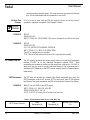
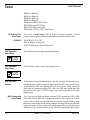
M1 Optional
Program Stop
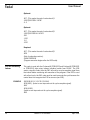
EXAMPLE:
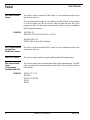
M1 is similar to M0 with the exception that the program will stop only when the
optional stop switch is in the ON position. This code could be included in a
program for the convenience of the operator to allow the program to stop at
certain points. For machine pendants without an optional stop toggle switch,
type MU after the AUTO button is pressed or any time while the program is
being executed, and select Option 2 from the Run Time Menu.
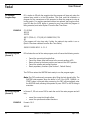
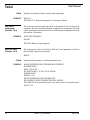
Z.1 G0 G40
M5 M9
G53 Z0
M6 T5 (TOOL #5, .375 (3/8) 4FL CARBIDE EM, TIN
M1
(The program will stop here only if either the optional stop switch is on or
Option 2 has been selected from the Run Time Menu).
G90 G0 S10000 M3 E1 X-.3 Y-.2
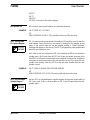
M2 End of Program
(Format 1)
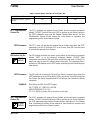
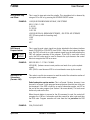
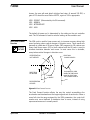
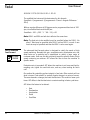
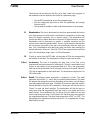
M2 indicates the end of the main program, and will cause the following events:
•
•
•
•
•
Cancel the current tool length offset.
Cancel the fixture offset and move to the current position at E0.
Return all axes to the home position and move to the SETH position.
Cancel the spindle and coolant function.
Reset preparatory functions (See Section 1, Default Status).
The CNC then enters the WAITING state ready to run the program again.
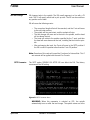
Note: The CNC continuously processes data, filling the look ahead buffer. The
WAITING state appears when the buffer is full. If the AUTO, MANUAL, or
START button is pressed while processing, the CNC will immediately enter
the WAITING state, allowing the operator to press START or AUTO to begin
execution.
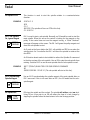
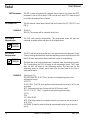
M2 End of Program
(Format 2)
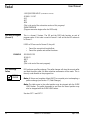
EXAMPLE:
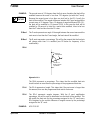
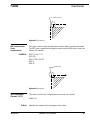
In Format 2, M2 acts as an M30 to mark the end of the main program and will
only:
• cancel the current tool length offset.
• cancel the spindle and coolant functions.
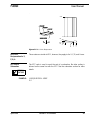
Formats 1 & 2
M5 M9
22
Section 2: M Functions
April 2003