1
Troubleshooting (continued)
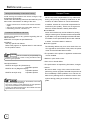
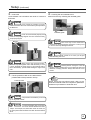
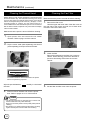
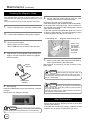
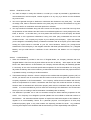
B. When card is at the left (near printing unit)
1.
Adjust the direction of the tilted card with your hand
such that it is parallel with the card guide.
3.
4.
Card guide
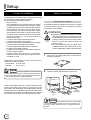
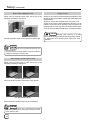
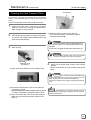
Turn the jog dial clockwise (down) to move card from
the encoding unit to the Turnover unit, followed by
removing it with your hand. The turnover unit will
return automatically to its original position upon
closing the printer door.
Install the ink ribbon cassette and close the printer
door. Refer to pages 12 and 13 of this manual.
Printer will start to initialize and return to the Ready
mode.
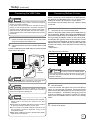
Jam Inside Laminator
2.
Install the ink ribbon cassette and close the printer
door.
Refer to pages 12 and 13 of this manual.
Printer will start to initialize.
The card is discharged from the NG Card Outlet and
the printer is restored to the Ready mode.
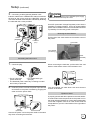
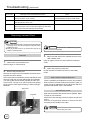
If the card is jammed between the printer and laminator,
turn both the printer knob for moving the card as well as
the jog dial of the laminator to move the card within the
printer.
Upon initializing the laminator, set the ink cassette and
close the printer door. The card will be discharged from
the NG Card Outlet. If the card is inside the laminator,
refer to the instruction manual of the laminator to remove
the jammed card.
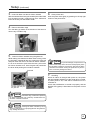
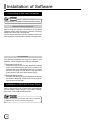
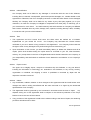
C. When card can barely be seen from the encoding unit
Printer knob
1.
2.
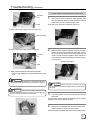
Open the jog cover behind the card cassette, turn
the jog dial in the anti-clockwise (upward) direction
to move card into the encoder. Refer to page 26 of
this manual (Feed Jam) on how to open the jog cover.
If the Turnover unit is not vertical, turn it to a vertical
position with your hand.
28