1
Before use
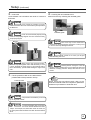
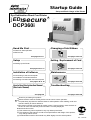
Printer Characteristics
This card printer prints high quality full-color images
equivalent to photographs using dye sublimation printing
on standard-size (ISO7810 compliant) PVC cards.
Printing can be done on both sides of the card.
Able to print maximum of 180 cards per hour. (For
Standard mode and single-sided printing)
Able to add on laminating function by connecting to
the optional Laminator unit (ILU).
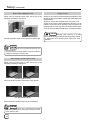
Checking Accessories
Check the accessories that come with this printer when
unpacking.
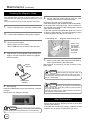
Startup Guide (this book) x 1
*Besides this book, Instruction Manual (electronic
instruction manual) is available on the attached CDROM.
Attached CD-ROM ......................................... x 1
Power Cord:
AC 120V type (For North America)(250cm) x 1
AC 200V type (For Europe)(250cm) ........... x 1
*The supplied power cord, instruction manual and
attached CD-ROM vary depending on the shipment
destination and product model.
Cleaning Card (for card transport roller) · · · · x 1
Card Stacker · · · · · · · · · · · · · · · · · · · · · · · · · x 1
Ink Ribbon Cassette · · · · · · · · · · · · · · · · · · · x 1
Card Cassette · · · · · · · · · · · · · · · · · · · · · · · · x 1
Cleaning Unit · · · · · · · · · · · · · · · · · · · · · · · · · x 1
Protection Card · · · · · · · · · · · · · · · · · · · · · · · x 1
USB Cable(200cm) · · · · · · · · · · · · · · · · · · · · x 1
Content of Attached CD-ROM
Instruction Manual (Electronic)
DCP360i Printer Driver
DCP360i Status Monitor(Printer Monitoring/Setup Tool)
DCP360i Printer Driver Instruction Manual
DCP360i Status Monitor Software Instruction Manual
(to the next page)
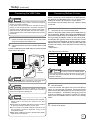
Handling the Ink Ribbon and Card
Cautions for Handling
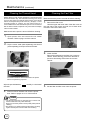
Pay attention to the following when handling the ink ribbon
and card.
• Use of distorted or damaged card will result in card
transport error.
• Touching the ink ribbon or printed surface of the card
directly with your hand will result in uneven print density.
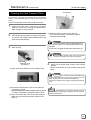
• Attachment of foreign objects to the printed surface may
result in missing prints.
Change or replenish your ink ribbon and card in a clean
environment.
• Electrostatic discharge on the ink ribbon and card may
result in errors. Refrain from activities that will generate
static electricity, such as rubbing the cards.
• When replacing or replenishing old ink ribbons or cards
with a new one that is stored under a low temperature,
leave it for more than one hour in the ambient temperature
where the printer is used. Using it directly will result in
condensation, causing printing error and breakdown.
Storage Method
The storage conditions of ink ribbon and card can greatly
influence the print quality. Choose the following type of
places for storage.
Storage environment
Temperature: 5 °C to 25 °C
Relative humidity: 40 % to 60 %
Storage Place
Avoid storing at the following places as it may result in
ink ribbon and card degradation.
• Locations with direct sunlight
• Locations with high temperature and humidity
• Locations near organic solvent and diazo copying machine
Storage period
Ink ribbons should be used within a half year of
purchase. For cards, please consult the dealer from
which they are purchased.
Protection of Color Part
Be sure to carry out protective layer (OP) printing or
laminating in order to protect the print part that performs
color (YMC ink) printing.
7