1
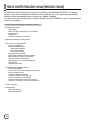
How to read the Instruction manual (electronic manual)
An instruction manual (electronic manual) is included in the attached CD-ROM. To view the
manual, you need to install Adobe Reader (Ver6.0 and above) on the host computer. Adobe
Reader can be downloaded free-of-charge from Adobe’s website.
You can either open the instruction manual directly from the CD-ROM or copy it to the hard disc
of the host computer.
Content of the Instruction Manual (electronic manual)
• Operating the Printer
LED Display
Names of Various Sections on control panel
Button Control
Initialization
Test print using the printer alone
• Differences between printing modes
• How to Use the Status Monitor
Screen Configuration
Monitoring Printer Status
Ready Status Display
Error Status Display
Other Status Display
Changing Printer Settings
Checking the Media and Printing Status
Display When Ink ribbon is Unknown
Checking Printer Configuration
Resetting the [No. of Cards Issued] Item
Test Printing
Upgrading Firmware
• Troubleshooting (detailed version)
Internal Configuration
List of Error Codes and Corresponding Actions
When ink ribbon is torn
Problems Related to Printing
Problems related to Color Printing
Problems Related to Text Printing
Problems Related to Protective Layer(OP)
Actions to Take When Printer Fails to Start Up
• Version upgrade
• Specifications
Main Specifications
External Dimension
20