1
Table of Contents
Welcome to IDTECK............................................................................................................................... 5
Copyrights/ Certifications/ Trademarks/ Disclaimer ................................................................................ 5
Cautions ................................................................................................................................................. 6
FOR FACE006 / FACE007 ....................................................................................................................12
1. Overview............................................................................................................................................17
Features .............................................................................................................................................17
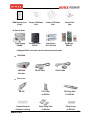
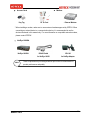
Components .......................................................................................................................................18
2. Specifications ....................................................................................................................................21
3. Comparison Table..............................................................................................................................23
4. Installation .........................................................................................................................................23
4.1 Before Installation.........................................................................................................................23
4.2 Installing the FACE006/007 ..........................................................................................................25
4.2.1 Attaching the wall mount .......................................................................................................25
4.2.2 Setting the Jumper Switch for Battery Backup......................................................................26
4.2.3 Initializing the FACE006/007.................................................................................................26
4.2.4 Attaching the FACE006/007 to the Wall Mount .....................................................................29
4.3 Communication Protocols and Cable Selection............................................................................29
4.3.1 Cable Connection .................................................................................................................30
4.3.2 RS-232..................................................................................................................................33
4.3.3 RS-422..................................................................................................................................34
4.3.4 Modem..................................................................................................................................35
4.3.5 TCP/IP ..................................................................................................................................38
4.4 Connecting External Devices .......................................................................................................39
4.4.1 Power Supply........................................................................................................................40
4.4.2 Door Sensor..........................................................................................................................42
4.4.3 Door Lock .............................................................................................................................42
4.4.4 Exit Button ............................................................................................................................44
4.4.5 External Reader....................................................................................................................45
4.4.6 Alarm Device.........................................................................................................................46
4.4.7 External Input Device............................................................................................................47
4.5 Checking Basic Operation ............................................................................................................48
4.5.1 Checking Power Supply........................................................................................................48
5. General Settings (Mode Selection) ....................................................................................................49
5.1 ID..................................................................................................................................................50
5.1.1 Registering an ID ..................................................................................................................50
5.1.2 Deleting an ID .......................................................................................................................52
2
MAMFAC7HE10