1
System Setting and Usage:
Preparation before using:
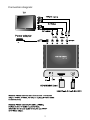
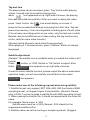
1: please refer to the right connection diagram
2: please set correct TV mode
If connect YPbPr cable to TV, the TV must be YPbPr input mode
If connect AV cable to TV, the TV must be AV input mode
If connect S-Video cable to TV, the TV must switch to S-Video input
mode
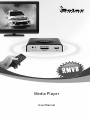
Connect the device to its power adapter and turn it on
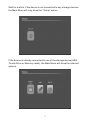
Please connect Media Player to the power adapter, when Indication
LED lights, the OSD would appear & show system” Loading”
Remark: If cannot enter normal main menu, please try the following
steps:
Please make sure the above 2 points of <Preparation before using>,
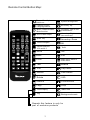
then, press the remote button and set the correct TV mode according to
the media player output connection cable,( if use YPbPr output, you
need to press YPbPr button on remote twice until the color is normal)
4