1
WebCenter
Contents
1. Copyright Notice.......................................................................................................................................................................... 8
2. What's New for WebCenter Users?..................................................................................................................................10
3. Getting Started with WebCenter........................................................................................................................................ 11
3.1 Opening WebCenter.......................................................................................................................................................11
3.2 Understanding the WebCenter Page Layout....................................................................................................... 12
3.3 The Default WebCenter Menus................................................................................................................................. 14
3.3.1 My Work.................................................................................................................................................................14
3.3.2 Projects...................................................................................................................................................................16
3.3.3 Task Types.............................................................................................................................................................17
3.3.4 Search..................................................................................................................................................................... 17
3.3.5 My WebCenter.....................................................................................................................................................39
3.3.6 Create......................................................................................................................................................................46
3.3.7 Upload.....................................................................................................................................................................46
3.4 Filtering Content.............................................................................................................................................................. 46
3.5 Using the Cart..................................................................................................................................................................47
4. Working with Projects and Documents.......................................................................................................................... 49
4.1 View a Project.................................................................................................................................................................. 49
4.2 Add Documents...............................................................................................................................................................49
4.2.1 How Documents are Organized................................................................................................................... 49
4.2.2 Document Types.................................................................................................................................................50
4.2.3 Different Ways to Upload Documents....................................................................................................... 50
4.3 Working with Documents.............................................................................................................................................56
4.3.1 Move a Document............................................................................................................................................. 56
4.3.2 Copy a Document..............................................................................................................................................57
4.3.3 Delete a Document............................................................................................................................................57
4.3.4 Lock a Document...............................................................................................................................................58
4.3.5 Unlock a Document.......................................................................................................................................... 58
4.3.6 Upload a New Version or Revision of a Document.............................................................................. 58
4.3.7 Delete the Last Version of a Document.................................................................................................... 59
4.3.8 Update a Document across Projects......................................................................................................... 60
4.3.9 Open a Document............................................................................................................................................. 60
4.3.10 Download a Document..................................................................................................................................61
4.3.11 Download Multiple Documents.................................................................................................................. 61
4.3.12 Download Documents from Multiple Locations...................................................................................61
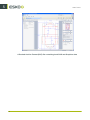
4.3.13 Viewing and Printing a Document's Annotation Report................................................................... 62
4.3.14 Online Document Editing with CHILI....................................................................................................... 62
4.4 Assigning Document Attributes.................................................................................................................................63
ii