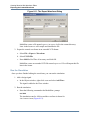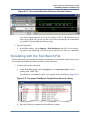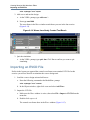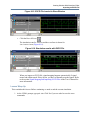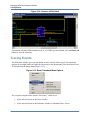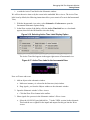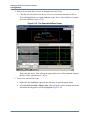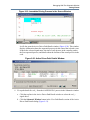
1
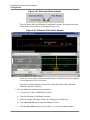
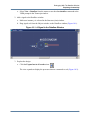
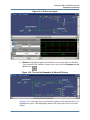
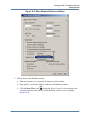
ModelSim® SE Tutorial
Software Version 10.1
© 1991-2011 Mentor Graphics Corporation
All rights reserved.
This document contains information that is proprietary to Mentor Graphics Corporation. The original recipient of this
document may duplicate this document in whole or in part for internal business purposes only, provided that this entire
notice appears in all copies. In duplicating any part of this document, the recipient agrees to make every reasonable
effort to prevent the unauthorized use and distribution of the proprietary information.
This document is for information and instruction purposes. Mentor Graphics reserves the right to make
changes in specifications and other information contained in this publication without prior notice, and the
reader should, in all cases, consult Mentor Graphics to determine whether any changes have been
made.
The terms and conditions governing the sale and licensing of Mentor Graphics products are set forth in
written agreements between Mentor Graphics and its customers. No representation or other affirmation
of fact contained in this publication shall be deemed to be a warranty or give rise to any liability of Mentor
Graphics whatsoever.
MENTOR GRAPHICS MAKES NO WARRANTY OF ANY KIND WITH REGARD TO THIS MATERIAL
INCLUDING, BUT NOT LIMITED TO, THE IMPLIED WARRANTIES OF MERCHANTABILITY AND
FITNESS FOR A PARTICULAR PURPOSE.
MENTOR GRAPHICS SHALL NOT BE LIABLE FOR ANY INCIDENTAL, INDIRECT, SPECIAL, OR
CONSEQUENTIAL DAMAGES WHATSOEVER (INCLUDING BUT NOT LIMITED TO LOST PROFITS)
ARISING OUT OF OR RELATED TO THIS PUBLICATION OR THE INFORMATION CONTAINED IN IT,
EVEN IF MENTOR GRAPHICS CORPORATION HAS BEEN ADVISED OF THE POSSIBILITY OF
SUCH DAMAGES.
RESTRICTED RIGHTS LEGEND 03/97
U.S. Government Restricted Rights. The SOFTWARE and documentation have been developed entirely
at private expense and are commercial computer software provided with restricted rights. Use,
duplication or disclosure by the U.S. Government or a U.S. Government subcontractor is subject to the
restrictions set forth in the license agreement provided with the software pursuant to DFARS 227.72023(a) or as set forth in subparagraph (c)(1) and (2) of the Commercial Computer Software - Restricted
Rights clause at FAR 52.227-19, as applicable.
Contractor/manufacturer is:
Mentor Graphics Corporation
8005 S.W. Boeckman Road, Wilsonville, Oregon 97070-7777.
Telephone: 503.685.7000
Toll-Free Telephone: 800.592.2210
Website: www.mentor.com
SupportNet: supportnet.mentor.com/
Send Feedback on Documentation: supportnet.mentor.com/doc_feedback_form
TRADEMARKS: The trademarks, logos and service marks ("Marks") used herein are the property of
Mentor Graphics Corporation or other third parties. No one is permitted to use these Marks without the
prior written consent of Mentor Graphics or the respective third-party owner. The use herein of a thirdparty Mark is not an attempt to indicate Mentor Graphics as a source of a product, but is intended to
indicate a product from, or associated with, a particular third party. A current list of Mentor Graphics’
trademarks may be viewed at: www.mentor.com/trademarks.
Table of Contents
Chapter 1
Introduction. . . . . . . . . . . . . . . . . . . . . . . . . . . . . . . . . . . . . . . . . . . . . . . . . . . . . . . . . . . . . . .
Assumptions. . . . . . . . . . . . . . . . . . . . . . . . . . . . . . . . . . . . . . . . . . . . . . . . . . . . . . . . . . . . . .
Where to Find ModelSim Documentation. . . . . . . . . . . . . . . . . . . . . . . . . . . . . . . . . . . . . . .
Download a Free PDF Reader With Search . . . . . . . . . . . . . . . . . . . . . . . . . . . . . . . . . . . .
Mentor Graphics Support. . . . . . . . . . . . . . . . . . . . . . . . . . . . . . . . . . . . . . . . . . . . . . . . . . . .
Before you Begin . . . . . . . . . . . . . . . . . . . . . . . . . . . . . . . . . . . . . . . . . . . . . . . . . . . . . . . . . .
Example Designs . . . . . . . . . . . . . . . . . . . . . . . . . . . . . . . . . . . . . . . . . . . . . . . . . . . . . . . .
13
13
13
14
14
14
15
Chapter 2
Conceptual Overview . . . . . . . . . . . . . . . . . . . . . . . . . . . . . . . . . . . . . . . . . . . . . . . . . . . . . . .
Design Optimizations. . . . . . . . . . . . . . . . . . . . . . . . . . . . . . . . . . . . . . . . . . . . . . . . . . . . . . .
Basic Simulation Flow. . . . . . . . . . . . . . . . . . . . . . . . . . . . . . . . . . . . . . . . . . . . . . . . . . . . . .
Project Flow . . . . . . . . . . . . . . . . . . . . . . . . . . . . . . . . . . . . . . . . . . . . . . . . . . . . . . . . . . . . . .
Multiple Library Flow . . . . . . . . . . . . . . . . . . . . . . . . . . . . . . . . . . . . . . . . . . . . . . . . . . . . . .
Debugging Tools . . . . . . . . . . . . . . . . . . . . . . . . . . . . . . . . . . . . . . . . . . . . . . . . . . . . . . . . . .
17
17
18
19
19
20
Chapter 3
Basic Simulation . . . . . . . . . . . . . . . . . . . . . . . . . . . . . . . . . . . . . . . . . . . . . . . . . . . . . . . . . . .
Create the Working Design Library. . . . . . . . . . . . . . . . . . . . . . . . . . . . . . . . . . . . . . . . . . . .
Compile the Design Units . . . . . . . . . . . . . . . . . . . . . . . . . . . . . . . . . . . . . . . . . . . . . . . . . . .
Optimize the Design . . . . . . . . . . . . . . . . . . . . . . . . . . . . . . . . . . . . . . . . . . . . . . . . . . . . . . .
Load the Design . . . . . . . . . . . . . . . . . . . . . . . . . . . . . . . . . . . . . . . . . . . . . . . . . . . . . . . . . . .
Run the Simulation . . . . . . . . . . . . . . . . . . . . . . . . . . . . . . . . . . . . . . . . . . . . . . . . . . . . . . . .
Set Breakpoints and Step through the Source . . . . . . . . . . . . . . . . . . . . . . . . . . . . . . . . . . . .
23
23
25
26
27
28
30
Chapter 4
Projects. . . . . . . . . . . . . . . . . . . . . . . . . . . . . . . . . . . . . . . . . . . . . . . . . . . . . . . . . . . . . . . . . . .
Create a New Project . . . . . . . . . . . . . . . . . . . . . . . . . . . . . . . . . . . . . . . . . . . . . . . . . . . . . . .
Add Objects to the Project . . . . . . . . . . . . . . . . . . . . . . . . . . . . . . . . . . . . . . . . . . . . . . . . .
Changing Compile Order (VHDL) . . . . . . . . . . . . . . . . . . . . . . . . . . . . . . . . . . . . . . . . . . .
Compile the Design. . . . . . . . . . . . . . . . . . . . . . . . . . . . . . . . . . . . . . . . . . . . . . . . . . . . . . .
Optimize for Design Visibility . . . . . . . . . . . . . . . . . . . . . . . . . . . . . . . . . . . . . . . . . . . . . .
Load the Design . . . . . . . . . . . . . . . . . . . . . . . . . . . . . . . . . . . . . . . . . . . . . . . . . . . . . . . . .
Organizing Projects with Folders. . . . . . . . . . . . . . . . . . . . . . . . . . . . . . . . . . . . . . . . . . . . . .
Add Folders. . . . . . . . . . . . . . . . . . . . . . . . . . . . . . . . . . . . . . . . . . . . . . . . . . . . . . . . . . . . .
Moving Files to Folders . . . . . . . . . . . . . . . . . . . . . . . . . . . . . . . . . . . . . . . . . . . . . . . . . . .
Simulation Configurations . . . . . . . . . . . . . . . . . . . . . . . . . . . . . . . . . . . . . . . . . . . . . . . . . . .
35
35
36
38
39
40
40
41
41
43
44
ModelSim SE Tutorial, v10.1
3
Table of Contents
Chapter 5
Working With Multiple Libraries. . . . . . . . . . . . . . . . . . . . . . . . . . . . . . . . . . . . . . . . . . . . .
Creating the Resource Library . . . . . . . . . . . . . . . . . . . . . . . . . . . . . . . . . . . . . . . . . . . . . . . .
Creating the Project . . . . . . . . . . . . . . . . . . . . . . . . . . . . . . . . . . . . . . . . . . . . . . . . . . . . . . . .
Linking to the Resource Library . . . . . . . . . . . . . . . . . . . . . . . . . . . . . . . . . . . . . . . . . . . . . .
Verilog . . . . . . . . . . . . . . . . . . . . . . . . . . . . . . . . . . . . . . . . . . . . . . . . . . . . . . . . . . . . . . . .
VHDL . . . . . . . . . . . . . . . . . . . . . . . . . . . . . . . . . . . . . . . . . . . . . . . . . . . . . . . . . . . . . . . . .
Linking to a Resource Library . . . . . . . . . . . . . . . . . . . . . . . . . . . . . . . . . . . . . . . . . . . . . .
Permanently Mapping VHDL Resource Libraries . . . . . . . . . . . . . . . . . . . . . . . . . . . . . . . .
47
47
49
50
50
51
52
53
Chapter 6
Simulating SystemC Designs . . . . . . . . . . . . . . . . . . . . . . . . . . . . . . . . . . . . . . . . . . . . . . . . .
Setting up the Environment . . . . . . . . . . . . . . . . . . . . . . . . . . . . . . . . . . . . . . . . . . . . . . . . . .
Preparing an OSCI SystemC design . . . . . . . . . . . . . . . . . . . . . . . . . . . . . . . . . . . . . . . . . . .
Compiling a SystemC-only Design . . . . . . . . . . . . . . . . . . . . . . . . . . . . . . . . . . . . . . . . . . . .
Mixed SystemC and HDL Example . . . . . . . . . . . . . . . . . . . . . . . . . . . . . . . . . . . . . . . . . . .
Viewing SystemC Objects in the GUI . . . . . . . . . . . . . . . . . . . . . . . . . . . . . . . . . . . . . . . . . .
Setting Breakpoints and Stepping in the Source Window . . . . . . . . . . . . . . . . . . . . . . . . .
Examining SystemC Objects and Variables . . . . . . . . . . . . . . . . . . . . . . . . . . . . . . . . . . . .
Removing a Breakpoint . . . . . . . . . . . . . . . . . . . . . . . . . . . . . . . . . . . . . . . . . . . . . . . . . . .
55
56
56
59
60
63
65
67
68
Chapter 7
Analyzing Waveforms . . . . . . . . . . . . . . . . . . . . . . . . . . . . . . . . . . . . . . . . . . . . . . . . . . . . . .
Loading a Design . . . . . . . . . . . . . . . . . . . . . . . . . . . . . . . . . . . . . . . . . . . . . . . . . . . . . . . . . .
Add Objects to the Wave Window . . . . . . . . . . . . . . . . . . . . . . . . . . . . . . . . . . . . . . . . . . . .
Zooming the Waveform Display . . . . . . . . . . . . . . . . . . . . . . . . . . . . . . . . . . . . . . . . . . . . . .
Using Cursors in the Wave Window . . . . . . . . . . . . . . . . . . . . . . . . . . . . . . . . . . . . . . . . . . .
Working with a Single Cursor . . . . . . . . . . . . . . . . . . . . . . . . . . . . . . . . . . . . . . . . . . . . . .
Working with Multiple Cursors . . . . . . . . . . . . . . . . . . . . . . . . . . . . . . . . . . . . . . . . . . . . .
Saving and Reusing the Window Format . . . . . . . . . . . . . . . . . . . . . . . . . . . . . . . . . . . . . . .
71
72
72
73
74
74
76
77
Chapter 8
Creating Stimulus With Waveform Editor . . . . . . . . . . . . . . . . . . . . . . . . . . . . . . . . . . . . .
Compile and Load the Design . . . . . . . . . . . . . . . . . . . . . . . . . . . . . . . . . . . . . . . . . . . . . . . .
Create Graphical Stimulus with a Wizard . . . . . . . . . . . . . . . . . . . . . . . . . . . . . . . . . . . . . . .
Edit Waveforms in the Wave Window . . . . . . . . . . . . . . . . . . . . . . . . . . . . . . . . . . . . . . . . .
Save and Reuse the Wave Commands. . . . . . . . . . . . . . . . . . . . . . . . . . . . . . . . . . . . . . . . . .
Exporting the Created Waveforms. . . . . . . . . . . . . . . . . . . . . . . . . . . . . . . . . . . . . . . . . . . . .
Simulating with the Test Bench File . . . . . . . . . . . . . . . . . . . . . . . . . . . . . . . . . . . . . . . . . . .
Importing an EVCD File . . . . . . . . . . . . . . . . . . . . . . . . . . . . . . . . . . . . . . . . . . . . . . . . . . . .
79
80
81
83
86
87
89
90
Chapter 9
Debugging With The Schematic Window. . . . . . . . . . . . . . . . . . . . . . . . . . . . . . . . . . . . . . . 93
Exploring Connectivity . . . . . . . . . . . . . . . . . . . . . . . . . . . . . . . . . . . . . . . . . . . . . . . . . . . . . 95
Viewing Source Code from the Schematic . . . . . . . . . . . . . . . . . . . . . . . . . . . . . . . . . . . . . . 101
Unfolding and Folding Instances . . . . . . . . . . . . . . . . . . . . . . . . . . . . . . . . . . . . . . . . . . . . . . 102
Tracing Events . . . . . . . . . . . . . . . . . . . . . . . . . . . . . . . . . . . . . . . . . . . . . . . . . . . . . . . . . . . . 104
4
ModelSim SE Tutorial, v10.1
Table of Contents
Chapter 10
Debugging With The Dataflow Window. . . . . . . . . . . . . . . . . . . . . . . . . . . . . . . . . . . . . . . .
Exploring Connectivity . . . . . . . . . . . . . . . . . . . . . . . . . . . . . . . . . . . . . . . . . . . . . . . . . . . . .
Tracing Events . . . . . . . . . . . . . . . . . . . . . . . . . . . . . . . . . . . . . . . . . . . . . . . . . . . . . . . . . . . .
Tracing an X (Unknown) . . . . . . . . . . . . . . . . . . . . . . . . . . . . . . . . . . . . . . . . . . . . . . . . . . . .
Displaying Hierarchy in the Dataflow Window . . . . . . . . . . . . . . . . . . . . . . . . . . . . . . . . . .
111
112
116
121
124
Chapter 11
Viewing And Initializing Memories . . . . . . . . . . . . . . . . . . . . . . . . . . . . . . . . . . . . . . . . . . .
View a Memory and its Contents. . . . . . . . . . . . . . . . . . . . . . . . . . . . . . . . . . . . . . . . . . . . . .
Navigate Within the Memory . . . . . . . . . . . . . . . . . . . . . . . . . . . . . . . . . . . . . . . . . . . . . . .
Export Memory Data to a File . . . . . . . . . . . . . . . . . . . . . . . . . . . . . . . . . . . . . . . . . . . . . . . .
Initialize a Memory . . . . . . . . . . . . . . . . . . . . . . . . . . . . . . . . . . . . . . . . . . . . . . . . . . . . . . . .
Interactive Debugging Commands . . . . . . . . . . . . . . . . . . . . . . . . . . . . . . . . . . . . . . . . . . . .
127
128
132
134
136
139
Chapter 12
Analyzing Performance With The Profiler . . . . . . . . . . . . . . . . . . . . . . . . . . . . . . . . . . . . .
View Performance Data in Profile Windows. . . . . . . . . . . . . . . . . . . . . . . . . . . . . . . . . . . . .
View Source Code by Clicking in Profile Window . . . . . . . . . . . . . . . . . . . . . . . . . . . . . .
View Profile Details. . . . . . . . . . . . . . . . . . . . . . . . . . . . . . . . . . . . . . . . . . . . . . . . . . . . . . . .
Filtering the Data . . . . . . . . . . . . . . . . . . . . . . . . . . . . . . . . . . . . . . . . . . . . . . . . . . . . . . . . . .
Creating a Performance Profile Report . . . . . . . . . . . . . . . . . . . . . . . . . . . . . . . . . . . . . . . . .
143
145
148
149
150
151
Chapter 13
Simulating With Code Coverage . . . . . . . . . . . . . . . . . . . . . . . . . . . . . . . . . . . . . . . . . . . . . .
Viewing Coverage Data. . . . . . . . . . . . . . . . . . . . . . . . . . . . . . . . . . . . . . . . . . . . . . . . . . . . .
Coverage Statistics in the Source Window . . . . . . . . . . . . . . . . . . . . . . . . . . . . . . . . . . . . . .
Toggle Statistics in the Objects Window. . . . . . . . . . . . . . . . . . . . . . . . . . . . . . . . . . . . . . . .
Excluding Lines and Files from Coverage Statistics . . . . . . . . . . . . . . . . . . . . . . . . . . . . . . .
Creating Code Coverage Reports. . . . . . . . . . . . . . . . . . . . . . . . . . . . . . . . . . . . . . . . . . . . . .
155
160
162
164
165
166
Chapter 14
Comparing Waveforms . . . . . . . . . . . . . . . . . . . . . . . . . . . . . . . . . . . . . . . . . . . . . . . . . . . . .
Creating the Reference Dataset . . . . . . . . . . . . . . . . . . . . . . . . . . . . . . . . . . . . . . . . . . . . . . .
Creating the Test Dataset . . . . . . . . . . . . . . . . . . . . . . . . . . . . . . . . . . . . . . . . . . . . . . . . . . . .
Comparing the Simulation Runs . . . . . . . . . . . . . . . . . . . . . . . . . . . . . . . . . . . . . . . . . . . . . .
Viewing Comparison Data. . . . . . . . . . . . . . . . . . . . . . . . . . . . . . . . . . . . . . . . . . . . . . . . . . .
Comparison Data in the Wave Window . . . . . . . . . . . . . . . . . . . . . . . . . . . . . . . . . . . . . . .
Comparison Data in the List Window . . . . . . . . . . . . . . . . . . . . . . . . . . . . . . . . . . . . . . . .
Saving and Reloading Comparison Data . . . . . . . . . . . . . . . . . . . . . . . . . . . . . . . . . . . . . . . .
169
170
171
172
173
174
175
176
Chapter 15
Automating Simulation . . . . . . . . . . . . . . . . . . . . . . . . . . . . . . . . . . . . . . . . . . . . . . . . . . . . .
Creating a Simple DO File. . . . . . . . . . . . . . . . . . . . . . . . . . . . . . . . . . . . . . . . . . . . . . . . . . .
Running in Command-Line Mode . . . . . . . . . . . . . . . . . . . . . . . . . . . . . . . . . . . . . . . . . . . . .
Using Tcl with the Simulator. . . . . . . . . . . . . . . . . . . . . . . . . . . . . . . . . . . . . . . . . . . . . . . . .
179
179
180
183
ModelSim SE Tutorial, v10.1
5
Table of Contents
Chapter 16
Getting Started With Power Aware . . . . . . . . . . . . . . . . . . . . . . . . . . . . . . . . . . . . . . . . . . .
Create a Working Location . . . . . . . . . . . . . . . . . . . . . . . . . . . . . . . . . . . . . . . . . . . . . . . . . .
Compile the Source Files of the Design . . . . . . . . . . . . . . . . . . . . . . . . . . . . . . . . . . . . . . . .
Annotate Power Intent . . . . . . . . . . . . . . . . . . . . . . . . . . . . . . . . . . . . . . . . . . . . . . . . . . . . . .
Specifying Power Aware Options. . . . . . . . . . . . . . . . . . . . . . . . . . . . . . . . . . . . . . . . . . . .
Simulate the Power Aware Design . . . . . . . . . . . . . . . . . . . . . . . . . . . . . . . . . . . . . . . . . . . .
Analyze Results . . . . . . . . . . . . . . . . . . . . . . . . . . . . . . . . . . . . . . . . . . . . . . . . . . . . . . . . .
187
188
188
189
190
190
191
Index
End-User License Agreement
6
ModelSim SE Tutorial, v10.1
List of Figures
Figure 2-1. Basic Simulation Flow - Overview Lab . . . . . . . . . . . . . . . . . . . . . . . . . . . . . . .
Figure 2-2. Project Flow . . . . . . . . . . . . . . . . . . . . . . . . . . . . . . . . . . . . . . . . . . . . . . . . . . . .
Figure 2-3. Multiple Library Flow. . . . . . . . . . . . . . . . . . . . . . . . . . . . . . . . . . . . . . . . . . . . .
Figure 3-1. The Create a New Library Dialog. . . . . . . . . . . . . . . . . . . . . . . . . . . . . . . . . . . .
Figure 3-2. work Library Added to the Library Window . . . . . . . . . . . . . . . . . . . . . . . . . . .
Figure 3-3. Compile Source Files Dialog . . . . . . . . . . . . . . . . . . . . . . . . . . . . . . . . . . . . . . .
Figure 3-4. Verilog Modules Compiled into work Library . . . . . . . . . . . . . . . . . . . . . . . . . .
Figure 3-5. The Design Hierarchy . . . . . . . . . . . . . . . . . . . . . . . . . . . . . . . . . . . . . . . . . . . . .
Figure 3-6. The Object Window and Processes Window . . . . . . . . . . . . . . . . . . . . . . . . . . .
Figure 3-7. Using the Popup Menu to Add Signals to Wave Window . . . . . . . . . . . . . . . . .
Figure 3-8. Waves Drawn in Wave Window. . . . . . . . . . . . . . . . . . . . . . . . . . . . . . . . . . . . .
Figure 3-9. Setting Breakpoint in Source Window . . . . . . . . . . . . . . . . . . . . . . . . . . . . . . . .
Figure 3-10. Setting Restart Functions . . . . . . . . . . . . . . . . . . . . . . . . . . . . . . . . . . . . . . . . .
Figure 3-11. Blue Arrow Indicates Where Simulation Stopped. . . . . . . . . . . . . . . . . . . . . . .
Figure 3-12. Values Shown in Objects Window . . . . . . . . . . . . . . . . . . . . . . . . . . . . . . . . . .
Figure 3-13. Parameter Name and Value in Source Examine Window . . . . . . . . . . . . . . . .
Figure 4-1. Create Project Dialog - Project Lab . . . . . . . . . . . . . . . . . . . . . . . . . . . . . . . . . .
Figure 4-2. Adding New Items to a Project . . . . . . . . . . . . . . . . . . . . . . . . . . . . . . . . . . . . . .
Figure 4-3. Add file to Project Dialog . . . . . . . . . . . . . . . . . . . . . . . . . . . . . . . . . . . . . . . . . .
Figure 4-4. Newly Added Project Files Display a ’?’ for Status . . . . . . . . . . . . . . . . . . . . . .
Figure 4-5. Compile Order Dialog. . . . . . . . . . . . . . . . . . . . . . . . . . . . . . . . . . . . . . . . . . . . .
Figure 4-6. Library Window with Expanded Library . . . . . . . . . . . . . . . . . . . . . . . . . . . . . .
Figure 4-7. Structure(sim) window for a Loaded Design . . . . . . . . . . . . . . . . . . . . . . . . . . .
Figure 4-8. Adding New Folder to Project . . . . . . . . . . . . . . . . . . . . . . . . . . . . . . . . . . . . . .
Figure 4-9. A Folder Within a Project . . . . . . . . . . . . . . . . . . . . . . . . . . . . . . . . . . . . . . . . . .
Figure 4-10. Creating Subfolder . . . . . . . . . . . . . . . . . . . . . . . . . . . . . . . . . . . . . . . . . . . . . .
Figure 4-11. A folder with a Sub-folder . . . . . . . . . . . . . . . . . . . . . . . . . . . . . . . . . . . . . . . .
Figure 4-12. Changing File Location via the Project Compiler Settings Dialog. . . . . . . . . .
Figure 4-13. Simulation Configuration Dialog . . . . . . . . . . . . . . . . . . . . . . . . . . . . . . . . . . .
Figure 4-14. A Simulation Configuration in the Project window . . . . . . . . . . . . . . . . . . . . .
Figure 4-15. Transcript Shows Options for Simulation Configurations . . . . . . . . . . . . . . . .
Figure 5-1. Creating New Resource Library . . . . . . . . . . . . . . . . . . . . . . . . . . . . . . . . . . . . .
Figure 5-2. Compiling into the Resource Library . . . . . . . . . . . . . . . . . . . . . . . . . . . . . . . . .
Figure 5-3. VHDL Simulation Warning Reported in Main Window . . . . . . . . . . . . . . . . . .
Figure 5-4. Specifying a Search Library in the Simulate Dialog. . . . . . . . . . . . . . . . . . . . . .
Figure 6-1. The SystemC File After Modifications. . . . . . . . . . . . . . . . . . . . . . . . . . . . . . . .
Figure 6-2. Editing the SystemC Header File.. . . . . . . . . . . . . . . . . . . . . . . . . . . . . . . . . . . .
Figure 6-3. The ringbuf.h File.. . . . . . . . . . . . . . . . . . . . . . . . . . . . . . . . . . . . . . . . . . . . . . . .
Figure 6-4. The test_ringbuf.cpp File . . . . . . . . . . . . . . . . . . . . . . . . . . . . . . . . . . . . . . . . . .
Figure 6-5. The test_ringbuf Design . . . . . . . . . . . . . . . . . . . . . . . . . . . . . . . . . . . . . . . . . . .
ModelSim SE Tutorial, v10.1
18
19
20
24
25
26
26
27
28
29
29
30
31
31
32
32
36
37
37
38
39
40
41
42
42
42
43
43
45
46
46
48
49
51
53
58
59
61
62
63
7
List of Figures
Figure 6-6. SystemC Objects in the work Library. . . . . . . . . . . . . . . . . . . . . . . . . . . . . . . . .
Figure 6-7. SystemC Objects in Structure (sim) and Objects Windows . . . . . . . . . . . . . . . .
Figure 6-8. Active Breakpoint in a SystemC File . . . . . . . . . . . . . . . . . . . . . . . . . . . . . . . . .
Figure 6-9. Simulation Stopped at Breakpoint . . . . . . . . . . . . . . . . . . . . . . . . . . . . . . . . . . .
Figure 6-10. Stepping into a Separate File. . . . . . . . . . . . . . . . . . . . . . . . . . . . . . . . . . . . . . .
Figure 6-11. Output of show Command . . . . . . . . . . . . . . . . . . . . . . . . . . . . . . . . . . . . . . . .
Figure 6-12. SystemC Primitive Channels in the Wave Window . . . . . . . . . . . . . . . . . . . . .
Figure 7-1. Panes of the Wave Window . . . . . . . . . . . . . . . . . . . . . . . . . . . . . . . . . . . . . . . .
Figure 7-2. Zooming in with the Mouse Pointer . . . . . . . . . . . . . . . . . . . . . . . . . . . . . . . . . .
Figure 7-3. Working with a Single Cursor in the Wave Window . . . . . . . . . . . . . . . . . . . . .
Figure 7-4. Renaming a Cursor . . . . . . . . . . . . . . . . . . . . . . . . . . . . . . . . . . . . . . . . . . . . . . .
Figure 7-5. Interval Measurement Between Two Cursors. . . . . . . . . . . . . . . . . . . . . . . . . . .
Figure 7-6. A Locked Cursor in the Wave Window . . . . . . . . . . . . . . . . . . . . . . . . . . . . . . .
Figure 8-1. Initiating the Create Pattern Wizard from the Objects Window . . . . . . . . . . . . .
Figure 8-2. Create Pattern Wizard . . . . . . . . . . . . . . . . . . . . . . . . . . . . . . . . . . . . . . . . . . . . .
Figure 8-3. Specifying Clock Pattern Attributes . . . . . . . . . . . . . . . . . . . . . . . . . . . . . . . . . .
Figure 8-4. The clk Waveform. . . . . . . . . . . . . . . . . . . . . . . . . . . . . . . . . . . . . . . . . . . . . . . .
Figure 8-5. The reset Waveform . . . . . . . . . . . . . . . . . . . . . . . . . . . . . . . . . . . . . . . . . . . . . .
Figure 8-6. Edit Insert Pulse Dialog . . . . . . . . . . . . . . . . . . . . . . . . . . . . . . . . . . . . . . . . . . .
Figure 8-7. Signal reset with an Inserted Pulse . . . . . . . . . . . . . . . . . . . . . . . . . . . . . . . . . . .
Figure 8-8. Edit Stretch Edge Dialog. . . . . . . . . . . . . . . . . . . . . . . . . . . . . . . . . . . . . . . . . . .
Figure 8-9. Stretching an Edge on the clk Signal. . . . . . . . . . . . . . . . . . . . . . . . . . . . . . . . . .
Figure 8-10. Deleting an Edge on the clk Signal . . . . . . . . . . . . . . . . . . . . . . . . . . . . . . . . . .
Figure 8-11. The Export Waveform Dialog. . . . . . . . . . . . . . . . . . . . . . . . . . . . . . . . . . . . . .
Figure 8-12. The counter Waveform Reacts to Stimulus Patterns. . . . . . . . . . . . . . . . . . . . .
Figure 8-13. The export Test Bench Compiled into the work Library . . . . . . . . . . . . . . . . .
Figure 8-14. Waves from Newly Created Test Bench. . . . . . . . . . . . . . . . . . . . . . . . . . . . . .
Figure 8-15. EVCD File Loaded in Wave Window . . . . . . . . . . . . . . . . . . . . . . . . . . . . . . .
Figure 8-16. Simulation results with EVCD File . . . . . . . . . . . . . . . . . . . . . . . . . . . . . . . . .
Figure 9-1. Schematic View Indicator . . . . . . . . . . . . . . . . . . . . . . . . . . . . . . . . . . . . . . . . . .
Figure 9-2. A Signal in the schematic Window. . . . . . . . . . . . . . . . . . . . . . . . . . . . . . . . . . .
Figure 9-3. Right Pointing Arrow Indicates Readers. . . . . . . . . . . . . . . . . . . . . . . . . . . . . . .
Figure 9-4. Expanding the View to Display Readers of strb Signal . . . . . . . . . . . . . . . . . . .
Figure 9-5. Signal Values Overlapped. . . . . . . . . . . . . . . . . . . . . . . . . . . . . . . . . . . . . . . . . .
Figure 9-6. Signal Values After Regenerate . . . . . . . . . . . . . . . . . . . . . . . . . . . . . . . . . . . . .
Figure 9-7. Select test signal . . . . . . . . . . . . . . . . . . . . . . . . . . . . . . . . . . . . . . . . . . . . . . . . .
Figure 9-8. The test Net Expanded to Show All Drivers. . . . . . . . . . . . . . . . . . . . . . . . . . . .
Figure 9-9. Signal oen Expanded to Readers. . . . . . . . . . . . . . . . . . . . . . . . . . . . . . . . . . . . .
Figure 9-10. Code Preview Window . . . . . . . . . . . . . . . . . . . . . . . . . . . . . . . . . . . . . . . . . . .
Figure 9-11. Folded Instance . . . . . . . . . . . . . . . . . . . . . . . . . . . . . . . . . . . . . . . . . . . . . . . . .
Figure 9-12. Unfolded Instance . . . . . . . . . . . . . . . . . . . . . . . . . . . . . . . . . . . . . . . . . . . . . . .
Figure 9-13. Contents of Unfolded Instance s2 . . . . . . . . . . . . . . . . . . . . . . . . . . . . . . . . . . .
Figure 9-14. Instance s2 Refolded . . . . . . . . . . . . . . . . . . . . . . . . . . . . . . . . . . . . . . . . . . . . .
Figure 9-15. Event Traceback Menu Options . . . . . . . . . . . . . . . . . . . . . . . . . . . . . . . . . . . .
Figure 9-16. Selecting Active Time Label Display Option . . . . . . . . . . . . . . . . . . . . . . . . . .
8
64
64
66
66
67
68
69
71
74
75
76
76
77
81
82
82
83
83
84
84
85
85
86
88
89
89
90
91
91
93
96
97
97
97
98
99
100
100
101
102
103
103
104
104
105
ModelSim SE Tutorial, v10.1
List of Figures
Figure 9-17. Active Time Label in the Incremental View. . . . . . . . . . . . . . . . . . . . . . . . . . .
Figure 9-18. The Embedded Wave Viewer . . . . . . . . . . . . . . . . . . . . . . . . . . . . . . . . . . . . . .
Figure 9-19. Immediate Driving Process in the Source Window . . . . . . . . . . . . . . . . . . . . .
Figure 9-20. Active Driver Path Details Window . . . . . . . . . . . . . . . . . . . . . . . . . . . . . . . . .
Figure 9-21. Schematic Window Button . . . . . . . . . . . . . . . . . . . . . . . . . . . . . . . . . . . . . . . .
Figure 9-22. Schematic Path Details Window. . . . . . . . . . . . . . . . . . . . . . . . . . . . . . . . . . . .
Figure 10-1. A Signal in the Dataflow Window . . . . . . . . . . . . . . . . . . . . . . . . . . . . . . . . . .
Figure 10-2. Expanding the View to Display Connected Processes . . . . . . . . . . . . . . . . . . .
Figure 10-3. Select test signal . . . . . . . . . . . . . . . . . . . . . . . . . . . . . . . . . . . . . . . . . . . . . . . .
Figure 10-4. The test Net Expanded to Show All Drivers. . . . . . . . . . . . . . . . . . . . . . . . . . .
Figure 10-5. Wave Window Preferences Dialog . . . . . . . . . . . . . . . . . . . . . . . . . . . . . . . . . .
Figure 10-6. The Embedded Wave Viewer . . . . . . . . . . . . . . . . . . . . . . . . . . . . . . . . . . . . . .
Figure 10-7. Source Code for the NAND Gate . . . . . . . . . . . . . . . . . . . . . . . . . . . . . . . . . . .
Figure 10-8. Signals Added to the Wave Viewer Automatically . . . . . . . . . . . . . . . . . . . . .
Figure 10-9. Source Code with t_out Highlighted. . . . . . . . . . . . . . . . . . . . . . . . . . . . . . . . .
Figure 10-10. Cursor in Wave Viewer Marks Last Event . . . . . . . . . . . . . . . . . . . . . . . . . . .
Figure 10-11. Tracing the Event Set . . . . . . . . . . . . . . . . . . . . . . . . . . . . . . . . . . . . . . . . . . .
Figure 10-12. A Signal with Unknown Values . . . . . . . . . . . . . . . . . . . . . . . . . . . . . . . . . . .
Figure 10-13. Dataflow Window with Wave Viewer . . . . . . . . . . . . . . . . . . . . . . . . . . . . . .
Figure 10-14. ChaseX Identifies Cause of Unknown on t_out . . . . . . . . . . . . . . . . . . . . . . .
Figure 10-15. Dataflow Options Dialog . . . . . . . . . . . . . . . . . . . . . . . . . . . . . . . . . . . . . . . .
Figure 10-16. Displaying Hierarchy in the Dataflow Window . . . . . . . . . . . . . . . . . . . . . . .
Figure 11-1. The Memory List in the Memory window . . . . . . . . . . . . . . . . . . . . . . . . . . . .
Figure 11-2. Verilog Memory Data Window . . . . . . . . . . . . . . . . . . . . . . . . . . . . . . . . . . . .
Figure 11-3. VHDL Memory Data Window . . . . . . . . . . . . . . . . . . . . . . . . . . . . . . . . . . . . .
Figure 11-4. Verilog Data After Running Simulation . . . . . . . . . . . . . . . . . . . . . . . . . . . . . .
Figure 11-5. VHDL Data After Running Simulation . . . . . . . . . . . . . . . . . . . . . . . . . . . . . .
Figure 11-6. Changing the Address Radix. . . . . . . . . . . . . . . . . . . . . . . . . . . . . . . . . . . . . . .
Figure 11-7. New Address Radix and Line Length (Verilog. . . . . . . . . . . . . . . . . . . . . . . . .
Figure 11-8. New Address Radix and Line Length (VHDL) . . . . . . . . . . . . . . . . . . . . . . . .
Figure 11-9. Goto Dialog. . . . . . . . . . . . . . . . . . . . . . . . . . . . . . . . . . . . . . . . . . . . . . . . . . . .
Figure 11-10. Editing the Address Directly. . . . . . . . . . . . . . . . . . . . . . . . . . . . . . . . . . . . . .
Figure 11-11. Searching for a Specific Data Value . . . . . . . . . . . . . . . . . . . . . . . . . . . . . . . .
Figure 11-12. Export Memory Dialog . . . . . . . . . . . . . . . . . . . . . . . . . . . . . . . . . . . . . . . . . .
Figure 11-13. Import Memory Dialog . . . . . . . . . . . . . . . . . . . . . . . . . . . . . . . . . . . . . . . . . .
Figure 11-14. Initialized Memory from File and Fill Pattern . . . . . . . . . . . . . . . . . . . . . . . .
Figure 11-15. Data Increments Starting at Address 251 . . . . . . . . . . . . . . . . . . . . . . . . . . . .
Figure 11-16. Original Memory Content . . . . . . . . . . . . . . . . . . . . . . . . . . . . . . . . . . . . . . . .
Figure 11-17. Changing Memory Content for a Range of Addresses**OK . . . . . . . . . . . . .
Figure 11-18. Random Content Generated for a Range of Addresses. . . . . . . . . . . . . . . . . .
Figure 11-19. Changing Memory Contents by Highlighting. . . . . . . . . . . . . . . . . . . . . . . . .
Figure 11-20. Entering Data to Change**OK . . . . . . . . . . . . . . . . . . . . . . . . . . . . . . . . . . . .
Figure 11-21. Changed Memory Contents for the Specified Addresses . . . . . . . . . . . . . . . .
Figure 12-1. Sampling Reported in the Transcript . . . . . . . . . . . . . . . . . . . . . . . . . . . . . . . .
Figure 12-2. The Ranked Window. . . . . . . . . . . . . . . . . . . . . . . . . . . . . . . . . . . . . . . . . . . . .
ModelSim SE Tutorial, v10.1
105
106
107
107
108
108
113
114
115
115
117
118
118
119
119
120
121
122
123
124
125
126
129
129
130
130
131
131
132
132
133
133
134
135
137
138
139
139
140
140
141
141
142
145
146
9
List of Figures
Figure 12-3. Expand the Hierarchical Function Call Tree. . . . . . . . . . . . . . . . . . . . . . . . . . .
Figure 12-4. Structural Profile Window . . . . . . . . . . . . . . . . . . . . . . . . . . . . . . . . . . . . . . . .
Figure 12-5. Design Unit Performance Profile . . . . . . . . . . . . . . . . . . . . . . . . . . . . . . . . . . .
Figure 12-6. Source Window Shows Line from Profile Data . . . . . . . . . . . . . . . . . . . . . . . .
Figure 12-7. Profile Details of the Function Tcl_Close . . . . . . . . . . . . . . . . . . . . . . . . . . . .
Figure 12-8. Profile Details of Function sm_0 . . . . . . . . . . . . . . . . . . . . . . . . . . . . . . . . . . .
Figure 12-9. The Profile Toolbar . . . . . . . . . . . . . . . . . . . . . . . . . . . . . . . . . . . . . . . . . . . . . .
Figure 12-10. The Filtered Profile Data. . . . . . . . . . . . . . . . . . . . . . . . . . . . . . . . . . . . . . . . .
Figure 12-11. The Profile Report Dialog. . . . . . . . . . . . . . . . . . . . . . . . . . . . . . . . . . . . . . . .
Figure 12-12. The calltree.rpt Report . . . . . . . . . . . . . . . . . . . . . . . . . . . . . . . . . . . . . . . . . .
Figure 13-1. Code Coverage Windows . . . . . . . . . . . . . . . . . . . . . . . . . . . . . . . . . . . . . . . . .
Figure 13-2. Analysis Toolbar . . . . . . . . . . . . . . . . . . . . . . . . . . . . . . . . . . . . . . . . . . . . . . . .
Figure 13-3. Title Bar Displays Current Analysis . . . . . . . . . . . . . . . . . . . . . . . . . . . . . . . . .
Figure 13-4. Code Coverage Columns in the Structure (sim) Window. . . . . . . . . . . . . . . . .
Figure 13-5. Coverage Menu . . . . . . . . . . . . . . . . . . . . . . . . . . . . . . . . . . . . . . . . . . . . . . . . .
Figure 13-6. Right-click a Column Heading to Show Column List . . . . . . . . . . . . . . . . . . .
Figure 13-7. Select Statement Analysis . . . . . . . . . . . . . . . . . . . . . . . . . . . . . . . . . . . . . . . . .
Figure 13-8. Coverage Details Window Undocked. . . . . . . . . . . . . . . . . . . . . . . . . . . . . . . .
Figure 13-9. Instance Coverage Window . . . . . . . . . . . . . . . . . . . . . . . . . . . . . . . . . . . . . . .
Figure 13-10. Coverage Statistics in the Source Window . . . . . . . . . . . . . . . . . . . . . . . . . . .
Figure 13-11. Coverage Numbers Shown by Hovering the Mouse Pointer . . . . . . . . . . . . .
Figure 13-12. Toggle Coverage in the Objects Window . . . . . . . . . . . . . . . . . . . . . . . . . . . .
Figure 13-13. Excluding a File Using GUI Menus . . . . . . . . . . . . . . . . . . . . . . . . . . . . . . . .
Figure 13-14. Coverage Text Report Dialog . . . . . . . . . . . . . . . . . . . . . . . . . . . . . . . . . . . . .
Figure 13-15. Coverage HTML Report Dialog . . . . . . . . . . . . . . . . . . . . . . . . . . . . . . . . . . .
Figure 13-16. Coverage Exclusions Report Dialog . . . . . . . . . . . . . . . . . . . . . . . . . . . . . . . .
Figure 14-1. First dialog of the Waveform Comparison Wizard. . . . . . . . . . . . . . . . . . . . . .
Figure 14-2. Second dialog of the Waveform Comparison Wizard . . . . . . . . . . . . . . . . . . .
Figure 14-3. Comparison information in the compare and Objects windows . . . . . . . . . . . .
Figure 14-4. Comparison objects in the Wave window. . . . . . . . . . . . . . . . . . . . . . . . . . . . .
Figure 14-5. The compare icons . . . . . . . . . . . . . . . . . . . . . . . . . . . . . . . . . . . . . . . . . . . . . .
Figure 14-6. Compare differences in the List window . . . . . . . . . . . . . . . . . . . . . . . . . . . . .
Figure 14-7. Coverage data saved to a text file . . . . . . . . . . . . . . . . . . . . . . . . . . . . . . . . . . .
Figure 14-8. Displaying Log Files in the Open dialog . . . . . . . . . . . . . . . . . . . . . . . . . . . . .
Figure 14-9. Reloading saved comparison data. . . . . . . . . . . . . . . . . . . . . . . . . . . . . . . . . . .
Figure 15-1. Wave Window After Running the DO File. . . . . . . . . . . . . . . . . . . . . . . . . . . .
Figure 15-2. The counter_opt.wlf Dataset in the Main Window Workspace . . . . . . . . . . . .
Figure 15-3. Buttons Added to the Main Window Toolbar. . . . . . . . . . . . . . . . . . . . . . . . . .
Figure 16-1. Results of the Power Aware RTL Simulation. . . . . . . . . . . . . . . . . . . . . . . . . .
Figure 16-2. Retention of addr During Normal Power Down Cycle. . . . . . . . . . . . . . . . . . .
Figure 16-3. The Assertions Window . . . . . . . . . . . . . . . . . . . . . . . . . . . . . . . . . . . . . . . . . .
Figure 16-4. User-Defined Assertion Failure (red triangle) . . . . . . . . . . . . . . . . . . . . . . . . .
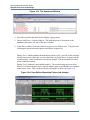
Figure 16-5. Assertion Debug Window . . . . . . . . . . . . . . . . . . . . . . . . . . . . . . . . . . . . . . . . .
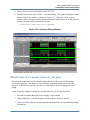
Figure 16-6. Clock-Gating Assertion Failure . . . . . . . . . . . . . . . . . . . . . . . . . . . . . . . . . . . .
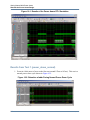
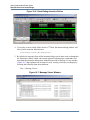
Figure 16-7. Message Viewer Window . . . . . . . . . . . . . . . . . . . . . . . . . . . . . . . . . . . . . . . . .
10
147
147
148
149
149
150
150
151
152
153
157
158
158
159
159
160
161
161
162
163
164
165
166
167
168
168
172
173
174
174
175
176
177
178
178
180
182
184
192
192
194
194
195
196
196
ModelSim SE Tutorial, v10.1
List of Figures
Figure 16-8. SRAM Power-Down . . . . . . . . . . . . . . . . . . . . . . . . . . . . . . . . . . . . . . . . . . . . . 197
ModelSim SE Tutorial, v10.1
11
List of Tables
Table 1-1. Documentation List . . . . . . . . . . . . . . . . . . . . . . . . . . . . . . . . . . . . . . . . . . . . . . . 13
Table 6-1. Supported Platforms for SystemC . . . . . . . . . . . . . . . . . . . . . . . . . . . . . . . . . . . . 56
Table 13-1. Code Coverage Icons . . . . . . . . . . . . . . . . . . . . . . . . . . . . . . . . . . . . . . . . . . . . . 157
Table 13-2. Coverage Icons in the Source Window . . . . . . . . . . . . . . . . . . . . . . . . . . . . . . . 163
12
ModelSim SE Tutorial, v10.1
Chapter 1
Introduction
Assumptions
Using this tutorial for ModelSim™ is based on the following assumptions:
•
You are familiar with how to use your operating system, along with its window
management system and graphical interface: OpenWindows, OSF/Motif, CDE, KDE,
GNOME, or Microsoft Windows XP.
•
You have a working knowledge of the language in which your design and/or test bench
is written (such as VHDL, Verilog, or SystemC). Although ModelSim is an excellent
application to use while learning HDL concepts and practices, this tutorial is not
intended to support that goal.
Where to Find ModelSim Documentation
Table 1-1. Documentation List
Document
Format
How to get it
Installation & Licensing
Guide
PDF
Help > PDF Bookcase
HTML and PDF
Help > InfoHub
Quick Guide
(command and feature
quick-reference)
PDF
Help > PDF Bookcase
and
Help > InfoHub
Tutorial
PDF
Help > PDF Bookcase
HTML and PDF
Help > InfoHub
PDF
Help > PDF Bookcase
HTML and PDF
Help > InfoHub
PDF
Help > PDF Bookcase
HTML and PDF
Help > InfoHub
PDF
Help > PDF Bookcase
HTML
Help > InfoHub
User’s Manual
Reference Manual
Foreign Language
Interface Manual
ModelSim SE Tutorial, v10.1
13
Introduction
Mentor Graphics Support
Table 1-1. Documentation List
Document
Format
How to get it
Command Help
ASCII
type help [command name] at the prompt in
the Transcript pane
Error message help
ASCII
type verror <msgNum> at the Transcript or
shell prompt
Tcl Man Pages (Tcl
manual)
HTML
select Help > Tcl Man Pages, or find
contents.htm in \modeltech\docs\tcl_help_html
Technotes
HTML
available from the support site
Download a Free PDF Reader With Search
ModelSim PDF documentation requires an Adobe Acrobat Reader for viewing. The Reader is
available without cost from Adobe at
www.adobe.com.
Mentor Graphics Support
Mentor Graphics product support includes software enhancements, technical support, access to
comprehensive online services with SupportNet, and the optional On-Site Mentoring service.
For details, refer to the following location on the Worldwide Web:
http://supportnet.mentor.com/about/
If you have questions about this software release, please log in to the SupportNet web site. You
can search thousands of technical solutions, view documentation, or open a Service Request
online at:
http://supportnet.mentor.com/
If your site is under current support and you do not have a SupportNet login, you can register for
SupportNet by filling out the short form at:
http://supportnet.mentor.com/user/register.cfm
For any customer support contact information, refer to the following web site location:
http://supportnet.mentor.com/contacts/supportcenters/
Before you Begin
Preparation for some of the lessons leaves certain details up to you. You will decide the best
way to create directories, copy files, and execute programs within your operating system.
14
ModelSim SE Tutorial, v10.1
Introduction
Before you Begin
(When you are operating the simulator within ModelSim’s GUI, the interface is consistent for
all platforms.)
Examples show Windows path separators - use separators appropriate for your operating system
when trying the examples.
Example Designs
ModelSim comes with Verilog and VHDL versions of the designs used in these lessons. This
allows you to do the tutorial regardless of which license type you have. Though we have tried to
minimize the differences between the Verilog and VHDL versions, we could not do so in all
cases. In cases where the designs differ (e.g., line numbers or syntax), you will find languagespecific instructions. Follow the instructions that are appropriate for the language you use.
ModelSim SE Tutorial, v10.1
15
Introduction
Before you Begin
16
ModelSim SE Tutorial, v10.1
Chapter 2
Conceptual Overview
Introduction
ModelSim is a verification and simulation tool for VHDL, Verilog, SystemVerilog, SystemC,
and mixed-language designs.
This lesson provides a brief conceptual overview of the ModelSim simulation environment. It is
divided into five topics, which you will learn more about in subsequent lessons.
•
Design Optimizations — Refer to the Optimizing Designs with vopt chapter in the
User’s Manual.
•
•
•
•
Basic simulation flow — Refer to Chapter 3, Basic Simulation.
Project flow — Refer to Chapter 4, Projects.
Multiple library flow — Refer to Chapter 5, Working With Multiple Libraries.
Debugging tools — Refer to remaining lessons.
Design Optimizations
Before discussing the basic simulation flow, it is important to understand design optimization.
By default, ModelSim optimizations are automatically performed on all designs. These
optimizations are designed to maximize simulator performance, yielding improvements up to
10X, in some Verilog designs, over non-optimized runs.
Global optimizations, however, may have an impact on the visibility of the design simulation
results you can view – certain signals and processes may not be visible. If these signals and
processes are important for debugging the design, it may be necessary to customize the
simulation by removing optimizations from specific modules.
It is important, therefore, to make an informed decision as to how best to apply optimizations to
your design. The tool that performs global optimizations in ModelSim is called vopt. Please
refer to the Optimizing Designs with vopt chapter in the ModelSim User’s Manual for a
complete discussion of optimization trade-offs and customizations. For details on command
syntax and usage, please refer to vopt in the Reference Manual.
ModelSim SE Tutorial, v10.1
17
Conceptual Overview
Basic Simulation Flow
Basic Simulation Flow
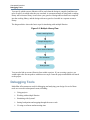
The following diagram shows the basic steps for simulating a design in ModelSim.
Figure 2-1. Basic Simulation Flow - Overview Lab
Create a working library
Compile design files
Load and Run simulation
Debug results
•
Creating the Working Library
In ModelSim, all designs are compiled into a library. You typically start a new
simulation in ModelSim by creating a working library called "work," which is the
default library name used by the compiler as the default destination for compiled design
units.
•
Compiling Your Design
After creating the working library, you compile your design units into it. The ModelSim
library format is compatible across all supported platforms. You can simulate your
design on any platform without having to recompile your design.
•
Loading the Simulator with Your Design and Running the Simulation
With the design compiled, you load the simulator with your design by invoking the
simulator on a top-level module (Verilog) or a configuration or entity/architecture pair
(VHDL).
Assuming the design loads successfully, the simulation time is set to zero, and you enter
a run command to begin simulation.
•
Debugging Your Results
If you don’t get the results you expect, you can use ModelSim’s robust debugging
environment to track down the cause of the problem.
18
ModelSim SE Tutorial, v10.1
Conceptual Overview
Project Flow
Project Flow
A project is a collection mechanism for an HDL design under specification or test. Even though
you don’t have to use projects in ModelSim, they may ease interaction with the tool and are
useful for organizing files and specifying simulation settings.
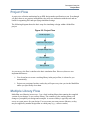
The following diagram shows the basic steps for simulating a design within a ModelSim
project.
Figure 2-2. Project Flow
Create a project
Add files to the project
Compile design files
Run simulation
Debug results
As you can see, the flow is similar to the basic simulation flow. However, there are two
important differences:
•
You do not have to create a working library in the project flow; it is done for you
automatically.
•
Projects are persistent. In other words, they will open every time you invoke ModelSim
unless you specifically close them.
Multiple Library Flow
ModelSim uses libraries in two ways: 1) as a local working library that contains the compiled
version of your design; 2) as a resource library. The contents of your working library will
change as you update your design and recompile. A resource library is typically static and
serves as a parts source for your design. You can create your own resource libraries, or they
may be supplied by another design team or a third party (e.g., a silicon vendor).
ModelSim SE Tutorial, v10.1
19
Conceptual Overview
Debugging Tools
You specify which resource libraries will be used when the design is compiled, and there are
rules to specify in which order they are searched. A common example of using both a working
library and a resource library is one where your gate-level design and test bench are compiled
into the working library, and the design references gate-level models in a separate resource
library.
The diagram below shows the basic steps for simulating with multiple libraries.
Figure 2-3. Multiple Library Flow
Create a working library
Compile design files
Link to resource libraries
Run simulation
Debug results
You can also link to resource libraries from within a project. If you are using a project, you
would replace the first step above with these two steps: create the project and add the test bench
to the project.
Debugging Tools
ModelSim offers numerous tools for debugging and analyzing your design. Several of these
tools are covered in subsequent lessons, including:
•
•
•
•
•
20
Using projects
Working with multiple libraries
Simulating with SystemC
Setting breakpoints and stepping through the source code
Viewing waveforms and measuring time
ModelSim SE Tutorial, v10.1
Conceptual Overview
Debugging Tools
•
•
•
•
•
•
•
•
•
•
Exploring the "physical" connectivity of your design
Viewing and initializing memories
Creating stimulus with the Waveform Editor
Analyzing simulation performance
Testing code coverage
Comparing waveforms
Debugging with PSL assertions
Using SystemVerilog assertions and cover directives
Using the SystemVerilog DPI
Automating simulation
ModelSim SE Tutorial, v10.1
21
Conceptual Overview
Debugging Tools
22
ModelSim SE Tutorial, v10.1
Chapter 3
Basic Simulation
Introduction
In this lesson you will go step-by-step through the basic simulation flow:
1. Create the Working Design Library
2. Compile the Design Units
3. Optimize the Design
4. Load the Design
5. Run the Simulation
Design Files for this Lesson
The sample design for this lesson is a simple 8-bit, binary up-counter with an associated test
bench. The pathnames are as follows:
Verilog – <install_dir>/examples/tutorials/verilog/basicSimulation/counter.v and tcounter.v
VHDL – <install_dir>/examples/tutorials/vhdl/basicSimulation/counter.vhd and tcounter.vhd
This lesson uses the Verilog files counter.v and tcounter.v. If you have a VHDL license, use
counter.vhd and tcounter.vhd instead. Or, if you have a mixed license, feel free to use the
Verilog test bench with the VHDL counter or vice versa.
Related Reading
User’s Manual Chapters: Design Libraries, Verilog and SystemVerilog Simulation, and VHDL
Simulation.
Reference Manual commands: vlib, vmap, vlog, vcom, vopt, view, and run.
Create the Working Design Library
Before you can simulate a design, you must first create a library and compile the source code
into that library.
1. Create a new directory and copy the design files for this lesson into it.
ModelSim SE Tutorial, v10.1
23
Basic Simulation
Create the Working Design Library
Start by creating a new directory for this exercise (in case other users will be working
with these lessons).
Verilog: Copy counter.v and tcounter.v files from
/<install_dir>/examples/tutorials/verilog/basicSimulation to the new directory.
VHDL: Copy counter.vhd and tcounter.vhd files from
/<install_dir>/examples/tutorials/vhdl/basicSimulation to the new directory.
2. Start ModelSim if necessary.
a. Type vsim at a UNIX shell prompt or use the ModelSim icon in Windows.
Upon opening ModelSim for the first time, you will see the Welcome to ModelSim
dialog. Click Close.
b. Select File > Change Directory and change to the directory you created in step 1.
3. Create the working library.
a. Select File > New > Library.
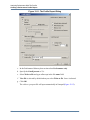
This opens a dialog where you specify physical and logical names for the library
(Figure 3-1). You can create a new library or map to an existing library. We’ll be
doing the former.
Figure 3-1. The Create a New Library Dialog
b. Type work in the Library Name field (if it isn’t already entered automatically).
c. Click OK.
ModelSim creates a directory called work and writes a specially-formatted file
named _info into that directory. The _info file must remain in the directory to
distinguish it as a ModelSim library. Do not edit the folder contents from your
operating system; all changes should be made from within ModelSim.
24
ModelSim SE Tutorial, v10.1
Basic Simulation
Compile the Design Units
ModelSim also adds the library to the Library window (Figure 3-2) and records the
library mapping for future reference in the ModelSim initialization file
(modelsim.ini).
Figure 3-2. work Library Added to the Library Window
When you pressed OK in step 3c above, the following was printed to the Transcript window:
vlib work
vmap work work
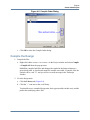
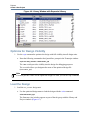
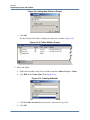
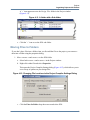
These two lines are the command-line equivalents of the menu selections you made. Many
command-line equivalents will echo their menu-driven functions in this fashion.
Compile the Design Units
With the working library created, you are ready to compile your source files.
You can compile by using the menus and dialogs of the graphic interface, as in the Verilog
example below, or by entering a command at the ModelSim> prompt.
1. Compile counter.v and tcounter.v.
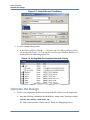
a. Select Compile > Compile. This opens the Compile Source Files dialog
(Figure 3-3).
If the Compile menu option is not available, you probably have a project open. If so,
close the project by making the Library window active and selecting File > Close
from the menus.
b. Select both counter.v and tcounter.v modules from the Compile Source Files dialog
and click Compile. The files are compiled into the work library.
c. When compile is finished, click Done.
ModelSim SE Tutorial, v10.1
25
Basic Simulation
Optimize the Design
Figure 3-3. Compile Source Files Dialog
2. View the compiled design units.
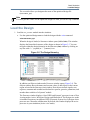
a. In the Library window, click the ’+’ icon next to the work library and you will see
two design units (Figure 3-4). You can also see their types (Modules, Entities, etc.)
and the path to the underlying source files.
Figure 3-4. Verilog Modules Compiled into work Library
Optimize the Design
1. Use the vopt command to optimize the design with full visibility into all design units.
a. Enter the following command at the ModelSim> prompt in the Transcript window:
vopt +acc test_counter -o testcounter_opt
The +acc switch provides visibility into the design for debugging purposes.
26
ModelSim SE Tutorial, v10.1
Basic Simulation
Load the Design
The -o switch allows you designate the name of the optimized design file
(testcounter_opt).
Note
You must provide a name for the optimized design file when you use the vopt command.
Load the Design
1. Load the test_counter module into the simulator.
a. Use the optimized design name to load the design with the vsim command:
vsim testcounter_opt
When the design is loaded, a Structure window opens (labeled sim). This window
displays the hierarchical structure of the design as shown in Figure 3-5. You can
navigate within the design hierarchy in the Structure (sim) window by clicking on
any line with a ’+’ (expand) or ’-’ (contract) icon.
Figure 3-5. The Design Hierarchy
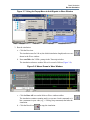
In addition, an Objects window and a Processes window opens (Figure 3-6). The
Objects window shows the names and current values of data objects in the current
region selected in the Structure (sim) window. Data objects include signals, nets,
registers, constants and variables not declared in a process, generics, parameters, and
member data variables of a SystemC module.
The Processes window displays a list of HDL and SystemC processes in one of four
viewing modes: Active, In Region, Design, and Hierarchical. The Design view mode
is intended for primary navigation of ESL (Electronic System Level) designs where
processes are a foremost consideration. By default, this window displays the active
processes in your simulation (Active view mode).
ModelSim SE Tutorial, v10.1
27
Basic Simulation
Run the Simulation
Figure 3-6. The Object Window and Processes Window
Run the Simulation
We’re ready to run the simulation. But before we do, we’ll open the Wave window and add
signals to it.
1. Open the Wave window.
a. Enter view wave at the command line.
The Wave window opens in the right side of the Main window. Resize it so it is
visible.
You can also use the View > Wave menu selection to open a Wave window. The
Wave window is just one of several debugging windows available on the View
menu.
2. Add signals to the Wave window.
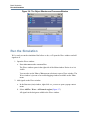
a. In the Structure (sim) window, right-click test_counter to open a popup context
menu.
b. Select AddTo > Wave > All items in region (Figure 3-7).
All signals in the design are added to the Wave window.
28
ModelSim SE Tutorial, v10.1
Basic Simulation
Run the Simulation
Figure 3-7. Using the Popup Menu to Add Signals to Wave Window
3. Run the simulation.
a. Click the Run icon.
The simulation runs for 100 ns (the default simulation length) and waves are
drawn in the Wave window.
b. Enter run 500 at the VSIM> prompt in the Transcript window.
The simulation advances another 500 ns for a total of 600 ns (Figure 3-8).
Figure 3-8. Waves Drawn in Wave Window
c. Click the Run -All icon on the Main or Wave window toolbar.
The simulation continues running until you execute a break command or it
hits a statement in your code (e.g., a Verilog $stop statement) that halts the
simulation.
d. Click the Break icon
ModelSim SE Tutorial, v10.1
to stop the simulation.
29
Basic Simulation
Set Breakpoints and Step through the Source
Set Breakpoints and Step through the Source
Next you will take a brief look at one interactive debugging feature of the ModelSim
environment. You will set a breakpoint in the Source window, run the simulation, and then step
through the design under test. Breakpoints can be set only on executable lines, which are
indicated with red line numbers.
1. Open counter.v in the Source window.
a. Select View > Files to open the Files window.
b. Click the + sign next to the sim filename to see the contents of vsim.wlf dataset.
c. Double-click counter.v (or counter.vhd if you are simulating the VHDL files) to
open the file in the Source window.
2. Set a breakpoint on line 36 of counter.v (or, line 39 of counter.vhd for VHDL).
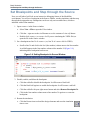
a. Scroll to line 36 and click in the Ln# (line number) column next to the line number.
A red ball appears in the line number column at line number 36 (Figure 3-9),
indicating that a breakpoint has been set.
Figure 3-9. Setting Breakpoint in Source Window
3. Disable, enable, and delete the breakpoint.
a. Click the red ball to disable the breakpoint. It will become a black ball.
b. Click the black ball again to re-enable the breakpoint. It will become a red ball.
c. Click the red ball with your right mouse button and select Remove Breakpoint 36.
d. Click in the line number column next to line number 36 again to re-create the
breakpoint.
4. Restart the simulation.
a. Click the Restart icon to reload the design elements and reset the simulation
time to zero.
30
ModelSim SE Tutorial, v10.1
Basic Simulation
Set Breakpoints and Step through the Source
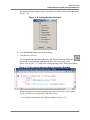
The Restart dialog that appears gives you options on what to retain during the restart
(Figure 3-10).
Figure 3-10. Setting Restart Functions
b. Click the Restart button in the Restart dialog.
c. Click the Run -All icon.
The simulation runs until the breakpoint is hit. When the simulation hits the
breakpoint, it stops running, highlights the line with a blue arrow in the
Source view (Figure 3-11), and issues a Break message in the Transcript window.
Figure 3-11. Blue Arrow Indicates Where Simulation Stopped.
When a breakpoint is reached, typically you want to know one or more signal
values. You have several options for checking values:
•
look at the values shown in the Objects window (Figure 3-12)
ModelSim SE Tutorial, v10.1
31
Basic Simulation
Set Breakpoints and Step through the Source
Figure 3-12. Values Shown in Objects Window
•
set your mouse pointer over a variable in the Source window and a yellow box
will appear with the variable name and the value of that variable at the time of
the selected cursor in the Wave window
•
highlight a signal, parameter, or variable in the Source window, right-click it,
and select Examine from the pop-up menu to display the variable and its current
value in a Source Examine window (Figure 3-13)
Figure 3-13. Parameter Name and Value in Source Examine Window
•
use the examine command at the VSIM> prompt to output a variable value to
the Transcript window (i.e., examine count)
5. Try out the step commands.
a. Click the Step Into icon on the Step toolbar.
This single-steps the debugger.
Experiment on your own. Set and clear breakpoints and use the Step, Step Over, and
Continue Run commands until you feel comfortable with their operation.
Lesson Wrap-Up
This concludes this lesson. Before continuing we need to end the current simulation.
1. Select Simulate > End Simulation.
2. Click Yes when prompted to confirm that you wish to quit simulating.
32
ModelSim SE Tutorial, v10.1
Basic Simulation
Set Breakpoints and Step through the Source
ModelSim SE Tutorial, v10.1
33
Basic Simulation
Set Breakpoints and Step through the Source
34
ModelSim SE Tutorial, v10.1
Chapter 4
Projects
Introduction
In this lesson you will practice creating a project.
At a minimum, projects contain a work library and a session state that is stored in an .mpf file. A
project may also consist of:
•
•
•
•
HDL source files or references to source files
other files such as READMEs or other project documentation
local libraries
references to global libraries
Design Files for this Lesson
The sample design for this lesson is a simple 8-bit, binary up-counter with an associated test
bench. The pathnames are as follows:
Verilog – <install_dir>/examples/tutorials/verilog/projects/counter.v and tcounter.v
VHDL – <install_dir>/examples/tutorials/vhdl/projects/counter.vhd and tcounter.vhd
This lesson uses the Verilog files tcounter.v and counter.v. If you have a VHDL license, use
tcounter.vhd and counter.vhd instead.
Related Reading
User’s Manual Chapter: Projects.
Create a New Project
1. Create a new directory and copy the design files for this lesson into it.
Start by creating a new directory for this exercise (in case other users will be working
with these lessons).
Verilog: Copy counter.v and tcounter.v files from
/<install_dir>/examples/tutorials/verilog/projects to the new directory.
VHDL: Copy counter.vhd and tcounter.vhd files from
/<install_dir>/examples/tutorials/vhdl/projects to the new directory.
ModelSim SE Tutorial, v10.1
35
Projects
Create a New Project
2. If you just finished the previous lesson, ModelSim should already be running. If not,
start ModelSim.
a. Type vsim at a UNIX shell prompt or use the ModelSim icon in Windows.
b. Select File > Change Directory and change to the directory you created in step 1.
3. Create a new project.
a. Select File > New > Project (Main window) from the menu bar.
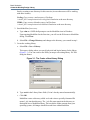
This opens the Create Project dialog where you can enter a Project Name, Project
Location (i.e., directory), and Default Library Name (Figure 4-1). You can also
reference library settings from a selected .ini file or copy them directly into the
project. The default library is where compiled design units will reside.
b. Type test in the Project Name field.
c. Click the Browse button for the Project Location field to select a directory where the
project file will be stored.
d. Leave the Default Library Name set to work.
e. Click OK.
Figure 4-1. Create Project Dialog - Project Lab
Add Objects to the Project
Once you click OK to accept the new project settings, a blank Project window and the “Add
items to the Project” dialog will appear (Figure 4-2). From the dialog you can create a new
design file, add an existing file, add a folder for organization purposes, or create a simulation
configuration (discussed below).
36
ModelSim SE Tutorial, v10.1
Projects
Create a New Project
Figure 4-2. Adding New Items to a Project
1. Add two existing files.
a. Click Add Existing File.
This opens the Add file to Project dialog (Figure 4-3). This dialog lets you browse to
find files, specify the file type, specify a folder to which the file will be added, and
identify whether to leave the file in its current location or to copy it to the project
directory.
Figure 4-3. Add file to Project Dialog
b. Click the Browse button for the File Name field. This opens the “Select files to add
to project” dialog and displays the contents of the current directory.
c. Verilog: Select counter.v and tcounter.v and click Open.
VHDL: Select counter.vhd and tcounter.vhd and click Open.
This closes the “Select files to add to project” dialog and displays the selected files
in the “Add file to Project” dialog (Figure 4-3).
d. Click OK to add the files to the project.
ModelSim SE Tutorial, v10.1
37
Projects
Create a New Project
e. Click Close to dismiss the Add items to the Project dialog.
You should now see two files listed in the Project window (Figure 4-4). Questionmark icons in the Status column indicate that the file has not been compiled or that
the source file has changed since the last successful compile. The other columns
identify file type (e.g., Verilog or VHDL), compilation order, and modified date.
Figure 4-4. Newly Added Project Files Display a ’?’ for Status
Changing Compile Order (VHDL)
By default ModelSim performs default binding of VHDL designs when you load the design
with vsim. However, you can elect to perform default binding at compile time. (For details,
refer to the section Default Binding in the User’s Manual.) If you elect to do default binding at
compile, then the compile order is important. Follow these steps to change compilation order
within a project.
1. Change the compile order.
a. Select Compile > Compile Order.
This opens the Compile Order dialog box.
b. Click the Auto Generate button.
ModelSim determines the compile order by making multiple passes over the files. It
starts compiling from the top; if a file fails to compile due to dependencies, it moves
that file to the bottom and then recompiles it after compiling the rest of the files. It
continues in this manner until all files compile successfully or until a file(s) can’t be
compiled for reasons other than dependency.
Alternatively, you can select a file and use the Move Up and Move Down buttons to
put the files in the correct order (Figure 4-5).
38
ModelSim SE Tutorial, v10.1
Projects
Create a New Project
Figure 4-5. Compile Order Dialog
c. Click OK to close the Compile Order dialog.
Compile the Design
1. Compile the files.
a. Right-click either counter.v or tcounter.v in the Project window and select Compile
> Compile All from the pop-up menu.
ModelSim compiles both files and changes the symbol in the Status column to a
green check mark. A check mark means the compile succeeded. If compile fails, the
symbol will be a red ’X’, and you will see an error message in the Transcript
window.
2. View the design units.
a. Click the Library tab (Figure 4-6).
b. Click the ’+’ icon next to the work library.
You should see two compiled design units, their types (modules in this case), and the
path to the underlying source files.
ModelSim SE Tutorial, v10.1
39
Projects
Create a New Project
Figure 4-6. Library Window with Expanded Library
Optimize for Design Visibility
1. Use the vopt command to optimize the design with full visibility into all design units.
a. Enter the following command at the QuestaSim> prompt in the Transcript window:
vopt +acc test_counter -o testcounter_opt
The +acc switch provides visibility into the design for debugging purposes.
The -o switch allows you designate the name of the optimized design file
(testcounter_opt).
Note
You must provide a name for the optimized design file when you use the vopt command.
Load the Design
1. Load the test_counter design unit.
a. Use the optimized design name to load the design with the vsim command:
vsim testcounter_opt
The Structure (sim) window appears as part of the tab group with the Library and
Project windows (Figure 4-7).
40
ModelSim SE Tutorial, v10.1
Projects
Organizing Projects with Folders
Figure 4-7. Structure(sim) window for a Loaded Design
At this point you would typically run the simulation and analyze or debug your
design like you did in the previous lesson. For now, you’ll continue working with
the project. However, first you need to end the simulation that started when you
loaded test_counter.
2. End the simulation.
a. Select Simulate > End Simulation.
b. Click Yes.
Organizing Projects with Folders
If you have a lot of files to add to a project, you may want to organize them in folders. You can
create folders either before or after adding your files. If you create a folder before adding files,
you can specify in which folder you want a file placed at the time you add the file (see Folder
field in Figure 4-3). If you create a folder after adding files, you edit the file properties to move
it to that folder.
Add Folders
As shown previously in Figure 4-2, the Add items to the Project dialog has an option for adding
folders. If you have already closed that dialog, you can use a menu command to add a folder.
1. Add a new folder.
a. Right-click in the Projects window and select Add to Project > Folder.
b. Type Design Files in the Folder Name field (Figure 4-8).
ModelSim SE Tutorial, v10.1
41
Projects
Organizing Projects with Folders
Figure 4-8. Adding New Folder to Project
c. Click OK.
The new Design Files folder is displayed in the Project window (Figure 4-9).
Figure 4-9. A Folder Within a Project
2. Add a sub-folder.
a. Right-click anywhere in the Project window and select Add to Project > Folder.
b. Type HDL in the Folder Name field (Figure 4-10).
Figure 4-10. Creating Subfolder
c. Click the Folder Location drop-down arrow and select Design Files.
d. Click OK.
42
ModelSim SE Tutorial, v10.1
Projects
Organizing Projects with Folders
A ’+’ icon appears next to the Design Files folder in the Project window
(Figure 4-11).
Figure 4-11. A folder with a Sub-folder
e. Click the ’+’ icon to see the HDL sub-folder.
Moving Files to Folders
If you don’t place files into a folder when you first add the files to the project, you can move
them into a folder using the properties dialog.
1. Move tcounter.v and counter.v to the HDL folder.
a. Select both counter.v and tcounter.v in the Project window.
b. Right-click either file and select Properties.
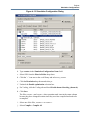
This opens the Project Compiler Settings dialog (Figure 4-12), which allows you to
set a variety of options on your design files.
Figure 4-12. Changing File Location via the Project Compiler Settings Dialog
c. Click the Place In Folder drop-down arrow and select HDL.
ModelSim SE Tutorial, v10.1
43
Projects
Simulation Configurations
d. Click OK.
The selected files are moved into the HDL folder. Click the ’+’ icon next to the HDL
folder to see the files.
The files are now marked with a ’?’ in the Status column because you moved the
files. The project no longer knows if the previous compilation is still valid.
Simulation Configurations
A Simulation Configuration associates a design unit(s) and its simulation options. For example,
let’s say that every time you load tcounter.v you want to set the simulator resolution to
picoseconds (ps) and enable event order hazard checking. Ordinarily, you would have to specify
those options each time you load the design. With a Simulation Configuration, you specify
options for a design and then save a “configuration” that associates the design and its options.
The configuration is then listed in the Project window and you can double-click it to load
tcounter.v along with its options.
1. Create a new Simulation Configuration.
a. Right-click in the Project window and select Add to Project > Simulation
Configuration from the popup menu.
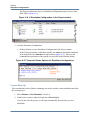
This opens the Add Simulation Configuration dialog (Figure 4-13). The tabs in this
dialog present several simulation options. You may want to explore the tabs to see
what is available. You can consult the ModelSim User’s Manual to get a description
of each option.
44
ModelSim SE Tutorial, v10.1
Projects
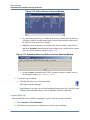
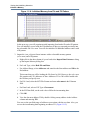
Simulation Configurations
Figure 4-13. Simulation Configuration Dialog
b. Type counter in the Simulation Configuration Name field.
c. Select HDL from the Place in Folder drop-down.
d. Click the ’+’ icon next to the work library and select test_counter.
e. Click the Resolution drop-down and select ps.
f. Uncheck the Enable optimization selection box.
g. For Verilog, click the Verilog tab and check Enable hazard checking (-hazards).
h. Click Save.
The files tcounter.v and counter.v show question mark icons in the status column
because they have changed location since they were last compiled and need to be
recompiled.
i. Select one of the files, tcounter.v or counter.v.
j. Select Compile > Compile All.
ModelSim SE Tutorial, v10.1
45
Projects
Simulation Configurations
The Project window now shows a Simulation Configuration named counter in the
HDL folder (Figure 4-14).
Figure 4-14. A Simulation Configuration in the Project window
2. Load the Simulation Configuration.
a. Double-click the counter Simulation Configuration in the Project window.
In the Transcript window of the Main window, the vsim (the ModelSim simulator)
invocation shows the -hazards and -t ps switches (Figure 4-15). These are the
command-line equivalents of the options you specified in the Simulate dialog.
Figure 4-15. Transcript Shows Options for Simulation Configurations
Lesson Wrap-Up
This concludes this lesson. Before continuing you need to end the current simulation and close
the current project.
1. Select Simulate > End Simulation. Click Yes.
2. In the Project window, right-click and select Close Project.
If you do not close the project, it will open automatically the next time you start
ModelSim.
46
ModelSim SE Tutorial, v10.1
Chapter 5
Working With Multiple Libraries
Introduction
In this lesson you will practice working with multiple libraries. You might have multiple
libraries to organize your design, to access IP from a third-party source, or to share common
parts between simulations.
You will start the lesson by creating a resource library that contains the counter design unit.
Next, you will create a project and compile the test bench into it. Finally, you will link to the
library containing the counter and then run the simulation.
Design Files for this Lesson
The sample design for this lesson is a simple 8-bit, binary up-counter with an associated test
bench. The pathnames are as follows:
Verilog – <install_dir>/examples/tutorials/verilog/libraries/counter.v and tcounter.v
VHDL – <install_dir>/examples/tutorials/vhdl/libraries/counter.vhd and tcounter.vhd
This lesson uses the Verilog files tcounter.v and counter.v in the examples. If you have a VHDL
license, use tcounter.vhd and counter.vhd instead.
Related Reading
User’s Manual Chapter: Design Libraries.
Creating the Resource Library
Before creating the resource library, make sure the modelsim.ini in your install directory is
“Read Only.” This will prevent permanent mapping of resource libraries to the master
modelsim.ini file. See Permanently Mapping VHDL Resource Libraries.
1. Create a directory for the resource library.
Create a new directory called resource_library. Copy counter.v from
<install_dir>/examples/tutorials/verilog/libraries to the new directory.
2. Create a directory for the test bench.
ModelSim SE Tutorial, v10.1
47
Working With Multiple Libraries
Creating the Resource Library
Create a new directory called testbench that will hold the test bench and project files.
Copy tcounter.v from <install_dir>/examples/tutorials/verilog/libraries to the new
directory.
You are creating two directories in this lesson to mimic the situation where you receive
a resource library from a third-party. As noted earlier, we will link to the resource
library in the first directory later in the lesson.
3. Start ModelSim and change to the resource_library directory.
If you just finished the previous lesson, ModelSim should already be running. If not,
start ModelSim.
a. Type vsim at a UNIX shell prompt or use the ModelSim icon in Windows.
If the Welcome to ModelSim dialog appears, click Close.
b. Select File > Change Directory and change to the resource_library directory you
created in step 1.
4. Create the resource library.
a. Select File > New > Library.
b. Type parts_lib in the Library Name field (Figure 5-1).
Figure 5-1. Creating New Resource Library
The Library Physical Name field is filled out automatically.
Once you click OK, ModelSim creates a directory for the library, lists it in the
Library window, and modifies the modelsim.ini file to record this new library for the
future.
5. Compile the counter into the resource library.
48
ModelSim SE Tutorial, v10.1
Working With Multiple Libraries
Creating the Project
a. Click the Compile icon on the Main window toolbar.
b. Select the parts_lib library from the Library list (Figure 5-2).
Figure 5-2. Compiling into the Resource Library
c. Double-click counter.v to compile it.
d. Click Done.
You now have a resource library containing a compiled version of the counter
design unit.
6. Change to the testbench directory.
a. Select File > Change Directory and change to the testbench directory you created
in step 2.
Creating the Project
Now you will create a project that contains tcounter.v, the counter’s test bench.
1. Create the project.
a. Select File > New > Project.
b. Type counter in the Project Name field.
c. Do not change the Project Location field or the Default Library Name field. (The
default library name is work.)
ModelSim SE Tutorial, v10.1
49
Working With Multiple Libraries
Linking to the Resource Library
d. Make sure “Copy Library Mappings” is selected. The default modelsim.ini file will
be used.
e. Click OK.
2. Add the test bench to the project.
a. Click Add Existing File in the Add items to the Project dialog.
b. Click the Browse button and select tcounter.v in the “Select files to add to project”
dialog.
c. Click Open.
d. Click OK.
e. Click Close to dismiss the “Add items to the Project” dialog.
The tcounter.v file is listed in the Project window.
3. Compile the test bench.
a. Right-click tcounter.v and select Compile > Compile Selected.
Linking to the Resource Library
To wrap up this part of the lesson, you will link to the parts_lib library you created earlier. But
first, try optimizing the test bench without the link and see what happens.
ModelSim responds differently for Verilog and VHDL in this situation.
Verilog
Optimize the Verilog Design for Debug Visibility
1. Use the vopt command to optimize with full debug visibility into all design units.
a. Enter the following command at the QuestaSim> prompt in the Transcript window:
vopt +acc test_counter -o testcounter_opt
The +acc switch provides visibility into the design for debugging purposes.
The -o switch allows you designate the name of the optimized design file
(testcounter_opt).
Note
You must provide a name for the optimized design file when you use the vopt command.
50
ModelSim SE Tutorial, v10.1
Working With Multiple Libraries
Linking to the Resource Library
The Main window Transcript reports an error loading the design because the counter
module is not defined.
b. Type quit -sim to quit the simulation.
The process for linking to a resource library differs between Verilog and VHDL. If you are
using Verilog, follow the steps in Linking to a Resource Library. If you are using VHDL, follow
the steps in Permanently Mapping VHDL Resource Libraries one page later.
VHDL
Optimize the VHDL Design for Debug Visibility
1. Use the vopt command to optimize with full debug visibility into all design units.
a. Enter the following command at the QuestaSim> prompt in the Transcript window:
vopt +acc test_counter -o testcounter_opt
The +acc switch provides visibility into the design for debugging purposes.
The -o switch allows you designate the name of the optimized design file
(testcounter_opt).
Note
You must provide a name for the optimized design file when you use the vopt command.
The Main window Transcript reports a warning (Figure 5-3). When you see a
message that contains text like "Warning: (vsim-3473)", you can view more detail
by using the verror command.
Figure 5-3. VHDL Simulation Warning Reported in Main Window
b. Type verror 3473 at the VSIM> prompt.
ModelSim SE Tutorial, v10.1
51
Working With Multiple Libraries
Linking to the Resource Library
The expanded error message tells you that a component (’dut’ in this case) has not
been explicitly bound and no default binding can be found.
c. Type quit -sim to quit the simulation.
Linking to a Resource Library
Linking to a resource library requires that you specify a "search library" when you invoke the
simulator.
1. Specify a search library during simulation.
a. Click the Simulate icon on the Main window toolbar.
b. Click the ’+’ icon next to the work library and select test_counter.
c. Uncheck the Enable optimization selection box.
d. Click the Libraries tab.
e. Click the Add button next to the Search Libraries field and browse to parts_lib in the
resource_library directory you created earlier in the lesson.
f. Click OK.
The dialog should have parts_lib listed in the Search Libraries field (Figure 5-4).
g. Click OK.
The design loads without errors.
52
ModelSim SE Tutorial, v10.1
Working With Multiple Libraries
Permanently Mapping VHDL Resource Libraries
Figure 5-4. Specifying a Search Library in the Simulate Dialog
Permanently Mapping VHDL Resource Libraries
If you reference particular VHDL resource libraries in every VHDL project or simulation, you
may want to permanently map the libraries. Doing this requires that you edit the master
modelsim.ini file in the installation directory. Though you won’t actually practice it in this
tutorial, here are the steps for editing the file:
1. Locate the modelsim.ini file in the ModelSim installation directory
(<install_dir>/modeltech/modelsim.ini).
2. IMPORTANT - Make a backup copy of the file.
3. Change the file attributes of modelsim.ini so it is no longer "read-only."
4. Open the file and enter your library mappings in the [Library] section. For example:
parts_lib = C:/libraries/parts_lib
5. Save the file.
6. Change the file attributes so the file is "read-only" again.
ModelSim SE Tutorial, v10.1
53
Working With Multiple Libraries
Permanently Mapping VHDL Resource Libraries
Lesson Wrap-Up
This concludes this lesson. Before continuing we need to end the current simulation and close
the project.
1. Select Simulate > End Simulation. Click Yes.
2. Select the Project window to make it active.
3. Select File > Close. Click OK.
54
ModelSim SE Tutorial, v10.1
Chapter 6
Simulating SystemC Designs
Introduction
ModelSim treats SystemC as just another design language. With only a few exceptions in the
current release, you can simulate and debug your SystemC designs the same way you do HDL
designs.
Note
The functionality described in this lesson requires a systemc license feature in your
ModelSim license file. Please contact your Mentor Graphics sales representative if you
currently do not have such a feature.
Design Files for this Lesson
There are two sample designs for this lesson. The first is a very basic design, called "basic",
containing only SystemC code. The second design is a ring buffer where the test bench and toplevel chip are implemented in SystemC and the lower-level modules are written in HDL.
The pathnames to the files are as follows:
SystemC – <install_dir>/examples/systemc/sc_basic
SystemC/Verilog – <install_dir>/examples/systemc/sc_vlog
SystemC/VHDL – <install_dir>/examples/systemc/sc_vhdl
This lesson uses the SystemC/Verilog version of the ringbuf design in the examples. If you have
a VHDL license, use the VHDL version instead. There is also a mixed version of the design, but
the instructions here do not account for the slight differences in that version.
Related Reading
User’s Manual Chapters: SystemC Simulation, Mixed-Language Simulation, and C Debug.
Reference Manual command: sccom.
ModelSim SE Tutorial, v10.1
55
Simulating SystemC Designs
Setting up the Environment
Setting up the Environment
SystemC is a licensed feature. You need the systemc license feature in your ModelSim license
file to simulate SystemC designs. Please contact your Mentor Graphics sales representatives if
you currently do not have such a feature.
The table below shows the supported operating systems for SystemC and the corresponding
required versions of a C compiler
Table 6-1. Supported Platforms for SystemC
Platform/OS
Supported compiler versions
32-bit
64-bit
support support
Intel and AMD x86-based
architectures (32- and 64-bit)
SUSE Linux Enterprise Server 9.0,
9.1, 10, 11
Red Hat Enterprise Linux 3, 4, 5
gcc 4.0.2, gcc 4.1.2, gcc 4.3.3
VCO is linux (32-bit binary)
VCO is linux_x86_64 (64-bit
binary)
yes
yes
Solaris 8, 9, and 10
gcc 4.1.2
yes
no
Solaris 10 on x86
gcc 4.1.2
yes
yes
Windows1 XP, Vista and 7
Minimalist GNU for Windows
(MinGW) gcc 4.2.1
yes
no
1. SystemC supported on this platform with gcc-4.2.1-mingw32vc9.
For a complete list of supported platforms and SystemC compilers see the Supported Platforms
section of the Installation and Licensing Guide. Also, refer to SystemC Simulation in the
ModelSim User’s Manual for further details.
Preparing an OSCI SystemC design
For an OpenSystemC Initiative (OSCI) compliant SystemC design to run on ModelSim, you
must first:
•
Replace sc_main() with an SC_MODULE, potentially adding a process to contain any
test bench code.
•
•
•
Replace sc_start() by using the run command in the GUI.
Remove calls to sc_initialize().
Export the top level SystemC design unit(s) using the SC_MODULE_EXPORT macro.
In order to maintain portability between OSCI and ModelSim simulations, we recommend that
you preserve the original code by using #ifdef to add the ModelSim-specific information. When
the design is analyzed, sccom recognizes the MTI_SYSTEMC preprocessing directive and
handles the code appropriately.
56
ModelSim SE Tutorial, v10.1
Simulating SystemC Designs
Preparing an OSCI SystemC design
For more information on these modifications, refer to Modifying SystemC Source Code in the
User’s Manual.
1. Create a new directory and copy the tutorial files into it.
Start by creating a new directory for this exercise (in case other users will be working
with these lessons). Create the directory, then copy all files from
<install_dir>/examples/systemc/sc_basic into the new directory.
2. Start ModelSim and change to the exercise directory.
If you just finished the previous lesson, ModelSim should already be running. If not,
start ModelSim.
a. Type vsim at a UNIX shell prompt or use the ModelSim icon in Windows.
If the Welcome to ModelSim dialog appears, click Close.
b. Select File > Change Directory and change to the directory you created in step 1.
3. Use a text editor to view and edit the basic_orig.cpp file. To use ModelSim’s editor,
from the Main Menu select File > Open. Change the files of type to C/C++ files then
double-click basic_orig.cpp.
a. If you are using ModelSim’s editor, right-click in the source code view of the
basic_orig.cpp file and uncheck the Read Only option in the popup menu.
b. Using the #ifdef MTI_SYSTEMC preprocessor directive, add the
SC_MODULE_EXPORT(top); to the design as shown in Figure 6-1.
c. Save the file as basic.cpp.
ModelSim SE Tutorial, v10.1
57
Simulating SystemC Designs
Preparing an OSCI SystemC design
Figure 6-1. The SystemC File After Modifications.
A correctly modified copy of the basic.cpp is also available in the sc_basic/gold directory.
1. Edit the basic_orig.h header file as shown in Figure 6-2.
a. If you are using ModelSim’s editor, right-click in the source code view of the
basic_orig.h file and uncheck the Read Only option in the popup menu.
b. Add a ModelSim specific SC_MODULE (top) as shown in lines 52 through 65 of
Figure 6-2.
The declarations that were in sc_main are placed here in the header file, in
SC_MODULE (top). This creates a top level module above mod_a, which allows
the tool’s automatic name binding feature to properly associate the primitive
channels with their names.
58
ModelSim SE Tutorial, v10.1
Simulating SystemC Designs
Compiling a SystemC-only Design
Figure 6-2. Editing the SystemC Header File.
c. Save the file as basic.h.
A correctly modified copy of the basic.h is also available in the sc_basic/gold
directory.
You have now made all the edits that are required for preparing the design for compilation.
Compiling a SystemC-only Design
With the edits complete, you are ready to compile the design. Designs that contain only
SystemC code are compiled with sccom.
1. Create a work library.
a. Type vlib work at the ModelSim> prompt in the Transcript window.
2. Compile and link all SystemC files.
a. Type sccom -g basic.cpp at the ModelSim> prompt.
The -g argument compiles the design for debug.
b. Type sccom -link at the ModelSim> prompt to perform the final link on the
SystemC objects.
ModelSim SE Tutorial, v10.1
59
Simulating SystemC Designs
Mixed SystemC and HDL Example
You have successfully compiled and linked the design. The successful compilation verifies that
all the necessary file modifications have been entered correctly.
In the next exercise you will compile and load a design that includes both SystemC and HDL
code.
Mixed SystemC and HDL Example
In this next example, you have a SystemC test bench that instantiates an HDL module. In order
for the SystemC test bench to interface properly with the HDL module, you must create a stub
module, a foreign module declaration. You will use the scgenmod utility to create the foreign
module declaration. Finally, you will link the created C object files using sccom -link.
1. Create a new exercise directory and copy the tutorial files into it.
Start by creating a new directory for this exercise (in case other users will be working
with these lessons). Create the directory, then copy all files from
<install_dir>/examples/systemc/sc_vlog into the new directory.
If you have a VHDL license, copy the files in <install_dir>/examples/systemc/sc_vhdl
instead.
2. Start ModelSim and change to the exercise directory.
If you just finished the previous lesson, ModelSim should already be running. If not,
start ModelSim.
a. Type vsim at a command shell prompt.
If the Welcome to ModelSim dialog appears, click Close.
b. Select File > Change Directory and change to the directory you created in step 1.
3. Set the working library.
a. Type vlib work in the ModelSim Transcript window to create the working library.
4. Compile the design.
a. Verilog:
Type vlog *.v in the ModelSim Transcript window to compile all Verilog source
files.
VHDL:
Type vcom -93 *.vhd in the ModelSim Transcript window to compile all VHDL
source files.
5. Create the foreign module declaration (SystemC stub) for the Verilog module ringbuf.
60
ModelSim SE Tutorial, v10.1
Simulating SystemC Designs
Mixed SystemC and HDL Example
a. Verilog:
Type scgenmod -map "scalar=bool" ringbuf > ringbuf.h at the ModelSim>
prompt.
The -map "scalar=bool" argument is used to generate boolean scalar port types
inside the foreign module declaration. See scgenmod for more information.
VHDL:
Type scgenmod ringbuf > ringbuf.h at the ModelSim> prompt.
The output is redirected to the file ringbuf.h (Figure 6-3).
Figure 6-3. The ringbuf.h File.
The test_ringbuf.h file is included in test_ringbuf.cpp, as shown in Figure 6-4.
ModelSim SE Tutorial, v10.1
61
Simulating SystemC Designs
Mixed SystemC and HDL Example
Figure 6-4. The test_ringbuf.cpp File
6. Compile and link all SystemC files, including the generated ringbuf.h.
a. Type sccom -g test_ringbuf.cpp at the ModelSim> prompt.
The test_ringbuf.cpp file contains an include statement for test_ringbuf.h and a
required SC_MODULE_EXPORT(top) statement, which informs ModelSim that
the top-level module is SystemC.
b. Type sccom -link at the ModelSim> prompt to perform the final link on the
SystemC objects.
7. Optimize the design with full debug visibility.
a. Enter the following command at the ModelSim> prompt:
vopt +acc test_ringbuf -o test_ringbuf_opt
The +acc switch for the vopt command provides full visibility into the design for
debugging purposes.
The -o switch designates the name of the optimized design (test_ringbuf_opt).
Note
You must provide a name for the optimized design file when you use the vopt command.
8. Load the design.
a. Load the design using the optimized design name.
vsim test_ringbuf_opt
9. Make sure the Objects window is open and the Processes window is open in “Active”
mode, as shown in Figure 6-5. To open or close these windows, use the View menu.
62
ModelSim SE Tutorial, v10.1
Simulating SystemC Designs
Viewing SystemC Objects in the GUI
Figure 6-5. The test_ringbuf Design
Viewing SystemC Objects in the GUI
SystemC objects are denoted in the ModelSim GUI with a green ’S’ in the Library window and
a green square, circle, or diamond icon elsewhere.
1. View objects in the Library window.
a. Click on the Library tab and expand the work library.
SystemC objects have a green ’S’ next to their names (Figure 6-6).
ModelSim SE Tutorial, v10.1
63
Simulating SystemC Designs
Viewing SystemC Objects in the GUI
Figure 6-6. SystemC Objects in the work Library
2. Observe window linkages.
a. Click on the Structure window (sim) tab to make it active.
b. Select the clock instance in the Structure window (Figure 6-7).
The Objects window updates to show the associated SystemC or HDL objects.
Figure 6-7. SystemC Objects in Structure (sim) and Objects Windows
3. Add objects to the Wave window.
a. In the Structure window, right-click test_ringbuf and select Add Wave from the
popup menu.
64
ModelSim SE Tutorial, v10.1
Simulating SystemC Designs
Viewing SystemC Objects in the GUI
Setting Breakpoints and Stepping in the Source Window
As with HDL files, you can set breakpoints and step through SystemC files in the Source
window. In the case of SystemC, ModelSim uses C Debug, an interface to the open-source gdb
debugger. Refer to the C Debug chapter in the User’s Manual for complete details.
1. Before we set a breakpoint, we must disable the Auto Lib Step Out feature, which is on
by default. With Auto Lib Step Out, if you try to step into a standard C++ or SystemC
header file (<install_dir>/include/systemc), ModelSim will automatically do a step-out.
a. Select Tools > C Debug > Allow lib step from the Main menus.
2. Set a breakpoint.
a. Double-click test_ringbuf in the Structure window to open the source file.
b. In the Source window:
Verilog: scroll to the area around line 150 of test_ringbuf.h.
VHDL: scroll to the area around line 155 of test_ringbuf.h.
c. Click in the line number column next to the red line number of the line containing
(shown in Figure 6-8):
Verilog:bool var_dataerror_newval = actual.read()...
VHDL: sc_logic var_dataerror_newval = acutal.read ...
Note
ModelSim recognizes that the file contains SystemC code and automatically launches C
Debug. There will be a slight delay while C Debug opens before the breakpoint appears.
Once the debugger is running, ModelSim places a solid red ball next to the line
number (Figure 6-8).
ModelSim SE Tutorial, v10.1
65
Simulating SystemC Designs
Viewing SystemC Objects in the GUI
Figure 6-8. Active Breakpoint in a SystemC File
3. Run and step through the code.
a. Type run 500 at the VSIM> prompt.
When the simulation hits the breakpoint it stops running, highlights the line with a
blue arrow in the Source window (Figure 6-9), and issues a message like this in the
Transcript:
# C breakpoint c.1
# test_ringbuf::compare_data (this=0x27c4d08) at test_ringbuf.h:151
Figure 6-9. Simulation Stopped at Breakpoint
b. Click the Step icon on the Step Into toolbar.
66
ModelSim SE Tutorial, v10.1
Simulating SystemC Designs
Viewing SystemC Objects in the GUI
This steps the simulation to the next statement. Because the next statement is a
function call, ModelSim steps into the function, which is in a separate file —
sc_signal.h (Figure 6-10).
Figure 6-10. Stepping into a Separate File
c. Click the Continue Run icon in the toolbar.
The breakpoint in test_ringbuf.h is hit again.
Examining SystemC Objects and Variables
To examine the value of a SystemC object or variable, you can use the examine command or
view the value in the Objects window.
1. View the value and type of an sc_signal.
a. Enter the show command at the CDBG > prompt to display a list of all design
objects, including their types, in the Transcript.
In this list, you’ll see that the type for dataerror is “boolean” (sc_logic for VHDL)
and counter is “int” (Figure 6-11).
ModelSim SE Tutorial, v10.1
67
Simulating SystemC Designs
Viewing SystemC Objects in the GUI
Figure 6-11. Output of show Command
b. Enter the examine dataerror command at the CDBG > prompt.
The value returned is "true".
2. View the value of a SystemC variable.
a. Enter the examine counter command at the CDBG > prompt to view the value of
this variable.
The value returned is "-1".
Removing a Breakpoint
1. Return to the Source window for test_ringbuf.h and right-click the red ball in the line
number column. Select Remove Breakpoint from the popup menu.
2. Click the Continue Run button again.
The simulation runs for 500 ns and waves are drawn in the Wave window (Figure 6-12).
68
ModelSim SE Tutorial, v10.1
Simulating SystemC Designs
Viewing SystemC Objects in the GUI
If you are using the VHDL version, you might see warnings in the Main window
transcript. These warnings are related to VHDL value conversion routines and can be
ignored.
Figure 6-12. SystemC Primitive Channels in the Wave Window
Lesson Wrap-up
This concludes the lesson. Before continuing we need to quit the C debugger and end the
current simulation.
1. Select Tools > C Debug > Quit C Debug.
2. Select Simulate > End Simulation. Click Yes when prompted to confirm that you wish
to quit simulating.
ModelSim SE Tutorial, v10.1
69
Simulating SystemC Designs
Viewing SystemC Objects in the GUI
70
ModelSim SE Tutorial, v10.1
Chapter 7
Analyzing Waveforms
Introduction
The Wave window allows you to view the results of your simulation as HDL waveforms and
their values. The Wave window is divided into a number of panes (Figure 7-1). You can resize
the pathnames pane, the values pane, and the waveform pane by clicking and dragging the bar
between any two panes.
Figure 7-1. Panes of the Wave Window
Related Reading
User’s Manual sections: Wave Window and Recording Simulation Results With Datasets
ModelSim SE Tutorial, v10.1
71
Analyzing Waveforms
Loading a Design
Loading a Design
For the examples in this lesson, we will use the design simulated in Basic Simulation.
1. If you just finished the previous lesson, ModelSim should already be running. If not,
start ModelSim.
a. Type vsim at a UNIX shell prompt or use the ModelSim icon in Windows.
If the Welcome to ModelSim dialog appears, click Close.
2. Load the design.
a. Select File > Change Directory and open the directory you created in the “Basic
Simulation” lesson.
The work library should already exist.
b. Use the optimized design name to load the design with vsim.
vsim testcounter_opt
ModelSim loads the design and opens a Structure (sim) window.
Add Objects to the Wave Window
ModelSim offers several methods for adding objects to the Wave window. In this exercise, you
will try different methods.
1. Add objects from the Objects window.
a. Open an Objects window by selecting View > Objects.
b. Select an item in the Objects window, right-click, and then select Add > To Wave >
Signals in Region.
ModelSim opens a Wave window and displays signals in the region.
c. Place the cursor over an object and click the middle mouse button to place an object
in the Wave window.
d. Select a group of objects then click the middle mouse button while the cursor is
placed over the group.
2. Undock the Wave window.
By default ModelSim opens the Wave window in the right side of the Main window.
You can change the default via the Preferences dialog (Tools > Edit Preferences).
Refer to the Simulator GUI Preferences section in the User’s Manual for more
information.
a. Click the undock icon on the Wave window.
72
ModelSim SE Tutorial, v10.1
Analyzing Waveforms
Zooming the Waveform Display
The Wave window becomes a standalone, un-docked window. Resize the window as
needed.
3. Add objects using drag-and-drop.
You can drag an object to the Wave window from many other windows (e.g., Structure,
Objects, and Locals).
a. In the Wave window, select Edit > Select All and then Edit > Delete.
b. Drag an instance from the Structure (sim) window to the Wave window.
ModelSim adds the objects for that instance to the Wave window.
c. Drag a signal from the Objects window to the Wave window.
d. In the Wave window, select Edit > Select All and then Edit > Delete.
4. Add objects using the add wave command.
a. Type the following at the VSIM> prompt.
add wave *
ModelSim adds all objects from the current region.
b. Run the simulation for 500 ns so you can see waveforms.
Zooming the Waveform Display
There are numerous methods for zooming the Waveform display.
1. Zoom the display using various techniques.
a. Click the Zoom Mode icon on the Wave window toolbar.
b. In the waveform display, click and drag down and to the right.
You should see blue vertical lines and numbers defining an area to zoom in
(Figure 7-2).
ModelSim SE Tutorial, v10.1
73
Analyzing Waveforms
Using Cursors in the Wave Window
Figure 7-2. Zooming in with the Mouse Pointer
c. Select View > Zoom > Zoom Last.
The waveform display restores the previous display range.
d. Click the Zoom In icon a few times.
e. In the waveform display, click and drag up and to the right.
You should see a blue line and numbers defining an area to zoom out.
f. Select View > Zoom > Zoom Full.
Using Cursors in the Wave Window
Cursors mark simulation time in the Wave window. When ModelSim first draws the Wave
window, it places one cursor at time zero. Clicking anywhere in the waveform display brings
that cursor to the mouse location.
You can also:
•
•
•
•
add additional cursors;
name, lock, and delete cursors;
use cursors to measure time intervals; and
use cursors to find transitions.
First, dock the Wave window in the Main window by clicking the dock icon.
Working with a Single Cursor
1. Position the cursor by clicking and dragging.
74
ModelSim SE Tutorial, v10.1
Analyzing Waveforms
Using Cursors in the Wave Window
a. Click the Select Mode icon on the Wave window toolbar.
b. Click anywhere in the waveform pane.
A cursor is inserted at the time where you clicked (Figure 7-3).
Figure 7-3. Working with a Single Cursor in the Wave Window
c. Drag the cursor and observe the value pane.
The signal values change as you move the cursor. This is perhaps the easiest way to
examine the value of a signal at a particular time.
d. In the waveform pane, drag the cursor to the right of a transition with the mouse
positioned over a waveform.
The cursor "snaps" to the nearest transition to the left. Cursors "snap" to a waveform
edge if you click or drag a cursor to within ten pixels of a waveform edge. You can
set the snap distance in the Window Preferences dialog (select Tools > Window
Preferences).
e. In the cursor pane, drag the cursor to the right of a transition (Figure 7-3).
The cursor doesn’t snap to a transition if you drag in the cursor pane.
2. Rename the cursor.
a. Right-click "Cursor 1" in the cursor pane, and select and delete the text.
b. Type A and press Enter.
The cursor name changes to "A" (Figure 7-4).
ModelSim SE Tutorial, v10.1
75
Analyzing Waveforms
Using Cursors in the Wave Window
Figure 7-4. Renaming a Cursor
3. Jump the cursor to the next or previous transition.
a. Click signal count in the pathname pane.
b. Click the Find Next Transition icon on the Wave window toolbar.
The cursor jumps to the next transition on the selected signal.
c. Click the Find Previous Transition icon on the Wave window toolbar.
The cursor jumps to the previous transition on the selected signal.
Working with Multiple Cursors
1. Add a second cursor.
a. Click the Insert Cursor icon on the Wave window toolbar.
b. Right-click the name of the new cursor and delete the text.
c. Type B and press Enter.
d. Drag cursor B and watch the interval measurement change dynamically (Figure 7-5).
Figure 7-5. Interval Measurement Between Two Cursors
76
ModelSim SE Tutorial, v10.1
Analyzing Waveforms
Saving and Reusing the Window Format
2. Lock cursor B.
a. Right-click the yellow box associated with cursor B (at 56 ns).
b. Select Lock B from the popup menu.
The cursor color changes to red and you can no longer drag the cursor (Figure 7-6).
Figure 7-6. A Locked Cursor in the Wave Window
3. Delete cursor B.
a. Right-click cursor B (the red box at 56 ns) and select Delete B.
Saving and Reusing the Window Format
If you close the Wave window, any configurations you made to the window (e.g., signals added,
cursors set, etc.) are discarded. However, you can use the Save Format command to capture the
current Wave window display and signal preferences to a .do file. You open the .do file later to
recreate the Wave window as it appeared when the file was created.
Format files are design-specific; use them only with the design you were simulating when they
were created.
1. Save a format file.
a. In the Wave window, select File > Save Format.
b. In the Pathname field of the Save Format dialog, leave the file name set to wave.do
and click OK.
c. Close the Wave window.
2. Load a format file.
a. In the Main window, select View > Wave.
b. Undock the window.
ModelSim SE Tutorial, v10.1
77
Analyzing Waveforms
Saving and Reusing the Window Format
All signals and cursor(s) that you had set are gone.
c. In the Wave window, select File > Load.
d. In the Open Format dialog, select wave.do and click Open.
ModelSim restores the window to its previous state.
e. Close the Wave window when you are finished by selecting File > Close Window.
Lesson Wrap-Up
This concludes this lesson. Before continuing we need to end the current simulation.
1. Select Simulate > End Simulation. Click Yes.
78
ModelSim SE Tutorial, v10.1
Chapter 8
Creating Stimulus With Waveform Editor
Introduction
The Waveform Editor creates stimulus for your design via interactive manipulation of
waveforms. You can then run the simulation with these edited waveforms or export them to a
stimulus file for later use.
In this lesson you will do the following:
•
•
•
•
•
•
•
Create a new directory and copy the counter design unit into it.
Load the counter design unit without a test bench.
Create waves via a wizard.
Edit waves interactively in the Wave window.
Export the waves to an HDL test bench and extended VCD file.
Run the simulation.
Re-simulate using the exported test bench and VCD file.
Related Reading
User’s Manual Sections: Generating Stimulus with Waveform Editor and Wave Window.
Design Files for this Lesson
The sample design for this lesson is a simple 8-bit, binary up-counter that was used in Basic
Simulation. The pathnames are as follows:
Verilog - <install_dir>/examples/tutorials/verilog/basicSimulation
VHDL - <install_dir>/examples/tutorials/vhdl/basicSimulation
This lesson uses the Verilog version in the examples. If you have a VHDL license, use the
VHDL version instead. When necessary, we distinguish between the Verilog and VHDL
versions of the design.
ModelSim SE Tutorial, v10.1
79
Creating Stimulus With Waveform Editor
Compile and Load the Design
Compile and Load the Design
Note
You can also use the Waveform Editor prior to loading a design. Refer to the section
Using Waveform Editor Prior to Loading a Design in the User Manual for more
information.
1. Create a new Directory and copy the tutorial files into it.
Start by creating a new directory for this exercise (in case other users will be working
with these lessons). Create the directory and copy the file counter.v from
<install_dir>/examples/tutorials/verilog/basicSimulation to the new directory.
If you have a VHDL license, copy the file counter.vhd from
<install_dir>/examples/tutorials/vhdl/basicSimulation to the new directory.
2. Start ModelSim and change to the directory you created for this lesson in step 1.
If you just finished the previous lesson, ModelSim should already be running. If not,
start ModelSim.
a. Type vsim at a UNIX shell prompt or use the ModelSim icon in Windows.
If the Welcome to ModelSim dialog appears, click Close.
b. Select File > Change Directory and change to the directory you created in step 1.
3. Create the working library and compile the design.
a. Type vlib work at the ModelSim> prompt.
b. Compile the design file:
Verilog:
Type vlog counter.v at the ModelSim> prompt.
VHDL:
Type vcom counter.vhd at the ModelSim> prompt.
4. Load the design unit.
a. Type vsim -novopt counter at the ModelSim> prompt.
5. Open a Wave window.
a. Select View > Wave from the Main window menus.
80
ModelSim SE Tutorial, v10.1
Creating Stimulus With Waveform Editor
Create Graphical Stimulus with a Wizard
Create Graphical Stimulus with a Wizard
Waveform Editor includes a Create Pattern Wizard that walks you through the process of
creating editable waveforms.
1. Use the Create Pattern Wizard to create a clock pattern.
a. In the Objects window, right click the signal clk and select Modify > Apply Wave
(Figure 8-1).
Figure 8-1. Initiating the Create Pattern Wizard from the Objects Window
This opens the Create Pattern Wizard dialog where you specify the type of pattern
(Clock, Repeater, etc.) and a start and end time.
b. The default pattern is Clock, which is what we need, so click Next (Figure 8-2).
ModelSim SE Tutorial, v10.1
81
Creating Stimulus With Waveform Editor
Create Graphical Stimulus with a Wizard
Figure 8-2. Create Pattern Wizard
c. In the second dialog of the wizard, enter 1 for Initial Value. Leave everything else as
is and click Finish (Figure 8-3).
Figure 8-3. Specifying Clock Pattern Attributes
A generated waveform appears in the Wave window (Figure 8-4). Notice the small
red dot on the waveform icon and the prefix "Edit:". These items denote an editable
wave. (You may want to undock the Wave window.)
82
ModelSim SE Tutorial, v10.1
Creating Stimulus With Waveform Editor
Edit Waveforms in the Wave Window
Figure 8-4. The clk Waveform
2. Create a second wave using the wizard.
a. Right-click signal reset in the Objects window and select Modify > Apply Wave
from the popup menu.
b. Select Constant for the pattern type and click Next.
c. Enter 0 for the Value and click Finish.
A second generated waveform appears in the Wave window (Figure 8-5).
Figure 8-5. The reset Waveform
Edit Waveforms in the Wave Window
Waveform Editor gives you numerous commands for interactively editing waveforms (e.g.,
invert, mirror, stretch edge, cut, paste, etc.). You can access these commands via the menus,
toolbar buttons, or via keyboard and mouse shortcuts. You will try out several commands in this
part of the exercise.
1. Insert a pulse on signal reset.
a. Click the Wave window title bar to make the Wave window active.
b. Click the Edit Mode icon in the toolbar.
ModelSim SE Tutorial, v10.1
83
Creating Stimulus With Waveform Editor
Edit Waveforms in the Wave Window
c. In the Wave window Pathnames column, click the reset signal so it is selected.
d. Click the Insert Pulse icon in the Wave Edit Toolbar.
Or, in the Wave window, right-click on the reset signal waveform (not the pathname
or value) and select Wave > Wave Editor > Insert Pulse.
e. In the Edit Insert Pulse dialog, enter 100 in the Duration field and 100 in the Time
field (Figure 8-6), and click OK.
Figure 8-6. Edit Insert Pulse Dialog
Signal reset now goes high from 100 ns to 200 ns (Figure 8-7).
Figure 8-7. Signal reset with an Inserted Pulse
2. Stretch an edge on signal clk.
a. Click the signal clk waveform just to the right of the transition at 350 ns. The cursor
should snap to the transition at 350 ns.
b. Right-click that same transition and select Wave Editor > Stretch Edge from the
popup menu.
If the command is dimmed out, the cursor probably isn’t on the edge at 350 ns.
c. In the Edit Stretch Edge dialog, enter 50 for Duration, make sure the Time field
shows 350, and then click OK (Figure 8-8).
84
ModelSim SE Tutorial, v10.1
Creating Stimulus With Waveform Editor
Edit Waveforms in the Wave Window
Figure 8-8. Edit Stretch Edge Dialog
The wave edge stretches so it is high from 300 to 400 ns (Figure 8-9).
Figure 8-9. Stretching an Edge on the clk Signal
Note the difference between stretching and moving an edge — the Stretch command
moves an edge by moving other edges on the waveform (either increasing waveform
duration or deleting edges at the beginning of simulation time); the Move command
moves an edge but does not move other edges on the waveform. You should see in
the Wave window that the waveform for signal clk now extends to 1050 ns.
3. Delete an edge.
a. Click signal clk just to the right of the transition at 400 ns.
The cursor should "snap" to 400 ns.
b. Click the Delete Edge icon.
This opens the Edit Delete Edge dialog. The Time is already set to 400 ns. Click
OK. The edge is deleted and clk now stays high until 500 ns (Figure 8-10).
ModelSim SE Tutorial, v10.1
85
Creating Stimulus With Waveform Editor
Save and Reuse the Wave Commands
Figure 8-10. Deleting an Edge on the clk Signal
4. Undo and redo an edit.
a. Click the Undo icon.
The Edit Undo dialog opens, allowing you to select the Undo Count - the number of
past actions to undo. Click OK with the Undo Count set to 1 and the deleted edge at
400 ns reappears in the waveform display.
b. Reselect the clk signal to activate the Redo icon.
c. Click the Redo icon.
d. Click OK in the Edit Redo dialog.
The edge is deleted again. You can undo and redo any number of editing operations
except extending all waves and changing drive types. Those two edits cannot be
undone.
Save and Reuse the Wave Commands
You can save the commands that ModelSim used to create the waveforms. You can load this
"format" file at a later time to re-create the waves. In this exercise, we will save the commands,
quit and reload the simulation, and then open the format file.
1. Save the wave commands to a format file.
a. Select File > Close in the menu bar and you will be prompted to save the wave
commands.
b. Click Yes.
c. Type wave.do in the File name field of the Save Commands dialog that opens and
then click Save.
This saves a DO file named waveedit.do to the current directory and closes the Wave
window.
86
ModelSim SE Tutorial, v10.1
Creating Stimulus With Waveform Editor
Exporting the Created Waveforms
2. Quit and then reload the optimized design.
a. In the Main window, select Simulate > End Simulation, and click Yes to confirm
you want to quit simulating.
b. Enter the following command at the ModelSim> prompt.
vsim -novopt counter
3. Open the format file.
a. Select View > Wave to open the Wave window.
b. Select File > Load from the menu bar.
c. Double-click wave.do to open the file.
The waves you created earlier in the lesson reappear. If waves do not appear, you
probably did not load the counter design unit.
Exporting the Created Waveforms
At this point you can run the simulation or you can export the created waveforms to one of four
stimulus file formats. You will run the simulation in a minute but first export the created
waveforms so you can use them later in the lesson.
1. Export the created waveforms in an HDL test bench format.
a. Select File > Export > Waveform.
b. Select Verilog Testbench (or VHDL Testbench if you are using the VHDL sample
files).
c. Enter 1000 for End Time if necessary.
d. Type “export” in the File Name field and click OK (Figure 8-11).
ModelSim SE Tutorial, v10.1
87
Creating Stimulus With Waveform Editor
Exporting the Created Waveforms
Figure 8-11. The Export Waveform Dialog
ModelSim creates a file named export.v (or export.vhd) in the current directory.
Later in the lesson we will compile and simulate the file.
2. Export the created waveforms in an extended VCD format.
a. Select File > Export > Waveform.
b. Select EVCD File.
c. Enter 1000 for End Time if necessary and click OK.
ModelSim creates an extended VCD file named export.vcd. We will import this file
later in the lesson.
Run the Simulation
Once you have finished editing the waveforms, you can run the simulation.
1. Add a design signal.
a. In the Objects window, right-click count and select Add Wave.
The signal is added to the Wave window.
2. Run the simulation.
a. Enter the following command at the ModelSim> prompt.
run 1000
The simulation runs for 1000 ns and the waveform is drawn for
sim:/counter/count (Figure 8-12).
88
ModelSim SE Tutorial, v10.1
Creating Stimulus With Waveform Editor
Simulating with the Test Bench File
Figure 8-12. The counter Waveform Reacts to Stimulus Patterns
Look at the signal transitions for count from 300 ns to 500 ns. The transitions occur
when clk goes high, and you can see that count follows the pattern you created when
you edited clk by stretching and deleting edges.
3. Quit the simulation.
a. In the Main window, select Simulate > End Simulation, and click Yes to confirm
you want to quit simulating. Click No if you are asked to save the wave commands.
Simulating with the Test Bench File
Earlier in the lesson you exported the created waveforms to a test bench file. In this exercise you
will compile and load the test bench and then run the simulation.
1. Compile and load the test bench.
a. At the ModelSim prompt, enter vlog export.v (or vcom export.vhd if you are
working with VHDL files).
You should see a design unit named export appear in the work library (Figure 8-13).
Figure 8-13. The export Test Bench Compiled into the work Library
b. Enter the following command at the ModelSim> prompt.
ModelSim SE Tutorial, v10.1
89
Creating Stimulus With Waveform Editor
Importing an EVCD File
vsim -voptargs="+acc" export
2. Add waves and run the design.
a. At the VSIM> prompt, type add wave *.
b. Next type run 1000.
The waveforms in the Wave window match those you saw in the last exercise
(Figure 8-14).
Figure 8-14. Waves from Newly Created Test Bench
3. Quit the simulation.
a. At the VSIM> prompt, type quit -sim. Click Yes to confirm you want to quit
simulating.
Importing an EVCD File
Earlier in the lesson you exported the created waveforms to an extended VCD file. In this
exercise you will use that file to stimulate the counter design unit.
1. Load the counter design unit and add waves.
a. Enter the following command at the ModelSim> prompt.
vsim -voptargs="+acc" counter
b. In the Objects window, right-click count and select Add Wave.
2. Import the VCD file.
a. Make sure the Wave window is active, then select File > Import > EVCD from the
menu bar.
b. Double-click export.vcd.
The created waveforms draw in the Wave window (Figure 8-15).
90
ModelSim SE Tutorial, v10.1
Creating Stimulus With Waveform Editor
Importing an EVCD File
Figure 8-15. EVCD File Loaded in Wave Window
c. Click the Run -All icon.
The simulation runs for 1000 ns and the waveform is drawn for
sim:/counter/count (Figure 8-16).
Figure 8-16. Simulation results with EVCD File
When you import an EVCD file, signal mapping happens automatically if signal
names and widths match. If they do not, you have to manually map the signals. Refer
to the section Signal Mapping and Importing EVCD Files in the User’s Manual for
more information.
Lesson Wrap-Up
This concludes this lesson. Before continuing we need to end the current simulation.
1. At the VSIM> prompt, type quit -sim. Click No if you are asked to save the wave
commands.
ModelSim SE Tutorial, v10.1
91
Creating Stimulus With Waveform Editor
Importing an EVCD File
92
ModelSim SE Tutorial, v10.1
Chapter 9
Debugging With The Schematic Window
Introduction
The Schematic window allows you to explore the physical connectivity of your design; to trace
events that propagate through the design; and to identify the cause of unexpected outputs. The
window displays processes, signals, nets, registers, VHDL architectures, and Verilog modules.
The Schematic window provides two views of the design — a Full View, which is a structural
overview of design hierarchy; and an Incremental View, which uses click-and-sprout actions to
incrementally add to the selected net's fanout. The Incremental view displays the logical gate
equivalent of the RTL portion of the design, making it easier to understand the intent of the
design.
A “View” indicator is displayed in the top left corner of the window (Figure 9-1). You can
toggle back and forth between views by simply clicking this “View” indicator.
Figure 9-1. Schematic View Indicator
The Incremental View is ideal for design debugging. It allows you to explore design
connectivity by tracing signal readers/drivers to determine where and why signals change
values at various times.
Note
The Schematic window will not function without an extended dataflow license. If you
attempt to create the debug database (vsim -debugdb) without this license the following
error message will appear: “Error: (vsim-3304) You are not authorized to use -debugdb,
no extended dataflow license exists.”
Design Files for this Lesson
The sample design for this lesson is a test bench that verifies a cache module and how it works
with primary memory. A processor design unit provides read and write requests.
The pathnames to the files are as follows:
ModelSim SE Tutorial, v10.1
93
Debugging With The Schematic Window
Verilog – <install_dir>/examples/tutorials/verilog/schematic
VHDL – <install_dir>/examples/tutorials/vhdl/schematic
This lesson uses the Verilog version in the examples. If you have a VHDL license, use the
VHDL version instead. When necessary, we distinguish between the Verilog and VHDL
versions of the design.
Related Reading
User’s Manual section: Schematic Window.
Compile and Load the Design
In this exercise you will use a DO file to compile and load the design.
1. Create a new directory and copy the tutorial files into it.
Start by creating a new directory for this exercise (in case other users will be working
with these lessons). Create the directory and copy all files from
<install_dir>/examples/tutorials/verilog/schematic to the new directory.
If you have a VHDL license, copy the files in
<install_dir>/examples/tutorials/vhdl/schematic instead.
2. Start ModelSim and change to the exercise directory.
If you just finished the previous lesson, ModelSim should already be running. If not,
start ModelSim.
a. Type vsim at a UNIX shell prompt or use the ModelSim icon in Windows.
If the Welcome to ModelSim dialog appears, click Close.
b. Select File > Change Directory and change to the directory you created in step 1.
3. Change your WildcardFilter settings.
Execute the following command:
set WildcardFilter "Variable Constant Generic Parameter SpecParam Memory
Assertion Endpoint ImmediateAssert"
With this command, you remove “CellInternal” from the default list of Wildcard filters.
This allows all signals in cells to be logged by the simulator so they will be visible in the
debug environment.
4. Execute the lesson DO file.
a. Type do run.do at the ModelSim> prompt.
The DO file does the following:
94
ModelSim SE Tutorial, v10.1
Debugging With The Schematic Window
Exploring Connectivity
•
•
•
•
•
•
•
•
Creates the working library — vlib work
Compiles the design files — vlog or vcom
Optimizes the design — vopt +acc top -o top_opt
Collects combinatorial and sequential logic data — vdbg top_opt
Loads the design into the simulator — vsim -debugdb top_opt
Adds signals to the Wave window — add wave /top/p/*
Logs all signals in the design — log -r /*
Runs the simulation — run -all
Exploring Connectivity
A primary use of the incremental view of the Schematic window is exploring the physical
connectivity of your design. You do this by expanding the view from process to process, to
display the drivers/receivers of a particular signal, net, register, process, module or architecture.
1. Open the Schematic window.
a. Select View > Schematic from the menus or use the view schematic command at the
VSIM prompt in the Transcript window.
The Schematic window opens to the Incremental view.
2. Add a signal to the Schematic window.
a. Make sure instance p is selected in the Structure (sim) window.
b. Drag the strb signal from the Objects window to the Schematic window
(Figure 9-2).
ModelSim SE Tutorial, v10.1
95
Debugging With The Schematic Window
Exploring Connectivity
Figure 9-2. A Signal in the schematic Window
The Incremental view shows the strb signal, highlighted in orange. You can display
a tooltip - a text information box - as shown in Figure 9-2, by hovering the mouse
cursor over any design object in the schematic. In this case, the tooltip shows that the
process driving the strb signal is #ASSIGN#25#1.
The schematic also shows that the process is a part of module p, denoted by the light
gray box.
Signal values are displayed at the ends of each signal net. You can toggle signals
values on and off with the ‘v’ key on your keyboard when the Schematic window is
active.
3. Find the readers of the strb signal.
When you mouse-over any signal pin the mouse cursor will change to a right-pointing
arrow, a left-pointing arrow, or a double-headed arrow. If the arrow points to the right,
you can double-click the pin to expand the signal fanout to its readers. If the arrow
points left, you can double-click to expand the signal fanout to its drivers. Doubleclicking a double-headed arrow will expand to drivers and readers.
a. Place the cursor over the strb signal as shown in Figure 9-3, so you see a right
pointing arrow indicating readers, and double click.
96
ModelSim SE Tutorial, v10.1
Debugging With The Schematic Window
Exploring Connectivity
Figure 9-3. Right Pointing Arrow Indicates Readers
This sprouts all readers of strb (Figure 9-4).
Figure 9-4. Expanding the View to Display Readers of strb Signal
In Figure 9-4, the signal values for the clk signal in the c module cannot be easily
distinguished because the values at each end of the net overlap.
Figure 9-5. Signal Values Overlapped
b. Click the Regenerate button
to redraw the Schematic with all design elements,
signal values, and pin names clearly displayed (Figure 9-6).
ModelSim SE Tutorial, v10.1
97
Debugging With The Schematic Window
Exploring Connectivity
Figure 9-6. Signal Values After Regenerate
In Figure 9-6, notice the gray dot next to the state of the input clk signal for the
#ALWAYS#155 process (labeled line_84 in the VHDL version). The gray dot
indicates an input in the sensitivity list for the process. A change in any input with a
gray dot triggers process execution. Inputs without gray dots are read by the process
but will not trigger process execution, and are not in the sensitivity list (will not
change the output by themselves).
Note
Gray dots are only shown on the signals in the sensitivity list of a process that did not
synthesize down to gate components. Gates will not have the grey dots because the
behavior of their inputs is clearly defined.
4. Find the drivers of the signal test on process #NAND#50 (labeled line_71 in the VHDL
version).
a. Click the Show Wave button
to open the Schematic Window’s embedded
Wave Viewer. You may need to increase the size of the schematic window to see
everything
b. Select the #NAND#50 gate (labeled line_71 in the VHDL version) in the schematic.
This loads the wave signals for the inputs and outputs for this gate into the Wave
Viewer and highlights the gate.
c. Select the signal test in the Wave Viewer. This highlights the test input in the
schematic (Figure 9-7).
98
ModelSim SE Tutorial, v10.1
Debugging With The Schematic Window
Exploring Connectivity
Figure 9-7. Select test signal
Notice that the title of the Schematic window is “Schematic (wave)” when the
embedded Wave Viewer is active and “Schematic (schematic)” when the
Incremental View is active. In the next step we have to select a pin in the schematic
to make the Incremental View and associated toolbar buttons active.
d. Select the pin for the highlighted signal – test – in the schematic. This makes the
schematic view active.
e. Click the Expand net to all drivers icon. This expands the test signal to its
driving process - an i0 NAND gate – which is included in the p module
(Figure 9-8).
ModelSim SE Tutorial, v10.1
99
Debugging With The Schematic Window
Exploring Connectivity
Figure 9-8. The test Net Expanded to Show All Drivers
5. Open the readers for signal oen on process #ALWAYS#155 (labeled line_84 in the
VHDL version).
a. Click the oen pin to make it active.
b. Right-click anywhere in the schematic to open the popup menu and select Expand
Net To > Readers. Figure Figure 9-9 shows the results.
Figure 9-9. Signal oen Expanded to Readers
100
ModelSim SE Tutorial, v10.1
Debugging With The Schematic Window
Viewing Source Code from the Schematic
Continue exploring the design with any of the methods discussed above – double-click signal
pins, use the toolbar buttons, or use menu selections from the right-click popup menu.
When you are finished, click the Delete All button to clear the schematic viewer.
Click the Show Wave button
to close the embedded Wave Viewer.
Viewing Source Code from the Schematic
The Schematic window allows you to display a source code preview of any design object.
1. Add a signal to the Schematic window.
a. Make sure instance p is selected in the Structure (sim) window.
b. Drag signal t_out from the Objects window to the Schematic window.
c. Double-click the NAND gate - #NAND#50 - to display a Code Preview window
(Figure 9-10). The source code for the selected object is highlighted and centered in
the display.
Figure 9-10. Code Preview Window
The Code Preview window provides a four-button toolbar that allows you to take the
following actions:
ModelSim SE Tutorial, v10.1
101
Debugging With The Schematic Window
Unfolding and Folding Instances
•
•
view the source code in a Source Editor
•
•
copy selected code so it can be pasted elsewhere
recenter the selected code in the Code Preview window if you have scrolled it
out of the display
open the Find toolbar at the bottom of the Code Preview window so you can
search for specific code
d. Experiment with the Code Preview toolbar buttons to see how they work.
When you are finished, close the Code Preview window and click the Delete All button to clear
the schematic viewer.
Unfolding and Folding Instances
Contents of complex instances are folded (hidden) in the Incremental view to maximize screen
space and improve the readability of the schematic.
1. Display a folded instance in the Incremental view of the schematic.
a. Expand the hierarchy of the c module in the Structure window.
b. Drag the s2 module instance (in the c module) from the Structure window to the
Schematic.
Figure 9-11. Folded Instance
The folded instance is indicated by a dark blue square with dashed borders
(Figure 9-11). When you hover the mouse cursor over a folded instance, the tooltip (text
box popup) will show that it is **FOLDED**.
2. Unfold the folded instance.
a. Right-click inside the folded instance to open a popup menu.
102
ModelSim SE Tutorial, v10.1
Debugging With The Schematic Window
Unfolding and Folding Instances
b. Select Fold/Unfold to unfold the instance as shown in Figure 9-12.
Figure 9-12. Unfolded Instance
Since we have not traced any signals into the folded instance (we simply dragged it into
the Incremental view), we cannot see the contents of the s2 instance.
3. Display the contents of the s2 instance.
a. Double-click the addr pin inside the s2 instance to cause the connected gates and
internal instances to appear (Figure 9-13).
Figure 9-13. Contents of Unfolded Instance s2
4. Fold instance s2.
a. Left-click the s2 instance border so it is highlighted.
b. Right-click to open the popup menu and select Fold/Unfold to fold the instance.
ModelSim SE Tutorial, v10.1
103
Debugging With The Schematic Window
Tracing Events
Figure 9-14. Instance s2 Refolded
Experiment with other folded instances (s0, s1, s3). When you are finished, click the Delete All
button to clear the schematic.
Tracing Events
The Schematic window gives you the ability to trace events to their cause. Event traceback
options are available when you right-click anywhere in the Incremental View and select Event
Traceback from the popup menu (Figure 9-15).
Figure 9-15. Event Traceback Menu Options
The event trace begins at the current “active time,” which is set:
•
•
104
by the selected cursor in the Wave window
by the selected cursor in the Schematic window’s embedded Wave viewer
ModelSim SE Tutorial, v10.1
Debugging With The Schematic Window
Tracing Events
•
or with the Active Time label in the Schematic window.
We will use the active time set by the cursor in the embedded Wave viewer. The Active Time
label is on by default, the following instructions allow you to turn it off or on in the Incremental
View;
1. With the Incremental view active, select Schematic > Preferences to open the
Incremental Schematic Options dialog.
2. In the Show section of the dialog, click the Active Time label box so a checkmark
appears, then click the OK button to close the dialog.
Figure 9-16. Selecting Active Time Label Display Option
The Active Time label appears in the upper right corner of Incremental view.
Figure 9-17. Active Time Label in the Incremental View
Now we’ll trace and event.
1. Add an object to the schematic window.
a. Make sure instance p is selected in the Structure (sim) window.
b. Drag signal t_out from the Objects window to the schematic window.
2. Open the Schematic window’s Wave viewer.
a. Click the Show Wave button in the toolbar.
3. Show signals for a process in the Schematic window’s Wave viewer.
a. Select the #NAND#50 gate (labeled line_71 in the VHDL version) in the schematic.
This loads the wave signals for the inputs and outputs for this gate into the Wave
viewer.
ModelSim SE Tutorial, v10.1
105
Debugging With The Schematic Window
Tracing Events
4. Place a cursor in the Wave viewer to designate the Active Time.
a. Click the strb waveform in the Wave viewer on (or near) the transition at 465 ns.
This will highlight the strb signal pathname in the Wave viewer and the strb signal
net in the schematic (Figure 9-18).
Figure 9-18. The Embedded Wave Viewer
Notice that the Active Time label in the upper right corner of the schematic displays
the time of the selected cursor - 465 ns.
5. Trace to the cause of the event.
a. Right-click the highlighted signal in the schematic to open the popup menu.
b. Select Event Traceback > Show Cause. This will open a Source window where the
immediate driving process will be highlighted (Figure 9-19).
106
ModelSim SE Tutorial, v10.1
Debugging With The Schematic Window
Tracing Events
Figure 9-19. Immediate Driving Process in the Source Window
It will also open the Active Driver Path Details window (Figure 9-20). This window
displays information about the sequential process(es) that caused the selected event.
It shows the selected signal name, the time of each process in the causality path to
the first sequential process, and details about the location of the causal process in the
code.
Figure 9-20. Active Driver Path Details Window
6. View path details for strb_r from the #ASSIGN#25#1 process in the Schematic window.
a. Click the top line in the Active Driver Path Details window to select the strb_r
signal driver.
b. Click the Schematic Window button in the View Path Details section of the Active
Driver Path Details dialog (Figure 9-21).
ModelSim SE Tutorial, v10.1
107
Debugging With The Schematic Window
Tracing Events
Figure 9-21. Schematic Window Button
This will open a dedicated Schematic (Path Details) window that displays the path
details for the selected driver of the signal (Figure 9-22).
Figure 9-22. Schematic Path Details Window
The Wave viewer section of the dedicated Schematic (Path Details) window displays
a Trace Begin and a Trace End cursor.
Experiment with tracing other events and viewing path details in the dedicated
Schematic and Wave windows.
7. Clear the Schematic window before continuing.
a. Close the Active Driver Path Details window.
b. Close the Schematic (Path Details) window.
c. Select the original Schematic window by clicking the Schematic tab.
d. Click the Delete All icon to clear the Schematic Viewer.
e. Click the Show Wave icon to close the Wave view of the schematic window.
108
ModelSim SE Tutorial, v10.1
Debugging With The Schematic Window
Tracing Events
Lesson Wrap-Up
This concludes this lesson. Before continuing we need to end the current simulation.
1. Type quit -sim at the VSIM> prompt.
To return the wildcard filter to its factory default settings, enter:
set WildcardFilter "default"
ModelSim SE Tutorial, v10.1
109
Debugging With The Schematic Window
Tracing Events
110
ModelSim SE Tutorial, v10.1
Chapter 10
Debugging With The Dataflow Window
Introduction
The Dataflow window allows you to explore the "physical" connectivity of your design; to trace
events that propagate through the design; and to identify the cause of unexpected outputs. The
window displays processes; signals, nets, and registers; and interconnect.
Note
The functionality described in this lesson requires a dataflow license feature in your
ModelSim license file. Please contact your Mentor Graphics sales representative if you
currently do not have such a feature.
Design Files for this Lesson
The sample design for this lesson is a test bench that verifies a cache module and how it works
with primary memory. A processor design unit provides read and write requests.
The pathnames to the files are as follows:
Verilog – <install_dir>/examples/tutorials/verilog/dataflow
VHDL – <install_dir>/examples/tutorials/vhdl/dataflow
This lesson uses the Verilog version in the examples. If you have a VHDL license, use the
VHDL version instead. When necessary, we distinguish between the Verilog and VHDL
versions of the design.
Related Reading
User’s Manual Sections: Debugging with the Dataflow Window and Dataflow Window.
Compile and Load the Design
In this exercise you will use a DO file to compile and load the design.
1. Create a new directory and copy the tutorial files into it.
Start by creating a new directory for this exercise (in case other users will be working
with these lessons). Create the directory and copy all files from
<install_dir>/examples/tutorials/verilog/dataflow to the new directory.
ModelSim SE Tutorial, v10.1
111
Debugging With The Dataflow Window
Exploring Connectivity
If you have a VHDL license, copy the files in
<install_dir>/examples/tutorials/vhdl/dataflow instead.
2. Start ModelSim and change to the exercise directory.
If you just finished the previous lesson, ModelSim should already be running. If not,
start ModelSim.
a. Type vsim at a UNIX shell prompt or use the ModelSim icon in Windows.
If the Welcome to ModelSim dialog appears, click Close.
b. Select File > Change Directory and change to the directory you created in step 1.
3. Change your WildcardFilter settings.
Execute the following command:
set WildcardFilter "Variable Constant Generic Parameter SpecParam Memory
Assertion Endpoint ImmediateAssert"
With this command, you remove “CellInternal” from the default list of Wildcard filters.
This allows all signals in cells to be logged by the simulator so they will be visible in the
debug environment.
4. Execute the lesson DO file.
a. Type do run.do at the ModelSim> prompt.
The DO file does the following:
•
•
•
•
•
•
•
Creates the working library
Compiles the design files
Optimizes the design
Loads the design into the simulator
Adds signals to the Wave window
Logs all signals in the design
Runs the simulation
Exploring Connectivity
A primary use of the Dataflow window is exploring the "physical" connectivity of your design.
You do this by expanding the view from process to process. This allows you to see the
drivers/receivers of a particular signal, net, or register.
1. Open the Dataflow window.
112
ModelSim SE Tutorial, v10.1
Debugging With The Dataflow Window
Exploring Connectivity
a. Select View > Dataflow from the menus or use the view dataflow command at the
VSIM prompt in the Transcript window.
2. Add a signal to the Dataflow window.
a. Make sure instance p is selected in the Structure (sim) window.
b. Drag signal strb from the Objects window to the Dataflow window (Figure 10-1).
Figure 10-1. A Signal in the Dataflow Window
3. Explore the design.
a. Click the Expand net to all readers icon.
The view expands to display the processes that are connected to strb (Figure 10-2).
ModelSim SE Tutorial, v10.1
113
Debugging With The Dataflow Window
Exploring Connectivity
Figure 10-2. Expanding the View to Display Connected Processes
Notice the gray dot next to the state of the input clk signal for the #ALWAYS#155
process (labeled line_84 in the VHDL version). The gray dot indicates an input that
is in the sensitivity list for the process. A change in any input with a gray dot triggers
process execution. Inputs without gray dots are read by the process but will not
trigger process execution, and are not in the sensitivity list (will not change the
output by themselves).
b. Find the drivers of the signal test on process #NAND#50 (labeled line_71 in the
VHDL version).
i. Click the Show Wave icon
to open the Wave Viewer. You may need to
increase the size of the Dataflow window to see everything
ii. Select the #NAND#50 gate (labeled line_71 in the VHDL version) in the
Dataflow Viewer. This loads the wave signals for the inputs and outputs for this
gate into the Wave Viewer and highlights the gate.
iii. Select the signal test in the Wave Viewer. This highlights the test input in the
Dataflow Viewer. (Figure 10-3)
114
ModelSim SE Tutorial, v10.1
Debugging With The Dataflow Window
Exploring Connectivity
Figure 10-3. Select test signal
iv. Select the highlighted signal in the Dataflow Viewer (this makes the Dataflow
Viewer portion of the Dataflow window active) then click the Expand net to all
drivers icon.
Figure 10-4. The test Net Expanded to Show All Drivers
In Figure 10-4, notice that after you selected the signal test, the signal line for strb is
highlighted in green. This highlighting indicates the path you have traversed in the
design.
ModelSim SE Tutorial, v10.1
115
Debugging With The Dataflow Window
Tracing Events
Select net for the signal oen on process #ALWAYS#155(labeled line_84 in the
VHDL version), and click the Expand net to all readers icon.
Continue exploring if you wish.
When you are done, click and hold the Delete Content button then select Delete All
to clear the Dataflow Viewer.
Tracing Events
Another useful debugging feature is tracing events that contribute to an unexpected output
value. Using the Dataflow window’s embedded Wave Viewer, you can trace backward from a
transition to a process or signal that caused the unexpected output.
1. Set the default behavior to show drivers in the Dataflow window when double-clicking a
signal in the Wave window.
a. Click the Wave window tab.
b. Select Wave > Wave Preferences. This opens the Wave Window Preferences
dialog.
c. Select Show Drivers in Dataflow Window in the Double-click will: menu then
click OK. (Figure 10-5)
116
ModelSim SE Tutorial, v10.1
Debugging With The Dataflow Window
Tracing Events
Figure 10-5. Wave Window Preferences Dialog
2. Add an object to the Dataflow window.
a. Make sure instance p is selected in the Structure (sim) window.
b. Drag signal t_out from the Objects window to the Dataflow window.
c. Click the Show Wave icon
to open the Wave Viewer if it is not already open.
You may need to increase the size of the Dataflow window to see everything
(Figure 10-6).
ModelSim SE Tutorial, v10.1
117
Debugging With The Dataflow Window
Tracing Events
Figure 10-6. The Embedded Wave Viewer
3. Trace the inputs of the nand gate.
a. Double-click process #NAND#50 (labeled line_71 in the VHDL version) in the
Dataflow Viewer. The active display jumps to the source code view, with a blue
arrow pointing to the declaration of the NAND gate (Figure 10-7).
Figure 10-7. Source Code for the NAND Gate
b. Click the Dataflow tab to move back to the Dataflow window. All input and output
signals of the process are displayed in the Wave Viewer.
c. In the Wave Viewer, scroll to the last transition of signal t_out.
d. Click just to the right of the last transition of signal t_out. The cursor should snap to
time 2785 ns. (Figure 10-8)
118
ModelSim SE Tutorial, v10.1
Debugging With The Dataflow Window
Tracing Events
Figure 10-8. Signals Added to the Wave Viewer Automatically
e. Double-click just to the right of the last transition of signal t_out. The active display
will jump, once again, to the source code view. But this time, the signal t_out is
highlighted (Figure 10-9).
Figure 10-9. Source Code with t_out Highlighted
f. Click the Dataflow tab to move back to the Dataflow window.
g. The signal t_out in the Dataflow Viewer should be highlighted. Click on the
highlighted signal to make the signal active, then select Tools > Trace > Trace next
event to trace the first contributing event.
ModelSim adds a cursor to the Wave Viewer to mark the last event - the transition of
the strobe to 0 at 2745 ns - which caused the output of St1 on t_out (Figure 10-10).
ModelSim SE Tutorial, v10.1
119
Debugging With The Dataflow Window
Tracing Events
Figure 10-10. Cursor in Wave Viewer Marks Last Event
h. Select Tools > Trace > Trace next event two more times and watch the cursor jump
to the next event.
i. Select Tools > Trace > Trace event set.
The Dataflow flow diagram sprouts to the preceding process and shows the input
driver of the strb signal (Figure 10-11). Notice, also, that the Wave Viewer now
shows the input and output signals of the newly selected process.
120
ModelSim SE Tutorial, v10.1
Debugging With The Dataflow Window
Tracing an X (Unknown)
Figure 10-11. Tracing the Event Set
You can continue tracing events through the design in this manner: select Trace
next event until you get to a transition of interest in the Wave Viewer, and then
select Trace event set to update the Dataflow flow diagram.
4. When you are finished, select File > Close Window to close the Dataflow window.
Tracing an X (Unknown)
The Dataflow window lets you easily track an unknown value (X) as it propagates through the
design. The Dataflow window is dynamically linked to the Wave window, so you can view
signals in the Wave window and then use the Dataflow window to track the source of a
problem. As you traverse your design in the Dataflow window, appropriate signals are added
automatically to the Wave window.
1. View t_out in the Wave and Dataflow windows.
a. Scroll in the Wave window until you can see /top/p/t_out.
t_out goes to an unknown state, StX, at 2065 ns and continues transitioning between
1 and unknown for the rest of the run (Figure 10-12). The red color of the waveform
indicates an unknown value.
ModelSim SE Tutorial, v10.1
121
Debugging With The Dataflow Window
Tracing an X (Unknown)
Figure 10-12. A Signal with Unknown Values
b. Double-click the t_out waveform at the last transition of signal t_out at 2785 ns.
Once again, the source code view is opened with the t_out signal highlighted.
Double-clicking the waveform in the Wave window also automatically opens a
Dataflow window and displays t_out, its associated process, and its waveform.
c. Click the Dataflow tab.
Since the Wave Viewer was open when you last closed the window, it opens again
inside the Dataflow window with the t_out signal highlighted (Figure 10-13).
122
ModelSim SE Tutorial, v10.1
Debugging With The Dataflow Window
Tracing an X (Unknown)
Figure 10-13. Dataflow Window with Wave Viewer
d. Move the cursor in the Wave Viewer.
As you move the cursor in the Wave Viewer, the value of t_out changes in the flow
diagram portion of the window.
Position the cursor at a time when t_out is unknown (for example, 2725 ns).
2. Trace the unknown.
a. Select t_out signal in the Wave Viewer. This highlights the output signal t_out.
b. In the Dataflow Viewer, click the highlighted signal to make the Viewer active. (A
black frame appears around the Dataflow Viewer when it is active. The signal will
be orange when selected.)
c. Select Tools > Trace > ChaseX from the menus.
The design expands to show the source of the unknown state for t_out
(Figure 10-14). In this case there is a HiZ value (U in the VHDL version) on input
signal test_in and a 0 on input signal _rw (bar_rw in the VHDL version). This
causes the test2 output signal to resolve to an unknown state (StX). The unknown
state propagates through the design to t_out.
ModelSim SE Tutorial, v10.1
123
Debugging With The Dataflow Window
Displaying Hierarchy in the Dataflow Window
Figure 10-14. ChaseX Identifies Cause of Unknown on t_out
3. Clear the Dataflow window before continuing.
a. Click the Delete All icon to clear the Dataflow Viewer.
b. Click the Show Wave icon to close the Wave view of the Dataflow window.
Displaying Hierarchy in the Dataflow Window
You can display connectivity in the Dataflow window using hierarchical instances. You enable
this by modifying the options prior to adding objects to the window.
1. Change options to display hierarchy.
a. Select Dataflow > Dataflow Preferences > Options from the Main window menus.
(When the Dataflow window is undocked, select Tools > Options from the
Dataflow window menu bar.) This will open the Dataflow Options dialog
(Figure 10-15).
124
ModelSim SE Tutorial, v10.1
Debugging With The Dataflow Window
Displaying Hierarchy in the Dataflow Window
Figure 10-15. Dataflow Options Dialog
b. Select Show: Hierarchy and then click OK.
2. Add signal t_out to the Dataflow window.
a. Type add dataflow /top/p/t_out at the VSIM> prompt.
The Dataflow window will display t_out and all hierarchical instances
(Figure 10-16).
ModelSim SE Tutorial, v10.1
125
Debugging With The Dataflow Window
Displaying Hierarchy in the Dataflow Window
Figure 10-16. Displaying Hierarchy in the Dataflow Window
Lesson Wrap-Up
This concludes this lesson. Before continuing we need to end the current simulation.
1. Type quit -sim at the VSIM> prompt.
To return the wildcard filter to its factory default settings, enter:
set WildcardFilter "default"
126
ModelSim SE Tutorial, v10.1
Chapter 11
Viewing And Initializing Memories
Introduction
In this lesson you will learn how to view and initialize memories. ModelSim defines and lists
any of the following as memories:
•
•
•
reg, wire, and std_logic arrays
Integer arrays
Single dimensional arrays of VHDL enumerated types other than std_logic
Design Files for this Lesson
The installation comes with Verilog and VHDL versions of the example design located in the
following directories:
Verilog – <install_dir>/examples/tutorials/verilog/memory
VHDL – <install_dir>/examples/tutorials/vhdl/memory
This lesson uses the Verilog version for the exercises. If you have a VHDL license, use the
VHDL version instead.
Related Reading
User’s Manual Section: Memory List Window.
Reference Manual commands: mem display, mem load, mem save, and radix.
Compile and Load the Design
1. Create a new directory and copy the tutorial files into it.
Start by creating a new directory for this exercise (in case other users will be working
with these lessons). Create the directory and copy all files from
<install_dir>/examples/tutorials/verilog/memory to the new directory.
If you have a VHDL license, copy the files in
<install_dir>/examples/tutorials/vhdl/memory instead.
2. Start ModelSim and change to the exercise directory.
ModelSim SE Tutorial, v10.1
127
Viewing And Initializing Memories
View a Memory and its Contents
If you just finished the previous lesson, ModelSim should already be running. If not,
start ModelSim.
a. Type vsim at a UNIX shell prompt or use the ModelSim icon in Windows.
If the Welcome to ModelSim dialog appears, click Close.
b. Select File > Change Directory and change to the directory you created in step 1.
3. Create the working library and compile the design.
a. Type vlib work at the ModelSim> prompt.
b. Verilog:
Type vlog *.v at the ModelSim> prompt to compile all verilog files in the design.
VHDL:
Type vcom -93 sp_syn_ram.vhd dp_syn_ram.vhd ram_tb.vhd at the ModelSim>
prompt.
4. Optimize the design
a. Enter the following command at the ModelSim> prompt:
vopt +acc ram_tb -o ram_tb_opt
The +acc switch for the vopt command provides visibility into the design for
debugging purposes.
The -o switch allows you designate the name of the optimized design file
(ram_tb_opt).
Note
You must provide a name for the optimized design file when you use the vopt command.
5. Load the design.
a. On the Library tab of the Main window Workspace, click the "+" icon next to the
work library.
b. Use the optimized design name to load the design with the vsim command:
vsim ram_tb_opt
View a Memory and its Contents
The Memory window lists all memory instances in the design, showing for each instance the
range, depth, and width. Double-clicking an instance opens a window displaying the memory
data.
128
ModelSim SE Tutorial, v10.1
Viewing And Initializing Memories
View a Memory and its Contents
1. Open the Memory window and view the data of a memory instance
a. If the Memory window is not already open, select View > Memory List.
A Memory window opens as shown in Figure 11-1.
Figure 11-1. The Memory List in the Memory window
b. Double-click the /ram_tb/spram1/mem instance in the memory list to view its
contents.
A Memory Data window opens displaying the contents of spram1. The first column
(blue hex characters) lists the addresses, and the remaining columns show the data
values.
If you are using the Verilog example design, the data is all X (Figure 11-2) because
you have not yet simulated the design.
Figure 11-2. Verilog Memory Data Window
If you are using the VHDL example design, the data is all zeros (Figure 11-3).
ModelSim SE Tutorial, v10.1
129
Viewing And Initializing Memories
View a Memory and its Contents
Figure 11-3. VHDL Memory Data Window
c. Double-click the instance /ram_tb/spram2/mem in the Memory window. This opens
a second Memory Data window that contains the addresses and data for the spram2
instance. For each memory instance that you click in the Memory window, a new
Memory Data window opens.
2. Simulate the design.
a. Click the run -all icon in the Main window.
A Source window opens showing the source code for the ram_tb file at the point
where the simulation stopped.
VHDL:
In the Transcript window, you will see NUMERIC_STD warnings that can be ignored
and an assertion failure that is functioning to stop the simulation. The simulation itself
has not failed.
a. Click the Memory ...spram1/mem tab to bring that Memory data window to the
foreground. The Verilog data fields are shown in Figure 11-4.
Figure 11-4. Verilog Data After Running Simulation
130
ModelSim SE Tutorial, v10.1
Viewing And Initializing Memories
View a Memory and its Contents
The VHDL data fields are show in Figure 11-5.
Figure 11-5. VHDL Data After Running Simulation
3. Change the address radix and the number of words per line for instance
/ram_tb/spram1/mem.
a. Right-click anywhere in the spram1 Memory Data window and select Properties.
b. The Properties dialog box opens (Figure 11-6).
Figure 11-6. Changing the Address Radix
c. For the Address Radix, select Decimal. This changes the radix for the addresses
only.
d. Select Words per line and type 1 in the field.
e. Click OK.
ModelSim SE Tutorial, v10.1
131
Viewing And Initializing Memories
View a Memory and its Contents
You can see the Verilog results of the settings in Figure 11-7 and the VHDL results in
Figure 11-8. If the figure doesn’t match what you have in your ModelSim session, check
to make sure you set the Address Radix rather than the Data Radix. Data Radix should
still be set to Symbolic, the default.
Figure 11-7. New Address Radix and Line Length (Verilog
Figure 11-8. New Address Radix and Line Length (VHDL)
Navigate Within the Memory
You can navigate to specific memory address locations, or to locations containing particular
data patterns. First, you will go to a specific address.
1. Use Goto to find a specific address.
a. Right-click anywhere in address column and select Goto (Figure 11-9).
The Goto dialog box opens in the data pane.
132
ModelSim SE Tutorial, v10.1
Viewing And Initializing Memories
View a Memory and its Contents
Figure 11-9. Goto Dialog
b. Type 30 in the Goto Address field.
c. Click OK.
The requested address appears in the top line of the window.
2. Edit the address location directly.
a. To quickly move to a particular address, do the following:
i. Double click address 38 in the address column.
ii. Enter address 100 (Figure 11-10).
Figure 11-10. Editing the Address Directly
iii. Press the Enter or Return key on your keyboard.
The pane jumps to address 100.
3. Now, let’s find a particular data entry.
a. Right-click anywhere in the data column and select Find.
The Find in dialog box opens (Figure 11-11).
ModelSim SE Tutorial, v10.1
133
Viewing And Initializing Memories
Export Memory Data to a File
Figure 11-11. Searching for a Specific Data Value
b. Verilog: Type 11111010 in the Find data: field and click Find Next.
VHDL: Type 250 in the Find data: field and click Find Next.
The data scrolls to the first occurrence of that address. Click Find Next a few more
times to search through the list.
c. Click Close to close the dialog box.
Export Memory Data to a File
You can save memory data to a file that can be loaded at some later point in simulation.
1. Export a memory pattern from the /ram_tb/spram1/mem instance to a file.
a. Make sure /ram_tb/spram1/mem is open and selected.
b. Select File > Export > Memory Data to bring up the Export Memory dialog box
(Figure 11-12).
134
ModelSim SE Tutorial, v10.1
Viewing And Initializing Memories
Export Memory Data to a File
Figure 11-12. Export Memory Dialog
c. For the Address Radix, select Decimal.
d. For the Data Radix, select Binary.
e. For the Words per Line, set to 1.
f. Type data_mem.mem into the Filename field.
g. Click OK.
You can view the exported file in any editor.
Memory pattern files can be exported as relocatable files, simply by leaving out the
address information. Relocatable memory files can be loaded anywhere in a memory
because no addresses are specified.
ModelSim SE Tutorial, v10.1
135
Viewing And Initializing Memories
Initialize a Memory
2. Export a relocatable memory pattern file from the /ram_tb/spram2/mem instance.
a. Select the Memory Data window for the /ram_tb/spram2/mem instance.
b. Right-click on the memory contents to open a popup menu and select Properties.
c. In the Properties dialog, set the Address Radix to Decimal; the Data Radix to
Binary; and the Line Wrap to 1 Words per Line. Click OK to accept the changes
and close the dialog.
d. Select File > Export > Memory Data to bring up the Export Memory dialog box.
e. For the Address Range, specify a Start address of 0 and End address of 250.
f. For the File Format, select MTI and No addresses to create a memory pattern that
you can use to relocate somewhere else in the memory, or in another memory.
g. For Address Radix select Decimal, and for Data Radix select Binary.
h. For the Words per Line, set to 1.
i. Enter the file name as reloc.mem, then click OK to save the memory contents and
close the dialog. You will use this file for initialization in the next section.
Initialize a Memory
In ModelSim, it is possible to initialize a memory using one of three methods: from an exported
memory file, from a fill pattern, or from both.
First, let’s initialize a memory from a file only. You will use the one you exported previously,
data_mem.mem.
1. View instance /ram_tb/spram3/mem.
a. Double-click the /ram_tb/spram3/mem instance in the Memories tab.
This will open a new Memory Data window to display the contents of
/ram_tb/spram3/mem. Familiarize yourself with the contents so you can identify
changes once the initialization is complete.
b. Right-click and select Properties to bring up the Properties dialog.
c. Change the Address Radix to Decimal, Data Radix to Binary, Words per Line to 1,
and click OK.
2. Initialize spram3 from a file.
a. Right-click anywhere in the data column and select Import Data Patterns to bring
up the Import Memory dialog box (Figure 11-13).
136
ModelSim SE Tutorial, v10.1
Viewing And Initializing Memories
Initialize a Memory
Figure 11-13. Import Memory Dialog
The default Load Type is File Only.
b. Type data_mem.mem in the Filename field.
c. Click OK.
The addresses in instance /ram_tb/spram3/mem are updated with the data from
data_mem.mem (Figure 11-14).
ModelSim SE Tutorial, v10.1
137
Viewing And Initializing Memories
Initialize a Memory
Figure 11-14. Initialized Memory from File and Fill Pattern
In this next step, you will experiment with importing from both a file and a fill pattern.
You will initialize spram3 with the 250 addresses of data you exported previously into
the relocatable file reloc.mem. You will also initialize 50 additional address entries with
a fill pattern.
3. Import the /ram_tb/spram3/mem instance with a relocatable memory pattern
(reloc.mem) and a fill pattern.
a. Right-click in the data column of spram3 and select Import Data Patterns to bring
up the Import Memory dialog box.
b. For Load Type, select Both File and Data.
c. For Address Range, select Addresses and enter 0 as the Start address and 300 as the
End address.
This means that you will be loading the file from 0 to 300. However, the reloc.mem
file contains only 251 addresses of data. Addresses 251 to 300 will be loaded with
the fill data you specify next.
d. For File Load, select the MTI File Format and enter reloc.mem in the Filename
field.
e. For Data Load, select a Fill Type of Increment.
f. In the Fill Data field, set the seed value of 0 for the incrementing data.
g. Click OK.
h. View the data near address 250 by double-clicking on any address in the Address
column and entering 250.
You can see the specified range of addresses overwritten with the new data. Also, you
can see the incrementing data beginning at address 251 (Figure 11-15).
138
ModelSim SE Tutorial, v10.1
Viewing And Initializing Memories
Interactive Debugging Commands
Figure 11-15. Data Increments Starting at Address 251
Now, before you leave this section, go ahead and clear the memory instances already
being viewed.
4. Right-click in one of the Memory Data windows and select Close All.
Interactive Debugging Commands
The Memory Data windows can also be used interactively for a variety of debugging purposes.
The features described in this section are useful for this purpose.
1. Open a memory instance and change its display characteristics.
a. Double-click instance /ram_tb/dpram1/mem in the Memories window.
b. Right-click in the dpram1 Memory Data window and select Properties.
c. Change the Address and Data Radix to Hexadecimal.
d. Select Words per line and enter 2.
e. Click OK. The result should be as in Figure 11-16.
Figure 11-16. Original Memory Content
ModelSim SE Tutorial, v10.1
139
Viewing And Initializing Memories
Interactive Debugging Commands
2. Initialize a range of memory addresses from a fill pattern.
a. Right-click in the data column of /ram_tb/dpram1/mem and select Change to open
the Change Memory dialog (Figure 11-17).
Figure 11-17. Changing Memory Content for a Range of Addresses**OK
b. Select Addresses and enter the start address as 0x00000006 and the end address as
0x00000009. The "0x" hex notation is optional.
c. Select Random as the Fill Type.
d. Enter 0 as the Fill Data, setting the seed for the Random pattern.
e. Click OK.
The data in the specified range are replaced with a generated random fill pattern
(Figure 11-18).
Figure 11-18. Random Content Generated for a Range of Addresses
3. Change contents by highlighting.
140
ModelSim SE Tutorial, v10.1
Viewing And Initializing Memories
Interactive Debugging Commands
You can also change data by highlighting them in the Address Data pane.
a. Highlight the data for the addresses 0x0000000c:0x0000000e, as shown in
Figure 11-19.
Figure 11-19. Changing Memory Contents by Highlighting
b. Right-click the highlighted data and select Change.
This brings up the Change memory dialog box. Note that the Addresses field is
already populated with the range you highlighted.
c. Select Value as the Fill Type. (Refer to Figure 11-20)
d. Enter the data values into the Fill Data field as follows: 24 25 26.
Figure 11-20. Entering Data to Change**OK
e. Click OK.
ModelSim SE Tutorial, v10.1
141
Viewing And Initializing Memories
Interactive Debugging Commands
The data in the address locations change to the values you entered (Figure 11-21).
Figure 11-21. Changed Memory Contents for the Specified Addresses
4. Edit data in place.
To edit only one value at a time, do the following:
a. Double click any value in the Data column.
b. Enter the desired value and press the Enter or Return key on your keyboard.
If you needed to cancel the edit function, press the Esc key on your keyboard.
Lesson Wrap-Up
This concludes this lesson. Before continuing we need to end the current simulation.
1. Select Simulate > End Simulation. Click Yes.
142
ModelSim SE Tutorial, v10.1
Chapter 12
Analyzing Performance With The Profiler
Introduction
The Profiler identifies the percentage of simulation time spent in each section of your code as
well as the amount of memory allocated to each function and instance. With this information,
you can identify bottlenecks and reduce simulation time by optimizing your code. Users have
reported up to 75% reductions in simulation time after using the Profiler.
This lesson introduces the Profiler and shows you how to use the main Profiler commands to
identify performance bottlenecks.
Note
The functionality described in this tutorial requires a profile license feature in your
ModelSim license file. Please contact your Mentor Graphics sales representative if you
currently do not have such a feature.
Design Files for this Lesson
The example design for this lesson consists of a finite state machine which controls a behavioral
memory. The test bench test_sm provides stimulus.
The ModelSim installation comes with Verilog and VHDL versions of this design. The files are
located in the following directories:
Verilog – <install_dir>/examples/tutorials/verilog/profiler
VHDL – <install_dir>/examples/tutorials/vhdl/profiler_sm_seq
This lesson uses the Verilog version for the exercises. If you have a VHDL license, use the
VHDL version instead.
Related Reading
User’s Manual Chapters: Profiling Performance and Memory Use and Tcl and Macros (DO
Files).
Compile and Load the Design
1. Create a new directory and copy the tutorial files into it.
ModelSim SE Tutorial, v10.1
143
Analyzing Performance With The Profiler
Start by creating a new directory for this exercise (in case other users will be working
with these lessons). Create the directory and copy all files from
<install_dir>/examples/tutorials/verilog/profiler to the new directory.
If you have a VHDL license, copy the files in
<install_dir>/examples/tutorials/vhdl/profiler_sm_seq instead.
2. Start ModelSim and change to the exercise directory.
If you just finished the previous lesson, ModelSim should already be running. If not,
start ModelSim.
a. Type vsim at a UNIX shell prompt or use the ModelSim icon in Windows.
If the Welcome to ModelSim dialog appears, click Close.
b. Select File > Change Directory and change to the directory you created in step 1.
3. Create the work library.
a. Type vlib work at the ModelSim> prompt.
4. Compile the design files.
a. Verilog: Type vlog test_sm.v sm_seq.v sm.v beh_sram.v at the ModelSim>
prompt.
VHDL: Type vcom -93 sm.vhd sm_seq.vhd sm_sram.vhd test_sm.vhd at the
ModelSim> prompt.
5. Optimize the design.
a. Enter the following command at the ModelSim> prompt in the Transcript window:
vopt +acc test_sm -o test_sm_opt
The +acc switch for the vopt command provides visibility into the design for
debugging purposes.
The -o switch allows you designate the name of the optimized design file
(test_sm_opt).
Note
You must provide a name for the optimized design file when you use the vopt command.
6. Load the optimized design unit.
a. Enter vsim test_sm_opt at the ModelSim> prompt.
Run the Simulation
You will now run the simulation and view the profiling data.
144
ModelSim SE Tutorial, v10.1
Analyzing Performance With The Profiler
View Performance Data in Profile Windows
1. Enable the statistical sampling profiler.
a. Select Tools > Profile > Performance or click the Performance Profiling icon in
the toolbar.
This must be done prior to running the simulation. ModelSim is now ready to collect
performance data when the simulation is run.
2. Run the simulation.
a. Type run 1 ms at the VSIM> prompt.
Notice that the number of samples taken is displayed both in the Transcript and the
Main window status bar (Figure 12-1). (Your results may not match those in the
figure.) Also, ModelSim reports the percentage of samples that were taken in your
design code (versus in internal simulator code).
Figure 12-1. Sampling Reported in the Transcript
View Performance Data in Profile Windows
Statistical performance data is displayed in four profile windows: Ranked, Call Tree, Structural,
and Design Unit. Additional profile details about those statistics are displayed in the Profile
Details window. All of these windows are accessible through the View > Profiling menu
selection in the Main GUI window.
1. View ranked performance profile data.
a. Select View > Profiling > Ranked Profile.
The Ranked window displays the results of the statistical performance profiler and
the memory allocation profiler for each function or instance (Figure 12-2). By
default, ranked performance data is sorted by values in the In% column, which
shows the percentage of the total samples collected for each function or instance.
(Your results may not match those in the figure.)
ModelSim SE Tutorial, v10.1
145
Analyzing Performance With The Profiler
View Performance Data in Profile Windows
Figure 12-2. The Ranked Window
You can sort ranked results by any other column by simply clicking the column
heading. Or, click the down arrow to the left of the Name column to open a
Configure Columns dialog, which allows you to select which columns are to be
hidden or displayed.
The use of colors in the display provides an immediate visual indication of where
your design is spending most of its simulation time. By default, red text indicates
functions or instances that are consuming 5% or more of simulation time.
The Ranked tab does not provide hierarchical, function-call information.
2. View performance profile data in a hierarchical, function-call tree display.
a. Select View > Profiling > Call Tree Profile.
b. Right-click in the Calltree window and select Expand All from the popup window.
This displays the hierarchy of function calls (Figure 12-3). Data is sorted (by
default) according to the Under(%) column.
146
ModelSim SE Tutorial, v10.1
Analyzing Performance With The Profiler
View Performance Data in Profile Windows
Figure 12-3. Expand the Hierarchical Function Call Tree
Note
Your results may look slightly different as a result of the computer you’re using and
different system calls that occur during the simulation. Also, the line number reported
may be one or two lines off in the actual source file. This happens due to how the
stacktrace is decoded on different platforms.
3. View instance-specific performance profile data in a hierarchical format.
a. Select View > Profiling > Structural Profile.
b. Right-click in the Structural profile window and select Expand All from the popup
menu. Figure 12-4 displays information found in the Calltree window but adds an
additional dimension with which to categorize performance samples. Data is sorted
(by default) according to the Under(%) column.
Figure 12-4. Structural Profile Window
ModelSim SE Tutorial, v10.1
147
Analyzing Performance With The Profiler
View Performance Data in Profile Windows
4. View performance profile data organized by design unit.
a. Select View > Profiling > Design Unit Profile.
The Design Units profile window provides information similar to the Structural
profile window, but organized by design unit, rather than hierarchically. Data is
sorted (by default) according to the Under(%) column.
Figure 12-5. Design Unit Performance Profile
View Source Code by Clicking in Profile Window
The performance profile windows are dynamically linked to the Source window. You can
double-click a specific instance, function, design unit, or line and jump directly to the relevant
source code in a Source window. You can perform the same task by right-clicking any function,
instance, design unit, or line in any of the profile windows and selecting View Source from the
popup menu.
a. Verilog: Double-click test_sm.v:105 in the Design Units profile window. The
Source window opens with line 105 displayed (Figure 12-6).
VHDL: Double-click test_sm.vhd:203. The Source window opens with line 203
displayed.
148
ModelSim SE Tutorial, v10.1
Analyzing Performance With The Profiler
View Profile Details
Figure 12-6. Source Window Shows Line from Profile Data
View Profile Details
The Profile Details window increases visibility into simulation performance. Right-clicking any
function in the Ranked or Call Tree windows opens a popup menu that includes a Function
Usage selection. When you select Function Usage, the Profile Details window opens and
displays all instances that use the selected function.
1. View the Profile Details of a function in the Call Tree window.
a. Right-click the Tcl_WaitForEvent function and select Function Usage from the
popup menu.
The Profile Details window displays all instances using function Tcl_WaitForEvent
(Figure 12-7). The statistical performance data show how much simulation time is
used by Tcl_WaitForEvent in each instance.
Figure 12-7. Profile Details of the Function Tcl_Close
When you right-click a selected function or instance in the Structural window, the popup menu
displays either a Function Usage selection or an Instance Usage selection, depending on the
object selected.
ModelSim SE Tutorial, v10.1
149
Analyzing Performance With The Profiler
Filtering the Data
1. View the Profile Details of an instance in the Structural window.
a. Select the Structural tab to change to the Structural window.
b. Right-click test_sm and select Expand All from the popup menu.
c. Verilog: Right-click the sm_0 instance and select Instance Usage from the popup
menu. The Profile Details shows all instances with the same definition as
/test_sm/sm_seq0/sm_0 (Figure 12-8).
Figure 12-8. Profile Details of Function sm_0
VHDL: Right-click the dut instance and select Instance Usage from the popup
menu. The Profile Details shows all instances with the same definition as
/test_sm/dut.
Filtering the Data
As a last step, you will filter out lines that take less than 3% of the simulation time using the
Profiler toolbar.
1. Filter lines that take less than 3% of the simulation time.
a. Click the Calltree tab to change to the Calltree window.
b. Change the Under(%) field to 3 (Figure 12-9).
Figure 12-9. The Profile Toolbar
If you do not see these toolbar buttons, right-click in a blank area of the toolbar and
select Profile from the popup menu of avialable toolbars.
c. Click the Refresh Profile Data button.
ModelSim filters the list to show only those lines that take 3% or more of the
simulation time (Figure 12-10).
150
ModelSim SE Tutorial, v10.1
Analyzing Performance With The Profiler
Creating a Performance Profile Report
Figure 12-10. The Filtered Profile Data
Creating a Performance Profile Report
1. Create a call tree type report of the performance profile.
a. With the Calltree window open, select Tools > Profile > Profile Report from the
menus to open the Profile Report dialog.
b. In the Profile Report dialog (Figure 12-11), select the Call Tree Type.
ModelSim SE Tutorial, v10.1
151
Analyzing Performance With The Profiler
Creating a Performance Profile Report
Figure 12-11. The Profile Report Dialog
c. In the Performance/Memory data section select Performance only.
d. Specify the Cutoff percent as 3%.
e. Select Write to file and type calltree.rpt in the file name field.
f. View file is selected by default when you select Write to file. Leave it selected.
g. Click OK.
The calltree.rpt report file will open automatically in Notepad (Figure 12-12).
152
ModelSim SE Tutorial, v10.1
Analyzing Performance With The Profiler
Creating a Performance Profile Report
Figure 12-12. The calltree.rpt Report
You can also output this report from the command line using the profile report
command. See the ModelSim Command Reference for details.
Lesson Wrap-Up
This concludes this lesson. Before continuing we need to end the current simulation.
Select Simulate > End Simulation. Click Yes.
ModelSim SE Tutorial, v10.1
153
Analyzing Performance With The Profiler
Creating a Performance Profile Report
154
ModelSim SE Tutorial, v10.1
Chapter 13
Simulating With Code Coverage
Introduction
ModelSim Code Coverage gives you graphical and report file feedback on which executable
statements, branches, conditions, and expressions in your source code have been executed. It
also measures bits of logic that have been toggled during execution.
Note
The functionality described in this lesson requires a coverage license feature in your
ModelSim license file. Please contact your Mentor Graphics sales representative if you
currently do not have such a feature.
Design Files for this Lesson
The sample design for this lesson consists of a finite state machine which controls a behavioral
memory. The test bench test_sm provides stimulus.
The ModelSim installation comes with Verilog and VHDL versions of this design. The files are
located in the following directories:
Verilog – <install_dir>/examples/tutorials/verilog/coverage
VHDL – <install_dir>/examples/tutorials/vhdl/coverage
This lesson uses the Verilog version in the examples. If you have a VHDL license, use the
VHDL version instead. When necessary, we distinguish between the Verilog and VHDL
versions of the design.
Related Reading
User’s Manual Chapter: Code Coverage.
Compile the Design
Enabling Code Coverage is a simple process: You compile the design files and identify which
coverage statistics you want to collect. Then you load the design and tell ModelSim to produce
those statistics.
1. Create a new directory and copy the tutorial files into it.
ModelSim SE Tutorial, v10.1
155
Simulating With Code Coverage
Start by creating a new directory for this exercise (in case other users will be working
with these lessons). Create the directory and copy all files from
<install_dir>/modeltech/examples/tutorials/verilog/coverage to the new directory.
If you have a VHDL license, copy the files in
<install_dir>/modeltech/examples/tutorials/vhdl/coverage instead.
2. Start ModelSim and change to the exercise directory.
If you just finished the previous lesson, ModelSim should already be running. If not,
start ModelSim.
a. Type vsim at a UNIX shell prompt or use the ModelSim icon in Windows.
If the Welcome to ModelSim dialog appears, click Close.
b. Select File > Change Directory and change to the directory you created in step 1.
3. Create the working library.
a. Type vlib work at the ModelSim> prompt.
4. Compile all design files.
a. For Verilog – Type vlog *.v at the ModelSim> prompt.
For VHDL – Type vcom *.vhd at the ModelSim> prompt.
5. Designate the coverage statistics you want to collect.
a. Type vopt +cover=bcesxf test_sm -o test_sm_opt at the ModelSim> prompt.
The +cover=bcesxf argument instructs ModelSim to collect branch, condition,
expression statement, extended toggle, and finite state machine coverage statistics.
Refer to the Overview of Code Coverage Types in the User’s Manual for more
information on the available coverage types.
The -o argument is used to designate a name (in this case, test_sm_opt) for the
optimized design. This argument is required with the vopt command.
Note
By default, ModelSim optimizations are performed on all designs (see Optimizing
Designs with vopt).
Load and Run the Design
1. Load the design.
a. Enter vsim -coverage test_sm_opt at the ModelSim> prompt. (The optimized
design is loaded.)
156
ModelSim SE Tutorial, v10.1
Simulating With Code Coverage
Three code coverage windows will open: Code Coverage Analysis, Instance
Coverage, and Coverage Details (Figure 13-1).
Figure 13-1. Code Coverage Windows
Within the Code Coverage Analysis window you can perform statement, branch,
condition, expression, FSM, and toggle coverage analysis. Each line in the Code
Coverage analysis window includes an icon that indicates whether elements in the
line (statements, branches, conditions, or expressions) were executed, not executed,
or excluded. Table 13-1 displays the Code Coverage icons.
Table 13-1. Code Coverage Icons
Icon
Description/Indication
All statements, branches, conditions, or expressions on a
particular line have been executed
Multiple kinds of coverage on the line were not executed
True branch not executed (BC column)
False branch not executed (BC column)
Condition not executed (Hits column)
Expression not executed (Hits column)
Branch not executed (Hits column)
Statement not executed (Hits column)
ModelSim SE Tutorial, v10.1
157
Simulating With Code Coverage
Table 13-1. Code Coverage Icons
Icon
Description/Indication
Indicates a line of code to which active coverage exclusions
have been applied. Every item on the line is excluded; none
are hit.
Some excluded items are hit
Some items are excluded, and all items not excluded are hit
Some items are excluded, and some items not excluded
have missing coverage
Auto exclusions have been applied to this line. Hover the
cursor over the EA and a tool tip balloon appears with the
reason for exclusion,
You can select the analysis you want to perform in the Analysis toolbar
(Figure 13-2).
Figure 13-2. Analysis Toolbar
You can identify which analysis is currently open by the title bar in the Code
Coverage Analysis window (Figure 13-3).
Figure 13-3. Title Bar Displays Current Analysis
By default, Statement Analysis is displayed the first time the Code Coverage
Analysis window opens. For subsequent invocations, the last-chosen analysis
window is displayed.
2. Run the simulation
a. Type run 1 ms at the VSIM> prompt.
158
ModelSim SE Tutorial, v10.1
Simulating With Code Coverage
When you load a design with Code Coverage enabled, ModelSim adds several coverage data
columns to the Files and Structure (sim) windows (Figure 13-4). Use the horizontal scroll bar to
see more coverage data columns. (Your results may not match those shown in the figure.)
Figure 13-4. Code Coverage Columns in the Structure (sim) Window
You can open and close coverage windows with the View > Coverage menu selection.
Figure 13-5. Coverage Menu
All coverage windows can be re-sized, rearranged, and undocked to make the data more easily
viewable. To resize a window, click-and-drag on any border. To move a window, click-anddrag on the header handle (three rows of dots in the middle of the header) or click and drag the
tab. To undock a window you can select it then drag it out of the Main window, or you can click
the Dock/Undock button in the header bar (top right). To redock the window, click the
Dock/Undock button again.
We will look at some of the coverage windows more closely in the next exercise.
ModelSim SE Tutorial, v10.1
159
Simulating With Code Coverage
Viewing Coverage Data
Viewing Coverage Data
Let’s take a look at the coverage data displayed in different coverage windows.
1. View coverage data in the Structure (sim) window.
a. Select the sim tab and use the horizontal scroll bar to view coverage data in the
coverage columns. Coverage data is shown for each object in the design.
b. Select the Files tab to switch to the Files window and scroll to the right. You can
change which coverage data columns are displayed by right clicking on any column
name, selecting Change Column Visibility, and selecting columns from the popup
list.
Figure 13-6. Right-click a Column Heading to Show Column List
All checked columns are displayed. Unchecked columns are hidden. The status of
every column, whether displayed or hidden, is persistent between invocations of
ModelSim.
2. View coverage data in the Statement Analysis view of the Code Coverage Analysis
window.
160
ModelSim SE Tutorial, v10.1
Simulating With Code Coverage
Viewing Coverage Data
a. If the Statement Analysis view is not displayed in the Code Coverage Analysis
window, select Statement Analysis from the Analysis toolbar (Figure 13-7).
Figure 13-7. Select Statement Analysis
b. Select different files from the Files window. The Code Coverage Analysis window
updates to show coverage data for the selected file in the Statement Analysis view.
c. Double-click any entry in the Statement Analysis view to display that line in a
Source window.
3. View toggle coverage details in the Coverage Details window.
a. Switch to the Toggle Analysis view in the Code Coverage Analysis window by
selecting the Toggle Analysis in the Analysis Toolbar (Figure 13-7).
b. Click the Details tab to open the Coverage Details window.
If the Details tab is not visible, select View > Coverage > Details from the Main
menu.
c. Select any object in the Toggle Analysis and view its coverage details in the
Coverage Details window (Figure 13-8).
Figure 13-8. Coverage Details Window Undocked
ModelSim SE Tutorial, v10.1
161
Simulating With Code Coverage
Coverage Statistics in the Source Window
4. View instance coverage data.
a. Click the Instance tab to switch to the Instance Coverage window. If the Instance tab
is not visible, select View > Coverage > Instance Coverage from the Main menu.
The Instance Coverage window displays coverage statistics for each instance in a
flat, non-hierarchical view. Double-click any instance in the Instance Coverage
window to see its source code displayed in the Source window.
Figure 13-9. Instance Coverage Window
Coverage Statistics in the Source Window
The Source window contains coverage statistics of its own.
1. View coverage statistics for beh_sram in the Source window.
a. Double-click beh_sram.v in the Files window to open a source code view in the
Source window.
b. Scroll the Source window to view the code shown in Figure 13-10.
162
ModelSim SE Tutorial, v10.1
Simulating With Code Coverage
Coverage Statistics in the Source Window
Figure 13-10. Coverage Statistics in the Source Window
The Source window includes a Hits and a BC column to display statement Hits and
Branch Coverage, respectively. In Figure 13-10, the mouse cursor is hovering over
the source code in line 41. This causes the coverage icons to change to coverage
numbers. Table 13-2 describes the various coverage icons.
Table 13-2. Coverage Icons in the Source Window
Icon
Description
green checkmark
Indicates a statement that has been executed
green E
Indicates a line that has been excluded from
code coverage statistics
red X
An X in the Hits column indicates a missed
(unexecuted) statement (XS), branch (XB), or
condition (XC). An X in the BC column
indicates a missed true (XT) or false (XF)
branch.
c. Select Tools > Code Coverage > Show coverage numbers.
The coverage icons in the Hits and BC columns are replaced by execution counts on
every line. Red numbers indicate missed coverage in that line of code. An ellipsis
(...) is displayed whenever there are multiple statements on the line.
ModelSim SE Tutorial, v10.1
163
Simulating With Code Coverage
Toggle Statistics in the Objects Window
Figure 13-11. Coverage Numbers Shown by Hovering the Mouse Pointer
d. Select Tools > Code Coverage > Show coverage numbers again to uncheck the
selection and return to icon display.
Toggle Statistics in the Objects Window
Toggle coverage counts each time a logic node transitions from one state to another. Earlier in
the lesson you enabled six-state toggle coverage by using the -cover x argument with the vlog,
vcom, or vopt command. Refer to the section Toggle Coverage in the User’s Manual for more
information.
1. View toggle data in the Objects window.
a. Select test_sm in the Structure (sim) window.
b. If the Objects window isn’t open already, select View > Objects. Scroll to the right
to see the various toggle coverage columns (Figure 13-12), or undock and expand
the window until all columns are displayed. If you do not see the toggle coverage
columns, simply right-click the column title bar and select Show All Columns from
the popup menu.
164
ModelSim SE Tutorial, v10.1
Simulating With Code Coverage
Excluding Lines and Files from Coverage Statistics
Figure 13-12. Toggle Coverage in the Objects Window
Excluding Lines and Files from Coverage
Statistics
ModelSim allows you to exclude lines and files from code coverage statistics. You can set
exclusions with GUI menu selections, with a text file called an "exclusion filter file", or with
"pragmas" in your source code. Pragmas are statements that instruct ModelSim to ignore
coverage statistics for the bracketed code. Refer to the section Coverage Exclusions in the
User’s Manual for more details on exclusion filter files and pragmas.
1. Exclude a line in the Statement Analysis view of the Code Coverage Analysis window.
a. Right click a line in the Statement Analysis view and select Exclude Selection from
the popup menu. (You can also exclude the selection for the current instance only by
selecting Exclude Selection For Instance <inst_name>.)
2. Cancel the exclusion of the excluded statement.
a. Right-click the line you excluded in the previous step and select Cancel Selected
Exclusions.
3. Exclude an entire file.
a. In the Files window, locate the sm.v file (or the sm.vhd file if you are using the
VHDL example).
b. Right-click the file name and select Code Coverage > Exclude Selected File
(Figure 13-13).
ModelSim SE Tutorial, v10.1
165
Simulating With Code Coverage
Creating Code Coverage Reports
Figure 13-13. Excluding a File Using GUI Menus
Creating Code Coverage Reports
You can create textual or HTML reports on coverage statistics using menu selections in the GUI
or by entering commands in the Transcript window. You can also create textual reports of
coverage exclusions using menu selections.
To create textual coverage reports using GUI menu selections, do one of the following:
•
•
Select Tools > Coverage Report > Text from the Main window menu bar.
•
Right-click any object in the Instance Coverage window and select Code coverage
reports from the popup context menu. You may also select Instance Coverage > Code
coverage reports from the Main window menu bar when the Instance Coverage
window is active.
Right-click any object in the sim or Files windows and select Code Coverage > Code
Coverage Reports from the popup context menu.
This will open the Coverage Text Report dialog (Figure 13-14) where you can elect to report
on:
166
o
all files,
o
all instances,
o
all design units,
o
specified design unit(s),
o
specified instance(s), or
o
specified source file(s).
ModelSim SE Tutorial, v10.1
Simulating With Code Coverage
Creating Code Coverage Reports
Figure 13-14. Coverage Text Report Dialog
ModelSim creates a file (named report.txt by default) in the current directory and immediately
displays the report in the Notepad text viewer/editor included with the product.
To create a coverage report in HTML, select Tools > Coverage Report > HTML from the
Main window menu bar. This opens the Coverage HTML Report dialog where you can
designate an output directory path for the HTML report.
ModelSim SE Tutorial, v10.1
167
Simulating With Code Coverage
Creating Code Coverage Reports
Figure 13-15. Coverage HTML Report Dialog
By default, the coverage report command will produce textual files unless the -html argument is
used. You can display textual reports in the Notepad text viewer/editor included with the
product by using the notepad <filename> command.
To create a coverage exclusions report, select Tools > Coverage Report > Exclusions from the
Main window menu bar. This opens the Coverage Exclusions Report dialog where you can elect
to show only pragma exclusions, only user defined exclusions, or both.
Figure 13-16. Coverage Exclusions Report Dialog
Lesson Wrap-Up
This concludes this lesson. Before continuing we need to end the current simulation.
1. Type quit -sim at the VSIM> prompt.
168
ModelSim SE Tutorial, v10.1
Chapter 14
Comparing Waveforms
Introduction
Waveform Compare computes timing differences between test signals and reference signals.
The general procedure for comparing waveforms has four main steps:
1. Select the simulations or datasets to compare
2. Specify the signals or regions to compare
3. Run the comparison
4. View the comparison results
In this exercise you will run and save a simulation, edit one of the source files, run the
simulation again, and finally compare the two runs.
Note
The functionality described in this tutorial requires a compare license feature in your
ModelSim license file. Please contact your Mentor Graphics sales representative if you
currently do not have such a feature.
Design Files for this Lesson
The sample design for this lesson consists of a finite state machine which controls a behavioral
memory. The test bench test_sm provides stimulus.
The ModelSim installation comes with Verilog and VHDL versions of this design. The files are
located in the following directories:
Verilog – <install_dir>/examples/tutorials/verilog/compare
VHDL – <install_dir>/examples/tutorials/vhdl/compare
This lesson uses the Verilog version in the examples. If you have a VHDL license, use the
VHDL version instead. When necessary, instructions distinguish between the Verilog and
VHDL versions of the design.
Related Reading
User’s Manual sections: Waveform Compare and Recording Simulation Results With Datasets.
ModelSim SE Tutorial, v10.1
169
Comparing Waveforms
Creating the Reference Dataset
Creating the Reference Dataset
The reference dataset is the .wlf file that the test dataset will be compared against. It can be a
saved dataset, the current simulation dataset, or any part of the current simulation dataset.
1. Create a new directory and copy the tutorial files into it.
Start by creating a new directory for this exercise (in case other users will be working
with these lessons). Create the directory and copy all files from
<install_dir>/examples/tutorials/verilog/compare to the new directory.
If you have a VHDL license, copy the files in
<install_dir>/examples/tutorials/vhdl/compare instead.
2. Start ModelSim and change to the exercise directory.
If you just finished the previous lesson, ModelSim should already be running. If not,
start ModelSim.
a. Type vsim at a UNIX shell prompt or use the ModelSim icon in Windows.
If the Welcome to ModelSim dialog appears, click Close.
b. Select File > Change Directory and change to the directory you created in step 1.
3. Execute the following commands:
o
Verilog
vlib work
vlog *.v
vopt +acc test_sm -o opt_test_gold
vsim -wlf gold.wlf opt_test_gold
add wave *
run 750 ns
quit -sim
o
VHDL
vlib work
vcom -93 sm.vhd sm_seq.vhd sm_sram.vhd test_sm.vhd
vopt +acc test_sm -o opt_test_gold
vsim -wlf gold.wlf opt_test_gold
add wave *
run 750 ns
quit -sim
The -wlf switch is used with the vsim command to create the reference dataset called
gold.wlf.
170
ModelSim SE Tutorial, v10.1
Comparing Waveforms
Creating the Test Dataset
Creating the Test Dataset
The test dataset is the .wlf file that will be compared against the reference dataset. Like the
reference dataset, the test dataset can be a saved dataset, the current simulation dataset, or any
part of the current simulation dataset.
To simplify matters, you will create the test dataset from the simulation you just ran. However,
you will edit the test bench to create differences between the two runs.
Verilog
1. Edit the test bench.
a. Select File > Open and open test_sm.v.
b. Scroll to line 122, which looks like this:
@ (posedge clk) wt_wd('h10,'haa);
c. Change the data pattern ’haa’ to ’hab’:
@ (posedge clk) wt_wd('h10,'hab);
d. Select File > Save to save the file.
2. Compile the revised file and rerun the simulation.
vlog test_sm.v
vopt +acc test_sm -o opt_test_sm
vsim opt_test_sm
add wave *
run 750 ns
VHDL
1. Edit the test bench.
a. Select File > Open and open test_sm.vhd.
b. Scroll to line 151, which looks like this:
wt_wd ( 16#10#, 16#aa#, clk, into );
c. Change the data pattern ’aa’ to ’ab’:
wt_wd ( 16#10#, 16#ab#, clk, into );
d. Select File > Save to save the file.
2. Compile the revised file and rerun the simulation.
o
VHDL
ModelSim SE Tutorial, v10.1
171
Comparing Waveforms
Comparing the Simulation Runs
vcom test_sm.vhd
vopt +acc test_sm -o opt_test_sm
vsim opt_test_sm
add wave *
run 750 ns
Comparing the Simulation Runs
ModelSim includes a Comparison Wizard that walks you through the process. You can also
configure the comparison manually with menu or command line commands.
1. Create a comparison using the Comparison Wizard.
a. Select Tools > Waveform Compare > Comparison Wizard.
b. Click the Browse button and select gold.wlf as the reference dataset (Figure 14-1).
Recall that gold.wlf is from the first simulation run.
Figure 14-1. First dialog of the Waveform Comparison Wizard
c. Leaving the test dataset set to Use Current Simulation, click Next.
d. Select Compare All Signals in the second dialog (Figure 14-2) and click Next.
172
ModelSim SE Tutorial, v10.1
Comparing Waveforms
Viewing Comparison Data
Figure 14-2. Second dialog of the Waveform Comparison Wizard
e. In the next three dialogs, click Next, Compute Differences Now, and Finish,
respectively.
ModelSim performs the comparison and displays the compared signals in the Wave
window.
Viewing Comparison Data
Comparison data is displayed in the Structure (compare), Transcript, Objects, Wave and List
windows. Compare objects are denoted by a yellow triangle.
The Compare window shows the region that was compared.
The Transcript window shows the number of differences found between the reference and test
datasets.
The Objects window shows comparison differences when you select the comparison object in
the Structure (compare) window (Figure 14-3).
ModelSim SE Tutorial, v10.1
173
Comparing Waveforms
Viewing Comparison Data
Figure 14-3. Comparison information in the compare and Objects windows
Comparison Data in the Wave Window
The Wave window displays comparison information as follows:
•
timing differences are denoted by a red X’s in the pathnames column (Figure 14-4),
Figure 14-4. Comparison objects in the Wave window
•
•
•
red areas in the waveform view show the location of the timing differences,
red lines in the scrollbars also show the location of timing differences,
and, annotated differences are highlighted in blue.
The Wave window includes six compare icons that let you quickly jump between differences
(Figure 14-5).
174
ModelSim SE Tutorial, v10.1
Comparing Waveforms
Viewing Comparison Data
Figure 14-5. The compare icons
From left to right, the buttons do the following: Find first difference, Find previous annotated
difference, Find previous difference, Find next difference, Find next annotated difference, Find
last difference. Use these icons to move the selected cursor.
The compare icons cycle through differences on all signals. To view differences in only a
selected signal, use <tab> and <shift> - <tab>.
Comparison Data in the List Window
You can also view the results of your waveform comparison in the List window.
1. Add comparison data to the List window.
a. Select View > List from the Main window menu bar.
b. Drag the test_sm comparison object from the compare tab of the Main window to the
List window.
c. Scroll down the window.
Differences are noted with yellow highlighting (Figure 14-6). Differences that have
been annotated have red highlighting.
ModelSim SE Tutorial, v10.1
175
Comparing Waveforms
Saving and Reloading Comparison Data
Figure 14-6. Compare differences in the List window
Saving and Reloading Comparison Data
You can save comparison data for later viewing, either in a text file or in files that can be
reloaded into ModelSim.
To save comparison data so it can be reloaded into ModelSim, you must save two files. First,
you save the computed differences to one file; next, you save the comparison configuration
rules to a separate file. When you reload the data, you must have the reference dataset open.
1. Save the comparison data to a text file.
a. In the Main window, select Tools > Waveform Compare > Differences > Write
Report.
b. Click Save.
This saves compare.txt to the current directory.
c. Type notepad compare.txt at the VSIM> prompt to display the report
(Figure 14-7).
176
ModelSim SE Tutorial, v10.1
Comparing Waveforms
Saving and Reloading Comparison Data
Figure 14-7. Coverage data saved to a text file
d. Close Notepad when you have finished viewing the report.
2. Save the comparison data in files that can be reloaded into ModelSim.
a. Select Tools > Waveform Compare > Differences > Save.
b. Click Save.
This saves compare.dif to the current directory.
c. Select Tools > Waveform Compare > Rules > Save.
d. Click Save.
This saves compare.rul to the current directory.
e. Select Tools > Waveform Compare > End Comparison.
3. Reload the comparison data.
a. With the Structure (sim) window active, select File > Open.
b. Change the Files of Type to Log Files (*.wlf) (Figure 14-8).
ModelSim SE Tutorial, v10.1
177
Comparing Waveforms
Saving and Reloading Comparison Data
Figure 14-8. Displaying Log Files in the Open dialog
c. Double-click gold.wlf to open the dataset.
d. Select Tools > Waveform Compare > Reload.
Since you saved the data using default file names, the dialog should already have the
correct Waveform Rules and Waveform Difference files specified (Figure 14-9).
Figure 14-9. Reloading saved comparison data
e. Click OK.
The comparison reloads. You can drag the comparison object to the Wave or List
window to view the differences again.
Lesson Wrap-Up
This concludes this lesson. Before continuing we need to end the current simulation and close
the gold.wlf dataset.
1. Type quit -sim at the VSIM> prompt.
2. Type dataset close gold at the ModelSim> prompt.
178
ModelSim SE Tutorial, v10.1
Chapter 15
Automating Simulation
Introduction
Aside from executing a couple of pre-existing DO files, the previous lessons focused on using
ModelSim in interactive mode: executing single commands, one after another, via the GUI
menus or Main window command line. In situations where you have repetitive tasks to
complete, you can increase your productivity with DO files.
DO files are scripts that allow you to execute many commands at once. The scripts can be as
simple as a series of ModelSim commands with associated arguments, or they can be full-blown
Tcl programs with variables, conditional execution, and so forth. You can execute DO files
from within the GUI or you can run them from the system command prompt without ever
invoking the GUI.
Note
This lesson assumes that you have added the <install_dir>/<platform> directory to your
PATH. If you did not, you will need to specify full paths to the tools (i.e., vlib, vmap,
vlog, vcom, and vsim) that are used in the lesson.
Related Reading
User’s Manual Chapter: Tcl and Macros (DO Files).
Practical Programming in Tcl and Tk, Brent B. Welch, Copyright 1997
Creating a Simple DO File
Creating a DO file is as simple as typing a set of commands in a text file. In this exercise, you
will create a DO file that loads a design, adds signals to the Wave window, provides stimulus to
those signals, and then advances the simulation. You can also create a DO file from a saved
transcript file. Refer to "Saving a Transcript File as a Macro (DO file)."
1. Change to the directory you created in the "Basic Simulation" lesson.
2. Create a DO file that will add signals to the Wave window, force signals, and run the
simulation.
a. Select File > New > Source > Do to create a new DO file.
b. Enter the following commands into the Source window:
vsim
testcounter_opt
ModelSim SE Tutorial, v10.1
179
Automating Simulation
Running in Command-Line Mode
add wave count
add wave clk
add wave reset
force -freeze clk 0 0, 1 {50 ns} -r 100
force reset 1
run 100
force reset 0
run 300
force reset 1
run 400
force reset 0
run 200
3. Save the file.
a. Select File > Save As.
b. Type sim.do in the File name: field and save it to the current directory.
4. Execute the DO file.
a. Enter do sim.do at the VSIM> prompt.
ModelSim loads the design, executes the saved commands and draws the waves in
the Wave window. (Figure 15-1)
Figure 15-1. Wave Window After Running the DO File
5. When you are done with this exercise, select File > Quit to quit ModelSim.
Running in Command-Line Mode
We use the term "command-line mode" to refer to simulations that are run from a DOS/ UNIX
prompt without invoking the GUI. Several ModelSim commands (e.g., vsim, vlib, vlog, etc.)
are actually stand-alone executables that can be invoked at the system command prompt.
Additionally, you can create a DO file that contains other ModelSim commands and specify that
file when you invoke the simulator.
1. Create a new directory and copy the tutorial files into it.
180
ModelSim SE Tutorial, v10.1
Automating Simulation
Running in Command-Line Mode
Start by creating a new directory for this exercise. Create the directory and copy the
following files into it:
•
•
/<install_dir>/examples/tutorials/verilog/automation/counter.v
/<install_dir>/examples/tutorials/verilog/automation/stim.do
This lesson uses the Verilog file counter.v. If you have a VHDL license, use the
counter.vhd and stim.do files in the /<install_dir>/examples/tutorials/vhdl/automation
directory instead.
2. Create a new design library and compile the source file.
Again, enter these commands at a DOS/ UNIX prompt in the new directory you created
in step 1.
a. Type vlib work at the DOS/ UNIX prompt.
b. For Verilog, type vlog counter.v at the DOS/ UNIX prompt. For VHDL, type vcom
counter.vhd.
3. Create a DO file.
a. Open a text editor.
b. Type the following lines into a new file:
# list all signals in decimal format
add list -decimal *
# read in stimulus
do stim.do
# output results
write list counter.lst
# quit the simulation
quit -f
c. Save the file with the name sim.do and place it in the current directory.
4. Optimize the counter design unit.
a. Enter the following command at the DOS/UNIX prompt:
vopt +acc counter -o counter_opt
5. Run the batch-mode simulation.
a. Enter the following command at the DOS/UNIX prompt:
vsim -c -do sim.do counter_opt -wlf counter_opt.wlf
The -c argument instructs ModelSim not to invoke the GUI. The -wlf argument
saves the simulation results in a WLF file. This allows you to view the simulation
results in the GUI for debugging purposes.
ModelSim SE Tutorial, v10.1
181
Automating Simulation
Running in Command-Line Mode
6. View the list output.
a. Open counter.lst and view the simulation results. Output produced by the Verilog
version of the design should look like the following:
ns
delta
0
3
50
100
100
150
152
200
250
.
.
.
+0
+0
+0
+0
+1
+0
+0
+0
+0
/counter/count
/counter/clk
/counter/reset
x z *
0 z *
0 * *
0 0 *
0 0 0
0 * 0
1 * 0
1 0 0
1 * 0
The output may appear slightly different if you used the VHDL version.
7. View the results in the GUI.
Since you saved the simulation results in counter_opt.wlf, you can view them in the GUI
by invoking VSIM with the -view argument.
Note
Make sure your PATH environment variable is set with the current version of ModelSim
at the front of the string.
a. Type vsim -view counter_opt.wlf at the DOS/ UNIX prompt.
The GUI opens and a dataset tab named "counter_opt" is displayed (Figure 15-2).
Figure 15-2. The counter_opt.wlf Dataset in the Main Window Workspace
b. Right-click the counter instance and select Add > To Wave > All items in region.
The waveforms display in the Wave window.
8. When you finish viewing the results, select File > Quit to close ModelSim.
182
ModelSim SE Tutorial, v10.1
Automating Simulation
Using Tcl with the Simulator
Using Tcl with the Simulator
The DO files used in previous exercises contained only ModelSim commands. However, DO
files are really just Tcl scripts. This means you can include a whole variety of Tcl constructs
such as procedures, conditional operators, math and trig functions, regular expressions, and so
forth.
In this exercise, you create a simple Tcl script that tests for certain values on a signal and then
adds bookmarks that zoom the Wave window when that value exists. Bookmarks allow you to
save a particular zoom range and scroll position in the Wave window. The Tcl script also
creates buttons in the Main window called bookmarks.
1. Create the script.
a. In a text editor, open a new file and enter the following lines:
proc add_wave_zoom
echo "Bookmarking
bookmark add wave
add button "$num"
}
{stime num} {
wave $num"
"bk$num" "[expr $stime - 50] [expr $stime + 100]" 0
[list bookmark goto wave bk$num]
These commands do the following:
•
Create a new procedure called "add_wave_zoom" that has two arguments, stime
and num.
•
Create a bookmark with a zoom range from the current simulation time minus 50
time units to the current simulation time plus 100 time units.
•
Add a button to the Main window that calls the bookmark.
b. Now add these lines to the bottom of the script:
add wave -r /*
when {clk'event and clk="1"} {
echo "Count is [exa count]"
if {[examine count]== "00100111"} {
add_wave_zoom $now 1
} elseif {[examine count]== "01000111"} {
add_wave_zoom $now 2
}
}
These commands do the following:
•
•
•
Add all signals to the Wave window.
Use a when statement to identify when clk transitions to 1.
Examine the value of count at those transitions and add a bookmark if it is a
certain value.
c. Save the script with the name "add_bkmrk.do" into the directory you created in the
Basic Simulation lesson.
ModelSim SE Tutorial, v10.1
183
Automating Simulation
Using Tcl with the Simulator
2. Load the test_counter design unit.
a. Start ModelSim.
b. Select File > Change Directory and change to the directory you saved the DO file
to in step 1c above.
c. Enter the following command at the QuestaSim> prompt:
vsim testcounter_opt
3. Execute the DO file and run the design.
a. Type do add_bkmrk.do at the VSIM> prompt.
b. Type run 1500 ns at the VSIM> prompt.
The simulation runs and the DO file creates two bookmarks.
It also creates buttons (labeled "1" and "2") on the Main window toolbar that jump to
the bookmarks (Figure 15-3).
Figure 15-3. Buttons Added to the Main Window Toolbar
c. Click the buttons and watch the Wave window zoom in and scroll to the time when
count is the value specified in the DO file.
d. If the Wave window is docked in the Main window make it the active window (click
anywhere in the Wave window), then select Wave > Bookmarks > bk1. If the
window is undocked, select View > Bookmarks > bk1 in the Wave window.
Watch the Wave window zoom in and scroll to the time when count is 00100111.
Try the bk2 bookmark as well.
Lesson Wrap-Up
This concludes this lesson.
184
ModelSim SE Tutorial, v10.1
Automating Simulation
Using Tcl with the Simulator
1. Select File > Quit to close ModelSim.
ModelSim SE Tutorial, v10.1
185
Automating Simulation
Using Tcl with the Simulator
186
ModelSim SE Tutorial, v10.1
Chapter 16
Getting Started With Power Aware
Introduction
The following sections describe how to run a Power Aware simulation of an RTL design.
Objectives of this lab include:
•
Creating a configuration file in Unified Power Format (UPF), which defines the lowpower design intent.
•
Working through the usage flow for Power Aware verification, such as user-defined
assertions, power intent UPF file isolation, retention.
•
Observing the role of Power Aware retention flip-flop models in accurately modeling
power up/ down and retention behavior at the Register Transfer Level.
Design Files For This Lesson
The design for this example is a clock-driven memory interleaver with an associated test bench.
The directory structure is located under <install_dir>/examples/tutorials/pa_sim/
where
pa_sim
|
example_one
|
|
|
+-- Libraries ........
|
|
|
+-- io
|
|
|
+-- sram_256x16
|
+-- Questa ...........
|
|
|
+-- scripts ....
|
+-- RTL ..............
|
+-- UPF ..............
Verilog and SystemVerilog library source
Simulation directory
Compilation & simulation commands
Source files for interleaver design
UPF file for power intent
For this exercise, you run all simulations from the example_one directory.
ModelSim SE Tutorial, v10.1
187
Getting Started With Power Aware
Create a Working Location
Script Files
The /Questa/scripts directory contains do files for compiling and running all simulation:
•
•
•
•
analyze_rtl.do — Analyze UPF and extract PA netlist
compile_rtl.do — Compile RTL source
./scripts/doit_rtl.do — Run RTL simulation
./scripts/sim.do — Simulation commands
Create a Working Location
Before you simulate the design for this example, you should make a copy of it in a working
location, create a library, and compile the source code into that library.
1. Create a new directory outside your installation directory for ModelSim, and copy the
design files for this example into it.
2. Invoke ModelSim (if necessary).
a. Type vsim at a UNIX shell prompt or double-click the ModelSim icon in Windows.
When you open ModelSim for the first time, you will see the Welcome to ModelSim
dialog box. Click Close.
b. When ModelSim displays, choose File > Change Directory from the main menu, and
navigate to
<my_tutorial>/pa_sim/example_one
where my_tutorial is the directory you created in Step 1.
Compile the Source Files of the Design
The compilation step processes the HDL design and generates code for simulation. This step is
the same for both Power Aware and non-Power Aware simulation. You use the same output for
either kind of simulation.
1. To compile all RTL source files for this example, enter the following in the Transcript
window:
do ./Questa/scripts/compile_rtl.do
Note that this do file is a script that runs the following ModelSim commands:
vlib work
vlog -novopt -f ./Questa/scripts/compile_rtl.f
188
ModelSim SE Tutorial, v10.1
Getting Started With Power Aware
Annotate Power Intent
Also note that neither of these commands provides any special actions related to Power
Aware.
Annotate Power Intent
The power annotation step processes the Unified Power Format (UPF) file or files associated
with the design, extracts the power intent from those files, and extends the compiled HDL
model to reflect this power intent. This includes the following:
•
•
Construction of the power distribution network (supply ports, nets, sets, and switches),
•
Insertion of power-related behavior (retention, corruption, and isolation clamping on
power down; restoration on power up)
•
Insertion of automatic assertions to check for power-related error conditions (such as
correct control signal sequencing)
Construction of the power control architecture (retention registers, isolation cells, level
shifters, and their control signals)
1. To analyze the UPF and perform power annotation, enter the following in the Transcript
window:
do ./Questa/scripts/analyze_rtl.do
which runs the vopt command with the following Power Aware arguments:
vopt rtl_top \
-pa_upf ./UPF/rtl_top.upf \
-pa_prefix "/interleaver_tester/" \
-pa_replacetop "dut" \
-pa_genrpt=u+v \
-pa_checks=i+r+p+cp+s+uml \
-o discard_opt
Note that these arguments of the vopt command control the power annotation process:
-pa_upf
Specifies the location of the power intent file written in UPF.
-pa_prefix
Specifies the name of the testbench into which the DUT (for which power
annotation is being done) will be instantiated.
-pa_replacetopSpecifies the instance name of the top-level DUT.
-pa_genrpt
Generates a power-aware report file that is saved to the current directory.
-pa_checks
Enables built-in assertion checks.
ModelSim SE Tutorial, v10.1
189
Getting Started With Power Aware
Simulate the Power Aware Design
Specifying Power Aware Options
There are many options for Power Aware simulation available as arguments to the vopt
command. Refer to the vopt command in the Reference Manual for a complete list of these
Power Aware arguments (all begin with -pa_).
Specifying “s” as part of the -pa_checks argument turns on static checks for insertion of level
shifters. During analysis, messages are printed to standard out indicating valid and missing
level shifters. The output from the above run of vopt shows the following:
** Note: (vopt-9694) [ UPF_LS_STATIC_CHK ] Found Total 29 Valid level
shifters.
1. Open the text file named report.static.txt, which is a text file written to the current
directory. The -pa_checks argument creates this report, which contains a detailed list of
all level shifters including the source and sink domains for each level shifter.
2. Examine the list of level shifters in the report.
3. Close the file.
Simulate the Power Aware Design
Power Aware simulation accurately models the behavior of the power architecture and the
effects of the power architecture on the HDL design. It also monitors the operation of the power
control signals and detects and reports possible errors.
1. To begin Power Aware simulation, enter the following in the Transcript window:
do ./Questa/scripts/doit_rtl.do
which runs the vsim command with the following arguments:
vsim interleaver_tester \
-novopt \
+nowarnTSCALE \
+nowarnTFMPC \
-L mtiPA \
-pa \
-l rtl.log \
-wlf rtl.wlf \
-assertdebug \
+notimingchecks \
-do ./scripts/sim.do
190
ModelSim SE Tutorial, v10.1
Getting Started With Power Aware
Simulate the Power Aware Design
For simulation, the -pa argument of vsim causes the simulator to be invoked in Power
Aware mode. The mtiPA library is a precompiled library containing default models for
corruption, isolation, and retention. This library is loaded with the -L library switch.
2. Note that the main window has added Object, Wave, and Source windows, along with
the sim tab in the Structure window.
3. In the Structure window, click the sim tab then scroll to the top of the list until you see
the testbench labeled interleaver_tester.
4. Double-click on interleaver_tester in the sim tab, which displays the source file for the
testbench (interleaver_tester.sv) in the Source window.
5. In the Source window, scroll down and look for the section named "Simulation control"
section (beginning at line 54). This block provides an abstract representation of the
power management block and runs the following tests:
power_down_normal
(Test 1, line 92) Normal power-down cycle where retention,
isolation, and clock gating are done correctly.
power_down_no_iso
(Test 2, line 96) Power-down cycle with the isolation control
signal not toggled correctly.
power_down_no_clk_gate
(Test 3, line 100) Power-down cycle where the clock is not
gated properly.
sram_PWR
(Test 4, line 85/87) Toggles the built-in power control signal
for the SRAM models.
Analyze Results
1. Click the wave tab on the right side of the main window to view results of this
simulation displayed in the Wave window.
2. In the Wave window, adjust the zoom level so that it shows the first three tests (about
155ms to 185ms), as shown in Figure 16-1.
ModelSim SE Tutorial, v10.1
191
Getting Started With Power Aware
Simulate the Power Aware Design
Figure 16-1. Results of the Power Aware RTL Simulation
Results from Test 1 (power_down_normal)
1. Zoom in a little more to focus on the first test (around 155ms to 163ms). This test is a
normal power-down cycle shown in Figure 16-2.
Figure 16-2. Retention of addr During Normal Power Down Cycle
192
ModelSim SE Tutorial, v10.1
Getting Started With Power Aware
Simulate the Power Aware Design
The isolation strategy for this example specified “parent” for the isolation insertion
point. Notice that all the outputs from the "Memory Controller" are unknown. If you
look at the downstream blocks from the memory controller's outputs, you can see the
isolated values. At the inputs to the SRAMs, the address is clamped at 0 and the chip
and write enables are clamped at 1.
2. Look at the addr output from the memory controller. The last good value to the left of
the unknown state (just before this block is powered down) is 00011011. Now look at
this same signal just before power is turned back on. The value is restored to 00011011.
This demonstrates the proper retention behavior.
Results from Test 2 (power_down_no_iso)
Now move a little later in time to the next test starting at about 167ms. This test powers down
the design again, but this time without isolation. Notice that in this test the address input to the
SRAM models is not clamped at zero. The unknown values from the memory controller have
propagated to the SRAMs—this is a problem.
The solution is to use a built-in assertion to catch this. In this case, it is enabled with the
-pa_checks=i argument that was specified for the vopt command.
1. Open the transcript window by choosing the following from the main menu:
View > Transcript
You will see a message from this built-in assertion describing the problem:
** Error: MSPA_ISO_EN_PSO: Isolation control (0) is not enabled when power
is switched OFF for the following: Port: /interleaver_tester/dut/mc0/addr.
To complement the assertions built into ModelSim, you can also write your own
assertions.
2. Open the Assertions window by choosing the following from the main menu:
View > Coverage > Assertions
All assertions that have fired are highlighted in red. The immediate assertion that
generates the message shown above is labeled:
/mspa_top/blk6/MSPA_ISO_EN_PSO_1
This is a built-in assertion. There are also some failed user-defined assertions.
3. Undock the Assertions window and look at the assertion named:
/interleaver_tester_a_addr_m2_iso
This is a user-defined assertion. In the Assertions window, you can see the signals that
make up the assertion, the assertion expression, and various counts associated with that
assertion. This is shown in Figure 16-3.
ModelSim SE Tutorial, v10.1
193
Getting Started With Power Aware
Simulate the Power Aware Design
Figure 16-3. The Assertions Window
4. Select this assertion and right-click to display a popup menu.
5. Choose Add Wave > Selected Objects. This adds the group of Assertions to the
pathname pane on the left side of the Wave window.
6. In the Wave window, zoom out a little bit so you can see all three tests. The green and
red triangles represent assertion passes and failures, respectively.
During Test 1, which simulates the normal power-down cycle, you will see the assertion
change from inactive (blue line) to active (green line) at power-down. At power-up, the
assertion passes, which is indicated with a green triangle. The assertion then becomes
inactive until the next test.
During Test 2, isolation is not enabled properly. The assertion starts at power-down.
However, it fails on the next clock, since the address input to the SRAM is not clamped
at the correct value. This is indicated by the red triangle, as shown in Figure 16-4.
Figure 16-4. User-Defined Assertion Failure (red triangle)
194
ModelSim SE Tutorial, v10.1
Getting Started With Power Aware
Simulate the Power Aware Design
7. Place a cursor over the red triangle at time 167727ns.
8. From the main menu, choose Wave > Assertion Debug. This opens a debug pane at the
bottom of the Wave window, as shown in Figure 16-5. When the cursor is on an
assertion failure, this pane displays information on the signal of interest. In this case, the
message states that the assertion failed because:
/interleaver_tester/dut/m1/A_i=xxxxxxxx
Figure 16-5. Assertion Debug Window
Results from Test 3 (power_down_no_clk_gate)
The retention models used in this example require that the clock be gated LOW during a
save/restore sequence. The third test verifies that the example does gate the clock LOW
properly. In the RTL description, you can use an assertion to check for appropriate clock
gating.
In the Assertions window, note that the assertion named a_ret_clk_gate has failed.
1. Select this assertion and right-click to display a popup menu.
2. Choose Add Wave > Selected Objects, which adds it to the Wave window.
3. Figure 16-6 shows that this assertion passed during the first two tests and failed during
the third test.
ModelSim SE Tutorial, v10.1
195
Getting Started With Power Aware
Simulate the Power Aware Design
Figure 16-6. Clock-Gating Assertion Failure
4. If you place a cursor on the failure at time 177780ns, the attached debug window will
show you the assertion failed because:
/interleaver_tester/dut/mc0/clk=St1
5. By default, the messages from all the assertion firings seen in these tests are dumped to
the Transcript window, which can become cluttered with messages, commands, and
miscellaneous transcript information. ModelSim provides a Message Viewer window
(Figure 16-7) that organizes all messages for easy viewing, which you can display by
choosing the following from the main menu:
View > Message Viewer
Figure 16-7. Message Viewer Window
196
ModelSim SE Tutorial, v10.1
Getting Started With Power Aware
Simulate the Power Aware Design
From this window, it is easier to navigate from the error message to the assertion's
source, the Wave window, or the assertion debug pane.
Results from Test 4 (sram_PWR)
The SRAM models have a built-in power-down mode that clamps the model output to zero.
This final test toggles the power signal to the model to test this capability.
1. In the wave window, move the cursor to time 152260 ns (as in Figure 16-8).
2. In the pathname pane, find the signal named SRAM #1, and click [+] to expand the
listing below it (if it is not already expanded).
3. Find the power control signal m1/PD and note that it toggles at this time point. While the
PD signal is active, output m1/Q from the SRAM is correctly clamped at zero.
Figure 16-8. SRAM Power-Down
Lesson Wrap-Up
This concludes this exercise. Before continuing, you should finish the current simulation.
1. Select Simulate > End Simulation.
ModelSim SE Tutorial, v10.1
197
Getting Started With Power Aware
Simulate the Power Aware Design
2. Click Yes when prompted to confirm that you wish to quit simulating.
3. You can now exit ModelSim or continue with another simulation.
198
ModelSim SE Tutorial, v10.1
A B C D E F G H I J K L M N O P Q R S T U V W X Y Z
Index
aCC, 56
add dataflow command, 125
add wave command, 73
al, 127
Assertions
debug window, 195
window, 193
tracing events, 116
tracing unknowns, 121
dataset close command, 178
design library
working type, 19
design optimization, 17
Drivers
expand to, 95
drivers, expanding to, 112
—B—
—E—
Index
—A—
break icon, 29
breakpoints
in SystemC modules, 65
setting, 30
stepping, 32
—C—
C Debug, 65
Click and sprout
schematic window
incremental view, 93
Code Coverage
enabling, 156
excluding lines and files, 165
reports, 166
Source window, 162
command-line mode, 180
Compile, 25
compile order, changing, 38
compiling your design, 18
Coverage
enabling, 156
coverage report command, 168
cursors, Wave window, 74, 88
—D—
Dataflow window
displaying hierarchy, 124
expanding to drivers/readers, 112
options, 124
ModelSim SE Tutorial, v10.1
Enable coverage, 156
Event traceback, 104
external libraries, linking to, 50
—F—
folders, in projects, 41
format, saving for Wave window, 77
—G—
gcc, 56
—H—
hierarchy, displaying in Dataflow window, 124
—I—
Incremental view
click and sprout, 93
—L—
libraries
design library types, 19
linking to external libraries, 50
mapping to permanently, 53
resource libraries, 19
working libraries, 19
working, creating, 23
linking to external libraries, 50
—M—
mapping libraries permanently, 53
memories
199
A B C D E F G H I J K L M N O P Q R S T U V W X Y Z
changing values, 140
initializing, 136
memory contents, saving to a file, 134
Message Viewer window, 196
—N—
notepad command, 176
—O—
optimization, 17
options, simulation, 44
—P—
Performance Analyzer
filtering data, 150
Physical connectivity
Schematic window, 95
physical connectivity, 112
Power Aware
simulation, 187
power intent, 189
Profiler
profile details, 149
viewing profile details, 149
projects
adding items to, 36
creating, 35
flow overview, 19
organizing with folders, 41
simulation configurations, 44
—Q—
quit command, 51, 52
—R—
reference dataset, Waveform Compare, 170
reference signals, 169
run -all, 29
run command, 29
—S—
saving simulation options, 44
Schematic
click and sprout, 93
views, 93
Schematic window
expand to drivers/readers, 95
200
trace event, 104
simulation
basic flow overview, 18
restarting, 30
running, 28
simulation configurations, 44
stepping after a breakpoint, 32
SystemC
setting up the environment, 56
supported platforms, 56
viewing in the GUI, 63
—T—
Tcl, using in the simulator, 183
test dataset, Waveform Compare, 171
test signals, 169
time, measuring in Wave window, 74, 88
toggle statistics, Signals window, 164
Trace event
Incremental view, 104
tracing events, 116
tracing unknowns, 121
—U—
Unified Power Format (UPF), 187
unknowns, tracing, 121
UPF, 187
—V—
vcom command, 128
Views
schematic, 93
vlib command, 128
vlog command, 128
vsim command, 24, 188
—W—
Wave window
adding items to, 72, 81
cursors, 74, 88
measuring time with cursors, 74, 88
saving format, 77
zooming, 73, 83
Waveform Compare
reference signals, 169
saving and reloading, 176
test signals, 169
ModelSim SE Tutorial, v10.1
A B C D E F G H I J K L M N O P Q R S T U V W X Y Z
working library, creating, 18, 23
—X—
X values, tracing, 121
—Z—
zooming, Wave window, 73, 83
ModelSim SE Tutorial, v10.1
201
A B C D E F G H I J K L M N O P Q R S T U V W X Y Z
202
ModelSim SE Tutorial, v10.1
End-User License Agreement
The latest version of the End-User License Agreement is available on-line at:
www.mentor.com/eula
IMPORTANT INFORMATION
USE OF ALL SOFTWARE IS SUBJECT TO LICENSE RESTRICTIONS. CAREFULLY READ THIS LICENSE
AGREEMENT BEFORE USING THE PRODUCTS. USE OF SOFTWARE INDICATES CUSTOMER’S
COMPLETE AND UNCONDITIONAL ACCEPTANCE OF THE TERMS AND CONDITIONS SET FORTH IN
THIS AGREEMENT. ANY ADDITIONAL OR DIFFERENT PURCHASE ORDER TERMS AND CONDITIONS
SHALL NOT APPLY.
END-USER LICENSE AGREEMENT (“Agreement”)
This is a legal agreement concerning the use of Software (as defined in Section 2) and hardware (collectively “Products”)
between the company acquiring the Products (“Customer”), and the Mentor Graphics entity that issued the
corresponding quotation or, if no quotation was issued, the applicable local Mentor Graphics entity (“Mentor
Graphics”). Except for license agreements related to the subject matter of this license agreement which are physically
signed by Customer and an authorized representative of Mentor Graphics, this Agreement and the applicable quotation
contain the parties' entire understanding relating to the subject matter and supersede all prior or contemporaneous
agreements. If Customer does not agree to these terms and conditions, promptly return or, in the case of Software
received electronically, certify destruction of Software and all accompanying items within five days after receipt of
Software and receive a full refund of any license fee paid.
1.
ORDERS, FEES AND PAYMENT.
1.1. To the extent Customer (or if agreed by Mentor Graphics, Customer’s appointed third party buying agent) places and
Mentor Graphics accepts purchase orders pursuant to this Agreement (“Order(s)”), each Order will constitute a contract
between Customer and Mentor Graphics, which shall be governed solely and exclusively by the terms and conditions of
this Agreement, any applicable addenda and the applicable quotation, whether or not these documents are referenced on the
Order. Any additional or conflicting terms and conditions appearing on an Order will not be effective unless agreed in
writing by an authorized representative of Customer and Mentor Graphics.
1.2. Amounts invoiced will be paid, in the currency specified on the applicable invoice, within 30 days from the date of such
invoice. Any past due invoices will be subject to the imposition of interest charges in the amount of one and one-half
percent per month or the applicable legal rate currently in effect, whichever is lower. Prices do not include freight,
insurance, customs duties, taxes or other similar charges, which Mentor Graphics will state separately in the applicable
invoice(s). Unless timely provided with a valid certificate of exemption or other evidence that items are not taxable, Mentor
Graphics will invoice Customer for all applicable taxes including, but not limited to, VAT, GST, sales tax and service tax.
Customer will make all payments free and clear of, and without reduction for, any withholding or other taxes; any such
taxes imposed on payments by Customer hereunder will be Customer’s sole responsibility. If Customer appoints a third
party to place purchase orders and/or make payments on Customer’s behalf, Customer shall be liable for payment under
Orders placed by such third party in the event of default.
1.3. All Products are delivered FCA factory (Incoterms 2000), freight prepaid and invoiced to Customer, except Software
delivered electronically, which shall be deemed delivered when made available to Customer for download. Mentor
Graphics retains a security interest in all Products delivered under this Agreement, to secure payment of the purchase price
of such Products, and Customer agrees to sign any documents that Mentor Graphics determines to be necessary or
convenient for use in filing or perfecting such security interest. Mentor Graphics’ delivery of Software by electronic means
is subject to Customer’s provision of both a primary and an alternate e-mail address.
2.
GRANT OF LICENSE. The software installed, downloaded, or otherwise acquired by Customer under this Agreement,
including any updates, modifications, revisions, copies, documentation and design data (“Software”) are copyrighted, trade
secret and confidential information of Mentor Graphics or its licensors, who maintain exclusive title to all Software and retain
all rights not expressly granted by this Agreement. Mentor Graphics grants to Customer, subject to payment of applicable
license fees, a nontransferable, nonexclusive license to use Software solely: (a) in machine-readable, object-code form (except
as provided in Subsection 5.2); (b) for Customer’s internal business purposes; (c) for the term of the license; and (d) on the
computer hardware and at the site authorized by Mentor Graphics. A site is restricted to a one-half mile (800 meter) radius.
Customer may have Software temporarily used by an employee for telecommuting purposes from locations other than a
Customer office, such as the employee's residence, an airport or hotel, provided that such employee's primary place of
employment is the site where the Software is authorized for use. Mentor Graphics’ standard policies and programs, which vary
depending on Software, license fees paid or services purchased, apply to the following: (a) relocation of Software; (b) use of
Software, which may be limited, for example, to execution of a single session by a single user on the authorized hardware or for
a restricted period of time (such limitations may be technically implemented through the use of authorization codes or similar
devices); and (c) support services provided, including eligibility to receive telephone support, updates, modifications, and
revisions. For the avoidance of doubt, if Customer requests any change or enhancement to Software, whether in the course of
receiving support or consulting services, evaluating Software, performing beta testing or otherwise, any inventions, product
improvements, modifications or developments made by Mentor Graphics (at Mentor Graphics’ sole discretion) will be the
exclusive property of Mentor Graphics.
3.
ESC SOFTWARE. If Customer purchases a license to use development or prototyping tools of Mentor Graphics’ Embedded
Software Channel (“ESC”), Mentor Graphics grants to Customer a nontransferable, nonexclusive license to reproduce and
distribute executable files created using ESC compilers, including the ESC run-time libraries distributed with ESC C and C++
compiler Software that are linked into a composite program as an integral part of Customer’s compiled computer program,
provided that Customer distributes these files only in conjunction with Customer’s compiled computer program. Mentor
Graphics does NOT grant Customer any right to duplicate, incorporate or embed copies of Mentor Graphics’ real-time operating
systems or other embedded software products into Customer’s products or applications without first signing or otherwise
agreeing to a separate agreement with Mentor Graphics for such purpose.
4.
BETA CODE.
4.1. Portions or all of certain Software may contain code for experimental testing and evaluation (“Beta Code”), which may not
be used without Mentor Graphics’ explicit authorization. Upon Mentor Graphics’ authorization, Mentor Graphics grants to
Customer a temporary, nontransferable, nonexclusive license for experimental use to test and evaluate the Beta Code
without charge for a limited period of time specified by Mentor Graphics. This grant and Customer’s use of the Beta Code
shall not be construed as marketing or offering to sell a license to the Beta Code, which Mentor Graphics may choose not to
release commercially in any form.
4.2. If Mentor Graphics authorizes Customer to use the Beta Code, Customer agrees to evaluate and test the Beta Code under
normal conditions as directed by Mentor Graphics. Customer will contact Mentor Graphics periodically during Customer’s
use of the Beta Code to discuss any malfunctions or suggested improvements. Upon completion of Customer’s evaluation
and testing, Customer will send to Mentor Graphics a written evaluation of the Beta Code, including its strengths,
weaknesses and recommended improvements.
4.3. Customer agrees to maintain Beta Code in confidence and shall restrict access to the Beta Code, including the methods and
concepts utilized therein, solely to those employees and Customer location(s) authorized by Mentor Graphics to perform
beta testing. Customer agrees that any written evaluations and all inventions, product improvements, modifications or
developments that Mentor Graphics conceived or made during or subsequent to this Agreement, including those based
partly or wholly on Customer’s feedback, will be the exclusive property of Mentor Graphics. Mentor Graphics will have
exclusive rights, title and interest in all such property. The provisions of this Subsection 4.3 shall survive termination of
this Agreement.
5.
RESTRICTIONS ON USE.
5.1. Customer may copy Software only as reasonably necessary to support the authorized use. Each copy must include all
notices and legends embedded in Software and affixed to its medium and container as received from Mentor Graphics. All
copies shall remain the property of Mentor Graphics or its licensors. Customer shall maintain a record of the number and
primary location of all copies of Software, including copies merged with other software, and shall make those records
available to Mentor Graphics upon request. Customer shall not make Products available in any form to any person other
than Customer’s employees and on-site contractors, excluding Mentor Graphics competitors, whose job performance
requires access and who are under obligations of confidentiality. Customer shall take appropriate action to protect the
confidentiality of Products and ensure that any person permitted access does not disclose or use it except as permitted by
this Agreement. Customer shall give Mentor Graphics written notice of any unauthorized disclosure or use of the Products
as soon as Customer learns or becomes aware of such unauthorized disclosure or use. Except as otherwise permitted for
purposes of interoperability as specified by applicable and mandatory local law, Customer shall not reverse-assemble,
reverse-compile, reverse-engineer or in any way derive any source code from Software. Log files, data files, rule files and
script files generated by or for the Software (collectively “Files”), including without limitation files containing Standard
Verification Rule Format (“SVRF”) and Tcl Verification Format (“TVF”) which are Mentor Graphics’ proprietary
syntaxes for expressing process rules, constitute or include confidential information of Mentor Graphics. Customer may
share Files with third parties, excluding Mentor Graphics competitors, provided that the confidentiality of such Files is
protected by written agreement at least as well as Customer protects other information of a similar nature or importance,
but in any case with at least reasonable care. Customer may use Files containing SVRF or TVF only with Mentor Graphics
products. Under no circumstances shall Customer use Software or Files or allow their use for the purpose of developing,
enhancing or marketing any product that is in any way competitive with Software, or disclose to any third party the results
of, or information pertaining to, any benchmark.
5.2. If any Software or portions thereof are provided in source code form, Customer will use the source code only to correct
software errors and enhance or modify the Software for the authorized use. Customer shall not disclose or permit disclosure
of source code, in whole or in part, including any of its methods or concepts, to anyone except Customer’s employees or
contractors, excluding Mentor Graphics competitors, with a need to know. Customer shall not copy or compile source code
in any manner except to support this authorized use.
5.3. Customer may not assign this Agreement or the rights and duties under it, or relocate, sublicense or otherwise transfer the
Products, whether by operation of law or otherwise (“Attempted Transfer”), without Mentor Graphics’ prior written
consent and payment of Mentor Graphics’ then-current applicable relocation and/or transfer fees. Any Attempted Transfer
without Mentor Graphics’ prior written consent shall be a material breach of this Agreement and may, at Mentor Graphics’
option, result in the immediate termination of the Agreement and/or the licenses granted under this Agreement. The terms
of this Agreement, including without limitation the licensing and assignment provisions, shall be binding upon Customer’s
permitted successors in interest and assigns.
5.4. The provisions of this Section 5 shall survive the termination of this Agreement.
6.
SUPPORT SERVICES. To the extent Customer purchases support services, Mentor Graphics will provide Customer updates
and technical support for the Products, at the Customer site(s) for which support is purchased, in accordance with Mentor
Graphics’ then current End-User Support Terms located at http://supportnet.mentor.com/about/legal/.
7.
AUTOMATIC CHECK FOR UPDATES; PRIVACY. Technological measures in Software may communicate with servers
of Mentor Graphics or its contractors for the purpose of checking for and notifying the user of updates and to ensure that the
Software in use is licensed in compliance with this Agreement. Mentor Graphics will not collect any personally identifiable data
in this process and will not disclose any data collected to any third party without the prior written consent of Customer, except to
Mentor Graphics’ outside attorneys or as may be required by a court of competent jurisdiction.
8.
LIMITED WARRANTY.
8.1. Mentor Graphics warrants that during the warranty period its standard, generally supported Products, when properly
installed, will substantially conform to the functional specifications set forth in the applicable user manual. Mentor
Graphics does not warrant that Products will meet Customer’s requirements or that operation of Products will be
uninterrupted or error free. The warranty period is 90 days starting on the 15th day after delivery or upon installation,
whichever first occurs. Customer must notify Mentor Graphics in writing of any nonconformity within the warranty period.
For the avoidance of doubt, this warranty applies only to the initial shipment of Software under an Order and does not
renew or reset, for example, with the delivery of (a) Software updates or (b) authorization codes or alternate Software under
a transaction involving Software re-mix. This warranty shall not be valid if Products have been subject to misuse,
unauthorized modification or improper installation. MENTOR GRAPHICS’ ENTIRE LIABILITY AND CUSTOMER’S
EXCLUSIVE REMEDY SHALL BE, AT MENTOR GRAPHICS’ OPTION, EITHER (A) REFUND OF THE PRICE
PAID UPON RETURN OF THE PRODUCTS TO MENTOR GRAPHICS OR (B) MODIFICATION OR
REPLACEMENT OF THE PRODUCTS THAT DO NOT MEET THIS LIMITED WARRANTY, PROVIDED
CUSTOMER HAS OTHERWISE COMPLIED WITH THIS AGREEMENT. MENTOR GRAPHICS MAKES NO
WARRANTIES WITH RESPECT TO: (A) SERVICES; (B) PRODUCTS PROVIDED AT NO CHARGE; OR (C) BETA
CODE; ALL OF WHICH ARE PROVIDED “AS IS.”
8.2. THE WARRANTIES SET FORTH IN THIS SECTION 8 ARE EXCLUSIVE. NEITHER MENTOR GRAPHICS NOR
ITS LICENSORS MAKE ANY OTHER WARRANTIES EXPRESS, IMPLIED OR STATUTORY, WITH RESPECT TO
PRODUCTS PROVIDED UNDER THIS AGREEMENT. MENTOR GRAPHICS AND ITS LICENSORS
SPECIFICALLY DISCLAIM ALL IMPLIED WARRANTIES OF MERCHANTABILITY, FITNESS FOR A
PARTICULAR PURPOSE AND NON-INFRINGEMENT OF INTELLECTUAL PROPERTY.
9.
LIMITATION OF LIABILITY. EXCEPT WHERE THIS EXCLUSION OR RESTRICTION OF LIABILITY WOULD BE
VOID OR INEFFECTIVE UNDER APPLICABLE LAW, IN NO EVENT SHALL MENTOR GRAPHICS OR ITS
LICENSORS BE LIABLE FOR INDIRECT, SPECIAL, INCIDENTAL, OR CONSEQUENTIAL DAMAGES (INCLUDING
LOST PROFITS OR SAVINGS) WHETHER BASED ON CONTRACT, TORT OR ANY OTHER LEGAL THEORY, EVEN
IF MENTOR GRAPHICS OR ITS LICENSORS HAVE BEEN ADVISED OF THE POSSIBILITY OF SUCH DAMAGES. IN
NO EVENT SHALL MENTOR GRAPHICS’ OR ITS LICENSORS’ LIABILITY UNDER THIS AGREEMENT EXCEED
THE AMOUNT RECEIVED FROM CUSTOMER FOR THE HARDWARE, SOFTWARE LICENSE OR SERVICE GIVING
RISE TO THE CLAIM. IN THE CASE WHERE NO AMOUNT WAS PAID, MENTOR GRAPHICS AND ITS LICENSORS
SHALL HAVE NO LIABILITY FOR ANY DAMAGES WHATSOEVER. THE PROVISIONS OF THIS SECTION 9 SHALL
SURVIVE THE TERMINATION OF THIS AGREEMENT.
10. HAZARDOUS APPLICATIONS. CUSTOMER ACKNOWLEDGES IT IS SOLELY RESPONSIBLE FOR TESTING ITS
PRODUCTS USED IN APPLICATIONS WHERE THE FAILURE OR INACCURACY OF ITS PRODUCTS MIGHT
RESULT IN DEATH OR PERSONAL INJURY (“HAZARDOUS APPLICATIONS”). NEITHER MENTOR GRAPHICS
NOR ITS LICENSORS SHALL BE LIABLE FOR ANY DAMAGES RESULTING FROM OR IN CONNECTION WITH
THE USE OF MENTOR GRAPHICS PRODUCTS IN OR FOR HAZARDOUS APPLICATIONS. THE PROVISIONS OF
THIS SECTION 10 SHALL SURVIVE THE TERMINATION OF THIS AGREEMENT.
11. INDEMNIFICATION. CUSTOMER AGREES TO INDEMNIFY AND HOLD HARMLESS MENTOR GRAPHICS AND
ITS LICENSORS FROM ANY CLAIMS, LOSS, COST, DAMAGE, EXPENSE OR LIABILITY, INCLUDING
ATTORNEYS’ FEES, ARISING OUT OF OR IN CONNECTION WITH THE USE OF PRODUCTS AS DESCRIBED IN
SECTION 10. THE PROVISIONS OF THIS SECTION 11 SHALL SURVIVE THE TERMINATION OF THIS
AGREEMENT.
12. INFRINGEMENT.
12.1. Mentor Graphics will defend or settle, at its option and expense, any action brought against Customer in the United States,
Canada, Japan, or member state of the European Union which alleges that any standard, generally supported Product
acquired by Customer hereunder infringes a patent or copyright or misappropriates a trade secret in such jurisdiction.
Mentor Graphics will pay costs and damages finally awarded against Customer that are attributable to the action. Customer
understands and agrees that as conditions to Mentor Graphics’ obligations under this section Customer must: (a) notify
Mentor Graphics promptly in writing of the action; (b) provide Mentor Graphics all reasonable information and assistance
to settle or defend the action; and (c) grant Mentor Graphics sole authority and control of the defense or settlement of the
action.
12.2. If a claim is made under Subsection 12.1 Mentor Graphics may, at its option and expense, (a) replace or modify the Product
so that it becomes noninfringing; (b) procure for Customer the right to continue using the Product; or (c) require the return
of the Product and refund to Customer any purchase price or license fee paid, less a reasonable allowance for use.
12.3. Mentor Graphics has no liability to Customer if the action is based upon: (a) the combination of Software or hardware with
any product not furnished by Mentor Graphics; (b) the modification of the Product other than by Mentor Graphics; (c) the
use of other than a current unaltered release of Software; (d) the use of the Product as part of an infringing process; (e) a
product that Customer makes, uses, or sells; (f) any Beta Code or Product provided at no charge; (g) any software provided
by Mentor Graphics’ licensors who do not provide such indemnification to Mentor Graphics’ customers; or
(h) infringement by Customer that is deemed willful. In the case of (h), Customer shall reimburse Mentor Graphics for its
reasonable attorney fees and other costs related to the action.
12.4. THIS SECTION 12 IS SUBJECT TO SECTION 9 ABOVE AND STATES THE ENTIRE LIABILITY OF MENTOR
GRAPHICS AND ITS LICENSORS FOR DEFENSE, SETTLEMENT AND DAMAGES, AND CUSTOMER’S SOLE
AND EXCLUSIVE REMEDY, WITH RESPECT TO ANY ALLEGED PATENT OR COPYRIGHT INFRINGEMENT
OR TRADE SECRET MISAPPROPRIATION BY ANY PRODUCT PROVIDED UNDER THIS AGREEMENT.
13. TERMINATION AND EFFECT OF TERMINATION. If a Software license was provided for limited term use, such license
will automatically terminate at the end of the authorized term.
13.1. Mentor Graphics may terminate this Agreement and/or any license granted under this Agreement immediately upon written
notice if Customer: (a) exceeds the scope of the license or otherwise fails to comply with the licensing or confidentiality
provisions of this Agreement, or (b) becomes insolvent, files a bankruptcy petition, institutes proceedings for liquidation or
winding up or enters into an agreement to assign its assets for the benefit of creditors. For any other material breach of any
provision of this Agreement, Mentor Graphics may terminate this Agreement and/or any license granted under this
Agreement upon 30 days written notice if Customer fails to cure the breach within the 30 day notice period. Termination of
this Agreement or any license granted hereunder will not affect Customer’s obligation to pay for Products shipped or
licenses granted prior to the termination, which amounts shall be payable immediately upon the date of termination.
13.2. Upon termination of this Agreement, the rights and obligations of the parties shall cease except as expressly set forth in this
Agreement. Upon termination, Customer shall ensure that all use of the affected Products ceases, and shall return hardware
and either return to Mentor Graphics or destroy Software in Customer’s possession, including all copies and
documentation, and certify in writing to Mentor Graphics within ten business days of the termination date that Customer no
longer possesses any of the affected Products or copies of Software in any form.
14. EXPORT. The Products provided hereunder are subject to regulation by local laws and United States government agencies,
which prohibit export or diversion of certain products and information about the products to certain countries and certain
persons. Customer agrees that it will not export Products in any manner without first obtaining all necessary approval from
appropriate local and United States government agencies.
15. U.S. GOVERNMENT LICENSE RIGHTS. Software was developed entirely at private expense. All Software is commercial
computer software within the meaning of the applicable acquisition regulations. Accordingly, pursuant to US FAR 48 CFR
12.212 and DFAR 48 CFR 227.7202, use, duplication and disclosure of the Software by or for the U.S. Government or a U.S.
Government subcontractor is subject solely to the terms and conditions set forth in this Agreement, except for provisions which
are contrary to applicable mandatory federal laws.
16. THIRD PARTY BENEFICIARY. Mentor Graphics Corporation, Mentor Graphics (Ireland) Limited, Microsoft Corporation
and other licensors may be third party beneficiaries of this Agreement with the right to enforce the obligations set forth herein.
17. REVIEW OF LICENSE USAGE. Customer will monitor the access to and use of Software. With prior written notice and
during Customer’s normal business hours, Mentor Graphics may engage an internationally recognized accounting firm to
review Customer’s software monitoring system and records deemed relevant by the internationally recognized accounting firm
to confirm Customer’s compliance with the terms of this Agreement or U.S. or other local export laws. Such review may include
FLEXlm or FLEXnet (or successor product) report log files that Customer shall capture and provide at Mentor Graphics’
request. Customer shall make records available in electronic format and shall fully cooperate with data gathering to support the
license review. Mentor Graphics shall bear the expense of any such review unless a material non-compliance is revealed. Mentor
Graphics shall treat as confidential information all information gained as a result of any request or review and shall only use or
disclose such information as required by law or to enforce its rights under this Agreement. The provisions of this Section 17
shall survive the termination of this Agreement.
18. CONTROLLING LAW, JURISDICTION AND DISPUTE RESOLUTION. The owners of certain Mentor Graphics
intellectual property licensed under this Agreement are located in Ireland and the United States. To promote consistency around
the world, disputes shall be resolved as follows: excluding conflict of laws rules, this Agreement shall be governed by and
construed under the laws of the State of Oregon, USA, if Customer is located in North or South America, and the laws of Ireland
if Customer is located outside of North or South America. All disputes arising out of or in relation to this Agreement shall be
submitted to the exclusive jurisdiction of the courts of Portland, Oregon when the laws of Oregon apply, or Dublin, Ireland when
the laws of Ireland apply. Notwithstanding the foregoing, all disputes in Asia arising out of or in relation to this Agreement shall
be resolved by arbitration in Singapore before a single arbitrator to be appointed by the chairman of the Singapore International
Arbitration Centre (“SIAC”) to be conducted in the English language, in accordance with the Arbitration Rules of the SIAC in
effect at the time of the dispute, which rules are deemed to be incorporated by reference in this section. This section shall not
restrict Mentor Graphics’ right to bring an action against Customer in the jurisdiction where Customer’s place of business is
located. The United Nations Convention on Contracts for the International Sale of Goods does not apply to this Agreement.
19. SEVERABILITY. If any provision of this Agreement is held by a court of competent jurisdiction to be void, invalid,
unenforceable or illegal, such provision shall be severed from this Agreement and the remaining provisions will remain in full
force and effect.
20. MISCELLANEOUS. This Agreement contains the parties’ entire understanding relating to its subject matter and supersedes all
prior or contemporaneous agreements, including but not limited to any purchase order terms and conditions. Some Software
may contain code distributed under a third party license agreement that may provide additional rights to Customer. Please see
the applicable Software documentation for details. This Agreement may only be modified in writing by authorized
representatives of the parties. Waiver of terms or excuse of breach must be in writing and shall not constitute subsequent
consent, waiver or excuse.
Rev. 100615, Part No. 246066