1
Part I-Section 5: Motherboard Revisions
5.3.4.
(09/23/83)
ROM Diagnostics
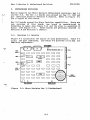
The Micro Decision Rev 2.0 board has diagnostic routines built
into the 4K ROM.
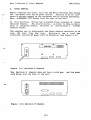
To access the diagnostics, locate the jumper
labeled JP4 or E5.
Install a jumper block at that location and
turn on the computer.
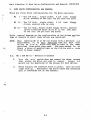
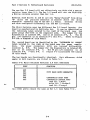
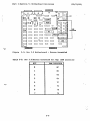
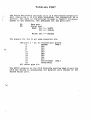
If the power-on memory test passes, the
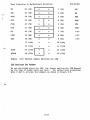
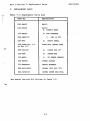
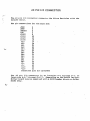
following should appear on the screen:
1.
2.
3.
4.
5.
6.
7.
8.
9.
PORT 1
\
PORT 2
>
CENTRONICS PORT
/
LOOP BACK ON PORT 2
RAM TEST
FDC R/W
FDC SEEKTEST
VFO TEST
BOOT
Enter #:
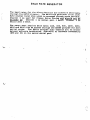
BARBER-POLE TEST PATTERN
'
:.
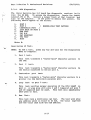
Description of Test:
-/
NOTE:
1.
To end a test, press any key and wait for the Diagnostics
Menu to reappear.
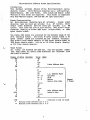
Port 1 test:
This test transmits a "barber-pole" character pattern
the CRT.
2.
Port
2
test:
This test transmits a "barber-pole" character pattern
the device connected to serial port 2.
3.
to
Centronics
port
to
test:
This test transmits a "barber-pole" character pattern to a
printer via the Centronics parallel port.
.
4.
Loop
back
on port 2 test:
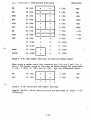
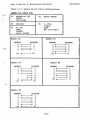
This test verifies proper operation of the 8251 USART on
port 2. A wrap plug with pins 2 and 3 jumpered and pins 5
and 20 jumpered must be used.
This test will immediately
show pass or fail.
5.
Ram
Test:
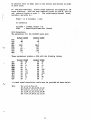
This test runs a continuous ram test.
The test will show
any address which is found to be bad, the value expected
and the value read from the bad address.
5-17