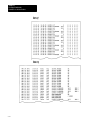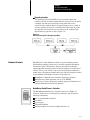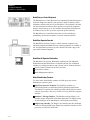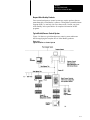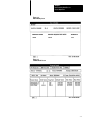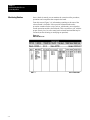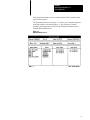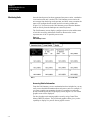
1
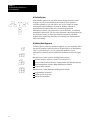
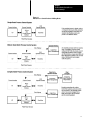
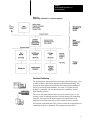
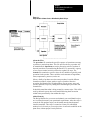
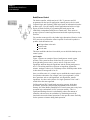
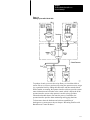
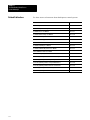
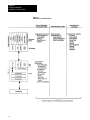
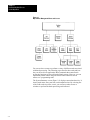
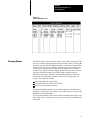
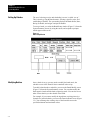
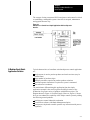
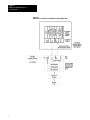
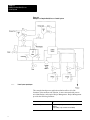
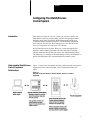
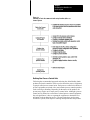
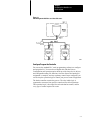
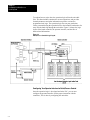
Chapter 1.1 PLCBased Batch/Process Control System System Overview Important User Information Because of the variety of uses for this product and because of the differences between solid state products and electromechanical products, those responsible for applying and using this product must satisfy themselves as to the acceptability of each application and use of this product. For more information, refer to publication SGI- 1.1 (Safety Guidelines For The Application, Installation and Maintenance of Solid State Control). The illustrations, charts, and layout examples shown in this manual are intended solely to illustrate the text of this manual. Because of the many variables and requirements associated with any particular installation, Allen-Bradley Company cannot assume responsibility or liability for actual use based upon the illustrative uses and applications. No patent liability is assumed by Allen-Bradley Company with respect to use of information, circuits, equipment or software described in this text. Reproduction of the contents of this manual, in whole or in part, without written permission of the Allen-Bradley Company is prohibited. Throughout this manual we make notes to alert you to possible injury to people or damage to equipment under specific circumstances. ATTENTION: Identifies information about practices or circumstances that can lead to personal injury or death, property damage or economic loss. Attention helps you: - Identify a hazard - Avoid the hazard - recognize the consequences Important: Identifies information that is critical for successful application and understanding of the product. 1992 Allen-Bradley Company, Inc. PLC is a registered trademark of Allen-Bradley Company, Inc. BatchMaster, BatchView, ControlView, Dataliner, PanelView, and PLC-5 are trademarks of Allen-Bradley Company, Inc. GRAFIX is a registered trademark of Dynapro Systems, Inc. Table of Contents The AllenBradley Batch/Process Control Advantage . . . . 1 What Is an AllenBradley Batch/Process Control System? . . . . . . . Benefits . . . . . . . . . . . . . . . . . . . . . . . . . . . . . . . . . . . . . . . . . . . Provide a costeffective solution. . . . . . . . . . . . . . . . . . . . . . . . Provide better recipe management . . . . . . . . . . . . . . . . . . . . . Reduce integration engineering requirements. . . . . . . . . . . . . . Reduce equipment setup time . . . . . . . . . . . . . . . . . . . . . . . . . Provide flexible batch/process control. . . . . . . . . . . . . . . . . . . . Increase production. . . . . . . . . . . . . . . . . . . . . . . . . . . . . . . . . Optimize use of process control equipment. . . . . . . . . . . . . . . . Manage recipe changes on the plant floor . . . . . . . . . . . . . . . . Decrease response time for process and equipment contingencies. . . . . . . . . . . . . . . . . . . . . . . . . . . . . . . . . . Provide information about batch status. . . . . . . . . . . . . . . . . . . Reduce product changeover time . . . . . . . . . . . . . . . . . . . . . . Use consistent basic operator interface. . . . . . . . . . . . . . . . . . . Use traditional programmable control. . . . . . . . . . . . . . . . . . . . Rely on AllenBradley support and service. . . . . . . . . . . . . . . . . How Does a Batch/Process Control System Work? . . . . . . . . . . . . Related Publications . . . . . . . . . . . . . . . . . . . . . . . . . . . . . . . . . . 1 4 4 4 4 4 4 5 5 5 5 5 5 5 6 6 6 12 Becoming Familiar with Batch Process Control Products . 1 Introduction . . . . . . . . . . . . . . . . . . . . . . . . . . . . . . . . . . . . . . . . Software Products . . . . . . . . . . . . . . . . . . . . . . . . . . . . . . . . . . . Analog I/O configuration . . . . . . . . . . . . . . . . . . . . . . . . . . . . . Configurable loop control. . . . . . . . . . . . . . . . . . . . . . . . . . . . . PLC Processor/ControlView data table and database. . . . . . . . . Batchspecific operator displays. . . . . . . . . . . . . . . . . . . . . . . . Batch log generation. . . . . . . . . . . . . . . . . . . . . . . . . . . . . . . . Recipe Builder. . . . . . . . . . . . . . . . . . . . . . . . . . . . . . . . . . . . Graphics editor. . . . . . . . . . . . . . . . . . . . . . . . . . . . . . . . . . . . Multilevel security capabilities. . . . . . . . . . . . . . . . . . . . . . . . . Online help windows. . . . . . . . . . . . . . . . . . . . . . . . . . . . . . . . Alarm functions. . . . . . . . . . . . . . . . . . . . . . . . . . . . . . . . . . . . Log functions. . . . . . . . . . . . . . . . . . . . . . . . . . . . . . . . . . . . . Reporting function. . . . . . . . . . . . . . . . . . . . . . . . . . . . . . . . . . Hardware Products . . . . . . . . . . . . . . . . . . . . . . . . . . . . . . . . . . 1 1 3 3 3 4 5 5 6 6 7 8 9 11 11 ii Table of Contents Understanding Batch/Process Control Operations . . . . . . 1 Introduction . . . . . . . . . . . . . . . . . . . . . . . . . . . . . . . . . . . . . . . . Using the Batch Interface . . . . . . . . . . . . . . . . . . . . . . . . . . . . . . Managing Recipes . . . . . . . . . . . . . . . . . . . . . . . . . . . . . . . . . . . Setting Up Batches . . . . . . . . . . . . . . . . . . . . . . . . . . . . . . . . . . Modifying Batches . . . . . . . . . . . . . . . . . . . . . . . . . . . . . . . . . . . Monitoring Batches . . . . . . . . . . . . . . . . . . . . . . . . . . . . . . . . . . Monitoring Units . . . . . . . . . . . . . . . . . . . . . . . . . . . . . . . . . . . . . Controlling Batches . . . . . . . . . . . . . . . . . . . . . . . . . . . . . . . . . . Controlling Lots . . . . . . . . . . . . . . . . . . . . . . . . . . . . . . . . . . . . . 1 1 3 4 4 6 8 9 10 Building Your Own Batch/Process Control System . . . . . . 1 Introduction . . . . . . . . . . . . . . . . . . . . . . . . . . . . . . . . . . . . . . . . A Simple Batch Application Solution . . . . . . . . . . . . . . . . . . . . . . . A MediumScale Batch Application Solution . . . . . . . . . . . . . . . . . A Complex Batch Application Solution . . . . . . . . . . . . . . . . . . . . . 1 1 3 5 Configuring Your Batch/Process Control System . . . . . . . 1 Introduction . . . . . . . . . . . . . . . . . . . . . . . . . . . . . . . . . . . . . . . . Understanding Batch/Process Control Component Relationships . . Your Design Responsibilities . . . . . . . . . . . . . . . . . . . . . . . . . . . . 1 1 2 Glossary . . . . . . . . . . . . . . . . . . . . . . . . . . . . . . . . . . . . . . 1 Chapter 1 The AllenBradley Batch/Process Control Advantage What Is an AllenBradley Batch/Process Control System? Allen-Bradley has combined the inherent control flexibility of programmable logic controllers (PLC ) with the data management capability of industrial workstations, and applied a methodology based on standards to implement and control batch processes. The Allen-Bradley batch/process control offering is a collection of standard PLC hardware and software, integrated with application specific software. Our solutions are cost effective for small- and medium-scale batch/process control systems. They are also an excellent choice for entry-level or pilot plant systems, since they can expand with the growth of the application. And being PLC-based means that as your process control needs grow, you can increase the functionality of your system by simply adding the necessary hardware or software products. Your initial installation can become the foundation for expansion. This approach not only reduces project cost initially, but minimizes system integration cost over the long term as well. The advantages offered by this approach are: cost effective method of doing process and batch control a flexible system that uses standard hardware solid methodology for implementing batch and process control in PLC processor fully supported tools for doing batch and process control 1–1 Chapter 1 The AllenBradley Batch/Process Control Advantage A Flexible System Allen-Bradley products let you build custom-designed control systems using proven, off-the-shelf hardware and software. Each product is available separately so you can achieve any level of control by simply choosing the right combination of products. With the addition of application-based software that uses a consistent approach for batch/process control, you can now have system flexibility, yet maintain manageable control code. The key to this approach is that each product has the necessary “hooks” to allow out-of-the-box integration with other products, thus maintaining flexibility, but reducing your implementation effort considerably. A Building Block Approach To build a process control system that’s right for you, you need only utilize the specific products required to achieve the desired level of functionality. Then, as your needs grow, you can expand the capability of your batch/process control system in building block fashion as shown in Figure 1.1. Batch/Process Control software building blocks include: operator interface software (Control or PanelView) process control software (Process Configuration and Operation Option) batch management software (Batch Management Option) recipe creation software Batch/Process Control hardware building blocks include: programmable controllers a batch specific keyboard industrial workstations 1–2 Chapter 1 The AllenBradley Batch/Process Control Advantage Figure 1.1 Batch/Process Control Products Building Blocks 1–3 Chapter 1 The AllenBradley Batch/Process Control Advantage In addition, all batch-specific products are fully compatible with other Allen-Bradley hardware and software products. Whether you are a system integrator, or an end-user familiar with automated process control, you can assemble complete batch/process control systems from Allen-Bradley products that provide you with connectivity to a wide range of third-party products. Based on your application needs, you can choose any degree of sophistication from a general-purpose operator interface through a bundled turn-key system. Allen-Bradley Batch/Process Control products are the solution to your batch/process control needs. Benefits Provide a costeffective solution. Using modular batch/process control products as a foundation, you can build a batch process control system tailored to your specific requirements. Whether you have fewer than 10 or more than 10,000 I/O points, Batch/Process Control products provide a cost-effective process control solution. Provide better recipe management Recipe Builder software lets you create recipes off-line using a personal computer or LAN-connected plant computer. This gives you the security of having your confidential data files on a supervisory computer instead of leaving them accessible to every operator interface station. After the recipe is compiled, the file is downloaded to the operator interface terminal for execution. Improve Design and Simplify Your Installation Reduce integration engineering requirements. Tag assignments for status and alarm functions and data transfers are predefined and documented. You can tailor the monitoring capability by creating additional tags or modifying existing ones. Communication between the PLC-based controller and the operator interface is defined and included in the system software. Reduce equipment setup time. Control-oriented functions are preprogrammed and supplied with the process control software. These enable you to configure batch process control devices by entering information about their characteristics into configuration screens. Provide flexible batch/process control. The industrial workstation provides a control system that takes advantage of the power of an industrial workstation without sacrificing the inherent reliability of the programmable logic controller. You have a controller that is designed specifically for control, provides predictable startup and shutdown sequences, and offers operator security. 1–4 Chapter 1 The AllenBradley Batch/Process Control Advantage Enhance Your Production Increase production. Batch Management software has the capability of scheduling process control units to run multiple batches simultaneously. This maximizes equipment usage and throughput while reducing direct labor required to manage a given batch run. Optimize use of process control equipment. Allocation of process units to batches lets you integrate maintenance and cleaning schedules into daily production routines, to automatically start batch operations when process equipment (units) are available. Manage recipe changes on the plant floor. Recipe utility software enables you to manage recipes at the operator interface. It allows you to save modified recipes on-line so you can continue to run your process. Decrease response time for process and equipment contingencies. Batch Management software, in conjunction with ControlView, lets you fine tune the formula and certain procedural parameters while the batch is running. This gives you an opportunity to optimize the process and/or compensate for unexpected conditions. Provide information about batch status. Batch Management software provides pre-defined monitoring and summary screens so you can see the status of procedures, operations, phases, and process control unit allocations for each batch. Menu screens guide you through the summaries. Reduce product changeover time. Short runs with frequent and rapid product changeover are the nature of batch processing. Batch/Process Control software lets you run multiple batches simultaneously. You can track one product and test another while continuing to make other products. Changing to run a new product means changing only the recipe, not redesigning the control system. Using the recipes on multiple production paths can be defined prior to execution. Use consistent basic operator interface. All Batch/Process Control software screens communicate information to the operator in ordinary, batch-language terminology. These terms, such as procedure, operation, formula, and phase conform to the emerging standards from the ISA Batch Control Committee, SP-88. Regulatory and sequential control are totally integrated with each other and with batch management functions. 1–5 Chapter 1 The AllenBradley Batch/Process Control Advantage Reduce Your Maintenance Use traditional programmable control. The batch/process controller uses the powerful PLC-5 family of programmable controllers. As a standard product, it provides all the advantages associated with a PLC-based system — configurability, expandability, familiarity, flexibility, and maintainability. Rely on AllenBradley support and service. Allen-Bradley supports batch/process control products with written warranties, telephone support, and other continuation programs. How Does a Batch/Process Control System Work? To understand how the batch/process system works, you need to become familiar with: the components in the system and how they relate to one another the functions of the components (a concept called functional partitioning) how the system manages recipes how the system controls a batch or process System Components The batch/process control system consists of several software and hardware components (we describe these in detail in chapter 2). Figure 1.2 shows the the relationships between the batch/process products and the process equipment in your plant. 1–6 Chapter 1 The AllenBradley Batch/Process Control Advantage Figure 1.2 Relationship of Batch/Process Control Components Functional Partitioning The building block approach to batch processing (described on page 1-2) is possible because of our unique approach to functional partitioning. This concept has been applied in conjunction with emerging ISA (Instrument Society of America) batch standards. As a result, every batch-specific product is compatible with, and builds upon, the capabilities of other Allen-Bradley products. You can use the plant computer at the top level (refer to Figure 1.2) for creating recipes, scheduling production, tracking batches and controlling inventory. On a network, the plant computer can communicate with multiple process control stations as well as with the business systems. An industrial workstation and a PLC processor share the responsibilities of controlling the process equipment. The computer performs all file 1–7 Chapter 1 The AllenBradley Batch/Process Control Advantage management and data processing functions (supervisory operator interface). The PLC processor performs all control operation logic including input/output interface functions. This method of partitioning the data management independent of the control for a batch/ process control system provides the best combination of resources. It retains the inherent reliability and maintainability of true PLC-based control while providing a great deal of operational flexibility or recipe (data) management. In addition, the Allen-Bradley approach allows the operator interface (Control View) to monitor and control not only the batch/process but other PLC processors on the controller network, thus providing a very versatile system. Product Recipes The Allen-Bradley approach to batch/process control is based on managing the process as dictated by recipes. This allows you to define the control by product requirements, without engineering-intensive programming normally required in a PLC-based batch system. Batches are controlled by recipes. Using Recipe Builder software, you create recipes from procedure, formula and operation files (Figure 1.3).The procedure, formula, and operation files are text files you create and edit. You can develop your own user-friendly screens to create product recipes. These screens can be based on any standard word processor, database or spreadsheet package. The only requirement is that the output ASCII files be in the simple format defined by Allen-Bradley. Screens can then be tailored to your specific needs (refer to Figure 1.3). 1–8 Chapter 1 The AllenBradley Batch/Process Control Advantage Figure 1.3 Recipe Builder Software Creates AllenBradley Batch Recipes About the Files The procedure file contains the specific sequence of operations necessary to produce a particular product. This file specifies the way a product will be manufactured. Operations are major processing activities (subsets of the total procedure) executed during the batch. Every operation is a group of one or more control activities referred to as phases or steps. The formula file contains the specific values for all variables required by each operation for the product. These variables can be amounts of ingredients, times, temperatures, pressures, and so on. Often, a family of products uses the same procedure, but with different formulas to produce various grades or types of product. Since the procedure and formula files are independent, you can create, store, and execute numerous recipes by editing and recombining the procedure and formula files. It should be noted that what is being created is a master recipe. This will be used by the batch system, but can be modified during batch execution within limits prescribed by data within the recipe. Added Security The Recipe Builder lets you create and maintain your confidential recipes at a level that best meets your operational requirements. After the recipe is created, the file (product recipe) can be loaded onto the batch operator interface terminals. The recipe is created as a binary file which adds another level of security to your recipes since it can not be modified on the plant floor, without proper security/software. 1–9 Chapter 1 The AllenBradley Batch/Process Control Advantage Batch/Process Control The batch controller, which consists of a PLC-5 processor and I/O programmed for the specific application, controls process devices with sequential logic and regulatory (PID) loops based on information from the product recipe. You can simplify a batch application and achieve a high degree of batch flexibility by segmenting the batch process into identifiable, independent batch/process control units. These units are groups of process control equipment associated with required processing activities. You can then create specific relay ladder logic subroutines (libraries) in the PLC processor to perform the actions required of each unit to produce a product. Such subroutines can: add ingredients to the tank heat the tank cool the tank This then establishes the base from which you can build the batch/process control system. An Example Figure 1.4 shows an example of how a batch/process control system operates. This system has been divided into five process units. Two preweigh tanks (process unit 1, process unit 2) weigh out several ingredients and then dump the ingredients into the mixing tank (process unit 3). The mixing tank also weighs out an ingredient, agitates the mixture, undergoes a heat cycle, and dumps out the finished product which is then stored in storage tank #1 or #2. Once you define units, it is a simple step to establish the control required for operation subroutines. For example, unit 1 (preweigh tank 1) could have operations such as: add ingredients, mix ingredients, transfer ingredients. Or, these can be phases of a single operation. Units 2 and 3 would follow the same approach. Unlike traditional PLC-based batch processing systems, which have procedures, operations, and formulas programmed in the controller memory, the Allen-Bradley Batch/Process Control system stores only basic operation logic (subroutines) in PLC processor memory. This is a significant advantage because it substantially reduces the amount of controller code necessary to run batches by eliminating most of the interlocks between the control operations. It also provides more flexibility for the operator to interact during batch operation. 1–10 Chapter 1 The AllenBradley Batch/Process Control Advantage Figure 1.4 A Mixing System with 5 Batch Units To produce a batch you access the recipe library on a local hard disk or remote file server, select a product recipe using the operator screens, assign it to a particular batch by adding the batch name and then start the batch. While batches are running, the operator interface software provides system status information and a window to the control, which is displayed on the operator interface screen at the operator’s console to keep operators informed and enable them to fine-tune the process. In addition, the operator interface provides alarm monitoring and logging functions. To learn more about the hardware and software capabilities of batch/process systems turn to the next chapter “Becoming Familiar with Batch/Process Control Products.” 1–11 Chapter 1 The AllenBradley Batch/Process Control Advantage Related Publications 1–12 Use these sources to learn more about batch/process control systems: Publication Publication Number Batch Management User Manual 61906.5.18 Process Configuration and Operation User Manual 61906.5.23 ControlView Core User Manual 61906.5.1 ControlView Derived Tags User Manual 61906.5.11 ControlView Trending User Manual 61906.5.6 ControlView Data Logger User Manual 61906.5.7 ControlView Event Detector User Manual 61906.5.10 ControlView Alarming User Manual 61906.5.4 ControlView AllenBradley Drivers User Manual 61906.5.5 Mouse GRAFIX Editor User Manual 61906.5.3 ControlView Reporting User Manual 61906.5.8 PLC5 Programming Software Installation and Configuration 62006.4.6 PLC5 Programming Software Programming 62006.4.7 PLC5 Programming Software Testing and Maintenance 62006.4.10 PLC5 Programming Software Instruction Set Reference 62006.4.11 PLC5 Programming Software I/O Configuration 62006.4.12 PLC5 Family of Programmable Controllers Installation Manual 17856.6.1 Chapter 2 Becoming Familiar with Batch Process Control Products Introduction When building a batch/process control system with Allen-Bradley equipment, you can choose from a full line of software and hardware control products. Although each product is available separately, we’ve integrated some products to further reduce engineering and integration time. This chapter describes the software and hardware products from which you can choose. Software Products Batch/process control software consists of the following modular products: Process Configuration and Operation software (cat. no. 6190-PCO) Batch Management software (cat. no. 6190-BAT) ControlView software Figure 2.1 shows the software, its functionality, and its relation to the computer/PLC system hardware. 2–1 Chapter 2 Becoming Familiar with Batch/Process Control Product Figure 2.1 Batch/Process Control Software 2–2 Chapter 2 Becoming Familiar with Batch/Process Control Products Process Configuration and Operation Software (6190PCO) The Process Configuration and Operation software is PLC-based code that is the foundation on which you build a batch/process control system. It includes an extensive set of controller logic, extended regulatory loops, device drivers, and communications services to the operator interface and/or other intelligent I/O devices. With Process Control software you get: Configurable two and threestate device drivers. Device drivers provide a consistent means of communicating with external devices such as solenoid valves and motors. The drivers handle the handshake logic between the process logic and the devices. In addition, they provide alarm and mode control functions to the operator interface. Faceplates in the software let you monitor device driver status. Analog I/O configuration. Reading and transferring analog data from the I/O module to and from the PLC processor is accomplished with this function. By completing a configuration screen, the analog I/O logic is invoked and the data automatically transferred into the PLC processor data table to be used by PID instructions or any other programmed instruction. As with the device drivers, faceplates for analog I/O let you monitor the status of analog functions. Configurable loop control. You can load each system controller with batch/process control logic for regulatory loop control. From the loop configuration display, you can configure the control logic in multiple controllers for the loops to control the process. This also includes control faceplates for ControlView and PanelView as we as tuning screens to be used with ControlView. PLC Processor/ControlView data table and database. The data mapping and communications between the PLC processor and the industrial workstation are provided as part of the system software. This approach is unique in that although the tags are structured, they can be modified using the standard ControlView/6200 Series software tools, so you can create your own custom screens and tags as required. You load the software into the PLC processor using standard PLC programming software. You configure it by filling in the needed data using the PLC programming software or configuration interface screens on ControlView. 2–3 Chapter 2 Becoming Familiar with Batch/Process Control Product Batch Management Software When added to ControlView, Batch Management software provides effective management of batch execution based on the selected product recipes. Using this software your system can run multiple batches using multiple batch controllers and process units, easily change the production procedure or products, and automatically monitor and collect batch production data. Batch Management software includes: Batchspecific operator displays. Summary and monitor screens (Figure 2.2) provide detailed information about batches, process units, and procedures. - System Summary — summary of all batches (scheduled) and current status. - Batch Detail — a detailed look at the sequence of operations for a batch and the current status. - Formula Detail — a screen that enables the modification of a recipe formula. - Unit Summary — provides an overview of all batch units and their status. - Operator Action — a listing of information and actions an operator may need for running a batch. These screens are used in conjunction with ControlView custom graphics created using the Mouse GRAFIX package to provide a single window into the process. Figure 2.2 Sample Batchspecific Screen 2–4 Chapter 2 Becoming Familiar with Batch/Process Control Products Batch log generation. Batch Management creates a batch log for each batch started. This log is unique to each batch and used in the batch report (refer to Figure 2.3). Figure 2.3 Batch Log Recipe Builder. Recipe Builder software is the tool you use to create recipes. Allen-Bradley supplies a basic recipe editor designed so that the system integrator using standard tools can tailor a recipe creation screen(s) to best meet the customer’s needs. You can use Recipe Builder in the DOS window on the operator’s interface terminal. Off-line it can be run on any suitable personal computer. Since Recipe Builder is designed for use off-line, you can create and store your confidential recipe files on a top level plant computer located in a secure environment connected via local area network. This provides an additional level of security for your recipe files. 2–5 Chapter 2 Becoming Familiar with Batch/Process Control Product In addition, Recipe Builder lets you create recipes for product variations easily. Simply modify the existing formula files and use Recipe Builder again to create new recipes. Once Recipe Builder compiles the ASCII text files, the resultant recipe can be edited using the Batch Management screens with proper security level protection at the operator interface. To change the master recipe, the original data files stored on the supervisory or plant computer can be modified and a new recipe made. The master recipe can be modified at batch execution time with particular batch values at the operator interface terminal and saved as a new recipe. But again, only with proper security. Recipe Builder performs extensive error checking while compiling a recipe. This insures that all required information is provided before you run a batch. ControlView Software ControlView software is the industrial-workstation-based component that provides a multi-tasking/multi-windowed, graphics-oriented environment that integrates data collection, real-time operator interface, and supervisory control of a batch/process control system. Graphics editor. The pixel-based Mouse GRAFIX editor (6190-GFX) lets you create high-resolution graphic screens for process monitoring (Figure 2.4). The screens are linked to the process through the tag database. You can animate the screens by configuring specific points to be updated by reading the current status of one or more tags. Multilevel security capabilities. To guard against unauthorized use and/or tampering, we provide multiple security levels. You can restrict access to information, control, and graphic screens by assigning an appropriate level of security to each authorized user. 2–6 Chapter 2 Becoming Familiar with Batch/Process Control Products Figure 2.4 Graphics Screen Online help windows. You can develop your own customized help windows. The user-defined help window function supports window positioning, choice of color, and multiple levels including menus. 2–7 Chapter 2 Becoming Familiar with Batch/Process Control Product Alarm functions. Using the values in the tag database, the Alarming option (6190-ALM) enables alarming for both analog and digital points. When a point trips, the alarm banner appears at the bottom of the displayed screen (Figure 2.5). The alarm banner shows one alarm at a time with the most severe, most recent unacknowledged alarm first. In addition, an alarm summary screen provides detailed listing of all current alarms. You can acknowledge alarms from any screen. There is also an alarm log that can be used with the Reporting package. Figure 2.5 Alarm Summary Screen with Alarm Banner and Status Display 2–8 Chapter 2 Becoming Familiar with Batch/Process Control Products Log functions. (ControlView and Batch Management option). The four types of configurable log functions are listed below. The logging function has the capability of printing logs to a printer or sending logs to a file. Logs included are: - Activity log: records all system and operator activities (Figure 2.6) - Data log: records user-defined data values (Figure 2.7) - Alarm log: records all alarms (Figure 2.8) - Batch log: records events specific to a batch that occurred while the batch was running (Figure 2.3). A new batch log is created each time a batch is started. This helps ensure that all information for a batch is collected and identified. Figure 2.6 Activity Log 2–9 Chapter 2 Becoming Familiar with Batch/Process Control Product Figure 2.7 Data Log Figure 2.8 Alarm Log 2–10 Chapter 2 Becoming Familiar with Batch/Process Control Products Reporting function. The Reporting option (6190-REP) lets you generate reports that combine real time or historical data with free-form text. You can define a template for each report specifying exactly what data is to be extracted, and in what format it is to appear Reports can be viewed on screen or printed on a local or a network printer. Data from any of the four log files described in the previous pages can be combined with Report Writer to generate a report. (Figure 2.9). Figure 2.9 Data Flow from Log Files through Report Writer Hardware Products Batch/Process Control hardware consists of several modular products. Each hardware package listed below is available separately through our FlexFactory Group. This hardware has been developed to reduce the engineering effort normally required in the development of a cabinet and console. This is a cost effective way to provide an integrated interactive control room. All hardware modules have been fully tested and are backed by the standard Allen-Bradley warranty. The products are: BatchMaster Batch/Process Controller (FlexFactory product) Batch/Process Control Keyboard (cat. no. 6721-BKBD) BatchView Console (FlexFactory product) Operator’s BatchView 60 Operator Workstation (FlexFactory product) BatchMaster Batch/Process Controller The BatchMaster Batch/Process Controller consists of a NEMA-12 enclosure suitable for use in industrial environments, and includes the following components: PLC-5 programmable controller I/O chassis power supply field terminal blocks standard enclosure items such as lights and locks, etc. 2–11 Chapter 2 Becoming Familiar with Batch/Process Control Product Batch/Process Control Keyboard The Batch/Process Control Keyboard is an industrially hardened operator’s keyboard designed to simplify your operator’s efforts. It features sealed membrane switches with process-oriented labels. The keyboard is divided into nine functional sections to allow rapid access to process equipment displays, alarm reports, etc. It also includes an integrated section that can be connected to your PLC processor to provide special functions. The Batch/Process Control Keyboard can be used on a desktop or permanently mounted to an operator’s console or batch controller. BatchView Operator Console The BatchView Operator Console is a desk enclosure complete with industrial computer and Batch/Process Control keyboard. It is available in left- and right-hand versions to provide a double CRT with a large work space when connected together. BatchView 60 Operator Workstation The BatchView 60 Operator Workstation combines the T60 Industrial Workstation and the Batch/Process Control Keyboard. The workstation includes pre-configured software and is factory tested. Software includes: Process Control software for the PLC processor ControlView software Batch Management software Other AllenBradley Products Use these other Allen-Bradley products to build upon your custom batch/process control system. PanelView Operator Terminal. The PanelView terminal is a CRT-based operator’s terminal designed for plant-floor applications. The PanelView terminal uses utilities provided with the process control software. It provides a fast, easy, flexible, low-cost, plant-floor, operator interface. Dataliner Message Displays. The Dataliner message display is an operator display designed for plant-floor applications. It displays status or fault messages on an alphanumeric vacuum-fluorescent display. Single Loop controller. The Single Loop controller provides dedicated control of individual PID loops. Single loop controllers interface to PLC processors over RS-422 serial links. 2–12 Chapter 2 Becoming Familiar with Batch/Process Control Products Beyond AllenBradley Products Your custom batch/process control system may require products that are manufactured by Allen-Bradley’s partners. Through the Pyramid Solutions Program (PSP), we can help you assess those needs. Consult your local Allen-Bradley sales representative for complete information on PSP programs. Typical Batch/Process Control System Figure 2.10 shows a typical batch/process control system architecture based on applying the complete line of Allen-Bradley products. Figure 2.10 Typical Batch/Process Control System 2–13 Chapter 3 Understanding Batch/Process Control Operations Introduction This section describes some of the tools available to operate and interact with a batch/process control system. You can manage the batch or control the process from the operator interface using standard Allen-Bradley operator interface software and the batch/process control keyboard. Batch Management software provides a variety of menus and screens that let you easily access all batch functions. These screens are used in conjunction with the custom screens developed using the ControlView Mouse GRAFIX package and the process control screens provided by the Process Control and Operation software. Using these operator interface packages, you can perform many tasks such as loading recipes from storage, controlling the miscellaneous devices and control loops in your process, and monitoring alarms, loops, tags and devices. We describe the tools you can use to perform the following tasks in this chapter: managing recipes setting up batches modifying batches monitoring batches monitoring units controlling batches Using the Batch Interface Batch Management software has a hierarchical display screen structure to help you monitor and adjust the batch/process control. Menu screens are provided to guide you through the displays. Figure 3.1 shows how Batch Management menus and custom screens are organized. The following pages show some of these screens with typical data displayed. These screens highlight only a few of the features available. Along with the accessibility to the data, these screens establish a consistent way of interacting with your batch/process control system. This reduces the engineering time required by a system integrator to build your system. A consistent approach makes it easier for operators to move from line to line since each system interface is similar. 3–1 Chapter 3 Understanding Batch/Process Control Operations Figure 3.1 Map of Batch Management Menus and Screens You can use these screens to perform a variety of different tasks associated with batch processing. The following pages describe these tasks and how they can be used in an application. Most commands that control batch processing functions are issued from the Batch screens. However, you can implement custom control using advanced control functions such as macros or C programming tasks. The System Summary screen (Figure 3.2) displays current batch activity. It shows batch name, state, start time, and completion time. By selecting one of the fields at the top of the screen, you can access other screens or windows or perform the batch processing task indicated. 3–2 Chapter 3 Understanding Batch/Process Control Operations Figure 3.2 System Summary Screen Managing Recipes All batches require a master product recipe. You normally create this using the recipe creation package and load it into the batch system. Following the proposed concepts from ISA SP-88 standards, you do not run a batch from a master recipe, but a copy, called the working recipe. This working recipe becomes the recipe that can be modified by the operator at the operator interface level. This protects the original so that each batch starts from the same data. Modification may be needed to make a change in the raw material or the product. Therefore, the Batch Management software has utilities that your plant floor operator can easily use to change and save recipes. These functions include: load recipes from the recipe library save modified recipes with a new filename delete recipes not linked to a batch. Using Recipe Builder software on a personal computer, or the BatchView Operator’s Console when it is off-line, you can also create new recipes and add them to the batch database. If you modified formula values while a batch was running and want to save the revised recipe, you simply save it with a new name. It is available to be used again. 3–3 Chapter 3 Understanding Batch/Process Control Operations Setting Up Batches The act of selecting a recipe and scheduling it to run, is called “set up.” This is done by giving the batch a name, selecting a specific recipe, and establishing a schedule. The system then displays the Batch Name, State, Recipe, Schedule, and assigns a unique ID number. To set up a batch, you select the Batch Setup window (Figure 3.3) from the System Summary screen (by using the cursor) and respond to prompts which appear on the screen. Figure 3.3 Batch Setup Window Modifying Batches Once a batch is set up, you may need to modify the batch mode, the schedule or one of the formula values contained in the recipe. To modify a batch mode or schedule, you access the Batch Modify screen (Figure 3.4) from the System Summary screen. You can then modify the batch approval mode and the batch sequencing mode. You can also access other screens that let you alter details of the batch. For example, if you want to modify the ingredients or mixing times in a formula of a particular batch, you access the Formula Detail screen (Figure 3.5). You can change the working value of the formula between the specified minimum and maximum values. 3–4 Chapter 3 Understanding Batch/Process Control Operations Figure 3.4 Batch Modify Screen Figure 3.5 Formula Detail Screen 3–5 Chapter 3 Understanding Batch/Process Control Operations Monitoring Batches Once a batch is started, you can monitor the execution of the procedure, operations and even phases that comprise the batch. From this screen (Figure 3.6), information pertaining to the state of the selected batch is available. It also provides information about the procedure contained in the recipe, such as, which unit(s) are assigned to run the operations and the selected mode. This screen allows you, with the proper security level, to select some batch oriented functions that may be executed (such as aborting or modifying an operation). Figure 3.6 Batch Detail Screen 3–6 Chapter 3 Understanding Batch/Process Control Operations Each operation contains a series of control actions. These control actions can be called “phases”. The Operation Detail screen (Figure 3.7) allows you to monitor all phases associated with the selected operation, i.e., the collection of control functions in the batch process. You access the Operation Detail screen from the Batch Detail screen. Figure 3.7 Operation Detail Screen 3–7 Chapter 3 Understanding Batch/Process Control Operations Monitoring Units Once the batch process has been segmented into process units, a method to view/monitor each unit is needed. The Unit Summary screen carries the unit concept from the design to the operator, and allow users to monitor the status of all configured units and the activities occurring within each (Figure 3.8). You can access the Unit Summary screen from the Runtime menu or directly from the batch/process control keyboard. The Unit Summary screen displays configured process units and the status of activities occurring within them. Each box shown on the screen represents one of the 16 possible process units. Figure 3.8 Unit Summary Screen Accessing Detailed Information From the Unit Summary screen a mechanism has been included so you can easily access detailed information about each process unit. For example, if you want a graphic representation of a unit in your plant you select the process unit and access the Group Display screen (Figure 3.9).The custom graphic screen will be displayed. You develop these unit custom graphic screens by using ControlView Mouse GRAFIX software. The pixel-based graphics editor gives you the capability to display live process data as graphic screens. 3–8 Chapter 3 Understanding Batch/Process Control Operations Figure 3.9 Group Display Screen of Graphic Unit Configuration Controlling Batches The PLC processor controls the actual batch process equipment. You enter control into the PLC processor as ladder code. This code is segmented into subroutines which correspond to either operations or phases. Since ControlView uses recipes to provide both the order of execution for these subroutines and the formula data, it can be used to manage the batch execution and provide data for operators to interact with the system. It also controls and coordinates the data flow between the industrial workstation and the PLC processors. Batch Management, combined with ControlView and Process Configuration and Operation software, provides all the functions needed for batch processing including recipe execution, log creation and management, and unit management and control of the process. The actual control of a batch is functionally partitioned into the PLC code. Therefore, process interfaces and specific control requirements need to be incorporated into the PLC processor, and any special operation interfaces need to be developed for PanelView or ControlView. 3–9 Chapter 3 Understanding Batch/Process Control Operations Controlling Lots A common requirement in batch process control applications is the ability to run several batches of the same product, one right after the other. This is done, for example, when the amount of product desired exceeds the equipment capacity. Batch Management software lets you setup and start a group of identical batches, called a lot, in one step. A lot can have up to 99 batches, all using the same recipe. Once the you set up and start the lot, the software steps through the individual batches without further operator intervention. Batch Management software contains several screens and commands to manage lot creation, operation and monitoring. It is also possible to chain lots together so that the completion of one lot triggers the start of another. This makes it possible to setup an entire day’s (or more) production at one time. 3–10 Chapter 4 Building Your Own Batch/Process Control System Introduction Now that you have become familiar with the products that make up a batch system, and are somewhat familiar with the operation of the software, let’s build a system for your application. All batch applications have at least three common control functions. They are: recipe management batch management unit management (process unit control) As the control becomes more complex, the application of these functions changes. This chapter describes three levels of solutions to batch/process control applications. Each example shows how you can use Allen-Bradley products to build a batch/process control system to meet your specific needs. Note that the examples shown in this chapter are samples of possible solutions. For additional suggestions and alternative solutions, see your Allen-Bradley systems integrator, distributor, or local Allen-Bradley sales representative. A Simple Batch Application Solution The most simple Batch/Process application is one in which ingredients are being mixed or blended for use by other equipment. These are normally stand-alone units. Typical characteristics of a simple batch processing application are: single-stream used to produce a single product one batch at a time small number of recipe changes in formula values a procedure that rarely changes system usually consists of one process unit operator interaction is a normal activity data collection is manual Figure 4.1 is a block diagram of a simple batch/process control system. In this example, ingredient A and ingredient B will be added to the mixer. Each ingredient will be added individually based on its weight. The mixer will combine both ingredients and the valve will open to dispense the product. 4–1 Chapter 4 Building Your Own Batch/Process Control System Figure 4.1 Example of a Simple Batch/Process Control Application Solution Figure 4.2 shows how you can configure a control system using the following Allen-Bradley products. PLC-5 family processor Process Configuration and Operation software PanelView This solution can reduce the PLC development/engineering effort to the following functions: 2 Function Application Method Recipe Management Programmed Formula Changes via Parameter Download from PanelView Batch Management Programmed operator interface in PanelView Programmed procedures/sequences in PLC processor Programmed data collection in PLC processor ControlView compatible batch structured ControlView compatible PLC data table, unit table, process control interfaces Process Unit Control Configurable regulatory loop control Programmable sequential control PID logic and interfaces for faceplate and tuning display Configurable analog l/O Configurable device drivers logic with faceplate interfaces Chapter 4 Building Your Own Batch/Process Control System The concept of using a structured PLC-based process unit control is critical to establishing a manageable system. Once this is accepted, maintenance and upgrades become easy. Figure 4.2 Batch/Process Control for a Simple Application with Local Operator Interface A MediumScale Batch Application Solution Typical characteristics of a medium-scale batch/process control application are: single-stream is used to produce products one batch at a time (may be parallel lines) large number of product recipes multiple procedures required to produce product variations moderate operator interaction is required as system is automated data collection is moderate The main feature differentiating this application from the simple application example is the need for greater flexibility because of the production of a greater variety of products with different recipes. The diagram shown in Figure 4.1 could still apply. However, Figure 4.3 shows how you can enhance the capability of the simple control system by adding the following control products: batch/process control industrial workstation ControlView software with Batch Management Option batch/process keyboard to enable operator easy interaction with process (optional) 4–3 Chapter 4 Building Your Own Batch/Process Control System Figure 4.3 Batch/Process Control for a Medium to Complex Application 4 Chapter 4 Building Your Own Batch/Process Control System The Allen-Bradley batch/process control solution reduces both the PLC and the batch management development/engineering effort and provides the following functions: Function Application Method Recipe Management Recipe generation (offline or in ControlView DOS window) Recipe control at plant level within ControlView Batch Management Interactive operator interface for Batch/Process control Resource management if multiple units are used Data collection for batch reporting Recipe driven procedures/sequences Recipe driven data collection ControlView/PLC control methodology (based on SP88) ControlView tag structures (PLC data table, unit table, process control) Communication (drivers, batch data, device status and control, systemlevel diagnostics) Process Unit Control Programmable sequential control Configurable loop control Configurable device control PID with faceplate and tuning display Configurable Analog l/O Device drivers with faceplates Batch/Process keyboard By using the same PLC-based software and programming approach, ControlView and its options are layered onto the PLC system extending its capability. A Complex Batch Application Solution The typical characteristics of a complex batch/process control application are: multistream (multiple line) capability multiple batches running simultaneously on same or different lines many recipes or recipes are changed frequently numerous procedures, or the sequence of production changes many process units operator interaction is an exception much data collection is required for validation, etc. Figure 4.4 is a diagram of a complex batch/process control system and shows how to configure a control system by using the following products: BatchMaster Batch/Process Controller and/or PLC processors BatchView Operator Console or industrial workstation ControlView and Batch Management Option To expand your existing medium-scale system, you may only need to add new recipes or a plant computer system to manage the recipes. This assumes that the control system was developed using the Allen-Bradley structured approach. 4–5 Chapter 4 Building Your Own Batch/Process Control System Figure 4.4 Example of a Complex Batch/Process Control System This complex batch/process application solution utilizes all of the functions of the medium scale solution, is more concerned with process unit identification, and requires Recipe Management. Recipe Management provides the following functions: 6 Function Application Method Recipe Management Recipe development (procedure and formula) on a plant computer Recipe editing, recipe selection and scheduling Chapter 5 Configuring Your Batch/Process Control System Introduction This chapter provides an overview of tasks you can use to define your batch/process control system assuming you have the appropriate batch hardware along with ControlView, Batch Management, and Process Configuration and Operation software. For more detailed information, refer to the the Control View Batch Management User Manual or the Process Configuration and Operation User Manual. No two batch processes are alike. However, a consistent approach to defining a batch control system that is flexible and utilizes emerging industry standards (ISA/SP-88) can reduce your implementation efforts. The following is a summary of the methodology used by Allen-Bradley to define and implement a PLC-based batch/process control system. Understanding Batch/Process Control Component Relationships Figure 5.1 shows how the operator interface, batch controller, and process equipment interact with one another. A brief explanation follows the figure. Figure 5.1 Functions of Operator Interface, Batch Controller, and Process Control Equipment 5–1 Chapter 5 Configuring Your Batch/Process Control System You define your batch/process control system so that your operator interface, batch controller, and process equipment interact with one another to control the process. The functional partitioning achieved by using a control system based on Allen-Bradley batch-specific components provides the proven reliability of PLC processor control along with the computing and display capabilities of an industrial workstation required for today’s flexible batch/process control system. The operator interface, which uses ControlView/Batch Management software, is a multi-unit supervisory system that manages recipes and batch functions including interaction with an MIS system. To develop your batch/process control system, you create product recipes, using configuration files specifying formulas and procedures. Recipe Builder software takes these files, builds them into recipes at your plant computer and distributes them to the designated plant floor system. When you assign a recipe to a batch, Batch Management downloads the recipe data and directs the operations to execute in the batch controller. The batch controller then executes operations on the process equipment as directed by the recipe. The batch controller receives production values from the process and returns them to the operator interface for monitoring purposes and for batch logs. Operation and phase status is reported back to the operator interface (Figure 5.1). Your Design Responsibilities 5–2 You are responsible for establishing your system to solve your application problems and perform control and management functions. However, we have identified key steps or tasks that lead you through this process. Figure 5.2 summarizes these tasks. In the following pages we describe some of these tasks and tell how the system can help you perform them. This approach is provided as a guide and will enable you to develop your system using a “bottom-up” methodology. This will structure your system and programming development so that the batch system can be flexible. Chapter 5 Configuring Your Batch/Process Control System Figure 5.2 Summary of Tasks Recommended to Develop Your Batch/Process Control System Defining Your Process Control Units Following the recommended approach and using the Allen-Bradley batch products, the batch controller will be used to control the process equipment in groups called process control units. Each process control unit consists of process equipment associated with a major batch/process control operation, such as mixing or blending. Depending on the nature of the product, the process may require one or more process control units. Although a process control unit is defined as a collection of related process control equipment, the real significance is how to segment the equipment to obtain the best utilization in the production process. The more units there are the more flexible the system, with respect to running multiple batches and products. 5–3 Chapter 5 Configuring Your Batch/Process Control System You can program your system to recognize up to 16 independent batch/process control units. You can distribute these process control units in any combination between one or several batch/process controllers (PLC processor) as long as all I/O associated with a particular process control unit resides in the same batch/process controller (PLC processor). The ability to recognize multiple units allows the batch/process control system to monitor, manage and control more than one batch at a time. Once defined, the process control unit becomes the plant floor reference for information transfer between the process and the industrial workstation. The workstation reads and writes all batch information through unit-based files called unit tables, located in the controller. Figure 1.4 provides an example of defining process units. Process Units Guidelines A process unit is a group of equipment modules that operate together to complete an operation. For example, if you have a tank for mixing, all the valves, pumps and weighing systems associated with that tank become a unit. When you define process control units for your application, the following guidelines can be used: Group associated process equipment together when they are required to execute a complete operation. If your process control equipment is required to process multiple batches or products simultaneously, you must group the process equipment in such a manner to allow for the most complex or flexible batch. The more batch units you use, the more flexible the system can be. However, you must remember that a unit has to be capable of completing the entire operation. Shared Resources Any device or loop that might be used by more than one operation, or more than one unit, is referred to as a shared resource. Shared resources are generally not part of any one process unit, but may be used by several units. They can be treated as a unit or included in one or more defined units. This can only be determined by the application. Each approach has its value. When using a device as a shared resource, you verify the availability of a device by including interlocks in your operation logic. Figure 5.3 illustrates shared resources. The pump, valve 1 and valve 2 are not defined as part of a unit. However, because they are used by unit 4 and unit 5, they are shared resources. 5–4 Chapter 5 Configuring Your Batch/Process Control System Figure 5.3 Unit Arrangement with Valve as a Shared Resource Configure/Program the Controller You can use the standard PLC tools (programming software) to configure and assign the I/O. You can also accomplish this with the Process Configuration and Operation option which provides loops, device drivers, and configurable analog I/O functions. Once the discrete and analog I/O assignment is complete, and any regulatory control loops configured, you can develop the operation logic to control your process control equipment. The batch controller controls the process. The relay ladder logic is segmented or structured into specific control actions called operations. This operation logic is developed for each unit that has control, and for every type of control required for a unit. 5–5 Chapter 5 Configuring Your Batch/Process Control System To read and act on recipe data, the operation logic utilizes the unit table files. This data includes commands to execute operations, and provides formula parameters and other information required to execute the programmed unit logic. The operation logic also can pass production values generated during the operation back to the industrial workstation for entry into the batch log through the unit tables. Figure 5.4 shows the logic layout of the batch controller, the operator interface, and the flow of batch-related information. Figure 5.4 Batch/Process Controller Logic Layout Configuring Your Operator Interface for Batch/Process Control Once the operation logic is developed and in the PLC, you can now configure the operator interface for the proper interaction with the controllers, This is done by configuring the unit tables. 5–6 Chapter 5 Configuring Your Batch/Process Control System Configuring Unit Tables Each process unit in your system has a corresponding unit table in PLC processor memory. These tables are memory areas used for communication between the batch/process controller and the industrial workstation. The Batch Management option downloads recipe data to unit tables where it is accessed by your ladder program in order to execute operations. The operation logic can also place production data into the table, for collection, to be placed in the batch log. You configure unit tables by editing configuration files for units, operation states, and phase states. These files contain information to control the passing of information to and from the batch controller. Table 5.A lists the files you configure and the purpose of each.3.4. Table 5.A Purpose of Configuration Files Configuration File Purpose of file is to: Unit configuration file associate unit numbers with a name and specify in which controller the unit is located. Operation state file provide messages that tell the operator the status of the operation. Phase state file provide messages that tell the operator the status of a phase in an operation. Customizing Your Operator Interface for Data Collection & Batch Management ControlView software provides you with various tools to create a truly customized system for your batch/process control application. You can create custom graphics for the operator interface to give your operators more useful and meaningful information about your process. Some of the ways you can customize your operator interface are described on the following pages. Generate custom graphic screens. By using the tag database, you can associate graphics with specific locations in the batch/process controller memory, which in turn hold information from devices and loops in your process. You can use this feature to animate graphic screens. Redefine keys on the Batch/Process Control keyboard. If you want a key to perform a non-standard, application-specific function, you can modify an existing definition of a key, or create a new definition for a previously unused key. 5–7 Chapter 5 Configuring Your Batch/Process Control System Configure security. You can use the operator interface to control access to the system and keep track of the operators using the system. Configure alarms. In addition to setting alarm tags in the database, you can configure alarms that are specific to your application. You can specify alarm thresholds as constants or tags. Also, you can configure alarm priority and the system response to alarm occurrences at each priority level. Configure logging functions to suit your application. Information to be logged, as well as its destination, is configurable. You can configure logs that show error messages, changing tag values, typed-in operator commands, and operator remarks. Configure messages for your operators. You can configure custom help messages which aid your operators as well as other plant personnel. Also, you can configure how the system displays graphics and other functions to the operator, and which displays appear on the screen in a power-up condition. All tasks for configuring and starting up a control system using batch/process software options are described in detail in the the user manual for that software option. Developing Recipes Your recipes are created using a configuration process by assembling the information needed to run a batch into three ASCII files. Using any word processing or database software that exports ASCII files, you create file(s) for procedures, operations, and formulas. Using Recipe Builder software you compile these files into Allen-Bradley basic recipes. This approach was designed so a system integrator using standard tools can tailor an operator interface to meet the customer’s needs. Table 5.B shows the purpose of each file. Table 5.B Recipe Builder Configuration Files 5–8 Configuration File Purpose of this file is to: Procedure dictate the order of operations in your batch process and coordinate the batch controller's execution of operation logic. Operation identify operation parameters such as the formula and phases which are used by the personal computer. Formula give actual values to formula parameters for each operation. Recipe Builder combines this file with the procedure and operation files to form a recipe. Appendix A Glossary B batch: 1) The product produced by one execution of a control recipe; 2) the term used to identify the entity that uses a control recipe and other resources to produce a product. batch management: The activity that: selects a master recipe and transforms it into a control recipe, manages resources necessary for batch execution, initiates and supervises the execution of the batch, and collects and manages batch data. batch process: A process that manufactures a finite quantity of material by subjecting measured quantities of raw materials to a sequential order of processing actions using one or more pieces of equipment. batch reports: Reports containing process and user supplied information, collected manually or automatically, before, during, and after completing the batch. C control module: This is either a loop or a device. A control module is the union of the definitions of loops and devices. It refers to both devices and loops, but it does not constitute another level above them in the Physical Model. It does not contain both loops and devices; it contains either one or the other. This is similar to the use of element to refer to both sensors and actuators. control recipe: A master recipe with a specific batch ID, which through its execution, coordinates the production of a single batch of the specified product. It may contain operator and/or system-generated information. A–1 Appendix A Glossary E equipment module: One functional group of equipment typically centered around a piece of process equipment such as a vessel, heat exchanger, filter, scale, etc. including Control Modules and Elements, that accomplishes a task in the process using a combination of Sequential Control, Regulatory Control, and Discrete Control. Equipment Modules include both physical equipment and all associated control functions. F formula: A set of parameters that distinguish the products defined by procedures. It may include types and quantities of ingredients, along with information such as the magnitude of process variables. It may affect procedures. G general recipe: A type of recipe that is generic and transportable. L loop: A combination of elements and control functions arranged so that signals pass from one to another for the purpose of measurement and/or control of a process variable. A loop may contain some discrete components. lot: One or more batches made with the same recipe all having a common trait. M master recipe: A type of recipe which accounts for specific equipment capabilities and train configurations. O operation: An independent production activity within a procedure, consisting of phases which is carried to completion in a single unit. A–2 Appendix A Glossary P phase: An independent process-oriented action with an operation. The phase is defined by boundaries that constitute safe or logical points where processing can be interrupted. procedure: The part of a recipe that defines the generic strategy for producing a batch of product. R recipe: A complete set of information that specifies the control requirements for manufacturing a batch of a particular product. recipe management: The activity that includes creating, editing, storing and retrieving general, site, and master recipes and interfaces with the production scheduling and batch management activities. regulatory control: Maintaining the outputs of a process as close as possible to their respective set point values despite the influences of set point changes and disturbances. S sequential control: A class of industrial process control functions in which the objective is to sequence the process through a series of distinct states, e.g., open/close or on/off. U unit: A collection of associated Elements, Control Modules, and Equipment Modules that performs a coordinated function. Units operate relatively independently of one another. A Unit includes both physical A–3 Appendix A Glossary With offices in major cities worldwide WORLD HEADQUARTERS Allen-Bradley 1201 South Second Street Milwaukee, WI 53204 USA Tel: (1) 414 382-2000 Telex: 43 11 016 FAX: (1) 414 382-4444 EUROPE/MIDDLE EAST/AFRICA HEADQUARTERS Allen-Bradley Europe B.V. Amsterdamseweg 15 1422 AC Uithoorn The Netherlands Tel: (31) 2975/43500 Telex: (844) 18042 FAX: (31) 2975/60222 As a subsidiary of Rockwell International, one of the world’s largest technology companies — Allen-Bradley meets today’s challenges of industrial automation with over 85 years of practical plant-floor experience. More than 11,000 employees throughout the world design, manufacture and apply a wide range of control and automation products and supporting services to help our customers continuously improve quality, productivity and time to market. These products and services not only control individual machines but integrate the manufacturing process, while providing access to vital plant floor data that can be used to support decision-making throughout the enterprise. ASIA/PACIFIC HEADQUARTERS Allen-Bradley (Hong Kong) Limited Room 1006, Block B, Sea View Estate 28 Watson Road Hong Kong Tel: (852) 887-4788 Telex: (780) 64347 FAX: (852) 510-9436 CANADA HEADQUARTERS Allen-Bradley Canada Limited 135 Dundas Street Cambridge, Ontario N1R 5X1 Canada Tel: (1) 519 623-1810 FAX: (1) 519 623-8930 LATIN AMERICA HEADQUARTERS Allen-Bradley 1201 South Second Street Milwaukee, WI 53204 USA Tel: (1) 414 382-2000 Telex: 43 11 016 FAX: (1) 414 382-2400 Publication 6724–2.1 — September 1992 Supersedes Publication 6724–2.1 – October 1989 A–4 Copyright 1992 Allen-Bradley Company, Inc. Printed in USA AllenBradley, a Rockwell Automation Business, has been helping its customers improve pro ductivity and quality for more than 90 years. We design, manufacture and support a broad range of automation products worldwide. They include logic processors, power and motion control devices, operator interfaces, sensors and a variety of software. Rockwell is one of the worlds leading technology companies. Worldwide representation. Argentina • Australia • Austria • Bahrain • Belgium • Brazil • Bulgaria • Canada • Chile • China, PRC • Colombia • Costa Rica • Croatia • Cyprus • Czech Republic • Denmark • Ecuador • Egypt • El Salvador • Finland • France • Germany • Greece • Guatemala • Honduras • Hong Kong • Hungary • Iceland • India • Indonesia • Ireland • Israel • Italy • Jamaica • Japan • Jordan • Korea • Kuwait • Lebanon • Malaysia • Mexico • Netherlands • New Zealand • Norway • Pakistan • Peru • Philippines • Poland • Portugal • Puerto Rico • Qatar • Romania • RussiaCIS • Saudi Arabia • Singapore • Slovakia • Slovenia • South Africa, Republic • Spain • Sweden • Switzerland • Taiwan • Thailand • Turkey • United Arab Emirates • United Kingdom • United States • Uruguay • Venezuela • Yugoslavia AllenBradley Headquarters, 1201 South Second Street, Milwaukee, WI 53204 USA, Tel: (1) 414 3822000 Fax: (1) 414 3824444 Publication 6724-2.1 - January, 1996 Supersedes Publication 6724-2.1 - September 1992 Copyright 1985 AllenBradley Company, Inc. Printed in USA Publication 6724-2.1 - January, 1996 Supersedes Publication 6724-2.1 - September 1992