1
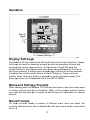
Page Lock
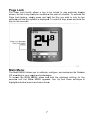
The Pa
age Lock facility allows a key to be locked to on
ne particular disp
play
screen, so that it may ea
asily be recalled at
a the push of a bu
utton. To activate the
Page Lock feature, simp
ply press and ho
old the Key you wish to lock for two
seconds
s until the Key symbol is displayed
d. To unlock a Keyy, press and hold the
Key for two seconds.
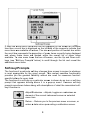
Main Menu
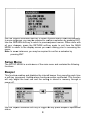
The MA
AIN MENU allows you to calibrate, configure, and cu
ustomise the Data
aline
GX acco
ording to your nee
eds and preferencces.
To acce
ess the MAIN MENU,
M
press and
d hold the rightm
most soft-key for five
seconds
s until the MAIN
N MENU appearrs. Use Up and Down soft-keyss to
highligh
ht individual menus and menu itemss.
7