1
User Manual
HDM100
59300315
Rev.005
14.3.2011
26(54)
Alarm log
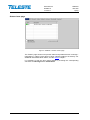
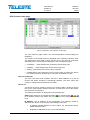
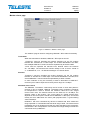
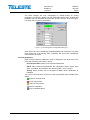
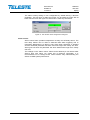
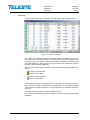
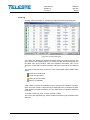
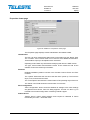
Clicking "Alarm log" button on "Monitoring" page opens alarm log dialog box.
Figure 13. The Alarm dialog box
The “Alarm log” dialog box displays the alarm history for latest 32 events. The
list is stored in non-volatile memory. All entries are date and time stamped with
the latest entry at the bottom. Note that date/time information is based on PC
clock and HDM100 T uptime and thus may be incorrect for events that occurred
before the latest reset for HDM100 T.
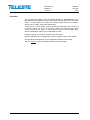
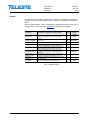
The colour of each list entry and the icon next to parameter name indicate alarm
status:
-
green for nominal value
-
red for a major alarm
-
yellow for a minor alarm
-
blue for a notification
Total number of entries in the alarm log list is shown in the “Number of entries”
field. The index number of the last entry is displayed in the accompanying field.
Total number of entries is limited to 32. The oldest entry is overwritten when the
log is full.
To update “Alarm log” page, click the “Refresh” button.
The “Clear and regenerate log” button empties the alarm log and restarts alarm
detection.