1
SELCOPY/i Reference and User Guide
Contents
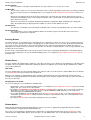
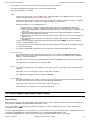
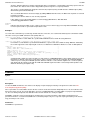
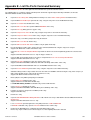
Documentation Notes.........................................................................................................................................................................1
Summary of Changes..........................................................................................................................................................................2
First Edition (May 2012)..........................................................................................................................................................2
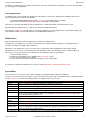
About SELCOPY/i................................................................................................................................................................................3
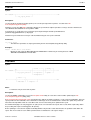
Getting started with SELCOPY/i.........................................................................................................................................................4
Starting the SELCOPY/i program............................................................................................................................................4
Security Considerations..........................................................................................................................................................4
VSE Systems...................................................................................................................................................................4
MVS Systems..................................................................................................................................................................5
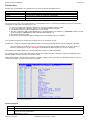
3270 Terminal Emulation........................................................................................................................................................5
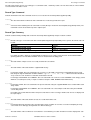
3270 Screen Sizes...........................................................................................................................................................5
Keyboard and Mouse Mapping........................................................................................................................................6
Window Concepts...................................................................................................................................................................6
Window Hierarchy............................................................................................................................................................6
Manipulating Windows.....................................................................................................................................................6
Window Format................................................................................................................................................................7
Pressing Buttons..............................................................................................................................................................8
Window Focus.................................................................................................................................................................8
Input fields................................................................................................................................................................8
Changing the focus window......................................................................................................................................8
Window Names................................................................................................................................................................8
Viewing Window Names...........................................................................................................................................9
Window Class..................................................................................................................................................................9
System Menu...................................................................................................................................................................9
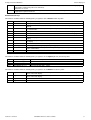
Function Keys................................................................................................................................................................10
Columns Displayed.................................................................................................................................................10
Default Function Keys.............................................................................................................................................11
SELCOPY/i Main Window.....................................................................................................................................................12
SELCOPY/i Main Window Menu Bar.............................................................................................................................12
SELCOPY/i Clipboard...........................................................................................................................................................13
SELCOPY/i Interactive Help.................................................................................................................................................13
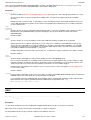
Window Classes................................................................................................................................................................................15
Storage Display Windows.....................................................................................................................................................15
Storage Window Display Format...................................................................................................................................15
Storage Window Resizing..............................................................................................................................................15
Storage Display Navigation............................................................................................................................................16
Storage Data Manipulation............................................................................................................................................16
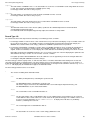
List Windows.........................................................................................................................................................................16
List Window Status Bar..................................................................................................................................................16
List Window Menu..........................................................................................................................................................16
View List Display.....................................................................................................................................................17
Field Descriptor Block (FDB)..................................................................................................................................17
Edit View.................................................................................................................................................................18
Zoom View..............................................................................................................................................................18
Columns Displayed.................................................................................................................................................19
Selecting, Sorting and Filtering......................................................................................................................................19
SELECT Clause......................................................................................................................................................20
The Where Clause..................................................................................................................................................21
The Sort (Order By) Clause....................................................................................................................................22
Sorting with the Cursor..................................................................................................................................................23
List Entry Location.........................................................................................................................................................23
FIND Command......................................................................................................................................................23
LOCATE Command................................................................................................................................................24
S Command............................................................................................................................................................24
List Window Prefix Area.................................................................................................................................................24
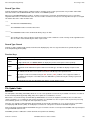
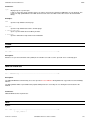
Interactive Panel Windows....................................................................................................................................................25
Panel Window Format....................................................................................................................................................26
Panel Window Size & Location......................................................................................................................................27
Panel Window Hierarchy................................................................................................................................................27
Panel Scrollable Display................................................................................................................................................27
Panel Window Views.....................................................................................................................................................28
Scrollable Input/Output Fields........................................................................................................................................28
Input Field Data Recall...................................................................................................................................................28
Embedded Tables..........................................................................................................................................................29
Overview.................................................................................................................................................................29
Table Edit CLI (Primary) Commands......................................................................................................................29
Table Edit Options..................................................................................................................................................29
Table Edit Prefix (Line) Commands........................................................................................................................30
Table Edit PFKeys..................................................................................................................................................30
Table Editing Techniques.......................................................................................................................................30
COLHEADER - SET/QUERY Option......................................................................................................................32
2012-05-11 13:20:00
i