1
BackupEDGE / RecoverEDGE Installation & Configuration
The BackupEDGE / RecoverEDGE Version 03.00.03 software packaged with
System Studies’ PressureMAP product is intended to be installed on a MAP Engine
computer (or equivalent hardware) which runs PressureMAP Version 27 or higher.
Depending upon which operating system you are using—SCO UNIX 5.0.7 or
CentOS 5.2 Linux—screen output may vary slightly from what is shown in the
installation examples below.*
*Beginning with PressureMAP Version 28, all current and future development of the PressureMAP and PressureWEB applications will be done using the Linux operating system. This OS environment brings greater
flexibility and programming options for PressureMAP program development.
Document
Organization
The instructions in this document begin with an explanation of what is needed—in
the way of materials and information—before you can install the BackupEDGE /
RecoverEDGE product on your PressureMAP system. This preliminary information
is followed by the more detailed sections listed below:
1. BackupEDGE/ RecoverEDGE Installation — initiated in PressureMAP
via the Supplemental Update Menu. The Supplemental Update function
stops the various MAP processes and makes it possible for PressureMAP users without ROOT access permission to the PressureMAP computer’s operating system to install, configure and remove BackupEDGE.
2. BackupEDGE Configuration — includes BackupEDGE resource selection, setting auto-detection of new devices (scanning for valid resources),
configuring devices, and selecting the default backup device.
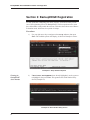
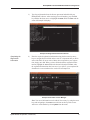
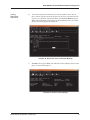
3. BackupEDGE Registration — describes procedures for entering the
BackupEDGE serial number, making a registration disk, and activating your
registration.
4. BackupEDGE Setup Requirements in PressureMAP — establishing
BackupEDGE as the daily backup application, confirming the desired
backup resource in PressureMAP (CD-ROM, url, etc.), and designating the
number of daily backup slots (retained copies) for the selected backup resource.
5. RecoverEDGE Boot Medium Creation — describes the process of using
the EdgeMenu controls and RecoverEDGE Media Generator to create a
bootable CD for the selected BackupEDGE resource (optical drive, ftp, etc.).
6. RecoverEDGE Boot Medium Testing — explains the procedure for testing
the RecoverEDGE CD to confirm that it complies with requirements for the
selected default backup resource.
7. Disaster Recovery — explains how to use the RecoverEDGE CD to boot
the computer and restore the PressureMAP system from your backup archive. This section addresses the crash recovery process for the original
computer, for spare computers, and for a computer with different hardware.
8. BackupEDGE Software Removal — how to access the BackupEDGE
Control Menu and remove the application, if necessary, from your system.
2