1
PRODUCT INTRODUCTION
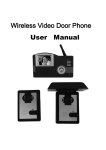
Thank you for purchasing our products of building intercom system series. Please
read the instructions carefully and follow the directions before install the products.
Any problem regarding to the product, please query your supplier.
FEATURES AND PARTS
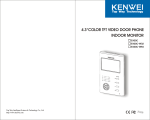
KW-128C Features And Parts
GENERAL FEATURES:
1
2
Hands-free and auto-off function
Monitor and remote unlock
Kinds of chord ring (optional) and clear tone
Image memory
16:9 screen, widen your vision (for 7" LCD only)
OSD (Brightness/contrast/Color/image size adjustable)
No bother function
B&W or Color image memory (optional)
Colour Image can be recorded in FLASH & SD card (optional)
3
4
5
6
7
8
9
16
10
11
12
13
14
15
CAUTION:Please don't remove cover or back. Please ask professional
person if maintenance needed.
Remind users that important operation and maintenance guides are
included in the attached user's manual.
Remark
*
reserves the right to change or modify design, features,
functions and specifications without any prior notice for the improvement and promotion of products quality.
Top Way Technology
4
1.
2.
3.
4.
5.
6.
7.
8.
9.
10.
11.
12.
13.
14.
15.
16.
5.6"or 7"color TFT screen
LED for power/LED for Image memory
LED for door 1
LED for door 2
Speake
TFT OSD navigation(“
” minus, “ ” plus, “ ” function selection)
a.Color Image memory navigation(“
” up, “ ” down, “
” confirmation)
b.B&W Image memory navigation(“
” time; “ ” record, “ ” play)
c.no function without memory
Intercom/Music selection
Open
Monitor Door 1/Monitor Door 2/Quit
LED of no bother
No bother/Volume/Power switch
Talk/Stop
LED for working status
Microphone
Slot for SD card(color image memory)
Remark
the function after “/” means the button with different functions
under different status.
Top Way Technology
5